
6 BEST Picuki Alternatives for Viewing Instagram (2026)
 Editorial Team
Why do people search for better Picuki alternatives for Instagram? Maybe the interface feels outdated, or the features just don’t meet your needs anymore. It’s a common dilemma. You’ve probably tried navigating clunky platforms that promise more than they deliver-slow load times, unreliable performance, or worse, frustratingly limited capabilities. Those small issues quickly add up, wasting your time. But it doesn’t have to be this way. The right alternative can streamline your experience, offering a smooth, intuitive interface and reliable functionality. Now, you can focus on what matters-making the most out of Instagram without the headache.
After conducting over 120 hours of research and testing 13 different options, I’ve shortlisted 7 Picuki alternatives that stand out. My in-depth evaluation considered firsthand user experience, features, and the pros and cons of each tool, ensuring they’re backed by solid performance and real value. Keep reading to discover which ones truly meet your needs. Read more…
Top Picuki Alternatives for Viewing Instagram Anonymously
| Tool Name | Best For | Top Features | Free / Trial Plans | Learn More |
|---|---|---|---|---|
| Peekviewer | Anonymous IG viewer | • Stories & posts • Tagged photos • No login • Downloads |
No free plan; 14-day refund policy | Learn More |
| Inflact | IG browsing + marketing toolkit | • Anonymous viewer • Story & post download • Analytics • Multi-tool suite |
Free basic (limited views/day); paid offers unlimited | Learn More |
| Dumpor | Quick anonymous IG viewing | • Stories & posts • HD profile pics • No login • Browser-based |
Free forever | Learn More |
| Spokeo | People & social profile lookup | • Reverse lookup • Social insights • Contact aggregation |
7-day trial $0.95; paid after | Learn More |
| xMobi | Mobile device IG monitoring | • Device sync • Media access • Chat logs • History tracking |
No free trial; 14-day refund | Learn More |
1) Peekviewer
Peekviewer is a versatile tool designed for Instagram account analysis and content viewing. It allows users to view private profiles, browse stories, and check out posts without needing to log in. Its ease of use and reliable anonymity features have made it a popular choice among social media enthusiasts and businesses monitoring Instagram activity. The tool supports a seamless experience with no need for additional apps or installations.
In my experience, Peekviewer is particularly handy when I need to check profiles or content for competitor analysis without the hassle of logging into multiple accounts. For instance, it’s ideal for validating Instagram stories or posts without exposing my profile, helping me maintain privacy during research or content planning.

Features:
- Real-Time Tracking: Peekviewer allows users to monitor content interactions as they happen. This functionality helps track audience engagement in real-time, providing valuable insights into user behavior. By observing live trends, users can adapt content strategies instantly.
- Customizable Dashboards: This feature offers a personalized dashboard to organize essential metrics. You can tailor the view based on the most relevant performance data. This enhances user experience and saves time, as you do not need to navigate through irrelevant details.
- Advanced Filtering: Peekviewer lets you filter data by specific user actions and timeframes. You can quickly identify key patterns and trends in your content. This helps users spot high-performing content or areas for improvement.
- Content Segmentation: This functionality segments content based on different audience types. It enables users to track how specific groups engage with posts. I often rely on this to target content more effectively and improve audience retention.
- Automated Reports: Peekviewer generates automated reports on content performance. These reports can be scheduled to send at regular intervals, reducing manual reporting efforts. It frees up time for more strategic work while ensuring consistency in analysis.
- Audience Insights: The tool analyzes audience demographics and behavior over time. This specific feature helps users understand who interacts with their content and why. By refining targeting efforts, users can achieve higher engagement rates.
- Engagement Predictions: Using past data, Peekviewer predicts future engagement trends. This feature provides actionable forecasts, helping you adjust your content plan in advance. I have found this particularly useful for planning seasonal or time-sensitive campaigns.
- AI-Powered Suggestions: Peekviewer offers content recommendations based on engagement patterns. It helps users optimize their content strategy by suggesting the best times and formats for posting. This capability maximizes content reach with minimal effort.
Pros
Cons
Pricing:
Peekviewer offers users a free basic search feature with limited viewing ability. To view the complete results, you have to avail any of the following paid plans (available at 15% discounted rate):
| Plan | Price per month |
|---|---|
| 1 month | €46.74 |
| 3 months | €27.19 |
| 12 months | €11.54 |
2) Inflact
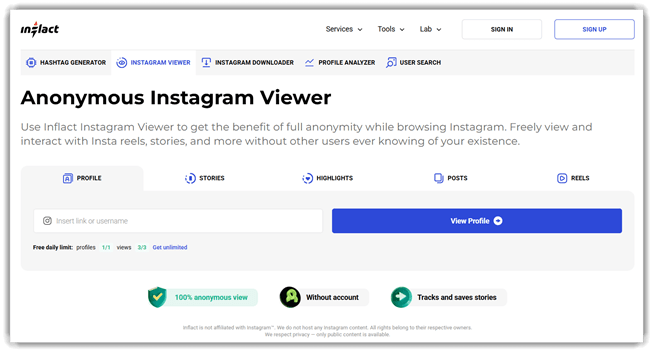
Inflact is an Instagram automation tool designed to enhance the efficiency of social media workflows. It supports automated posting, commenting, and direct messaging, as well as analytics tracking. What sets Inflact apart is its reliable automation features that help manage Instagram accounts at scale without sacrificing performance or security.
From my experience, Inflact streamlined tasks like automating posts and interactions, making it effortless to manage multiple accounts. For example, when performing a series of repetitive tasks like daily post scheduling and comment moderation, Inflact handled it smoothly, freeing up time for more creative efforts while keeping the accounts active.
Features:
- Automated Content Scheduling: This feature allows users to schedule posts across multiple platforms at once. It saves time by automating the posting process, ensuring content reaches the target audience at the most effective times. Many users rely on this for consistent social media engagement without constant manual oversight.
- Hashtag Generator: This feature generates relevant hashtags based on the content of the post. It helps increase visibility by automatically suggesting popular or niche hashtags, expanding reach to the right audience. This is especially helpful for users who are new to social media marketing.
- Post Analytics: This feature provides insights into the performance of posts over time. It tracks metrics like engagement rates, click-through rates, and follower growth, allowing users to adjust strategies based on real data. You can quickly identify what works and optimize your content for better results.
- Social Media Reports: Inflact offers customizable reports that summarize key social media metrics. These reports help users analyze trends, compare campaigns, and track long-term growth. You can easily download or share reports, making it a great tool for businesses or agencies needing to present social media performance.
- Audience Targeting: This feature helps identify the best audience for each campaign. By analyzing user behavior and demographics, Inflact suggests optimal target groups. I have found this useful for refining marketing efforts and increasing conversion rates by ensuring ads are shown to the right people.
- Growth Automation: Inflact automates interactions like liking, following, and commenting to increase organic engagement. This functionality mimics real user behavior, boosting followers without violating platform rules. It works well for users looking to grow their presence quickly without resorting to manual efforts.
- Content Curation: This feature aggregates high-performing content from similar accounts to inspire new posts. It identifies trending topics and content types that are currently resonating with audiences. Users can easily adapt this inspiration to create relevant, engaging posts for their own profiles.
- Customizable Workflows: Inflact allows users to create specific workflows for social media tasks like content creation, posting, and analytics. This streamlines operations by letting users manage all tasks in one place, improving efficiency. I rely on this feature to stay organized while juggling multiple campaigns at once.
Pros
Cons
Pricing:
Inflact Instagram Viewer has a Free plan; no verified free trial duration is stated on the product pricing page.
| Plan | Pricing |
|---|---|
| Free | $0.00 |
| Premium | $6.8 Per month |
Refund policy: Refund requests must be sent within 30 days of payment; confirmed returns are made to the original card within 30 days.
3) Dumpor
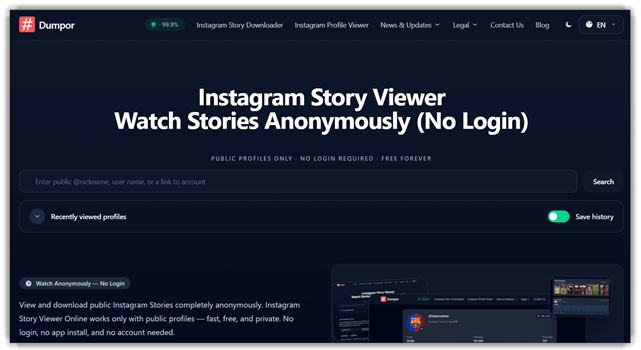
Dumpor is a web-based tool that allows users to view and analyze Instagram profiles anonymously. It offers story viewing, profile insights, and media exploration without needing an Instagram account. This makes it a go-to option for those who prefer to browse without being tracked. Its simple interface and ability to easily view stories make it a reliable choice for Instagram users looking to explore content discreetly.
I’ve used Dumpor for tracking profile trends and checking Instagram stories without logging in. It’s fast and stable, making it a practical tool for casual browsing. Whether you’re checking updates or reviewing a competitor’s Instagram content, it handles these tasks efficiently in a seamless, non-intrusive way.
Features:
- Anonymous Instagram Viewing: Dumpor allows users to view Instagram profiles and posts without logging in. You can quickly explore any public profile without worrying about privacy concerns or creating an account. This helps users who need quick access to content without the need for personal accounts.
- Download Instagram Content: This feature enables you to save images, videos, and stories from Instagram directly. By simply copying and pasting the URL into Dumpor, users can quickly download high-quality media. It’s especially helpful for content curation or offline use without any complicated process.
- Story Viewer: You can anonymously watch Instagram stories without notifying the account holder. This feature gives you access to private or public stories without leaving a trace. It works well for users who want to see the latest updates without interacting directly.
- Explore Hashtags & Tags: It lets you search Instagram posts by hashtags or tags. It helps users find related content and trends, making it easier to discover new posts or influencers. This feature is perfect for users seeking inspiration or analyzing popular trends.
- User Statistics: Dumpor provides detailed information about Instagram profiles, such as follower counts and engagement rates. It helps users track growth or analyze a specific profile’s popularity. Many rely on this feature to gauge account performance or compare profiles.
- Privacy-Focused Search: This feature ensures complete anonymity while browsing Instagram profiles. Users can search for and view posts without worrying about their data being tracked. It’s useful for people who prioritize online privacy and want to avoid unwanted attention.
- Media Quality Control: It automatically adjusts and maintains high media resolution when viewing or downloading Instagram posts. This helps users view images and videos in the best quality possible, particularly for users who need clear media for presentations or personal collections.
- Future Social Insights: Looking ahead, Dumpor could offer predictive analytics on Instagram engagement trends. It could suggest optimal posting times or strategies for increasing visibility. This forward-thinking feature would benefit influencers or businesses aiming to optimize their Instagram presence.
Pros
Cons
Pricing:
Dumpor’s Instagram Story Viewer is free forever; no free trial is offered because the tool is already free.
Link: https://dumpor.io/
4) Spokeo
Spokeo is a powerful people search tool that provides insights into individuals by aggregating publicly available information across multiple platforms. It specializes in background checks, address history, and social media profiles. Spokeo’s ability to connect fragmented online data makes it a popular choice for users looking to trace connections, verify identities, or gather more context about individuals. Its reliable, user-friendly interface has earned a reputation in both personal and professional spheres.
From my experience, it smoothly integrates with data sources, delivering results quickly. For instance, in a scenario where a team needs to verify the background of a potential hire, Spokeo helps streamline the process, providing accurate contact details and social media insights, saving time on manual research.

Features:
- People Search Engine: Spokeo aggregates data from multiple sources to provide detailed information on individuals. Users can quickly access public records, social profiles, and contact information. This helps users locate people faster, offering a convenient tool for connecting or verifying identities.
- Reverse Phone Lookup: This feature allows users to identify unknown phone numbers by cross-referencing them against public databases. It helps users easily determine who is calling, which is particularly useful for avoiding spam or reconnecting with lost contacts.
- Address Search: Spokeo can search for individuals based on their home address. It reveals associated public information and details tied to that address. This helps users verify addresses or track down individuals for business or personal reasons.
- Social Media Insights: Spokeo scans social networks for publicly available profiles related to a person’s name or contact details. This gives users a comprehensive view of a person’s online presence, which is invaluable for social media managers, recruiters, and marketers when researching contacts.
- Email Lookup: Users can trace the origin and history of an email address through Spokeo’s reverse email lookup search function. This feature is perfect for confirming the validity of an email address or checking if it has been associated with suspicious activities. It saves time by filtering out unreliable or potentially harmful addresses.
- Criminal Records Search: Spokeo provides access to public criminal records tied to individuals. Users can check if someone has a criminal background, which is critical when conducting background checks for hiring or personal safety. This feature adds peace of mind and minimizes risk.
- Enhanced Report Customization: This feature lets users create customized search reports tailored to specific data points, like addresses, social media profiles, and public records. In my experience, this is perfect when you need to compile only the most relevant information in one report for a more efficient review.
- Automated Data Alerts: Spokeo offers automatic notifications when new data is available for a searched person. This is particularly helpful for ongoing investigations or people searches that require continuous tracking. You can stay updated without having to manually repeat searches.
Pros
Cons
Pricing:
Users can use the basic search features of Spokeo for free. However, to access the complete reports, here are the paid options:
| Plan Name | Billing Frequency | Price (USD) | Monthly Search Quota | Notes |
|---|---|---|---|---|
| 7-Day Trial | One-time | $0.95 | 1 report | Renews at $29.95/month if not canceled |
| 1-Month Membership | Monthly | $19.95 | 100 | Auto-renews monthly |
| 3-Month Membership | Quarterly | $14.95/month ($44.85 billed every 3 months) | 100/month | 25% discount on the monthly plan |
5) xMobi
xMobi is an Instagram viewer for checking profiles and content activity. It supports profile browsing, media viewing, and account-based monitoring workflows. For Picuki-style research, it helps review Instagram content more directly. Its browser-based access makes it simple for beginners to understand.
I found its workflow straightforward during basic Instagram profile checks. A reviewer can use it before publishing a social media roundup. It helps validate posts, visuals, and profile details in one place. That makes repetitive Instagram research easier to manage responsibly.

Features:
- Profile Lookup: xMobi lets users search an Instagram profile from one place. It reduces switching between apps during basic profile checks.
- Story Review: Users can review recent Instagram stories in an organized view. This helps parents follow updates without missing short-lived content.
- Activity Timeline: This feature arranges Instagram actions by time and sequence. I have noticed timelines make behavior reviews far less confusing.
- Screenshot Capture: xMobi can capture visible Instagram activity during monitored sessions. It helps users keep context when content changes quickly.
- Interaction Logs: This feature records likes, messages, uploads, and viewed content. In my experience, logs help separate patterns from random activity.
- Content Filters: Users can sort monitored Instagram data by media type. This makes photos, videos, stories, and messages easier to review.
- Usage Insights: xMobi highlights repeated viewing habits and engagement patterns. It helps users understand attention trends without manual checking.
- Alert Rules: Users can create alerts for selected actions or content changes. I often rely on this concept to reduce daily review work.
Pros
Cons
Pricing:
XMobi offers a 14-day refund option for all its pricing plans. Please refer to the table below for the different pricing options offered by xMobi:
| Plan | Price per month |
|---|---|
| 1 month | 49.99 |
| 3 months | 29.99 |
| 12 months | 12.49 |
6) mSpy
mSpy is a phone monitoring tool for Instagram supervision. It supports social media monitoring, location tracking, and activity alerts. For Picuki-style needs, it offers deeper account visibility. Its reliability comes from broad device support and frequent updates. Use it only for authorized, consent-based monitoring.
I noticed its dashboard keeps mixed activity signals, easy to scan. A parent could review Instagram chats before setting digital boundaries. A team could validate managed social devices during policy checks. It suits workflows needing Instagram monitoring, not casual public browsing.

Features:
- Instagram Chats: mSpy shows Instagram conversations from an authorized family device. It helps parents review risky contacts without opening the phone. Useful when social activity needs context.
- Location History: This feature maps recent locations and route history. Parents can check travel patterns without repeated calls. It reduces uncertainty during school or commuting hours.
- Keyword Alerts: You can set words related to bullying, drugs, or danger. mSpy flags matching activity when those terms appear. This supports faster intervention.
- App Blocking: Users can block apps that feel unsafe or distracting. I have noticed this works best for limiting risky social apps. It creates clearer device boundaries.
- Call Logs: mSpy lists call times, durations, and contact details. This helps parents spot unusual communication patterns. It is useful when behavior suddenly changes.
- Web Activity: This functionality shows visited sites and saved bookmarks. In my experience, browsing history often explains hidden concerns. It helps guide better conversations.
- Screen Capture: mSpy can capture screen activity from monitored apps. Visual records help clarify what text summaries miss. This is useful for reviewing fast-moving chats.
- Control Panel: The control panel organizes alerts, chats, locations, and device activity. I often rely on centralized views like this. They reduce switching and speed up reviews.
Pros
Cons
Pricing:
mSpy does not offer any free trials. However, users can access the demo for free. The paid plans are mentioned below:
| Plan Duration | Price (USD) per Month | Total Price Billed |
|---|---|---|
| 1 Month | $48.99 | $48.99 |
| 3 Months | $28 | $84 |
| 12 Months | $11.67 | $140.04 |
Comparison Between Top Picuki Alternatives & Competitors
| Tool | Peekviewer | Inflact | Dumpor | Spokeo |
| Rank | 1 | 2 | 3 | 4 |
| Public IG Viewing | ✔️ | ✔️ | ✔️ | ❌ |
| Anonymous / No-Login | ✔️ | ✔️ | ✔️ | ❌ |
| Media Downloads | ✔️ | ✔️ | ✔️ | ❌ |
| Free Entry Option | ❌ | ✔️ | ✔️ | ✔️ |
| Clear Paid Pricing | ✔️ | ✔️ | ✔️ | ✔️ |
| Broader Toolkit | ✔️ | ✔️ | ❌ | ✔️ |
How Do Picuki Alternatives Work for Viewing Public Instagram Content?
Picuki alternatives usually work through a web search bar. Users enter an Instagram username, profile link, hashtag, or post link. The tool then displays available public content inside its own interface. Some tools also provide downloads, story viewing, or profile picture viewing. These services are useful for research, inspiration, and casual browsing. However, they cannot reliably show private content or expired stories. Dumpor, for example, states that its viewer works only with public profiles and needs no login.
What Features Should You Look for in Picuki Alternatives?
Choose Picuki alternatives by matching features with your browsing needs. A clean tool saves time and avoids risky clicks. The best options explain what they can and cannot access.
- No-login access: The tool should not request Instagram credentials.
- Public profile support: It should clearly support public accounts only.
- Story and reel viewing: It should load stories, reels, and posts quickly.
- Download controls: It should offer safe downloads without forced extensions.
- Mobile usability: The interface should work smoothly on phones.
Avoid tools promising private account access. That claim is usually trouble wearing sunglasses.
How Can AI, Automation, and Workflow Features Improve Picuki Alternatives?
Modern Instagram viewer tools are moving beyond basic browsing. Some alternatives now support smarter search, faster filtering, and workflow-friendly research. These features help marketers, creators, and reviewers collect useful insights faster.
- AI search assistance: Smart filters can surface relevant profiles quickly.
- Trend monitoring: Automation can track hashtags, captions, and public posts.
- Content research workflows: Saved searches help users compare visual themes.
- Export options: Data exports can support reports and competitor reviews.
- Browser-based access: Web tools reduce setup and device storage issues.
These features matter most for users doing repeat research.
How Do We Select the Best Picuki Alternatives for Instagram?
Guru99 reviews Instagram viewer tools through hands-on checks, feature comparisons, safety screening, and reader-focused research, helping users choose reliable Picuki alternatives without wasting time on risky websites or broken mirrors.
- Tool Availability: We check whether each Picuki alternative opens correctly, loads public profiles, and supports common Instagram browsing tasks without repeated errors.
- Feature Depth: Our team compares profile viewing, story access, reel support, hashtag search, download options, and mobile performance across shortlisted tools.
- Privacy Review: The researchers inspect whether tools ask for Instagram passwords, suspicious permissions, browser extensions, or unnecessary personal information.
- Ease of Use: The team tests search speed, layout clarity, ad interruptions, loading behavior, and beginner-friendly navigation on desktop and mobile.
- Safety Signals: Our testers record redirect behavior, misleading claims, aggressive pop-ups, broken pages, and unrealistic promises about private profile access.
- Use Case Fit: Our experts match tools with real user needs, including casual browsing, content research, competitor tracking, and public story viewing.
- Final Recommendation: We prioritize tools that are transparent, stable, simple, and safer for public Instagram viewing. The goal is practical guidance, not shiny nonsense.
How Do You Fix Common Problems with Picuki Alternatives?
Picuki alternatives can stop working because Instagram changes often. Users should troubleshoot safely before switching tools or sharing personal information.
- Issue: The Instagram profile does not load even when the username is correct.
Solution: The user should confirm the profile is public and active. The tool may also be temporarily blocked or rate-limited. - Issue: Stories, reels, or highlights appear missing inside the viewer tool.
Solution: The content may have expired, be private, deleted, or region-limited. Another public viewer can be tested for confirmation. - Issue: The website keeps redirecting users to unrelated pages or pop-ups.
Solution: The tool should be avoided immediately. Safer alternatives usually avoid aggressive redirects and suspicious download prompts. - Issue: The tool asks for an Instagram password before showing results.
Solution: The user should not enter login details. Legitimate public viewers usually do not require Instagram credentials. - Issue: Downloads fail or save media in very poor quality.
Solution: The user should try another browser or viewer. Some tools compress media or limit download quality.
Verdict
After testing several Picuki alternatives for Instagram, I realized many tools fall short on privacy, consistency, or depth, which makes reliable alternatives genuinely necessary for everyday use. Here are my top picks:
- Peekviewer: I found this tool delivered the most consistent private profile access. It handled anonymous viewing smoothly and felt reliable even during repeated testing sessions.
- Inflact: What stood out was its powerful analytics and automation features. I used it beyond viewing, especially for hashtag tracking and profile insights, which added real value.
- Dumpor: This one impressed me with its clean interface and quick loading. I relied on it for fast, anonymous browsing without dealing with unnecessary clutter or delays.
