
SAP PI/PO Tutorial
 Editorial Team
⚡ Smart Summary
SAP PI/PO (Process Integration and Process Orchestration) is an enterprise integration platform that connects SAP and non-SAP systems for A2A and B2B communication. It enables seamless data exchange, central monitoring, secure messaging, and workflow automation across distributed business landscapes.
What is SAP PI?
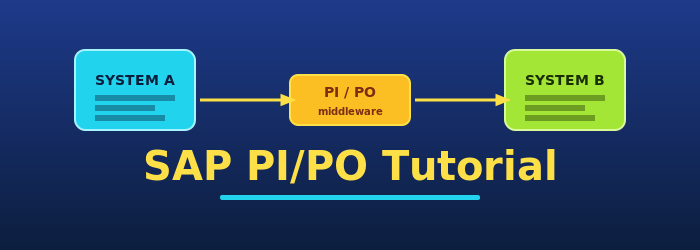
SAP PI (Process Integration) is an enterprise integration platform that delivers seamless connectivity between SAP and non-SAP applications, whether internal A2A (Application to Application) flows or cross-company B2B (Business to Business) communication. It allows organizations to exchange information between internal software within the company and external systems beyond its boundaries.
The SAP PI full form is Process Integration. Its primary purpose is to remove data silos by acting as a hub that translates, routes, and monitors every message exchanged across the enterprise.
What is SAP PO?
SAP PO (Process Orchestration) is a tool for automation and optimization of business processes. It combines features of SAP Business Process Management (BPM), SAP Process Integration (PI), and SAP Business Rules Management (BRM). In other words, SAP Process Orchestration is a more advanced version of SAP PI and provides every tool required to integrate applications and orchestrate complete business workflows.
The SAP PO full form is Process Orchestration. PO is positioned as the successor stack that unifies integration, process modeling, and rules execution on a single AS Java runtime.
Understanding SAP PI/PO with an Example
Beyond the technical definition, SAP PI is easier to grasp through a real-world implementation scenario.

Example
Consider a large-scale dairy industry operating across a wide region and dominating the market. Several small-scale dairies operate in the same region but cannot match the larger player due to pricing differences. To stabilize prices and avoid conflict, the large and small dairies decide to link together using SAP PI. They interconnect through SAP PI and start operating as a single unit. Through this integration they exchange all dairy-related information, including pricing data, and share an equal portion of the profits.
SAP PI connects different platforms such as:
- SAP and Non-SAP systems
- B2B and A2A Scenarios
- Asynchronous and Synchronous Communications
- Cross-component business process management
Why SAP PI/PO?
Before SAP PI, businesses connected with each other through point-to-point communication. That approach does not scale to multiple complex processes. For smooth communication between many systems, mediated communication using an integration broker is used, and SAP PI implements this pattern very well. It enables interconnection of different processes through a central location called the Integration Broker, instead of the spider-web of point-to-point connections. The integration broker or server is an integral part of mediated communication and consists of a Java-based Advanced Adapter Engine (AAE) and an integration engine for routing. Mediated communication is based on an integration broker that executes by exchanging XML messages.

SAP PI handles XML messages through the Integration Broker in four phases:
- Message Transformation: During message exchange, it transforms the structure of the business data.
- Message Routing: Forwards a message sent by a sender system to one or more receiver systems.
- Connectivity Adapters: Connect the integration broker and receiver system. The adapter transforms the incoming message into an inbound message and later converts it to the format of the receiving system.
- Integration Processes: Cross-component Business Process Management (ccBPM) provides functions for enhanced service orchestration.
Next in this SAP PI tutorial, we will learn how SAP PI/PO works.
How SAP PI/PO works
SAP PI performs three basic functions that together form the integration backbone:
- Connect: SAP PI integrates with any application, whether it is from a third party or from SAP. It uses the adapter framework to bring third-party solutions into the bus.
- Co-ordinate: It defines a path or workflow for each integrated business transaction. It ensures that each message is correctly delivered from source to target destination.
- Communicate: It translates files into any format, whether an internal file format or a business-to-business integration standard.
Once these three functions are in place, SAP PI can act as the central exchange layer for the entire enterprise. The next section explains how its architecture supports these responsibilities.
SAP PI/PO Architecture

SAP PI is not a single component responsible for integrating SAP and non-SAP applications. It is a cluster of components that together make SAP PI functional. This architecture is used during design time, configuration time, and at runtime. The various components of SAP PI include:
System Landscape Directory
It is a central information provider in a system landscape. SLD contains two types of information: “Component Information (Installable and Installed)” and “Landscape description.”
Integration Builder
It is a tool-set that contains a set of tools for accessing and editing integration objects across both design and configuration views.
Integration Repository
To develop, design, and maintain data types, message structures, mappings, interfaces, integration processes, and integration scenarios independently of the system landscape, the integration repository is used.
Integration Server
It is the central processing engine of PI. All messages are processed using this server, and it coordinates routing, mapping, and adapter invocation.
Central Monitoring
The PI domain is monitored centrally through this component. The “Runtime Workbench” is the tool used for monitoring message flow, performance, and component health.
Adapter Engine
It acts as the connector layer that links the integration engine to SAP systems and other external systems through protocol-specific adapters.
Message Processing Technique by PI
To access data from SAP and non-SAP applications, SAP PI uses intermediate document formats such as IDoc and flat files to transfer their data, then normalizes everything to XML internally.
Design
Process Integration (PI) uses the integration repository to design message structure and define the contract between sender and receiver systems.
Configuration
Integration Directory (ID) is used to configure technical parameters for objects created in IR (Integration Repository), binding interfaces to real systems and communication channels.
Message Processing
Once the IDoc is activated in the SAP system, PI takes charge and converts messages into XML format for internal processing through the integration engine.
Message Monitoring
Messages can be monitored and traced using the “Runtime Workbench.” This tool is useful for monitoring sender and receiver adapters, outgoing and incoming messages, end-to-end monitoring of complete scenarios, and error traces.
Connectivity: Proxy Framework and Adapter Framework
Connectivity in SAP PI is delivered through two complementary frameworks: the Proxy Framework for native SAP communication and the Adapter Framework for everything else.
Adapter Framework
SAP PI connects with any external system (SAP or non-SAP) using the Adapter Framework. The adapter framework is based on the AS Java runtime environment and the Java Connector Architecture (JCA). The adapter framework consists of two default module chains. If message processing is to be executed entirely within the adapter, the default module chain for the adapter can be used.
- One for the sender direction
- One for the receiver direction
There are four primary types of adapters used in SAP PI:
- File adapters: Exchange files with external systems.
- JMS adapters: Communicate with a messaging system.
- SOAP adapters: Communicate with providers and clients of web services.
- JDBC adapters: Provide direct database connectivity as an extended pack for SAP PI.
Other interfaces supported by the adapter framework are:
- Configuration Services (API and Adapter metadata xsd).
- Administration Services.
- Various service APIs provided by the Adapter framework, including Thread Manager and Transaction Manager.
- The Adapter framework includes a message audit log API. The API can be used for technical trace and logging to write trace statements that describe code execution.
How the Adapter Framework Works

- Data is received from the wire through a receive location that listens for messages at a certain protocol on a specified address.
- Once the receive location accepts the message, the adapter creates a new message, attaches the data stream to it.
- It adds any metadata about the endpoint over which the data was received, then submits the message to the messaging engine.
- The messaging engine sends the message to the receive pipeline where the data is transformed into XML. The sender is authenticated, the message is decrypted, and the XML is validated.
- Next, the messaging engine publishes the message to the message box. The message box is a relational table containing messages awaiting processing.
- The messaging engine then sends the message either to an orchestration or to a send port for outbound delivery.
SAP PI/PO Security
For messages, SAP PI provides message-level security for the XI message protocol, the SOAP adapter, the RosettaNet protocol, the mail adapter, the CIDX protocol, and for connectivity with WSRM (Web Service Reliable Messaging) enabled systems. In SAP PI, message-level security is enabled through encryption, digital signatures, SAML assertions, username tokens, certificate tokens, and similar mechanisms. Authentication methods supported by the WS infrastructure for the transport layer include basic authentication (password and username), SAP assertion ticket, and HTTP over SSL.
Connecting the Integration Server with a WSRM (Web Service Reliable Messaging) Enabled System
To connect with a WSRM-enabled system, a communication channel of adapter type WS is used.
- Use a sender agreement with an assigned WS sender adapter to connect the Integration Server to a WS consumer.
- Use a receiver agreement with an assigned WS receiver adapter to connect the integration server to a WS provider.
Benefits of Security in SAP PI/PO
- Permissions of the receiver application are checked against the original user identity.
- In the receiver system, the user can be fully audited.
- Dynamic configuration is supported at the PI receiver channel for context-aware routing.
New Features in SAP PI/PO
The newer releases of SAP PI/PO ship with several improvements that strengthen monitoring, scale, and B2B coverage:
- Centralized monitoring based on SAP Solution Manager.
- Very large (binary) file-to-file transfer with streaming support.
- IDoc (Intermediate Document) and HTTP adapters available natively in the AAE (Advanced Adapter Engine).
- User-centric perspective in the ESR (Enterprise Services Repository).
- Interface and mapping-based message split on AAE.
- Timeout configuration per communication channel.
- Automated transport for schema validation.
- Replacing TREX with user-defined message search.
- Add-ons for SAP PI: Secure Connectivity add-on (SGTP adapter, PGP module) and B2B add-ons (OFTP adapter, AS2 adapter, EDI separator, EDI XML converter, and others).
Advantages of SAP PI/PO
- Compared with other middleware products, monitoring in SAP PI is stronger. It offers message, performance, and component monitoring, all of which can be used to track and rectify errors.
- SAP PI supports the wide range of SAP components typically required during enterprise integration projects.
- Adapters and mappings are mature and well documented relative to other middleware products.
- Both asynchronous and synchronous communication patterns are supported out of the box.
SAP PI/PO Code Example: Java Mapping
Custom message transformations in SAP PI/PO are often implemented through Java mappings inside the Enterprise Services Repository. The snippet below shows the basic skeleton developers extend to read an input payload, transform it, and write the result back to the output stream.
import com.sap.aii.mapping.api.AbstractTransformation;
import com.sap.aii.mapping.api.TransformationInput;
import com.sap.aii.mapping.api.TransformationOutput;
import com.sap.aii.mapping.api.StreamTransformationException;
import java.io.InputStream;
import java.io.OutputStream;

public class OrderToInvoiceMapping extends AbstractTransformation {
    public void transform(TransformationInput in, TransformationOutput out)
            throws StreamTransformationException {
        InputStream source = in.getInputPayload().getInputStream();
        OutputStream target = out.getOutputPayload().getOutputStream();
        // Read source payload, transform XML, then write to target.
        try {
            int b;
            while ((b = source.read()) != -1) {
                target.write(b);
            }
        } catch (Exception e) {
            throw new StreamTransformationException(e.getMessage());
        }
    }
}
SAP PI vs. BizTalk
| SAP PI | BizTalk |
|---|---|
| Mostly used by SAP customers to enable SOAP-based integration. | BizTalk is built on .Net, certified by Microsoft and SAP to integrate with SAP directly without an intermediate middleware. |
| ESB product designed and implemented to integrate SAP systems with non-SAP systems. | More generalized product with the ability to integrate a variety of systems including SAP and other products. |
| SAP PI ships with a pre-delivered message monitoring system. | Not available out of the box. |
| SAP PI supports multiple data transfer patterns in one channel. | Not available. |
| In SAP PI, automation can be manual or scheduled. | Not available. |
| SAP uses the NetWeaver portal solution. | BizTalk uses Microsoft SharePoint as a portal solution. |
| SOA architecture paradigm for SAP is eSOA (Enterprise Service Oriented Architecture). | SOA is based on .NET and BizTalk. |
| SAP PI Base Engine is priced based on overall processed message volume expressed in gigabytes/month. SAP PI is free to use between SAP and SAP. | MS BizTalk Server is priced based on server capacity. It has four versions: Enterprise, Standard, Branch, and Developer. |
When SAP PI/PO Is Not Recommended
SAP PI/PO is powerful, but it is not the right tool for every scenario in an enterprise SOA (Service Oriented Architecture). Avoid PI/PO when:
- SAP PI is not recommended for synchronous communication, as it will place significant load on the infrastructure service for servicing asynchronous requests.
- SAP PI is not recommended for UI-driven scenarios where the backend is already exposed as enterprise services.
- SAP PI is not needed for intermediation when a non-SAP backend such as J2EE or .NET is already exposing business services in a UI scenario.
