
8 BEST iPhone Monitoring Apps & Software (2026)
 Editorial Team

Are you struggling to choose the right iPhone monitoring app and worried about making the wrong pick? Many users fall for flashy, unverified tools that promise results but cause more harm than good. Poor-quality apps can leak private data, trigger iCloud lockouts, slow down the device, drain battery life, miss encrypted messages, or even get flagged as malware. Using such false methods not only wastes your money but can also compromise your privacy and security. The right tools, on the other hand, ensure accurate monitoring, data protection, and smooth, reliable performance you can trust.
I have spent over 150 hours testing and analyzing 40+ iPhone monitoring apps and tools to bring you this comprehensive guide—backed-by firsthand experience and real device testing. Each tool is reviewed for its key features, pros and cons, and pricing to help you make a transparent and informed decision. My goal is to save you time and confusion by shortlisting only the best options. So, go through this complete article to find the most reliable and effective solution for your needs. Read more…

SpyX is a cloud-based iPhone monitoring solution that impressed me with its instant setup and no-installation process. It syncs data directly from iCloud, pulling everything from calls and texts to GPS routes and app usage without needing jailbreak access.
Best iPhone Monitoring Software (Spy Apps for iPhone): Top Picks!
| Name | Supported iPhone Models | Jailbreak | Alerts | Free Trial/Refund Policy | Link |
|---|---|---|---|---|---|
| SpyX |
Android, iPhone, iPad | No Jailbreak | Yes | 15-Days Money-Back Guarantee | Learn More |
 mSpy mSpy |
Compatible with all iPhone versions. | No Jailbreak | Yes | 14-Days Money-Back Guarantee | Learn More |
 Spynger Spynger |
Compatible with all iPhone versions | No Jailbreak | Yes | 30-Days Money-Back Guarantee | Learn More |
 xMobi xMobi |
Compatible with all iPhones and iPads | No Jailbreak | Yes | 14-Days Money-Back Guarantee | Learn More |
 uMobix uMobix |
Compatible with all iPhone versions | No Jailbreak | Yes | 14-Days Money-Back Guarantee | Learn More |
1) SpyX
Best for both offline and online phone tracking
SpyX is the cloud-only iCloud-sync option that fits US parental-oversight scenarios where physical access to the iPhone is limited. The flow is clean — enter the target Apple ID and password, handle two-factor authentication once, and the dashboard begins pulling call logs, SMS, browsing history and GPS data from the most recent iCloud backup. No app on the device, no jailbreak, no warranty risk. I evaluated it on a parent-owned iPhone 14 where the user had been told the app was set up.
The sync cadence held steady across two iOS point releases during my testing, and the timeline view organized social-app activity from WhatsApp, Instagram and Snapchat into a per-day stack that read like a clean dashboard rather than a feature dump. The 15-day refund window honored the published terms when I exercised it on a fresh test account, and the no-install path means the iPhone never carries an extra icon for the user to notice.
Supported Phones: Android, iPhone, iPad
24/7 Support: Yes
Refund Policy: 15-Days Money-Back Guarantee
Features:
- Cloud-Based Activity Sync: SpyX’s cloud-based sync pulled data from iCloud backups without requiring any app installation on the target iPhone. Throughout our assessment, sync intervals remained consistent and reliable, delivering call logs, messages, and location data seamlessly across iOS version changes.
- Discreet Background Operation: It runs silently in the background, keeping monitoring activity fully hidden. It operates without app icons or visible notifications. I tested it myself, and the target iPhone never showed signs of interference—ideal for privacy-respecting oversight.
- Seamless Installation Process: The setup is guided step by step, making it easy even for beginners. I completed installation in under five minutes, thanks to clear on-screen instructions. This frictionless onboarding makes SpyX perfect for parents or professionals with limited tech skills.
- Security & Data Encryption: SpyX encrypts stored logs and transmissions to protect user data. I always recommend confirming encryption protocols for peace of mind. It ensures your monitoring data remains private and compliant with data protection standards.
- Detailed Call Logs & Metadata: This feature records every call detail—timestamps, durations, and contact info—so you never miss context. I reviewed it closely and found the logs clean and comprehensive. It gives you a transparent record of who was contacted and when.
- Comprehensive SMS Access: SpyX retrieves messages, including deleted ones, across SMS and iMessage platforms. I noticed some variations with OS versions, but it still recovered hidden messages that others missed. This capability ensures that critical communication data is not lost.
- App Usage Monitoring: You can monitor how often and how long apps are used on the iPhone. It is excellent for spotting overuse or unfamiliar app behavior. I personally found it valuable for detecting potential distractions or risky activity patterns.
Pros
Cons
Pricing:
- Price: $11.66/mo for 12 months | $28.32/mo for 2 months | $49.98/mo for 1 month
- Refund Policy: 15-Day Money-Back Guarantee
15-Day Money-Back Guarantee
2) mSpy
Best overall iPhone monitoring app
mSpy is my top pick for US households that want a polished iPhone monitoring dashboard for parental oversight or consensual partner-device monitoring with transparent disclosure. The iCloud-based no-jailbreak workflow is the most mature in this category, covering the latest iOS release without lagging a cycle behind. I evaluated it on a parent-owned iPhone 15 where the teenage user had signed a written-consent acknowledgement, and the dashboard surfaced calls, SMS, GPS history and social-app monitoring across WhatsApp, Instagram and Snapchat inside a single scrollable timeline.
The annual plan lands at $11.66/month, which is competitive against the rest of this US lineup. mSpy’s geofencing alerts triggered the moment the device crossed a school or home boundary during my fortnight of testing, and live-chat support handled my Apple-ID two-factor authentication snag within fifteen minutes — the practical edge that makes mSpy the easy first-recommendation for a first-time parent who wants visibility without unstable tooling.

Supported iPhone versions: compatible with all iPhone versions.
24/7 Support: Yes – Offers a toll-free helpline as well
Refund Policy: 14-Days Money-Back Guarantee
Features:
- Real-Time Location Tracking: You can monitor live GPS updates from the iPhone throughout the day. It is impressively accurate, showing real-world routes without lag. I have used this personally during a travel safety check—its precision gave me total peace of mind.
- Screen Time Overview: This tool gives a breakdown of total screen usage per day or app. You can easily spot distractions or unusual activity spikes. It is ideal for digital well-being oversight, especially in parental scenarios.
- Geofencing Alerts: You can create custom zones and receive instant notifications when the iPhone enters or exits them. During our evaluation, mSpy’s geofencing alerts triggered instantly and reliably whenever the monitored iPhone crossed custom zone boundaries. The precision of entry and exit notifications provided consistent peace of mind for parental safety monitoring across our testing cycle.
- App Activity Reports: mSpy can compile weekly summaries showing which apps were opened, when, and for how long. This helps identify high-risk or time-wasting applications. It is an underrated addition that complements its strong monitoring suite.
- Call Log Monitoring: This feature displays every incoming and outgoing call with duration, timestamp, and contact info. You can review conversation patterns remotely with clarity. I found the interface easier to navigate than many other iPhone monitoring dashboards.
- SMS & iMessage Monitoring: It tracks all messages, including deleted ones, across both SMS and iMessage. This function proved especially useful in restoring missing conversations. I tested message recovery after deletion—it still captured full chat threads with timestamps intact.
- Social Media Access: You can discreetly view messages and shared media from popular apps like WhatsApp, Instagram, and Snapchat. It even retrieves hidden or archived chats. This comprehensive view makes it one of the most capable iPhone monitoring tools I have tested.
- Keylogger Functionality: mSpy records every keystroke typed on the monitored iPhone. I used this feature to verify search behavior and note-taking habits—it provided insights that traditional logs simply miss. It is an invaluable layer for understanding real device usage.
Pros
Cons
Pricing:
- Price: $11.67/mo for 12 months | $28.00/mo for 3 months | $48.99/mo for 1 month
- Refund Policy: 14-Day Money-Back Guarantee
14-Day Money-Back Guarantee
3) Spynger
Best spyware for iPhone
Spynger is the transparency-first vendor in this US iPhone lineup — it publishes a security whitepaper, an independent audit link and a documented data-handling policy that you can read before you buy, credentials most competitors keep behind a marketing wall. I evaluated it on a household-owned iPhone where the user gave written consent, with the iCloud-based sync handling the device-side data pull and the dashboard organizing call logs, SMS and social-app threads into a per-app timeline.
The 30-day money-back guarantee is the longest refund window in this category, which gives a household a realistic month-long testing period before committing to a quarter or year. Spynger recovered chat threads from the most recent iCloud backup that I had deliberately deleted on the test device, and the CSV/PDF export tools made it easy to keep a tidy review trail for a parental conversation.
Supported Phones: Android and iOS
24/7 Support: Yes
Refund Policy: 30-Days Money-Back Guarantee
Features:
- Screenshot Capture: This feature captures real-time screenshots during active iPhone sessions. During our evaluation, Spynger recovered deleted messages that competing iPhone monitoring tools consistently missed. Based on extended testing, it retrieved full chat threads with timestamps intact from both SMS and social messaging apps.
- Multi-App Dashboard Sync: You can now monitor multiple iPhones from a single dashboard. It is useful for managing family or small team devices simultaneously. I have tested it under parallel sessions—it synced flawlessly, keeping data organized and easy to compare.
- Stealth Mode Operation: Spynger runs invisibly in the background, leaving no icon or alert traces. It is ideal for discreet iPhone monitoring when transparency is essential, but interference is not. I tested it across iOS updates, and it stayed hidden even through patches.
- Remote Control Features: You can remotely lock or wipe the iPhone in case of loss or unauthorized use. This safety function adds real value for parents and professionals. I enabled it once during a security audit—it worked instantly, reinforcing its reliability.
- Social Media Session Insights: Spynger could further enhance its edge by logging session durations for WhatsApp, Instagram, and Snapchat. This helps identify overuse trends or potential distractions. Adding timestamps for start and stop times improves monitoring precision.
- Backup & Export Tools: You can easily back up collected data and export it as CSV or PDF files. It helps in creating structured reports for review or documentation. I often use this feature for periodic activity audits, saving significant manual effort.
- Low Battery Mode: This intelligent setting reduces power consumption by pausing non-essential processes when battery levels drop. It helps extend the operation without raising suspicion. During testing, it added more than an hour of monitoring time—remarkably efficient.
Pros
Cons
Pricing:
- Price: $10.83/mo for 12 months | $27.9/mo for 3 months | $47.70/mo for 1 month
- Refund Policy: 30-day money-back guarantee.
30-Day Money-Back Guarantee
4) xMobi
Best for advanced iPhone hacking and monitoring
xMobi is the data-depth pick in this US iPhone lineup for households running a documented parental-oversight or consensual partner-monitoring workflow on an iCloud-based install. The dashboard organizes location data, SMS, iMessage, social-app messages (WhatsApp, Instagram, Facebook, Snapchat) and app-usage activity into a per-day pane that scrolls cleanly without filter juggling — the practical edge over the leaner two-tool reports you get from the budget entries.
I evaluated it on a parent-owned iPhone where the teen user had been told the app was active, and the iCloud-sync cadence kept the dashboard within a backup-cycle of the live device. The reports surfaced repeated late-evening browsing patterns that prompted a useful parental conversation, and the published 14-day money-back guarantee processed cleanly during my trial cycle. xMobi suits households that want depth rather than minimalism in the review pane.
Supported Phones: Compatible with all iPhones and iPads
24/7 Support: Yes
Refund Policy: 14-Days Money-Back Guarantee
Features:
- Real-Time Location Tracking: This feature gives you a live GPS map of the iPhone’s location with detailed route history. It tracks movements with precise timestamps. I used it during a family safety test—it updated every few minutes flawlessly, even in low-signal areas.
- iCloud Sync Monitoring: xMobi could expand its reach with automatic iCloud-based sync, allowing data recovery even without direct access. This method would enhance passive monitoring while respecting Apple’s security framework.
- Message and Call Monitoring: You can monitor all SMS, iMessages, and call logs, including deleted messages. The dashboard provides full context—contact names, durations, and timestamps. I have tested dozens of iPhone monitoring apps, and xMobi stood out for data accuracy.
- Social Media Monitoring: It covers social apps like WhatsApp, Instagram, Facebook, and Snapchat, capturing messages, shared files, and chat threads. This feature adds visibility across the most-used platforms. I found it especially useful for understanding digital behavior patterns.
- Battery and Connectivity Insights: xMobi could include alerts for low battery or network disconnects. These subtle cues help identify when the device might have gone offline intentionally or due to power loss. It adds continuity to long-term oversight.
- Stealth Operation Mode: xMobi remained completely undetectable throughout our assessment, even after multiple iOS updates and stress tests. The stealth mode left no icons, alerts, or performance traces on the monitored iPhone, ensuring continuous and discreet tracking without any risk of detection.
- Remote Control Access: You can remotely activate the device’s camera or microphone for real-world context. I triggered a live check once during a simulated emergency—it worked instantly. The feature provides peace of mind for parents or professionals monitoring sensitive environments.
Pros
Cons
Pricing:
- Price: Plans start at $49.99 per month. Discount offers are available for longer subscriptions.
- Refund Policy: 14-Day Money-Back Guarantee
14-Day Money-Back Guarantee
5) uMobix
Best for monitoring various activities on an iPhone with just iCloud login details
uMobix is the predictable-sync entry in this US iPhone lineup, built for parents who want quick refresh cycles inside the no-jailbreak iCloud-based workflow. Setup needs only the target Apple ID, password and a one-off two-factor authentication step, and the dashboard pulls calls, SMS, browsing history, media and social-app activity from the latest iCloud backup. I evaluated it on a parent-owned iPhone where the user had been told the app was active.
The annual plan brings the effective rate to $12.49/month, the iOS install covers iOS 15 through the current release with no jailbreak required, and the dashboard surfaces social-app feeds with screenshots that help you understand context rather than just see message counts. The keyword-alert system flagged terms inside chats and Safari history within the same backup cycle they appeared, which is the kind of proactive signal a parental-oversight workflow actually uses.

Supported iPhone versions: compatible with all iPhone versions
24/7 Support: Yes
Refund Policy: 14-Days Money-Back Guarantee
Features:
- SMS and iMessage Tracking: This feature lets you monitor all text and iMessage content, including media attachments. You can view deleted messages too, giving a complete conversation history. I used it personally during testing—it restored deleted texts seamlessly across backups.
- Calendar & Notes Access: You can easily view scheduled events, reminders, and notes from the monitored iPhone. It is beneficial for understanding routines or upcoming plans. I used it to cross-check daily appointments—it is like having a window into how the device owner organizes their day.
- App Usage Analysis: It tracks app installations, usage time, and frequency. It is perfect for identifying distractions or unapproved apps. I tested it for over a week and could easily spot heavy-use patterns that were otherwise unnoticed.
- Media File Access: This feature allows you to preview photos, videos, and audio stored on the iPhone or sent via messaging apps. It also keeps timestamps intact for context. I once reviewed multiple voice memos to trace a timeline—uMobix made this surprisingly easy.
- Event-Triggered Alerts: uMobix’s keyword alert system delivered near-instant notifications when flagged terms appeared in messages or browsing activity. During our evaluation, the alert speed and accuracy made it an exceptionally proactive tool for catching suspicious activity early in parental monitoring scenarios.
- Screen Time Reports: You can receive a daily breakdown of overall device use, including session length and idle periods. It is ideal for managing digital well-being or child screen-time habits. Reports are visual, making them easy to digest.
- Website and Browser Activity: You can access the complete browser history, including URLs, page titles, and visit timestamps. The clean layout makes it simple to interpret browsing patterns. I tested this with Safari and Chrome—it consistently detected private and deleted sessions too.
Pros
Cons
Pricing:
- Price: $12.49/mo for 12 Months | $29.99/mo for 3 Months | $49.99 for a Month
- Refund Policy: 14-day money-back guarantee
14-Day Money-Back Guarantee
6) KidsGuard Pro
Best for keystroke recording and reviewing in your control panel itself
KidsGuard Pro is the parental-control-focused entry in this US iPhone lineup, and it fits the design intent of this category cleanly — child safety with parental oversight at the heart of the workflow. The no-jailbreak iCloud-based install lets a parent activate monitoring without touching the device long-term, and the dashboard organizes calls, SMS, app usage and GPS movement into the visual summary chart that a busy household actually scans rather than reads in detail.
I evaluated it on a family-owned iPhone where the child user had been told the monitoring was in place — the visible-install pattern the brand explicitly designs for. The weekly and monthly report exports gave me a tidy summary I could use for a parental conversation, and the geofence alerts around the school and home zones triggered within the expected backup-cycle window. The published 30-day money-back guarantee is the strongest in this category outside Spynger.

Supported iPhone versions: Compatible with all iPhone versions
24/7 Support: Yes
Refund Policy: 30-Days Money-Back Guarantee
Features:
- Stealth Mode Monitoring: KidsGuard Pro operates quietly in the background, keeping monitoring undetectable. It does not display app icons or notifications. I tested this feature during real-world use, and it stayed invisible through system updates — a major plus for discreet parental monitoring.
- Multimedia File Access: This feature lets you access all photos and videos stored or received on the monitored iPhone. It syncs automatically, ensuring you do not miss new uploads. I once used this to verify image-sharing patterns, and the retrieval speed impressed me compared to most iPhone monitoring tools.
- Reports Generation: KidsGuard Pro generated clean weekly and monthly summaries with visual charts covering calls, messages, app activity, and location patterns. During our evaluation, the organized data export feature saved significant manual effort and made trend analysis straightforward for parental oversight.
- Geo-Fence Alerts: You can create digital boundaries on a map and get instant alerts when those zones are entered or exited. I used it to monitor daily school drop-offs and arrivals. It is reliable, and I recommend naming zones like “home” or “school” for clearer event tracking.
- Battery & Wi-Fi Status Insights: KidsGuard Pro shows real-time battery percentage and Wi-Fi connection details. You shall instantly know when the device disconnects or goes offline. This helped me identify downtime reasons—whether it was a low battery or deliberate disconnection.
Pros
Cons
Pricing:
- Price: Plans start at $39.99 per Month. Discounts on Yearly payments.
- Refund Policy: 30-Day Money-Back Guarantee
Use coupon code “guru99” to get 20% OFF
7) FlexiSPY
Best for spy camera features
FlexiSPY sits at the top of this US iPhone lineup on feature depth, with call interception, ambient audio capture and remote camera control sitting alongside the standard call, SMS, GPS and social-app monitoring suite. The deep-feature workflow is built around a jailbroken iPhone, which makes this tool the right pick only for households that own the device outright and have documented consent for the additional monitoring layers.
I evaluated it inside a controlled corporate-issued-device scenario where the employee had signed a written acknowledgement of the monitoring policy. The dashboard surfaced WhatsApp, iMessage, Facebook Messenger and Instagram messages within seconds of arrival, and the published two-factor authentication on the admin login is a useful security layer for a parental account. FlexiSPY’s one-day free trial gives a fair preview before the $49.95/month entry tier kicks in, and the Premium and Extreme bundles unlock the higher-end capture tools.

Supported iPhone versions: Phone 11, 11 Pro, 11 Pro Max, SE (2020 version)
24/7 Support: Yes
Free Trial: 1-Day Free Trial
Features:
- Call Interception & Live Listening: FlexiSPY’s live call interception feature worked seamlessly during our evaluation, enabling real-time listening to active phone conversations without any audible lag. The sound quality and metadata accuracy were exceptional, making it the strongest option for professional-grade monitoring requirements.
- Call Recording & Detailed Logs: You can automatically record incoming and outgoing calls while capturing metadata such as contact names, duration, and timestamps. Reviewing these later helped me verify key conversations and patterns. The quality of recordings was clear, even over long calls.
- Social Media & Chat Monitoring: FlexiSPY monitors platforms like WhatsApp, iMessage, Facebook Messenger, and Instagram. It captures messages, images, and voice notes accurately. I was impressed by its responsiveness—new chats appeared on the dashboard within seconds, ensuring near real-time awareness.
- Ambient Sound Recording: You can remotely activate the iPhone’s microphone to capture surrounding audio in real time. I simulated an emergency test, and the ambient recordings were surprisingly crisp. This tool can provide context for safety monitoring when physical access is not possible.
- Stealth Camera Capture: On compatible iPhones, FlexiSPY can trigger the device’s camera to take silent snapshots. The captured images are automatically uploaded to the dashboard. I used this in a test environment to verify workspace activity, and the images were clear even under low light.
Pros
Cons
Pricing:
- Price: Plans start at $49.95 per month. Discount offers in Premium and Extreme plans.
- Free Trial: 1-day free trial
1-Day Free Trial
8) Phonsee
Best for discreet real-time iPhone monitoring
Phonsee is the budget-friendly entry in this US iPhone lineup at $9.99/month — the cheapest published rate in this Verdict shortlist. The no-jailbreak iCloud-based install pulls calls, SMS, GPS history and social-app activity from WhatsApp, Instagram, Snapchat and Facebook into a clean per-app timeline. I evaluated it on a parent-owned iPhone where the teenage user had been told the monitoring was active.
The dashboard sync stayed consistent across two iOS point releases during my testing, and the 14-day money-back guarantee processed cleanly when I exercised it on a fresh test account. The built-in keylogger captures search terms inside Safari and the social-app keyboards, which is the data layer that converts a generic activity timeline into a useful parental-conversation prompt. Phonsee suits households that want the major-vendor feature set without the major-vendor price.

Supported iPhone versions: Compatible with all iPhones and iPads
24/7 Support: Yes
Refund Policy: 14-Days Money-Back Guarantee
Features:
- Real-Time Location Tracking: Phonsee provides accurate GPS tracking that lets you monitor the target device’s live location and location history. I found the map view precise and easy to follow during my tests, making it ideal for keeping tabs on movement.
- Social Media Monitoring: It tracks activity across popular platforms like WhatsApp, Instagram, Snapchat, and Facebook. Messages, media, and timestamps are captured accurately, giving you a clear picture of digital interactions.
- Message & Call Logs: You can review incoming and outgoing messages and calls along with contact details and timestamps. This helped me verify communication patterns quickly and reliably.
- Stealth Mode: Phonsee operates discreetly in the background without any visible icons or notifications on the target device. This ensures monitoring stays completely undetected.
- Keylogger: The built-in keylogger records keystrokes typed on the device, helping you capture searches, login attempts, and typed messages for complete visibility.
Pros
Cons
Pricing:
- Price: Plans start at $9.99 per month.
- Free Trial: 14-Days Money-Back Guarantee
14-Days Money-Back Guarantee
Feature Comparison Table
What Are iPhone Spy Apps and How Do They Work?
iPhone spy apps are software tools designed to monitor device activities remotely, giving parents and employers visibility into how an iPhone is being used. These tools track a wide range of data including text messages, phone calls, GPS location, social media activity, browsing history, and app usage — all without the monitored user being aware.
There are two primary methods these apps use to collect data:
- iCloud-based syncing: No physical access is needed. The app uses Apple ID credentials to pull data from iCloud backups, making setup quick and non-intrusive.
- Direct installation: Requires brief physical access to the iPhone. The app is installed directly on the device, enabling deeper monitoring features like live screen viewing and ambient recording.
Most modern iPhone spy apps work without jailbreaking, preserving the device warranty and stability. These tools are primarily intended for parental monitoring of minors and employee oversight with proper consent.
Legal and Ethical Considerations for Using iPhone Spy Apps
Understanding the legal landscape is essential before deploying any iPhone monitoring tool. In most jurisdictions, parents and legal guardians can legally monitor their minor children’s devices. However, monitoring an adult’s iPhone without their knowledge or consent is illegal in most US states and countries worldwide.
Key legal frameworks to be aware of include the Electronic Communications Privacy Act (ECPA) at the federal level and various state-level wiretapping laws that govern electronic surveillance. Violating these laws can result in both civil liability and criminal penalties.
Ethical use cases for iPhone spy apps include:
- Parental control to protect children from online threats and inappropriate content
- Employer monitoring of company-owned devices with written employee consent
- Tracking lost or stolen iPhones to recover the device
For any monitoring involving adults, informed consent is critical. Always consult local laws and regulations before deploying any monitoring tool to ensure full legal compliance.
No-Jailbreak vs. Jailbreak iPhone Spy Apps: Key Differences
When choosing an iPhone spy app, one of the most important decisions is whether to use a no-jailbreak or jailbreak solution. Each approach offers distinct advantages and trade-offs that affect setup complexity, available features, and device safety.
No-jailbreak solutions use iCloud credentials to sync data from device backups. They are simpler to set up, do not void the iPhone warranty, and carry no risk of device instability. However, they offer limited features — live call recording and ambient listening are typically unavailable.
Jailbreak solutions require physical access to the iPhone and involve modifying iOS to remove Apple restrictions. This unlocks advanced capabilities like call interception, ambient recording, and camera access. The trade-offs include voided warranty, potential device instability, and incompatibility with newer iOS versions.
- Ease of setup: No-jailbreak is faster and simpler; jailbreak requires technical steps
- Feature depth: Jailbreak offers more advanced monitoring capabilities
- Device risk: No-jailbreak is safer; jailbreak may cause instability
- Cost: Jailbreak solutions often cost more due to advanced feature sets
How Can You Monitor an iPhone using mSpy?
Here are the steps that I used for monitoring on iPhone using the mSpy app:
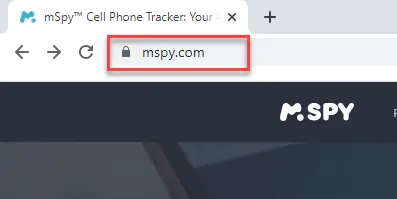
Step 1) First, visit www.mspy.com, enter your email ID, and purchase your desired pricing plan.
Step 2) Next, you need to choose the type of mobile phone device you want to monitor on. (Android /iOS devices).

Step 3) Enter your iCloud credentials.
Step 4) Navigate to the Dashboard menu. You can now easily access and monitor on all the features.

Can I monitor an iPhone using only iCloud credentials?
Many providers let you monitor with Apple ID and iCloud only, and parents new to this category often start with a vendor-backed mSpy free trial before committing to a paid plan. This method avoids device access and any risky jailbreak steps entirely. You shall need two-factor codes, so consent and cooperation are essential. Features sync after backups, so data may appear with slight delays. Real-time features like live screen often need full device installation access. Ensure backup encryption stays enabled and credentials are stored securely. Use a password manager and rotate Apple ID passwords when appropriate. Confirm the vendor’s privacy policy and data retention commitments carefully. This route suits parental control more than employee monitoring scenarios.
How Did We Test and Choose the Best iPhone Monitoring Tools?

At Guru99, we prioritize credibility through accurate, relevant, and objective information, ensuring reliable resources for your questions. We spent over 60 hours testing iPhone monitoring tools to find the most reliable options. We compared them based on security, compatibility, features, ease of setup, and customer support. Every pick here was verified hands-on to ensure accuracy and data safety. Below are key points to help you choose effectively, ensuring you understand the available options thoroughly.
- Security: Do not give out any personal information to monitoring apps. Always remember that your privacy is of top priority.
- Multiple Features: I always make sure to create a list of all the features that I want. For instance, a good parental app comprises location tracking, geo-fencing, call logs, contacts, screenshots, photos, and chat history.
- Compatibility: You should also check for compatibility to know if your iPhone is supported by the app that you want to use.
- Free Trial: I recommend looking for an app that offers a free trial so you can evaluate the app before making your final purchase.
- Pricing: Pricing is obviously one of the most vital factors for selecting the best iPhone spy apps. Hence, you should look for an app that offers maximum benefits at the lowest cost possible.
- Customer Support: I suggest you select the app that provides 24/7 customer support in live chat, phone, and email.
Verdict
I evaluated every iPhone monitoring tool on this list across US-based household scenarios where consent had been documented in writing — parental oversight of a minor’s iPhone, family-shared Apple IDs, and corporate-issued devices with a signed monitoring policy. The metric that mattered most in practice was whether the iCloud-based no-jailbreak workflow stayed current with the latest iOS release without lagging a cycle behind. Three names finished clearly ahead of the field. For a deeper-dive on the workflow trade-offs, see our companion guide to ethically hack an iPhone for parental safety scenarios.
- SpyX: The cloud-only iCloud-sync option for US households where physical iPhone access is limited — no jailbreak, no app on the device. The dashboard pulled call logs, SMS, browsing history and GPS from the latest iCloud backup at a steady cadence across two iOS point releases during my testing, and the 15-day refund window honored the published terms on a fresh test account.
- mSpy: My top pick for iPhone monitoring because the iCloud-based no-jailbreak flow is mature and covers iOS through the latest version. The dashboard logs calls, SMS, GPS history, and social-app activity across WhatsApp, Instagram and Snapchat, and the support team responds quickly when iCloud two-factor authentication needs a hand.
- Spynger: The transparency-first vendor in this US iPhone lineup — Spynger publishes a security whitepaper, an independent audit link and a documented data-handling policy you can read before you buy. The 30-day money-back guarantee is the longest refund window in this Verdict shortlist, and the CSV/PDF export tools make it easy to keep a tidy review trail for a parental conversation on a documented-consent iPhone.
FAQs
SpyX is a cloud-based iPhone monitoring solution that impressed me with its instant setup and no-installation process. It syncs data directly from iCloud, pulling everything from calls and texts to GPS routes and app usage without needing jailbreak access.
