
8 Best FREE Google Voice Alternatives for 2026
 Editorial Team
Disclosure: Guru99 is reader-supported. We may earn a commission when you buy through links on this page. Learn more
Best Google Voice Alternatives help businesses move beyond basic calling when they need shared numbers, routing, analytics, integrations, or stronger support. I compared Zoom Phone, RingCentral, and Ultatel for different team sizes and communication needs. Zoom Phone suits existing Zoom users, RingCentral handles larger workflows, and Ultatel combines calling with responsive onboarding. This guide explains trials, pricing limits, features, tradeoffs, and switching factors before you choose a replacement confidently.

People seek another business phone app when their current service produces missed calls, uneven audio, limited routing, confusing controls, slow support, or unexpected messaging restrictions. These problems can leave customers waiting, separate teams from call history, and turn simple number changes into lengthy projects. Pricing pages also hide important limits that appear after signup. A clear comparison makes it easier to protect your number, route conversations properly, connect customer records, and choose an evaluation path without another disruptive switch.
I spent 52 hours researching 15+ tools, reviewing official documentation, current trial terms, screenshots, pricing, and recurring user feedback. After rigorous analysis, I shortlisted 8 Best FREE Google Voice Alternatives with firsthand screenshot evaluation, features, pros and cons, and details backed-by current provider pages. Continue reading to find the right balance of calling, messaging, administration, and cost. Read more…
Best Alternatives to Google Voice (Free & Low Cost Plans 🏷️)


1) Zoom Phone
Zoom Phone is a cloud business phone system inside Zoom Workplace. It combines domestic calling, SMS and MMS, voicemail, call recording, and online fax with meetings and team chat. Built-in AI can summarize calls, prioritize voicemail, and extract follow-up tasks.
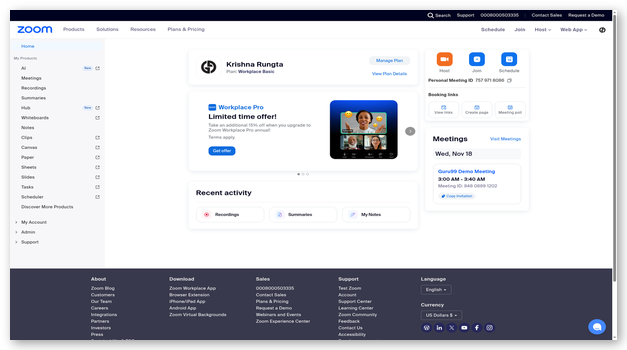
Its dashboard screenshot shows a familiar Zoom workspace for phone activity and administration. It fits teams already using Zoom meetings because users avoid another communications application. However, Zoom requires a Phone license for PSTN calling. A trial is advertised, but the public signup page does not state a duration.
Features:
- Unified workspace: Calling, meetings, chat, voicemail, and contacts share one Zoom environment, helping existing customers reduce application switching during daily communication work.
- AI assistance: Included AI tools can create post-call summaries, prioritize voicemail, and extract tasks, giving users faster context without replaying every recorded conversation.
- Call management: Auto receptionists, queues, forwarding, transfer, park, and recording controls support more structured business call flows than a basic personal number.
- Business messaging: Eligible plans support domestic SMS and MMS, although carrier registration, regional availability, and messaging rules still determine which numbers can send texts.
- App integrations: Connections with Salesforce, Slack, Microsoft, Google, and contact-center products place phone activity closer to customer records and existing team workflows.
- Multiple devices: Users can make and receive calls from desktop, mobile, web, and supported desk phones while administrators manage numbers from one portal.
- Service reliability: Zoom publishes an uptime service commitment reaching 99.999 percent for eligible configurations, supported by call quality monitoring and centralized administration tools.
Pros
Cons
How to Get It Free:
- Open Zoom's official free-trial page and select Zoom Phone.
- Create the evaluation account and review the assigned calling access.
- Confirm the trial duration and number limits before porting; permanent PSTN calling requires a paid Zoom Phone license.
Free trial available
2) RingCentral
RingCentral RingEX combines business calls, team messaging, video meetings, fax, and conferencing in one service. Core plans include an auto attendant, call recording, domestic calling, SMS allowances, mobile applications, and administration for growing organizations.
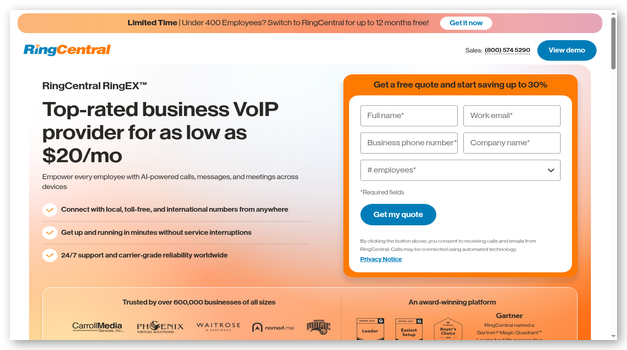
RingCentral's dashboard presents calls, messages, contacts, and meetings in a shared workspace. RingCentral fits businesses that need broad integrations and several communication channels. Its 14-day trial supports up to 20 phone lines and most RingEX features, but SMS is unavailable. Hardware borrowed for the trial must be returned promptly after cancellation to avoid charges.
Features:
- AI receptionist: An optional AI receptionist can answer common questions, capture leads, schedule appointments, and route callers with context before a person joins.
- Call handling: Auto attendants, queues, forwarding, park, recording, extensions, and simultaneous ringing give administrators detailed control over inbound and internal business conversations.
- Team collaboration: Calls, messages, meetings, fax, and file sharing remain available through connected desktop and mobile applications for office and remote staff.
- AI notes: Included virtual assistance can summarize conversations and identify follow-up items, helping users retain context after calls without taking extensive manual notes.
- Integrations: A large application catalog connects RingEX with CRM, productivity, help desk, and workflow systems, while APIs support custom business processes.
- Administration: Central controls manage users, devices, numbers, permissions, call rules, and analytics across several offices, departments, or distributed remote work locations.
- Trial coverage: New subscribers receive a 14-day RingEX trial with up to 20 lines, though SMS is excluded and loaned hardware has return conditions.
Pros
Cons
How to Get It Free:
- Open RingCentral's RingEX pricing page and select Try Free.
- Start the 14-day trial with up to 20 phone lines.
- Test voice, meetings, messaging, fax, and administration; SMS is unavailable, and any trial hardware must be returned after cancellation.
14-day free trial
3) Ultatel
Ultatel is a cloud phone system covering voice, SMS and MMS, chat, video, fax, and business numbers. Plans include voicemail transcription, call analytics, auto attendants, ring groups, number porting, and United States and Canada calling.
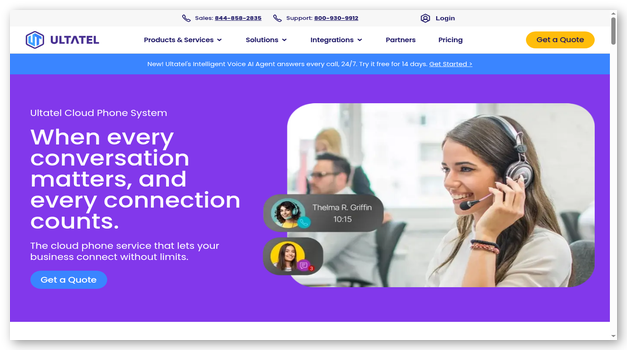
Ultatel's dashboard presents a centralized workspace for users, phone activity, and configuration. Ultatel suits organizations that value guided onboarding and direct support. Public pricing starts at $18 per user monthly with an annual contract. The provider offers a no-cost demo and quote, but does not advertise a general self-service free trial.
Features:
- AI transcription: Plans include voicemail transcription and selected call intelligence, while higher tiers add broader transcripts, summaries, sentiment analysis, and topic identification.
- Business calling: Unlimited United States and Canada calling, a local or toll-free number, voicemail, forwarding, waiting, and caller identification cover core phone needs.
- CRM connections: Supported integrations include HubSpot, Salesforce, Microsoft Dynamics, Zoho, Pipedrive, Zendesk, and Teams, with exact availability depending on the selected plan.
- Call routing: Auto attendants, ring groups, queues, callback options, and multi-level IVR direct customers according to departments, availability, and configured business rules.
- Security options: Ultatel publishes end-to-end encryption for calls and meetings, single sign-on, optional HIPAA support, and additional enterprise-grade service commitments for customers.
- Live support: Every plan includes 24-hour chat and phone assistance, while onboarding services help organizations provision users, numbers, devices, and call flows.
- App access: Desktop and mobile applications let employees answer business calls, send messages, review voicemail, and keep professional communications separate from personal numbers.
Pros
Cons
How to Get It Free:
- Open Ultatel's quote page and choose Request a Demo.
- Describe your users, numbers, integrations, and call-routing needs.
- Ask the presenter to demonstrate those workflows and confirm contract pricing; no general public free trial is currently advertised.
Free demo
4) Phone.com
Phone.com is a small-business phone system with unlimited calling, local or toll-free numbers, mobile and web applications, IVR, video meetings, and number porting. Higher plans add voicemail transcription, shared messaging, call recording, analytics, CRM integration, and long data retention.
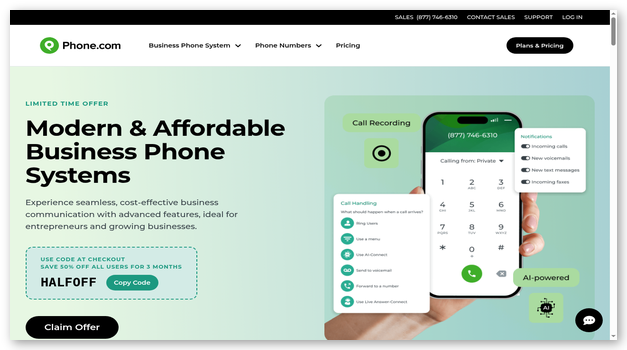
Phone.com's dashboard displays messages, calls, contacts, and account controls compactly. Phone.com suits small teams wanting flexible user tiers instead of identical licenses. Annual Basic pricing starts at $15 per user monthly. Its 30-day money-back guarantee covers user fees only, excluding premium numbers and hardware for customers.
Features:
- Flexible users: Organizations can mix Basic, Plus, and Pro user types, paying for advanced recording, analytics, messaging, or CRM features only where required.
- Phone features: IVR, forwarding, transfer, schedules, queues, extensions, voicemail, and caller identification provide practical daily call management for small and growing teams.
- Video meetings: Built-in video rooms support meetings, screen sharing, and recording, reducing the need for a separate conferencing subscription for routine collaboration.
- Business texting: Plus and Pro users receive conversational messaging, while registration, carrier fees, fair-use conditions, and higher-volume requirements can create additional costs.
- Number porting: Phone.com handles eligible number transfers without a porting fee, allowing businesses to retain an established customer-facing identity while changing providers.
- Security controls: The provider advertises HIPAA support, annual SOC Type II audits, and extended data retention for Pro users handling regulated or disputed conversations.
- Refund terms: A 30-day money-back guarantee covers user fees, but premium phone numbers, hardware, taxes, carrier charges, and complex setup costs are excluded.
Pros
Cons
How to Get It Free:
- Choose a Phone.com plan and note every refund exclusion.
- Test calling, routing, applications, meetings, and eligible messaging during 30 days.
- Cancel within the guarantee period if unsuitable; only user fees qualify, while hardware and premium numbers remain excluded.
30-day money-back guarantee
5) Tresta
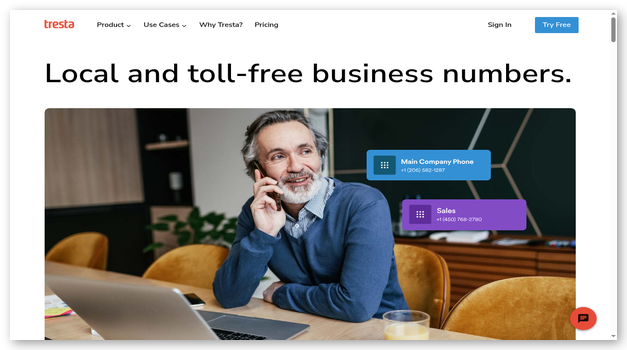
Tresta provides business calling, messaging, contacts, reporting, phone numbers, spam blocking, auto attendants, schedules, and call recording under one plan. Web and mobile access suit small teams wanting a shared business identity without several feature tiers.
Its workspace places calls, messages, contacts, and configuration together. Tresta charges $35 monthly for one user and number, with users costing $10 and numbers $5. Its seven-day trial includes calling but excludes messaging. A payment card is required, and the account converts automatically unless canceled before trial end to avoid billing.
Features:
- One plan: Core calling, routing, recording, contacts, reporting, numbers, and applications are bundled together, avoiding several confusing feature tiers for small businesses.
- Team rollover: Incoming calls can move between team members according to availability, helping customers reach another person when their first contact cannot answer.
- Call recording: Included recording supports review and training when local consent rules are followed, with controls available through the business phone system.
- Shared contacts: Private and team contact lists keep customer details accessible to authorized coworkers without mixing every business record into personal address books.
- Business schedules: Administrators can define open and closed hours, greetings, extensions, and routing behavior so callers receive appropriate handling throughout the week.
- Spam blocking: Automatic human detection helps reduce unwanted robocalls, allowing small teams to spend more time answering genuine customers and business partners.
- Trial limits: The seven-day evaluation requires a payment card, excludes messaging, and converts to a paid account unless cancellation occurs before the period ends.
Pros
Cons
How to Get It Free:
- Open Tresta's pricing page and start the seven-day trial.
- Provide a payment card, then test calls, routing, recording, contacts, and reports.
- Remember that messaging is excluded and cancel before day seven to prevent automatic conversion to the $35 monthly plan.
7-day free trial
6) AirCall
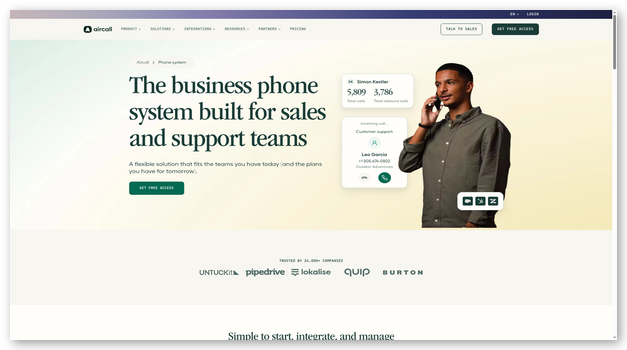
AirCall is a cloud calling platform for sales and support teams. It provides IVR, queues, recordings, analytics, business hours, desktop and mobile applications, and connections with more than 250 business tools. Essentials pricing begins at $30 per license monthly with annual billing.
AirCall's workspace centers calling, contacts, activity, and team workflows. AirCall fits organizations using CRM and help-desk data during conversations. Paid plans require three licenses. Its seven-day trial provides both main feature sets, three numbers, unlimited users, 100 call minutes, and 100 message segments.
Features:
- Smart routing: IVR, queues, business hours, ring rules, and call distribution send customers to appropriate teams while keeping administrators in control of flows.
- CRM ecosystem: More than 250 integrations connect calls with Salesforce, HubSpot, Zendesk, Intercom, Pipedrive, Shopify, Microsoft Dynamics, and other important daily systems.
- Call analytics: Dashboards report inbound, outbound, missed, and answered activity, while Professional plans add user-level metrics, live monitoring, and deeper performance views.
- Conversation tools: Recording, tagging, notes, assignments, shared contacts, and post-call work help sales and support teams preserve important context across customer conversations.
- AI options: Optional AI products add summaries, coaching, voice agents, and call intelligence, but usage charges or separate per-seat fees can increase spending.
- Developer access: All main plans include API and webhook access, allowing technical teams to connect calling events with internal applications and custom automation.
- Trial allowance: The seven-day trial includes three numbers, unlimited users, 100 calling minutes, 100 message segments, and capped access to selected AI features.
Pros
Cons
How to Get It Free:
- Create an AirCall account and complete the registration checks.
- Use the seven-day trial across Essentials and Professional features.
- Stay within three numbers, 100 call minutes, and 100 message segments; the trial expires automatically without requiring cancellation.
7-day free trial
7) Quo (formerly OpenPhone)
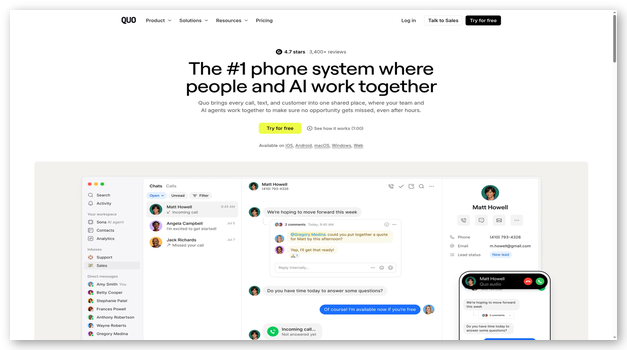
Quo (formerly OpenPhone) is a business phone workspace for calls, texts, shared numbers, voicemail, contacts, and collaboration. Plans include a local or toll-free number per user, voicemail transcripts, automation credits, API access, and Sona for answering routine calls.
Quo presents calls and messages as shared conversations for distributed small teams. Starter costs $19 per user monthly, or $15 annually. The seven-day trial unlocks advanced features and sends a reminder. Texting and international calls are unavailable, and adding more numbers than users ends the trial early.
Features:
- Shared inbox: Calls, messages, voicemail, and team comments appear in shared conversations, giving coworkers context before they answer or follow up with customers.
- Sona agent: The included AI agent can answer routine calls, capture information, and support basic handling, with usage allowances and plan conditions applying.
- Call summaries: AI can transcribe and summarize conversations, identify next steps, and reduce manual note taking for users who review outputs before acting.
- Team collaboration: Assignments, internal threads, shared numbers, and contact notes help several users manage one customer conversation without exposing internal discussion externally.
- CRM integrations: Business and Scale plans connect with HubSpot, Salesforce, and other tools, while API and automation options support additional workflow customization.
- Number choices: Each user receives one new or ported local or toll-free number, while additional numbers carry a separate recurring monthly charge.
- Trial restrictions: The seven-day trial excludes texting and international communication, and it ends early if the workspace adds more phone numbers than users.
Pros
Cons
How to Get It Free:
- Open Quo's pricing page and select Try for Free.
- Evaluate advanced features during the seven-day trial.
- Do not expect texting or international calls, and avoid adding more numbers than users because that action ends the trial early.
Visit Quo (formerly OpenPhone) >>
7-day free trial
8) Grasshopper
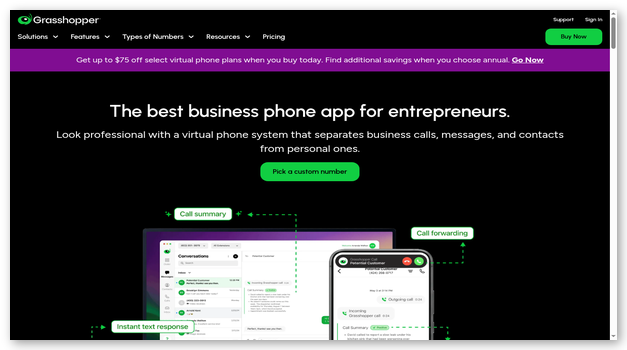
Grasshopper is a virtual phone system for solo operators and small teams. It adds a local, toll-free, or vanity number to existing devices, then provides forwarding, extensions, voicemail transcription, custom greetings, texting, applications, and continuous support.
Grasshopper groups calls, texts, voicemail, contacts, and settings together. Grasshopper suits owners wanting a separate business identity without an enterprise system. Annual pricing begins at $14 monthly. Its seven-day trial needs no card and includes one number, three extensions, 50 talk minutes, and core features, but excludes texting and premium numbers.
Features:
- Business numbers: Users can choose local, toll-free, or vanity numbers, or port an existing number, while keeping personal mobile and landline details private.
- Call forwarding: Incoming business calls route to existing phones according to configured extensions and schedules, so owners can answer without purchasing special hardware.
- Shared inbox: Calls, texts, and voicemail appear together for authorized users, giving small teams visibility into customer conversations and unanswered follow-up work.
- Voicemail tools: Transcription and email delivery let users scan messages quickly, preserve caller details, and respond without replaying every voicemail from beginning to end.
- Custom greetings: Recorded greetings, extensions, and call menus create a professional caller experience while directing customers toward the appropriate person or department.
- Flat team pricing: Solo Plus and Small Business plans include unlimited users, which can cost less than per-seat services as a small team adds coworkers.
- Trial allowance: The no-card seven-day trial includes one standard number, three extensions, 50 talk minutes, and core features, but excludes texting and premium numbers.
Pros
Cons
How to Get It Free:
- Open Grasshopper's trial page and choose a standard business number.
- Create the account without entering a payment card.
- Use seven days, three extensions, and 50 talk minutes to test core features; texting and premium numbers are excluded.
7-day free trial
Feature Comparison Table Of Top Google Voice Alternatives
| Tool | Auto attendant | Mobile and desktop apps | Business messaging | CRM integrations | Free evaluation | AI assistance |
| Zoom Phone | ✅ | ✅ | ✅ | ✅ | ✅ | ✅ |
| RingCentral | ✅ | ✅ | ✅ | ✅ | ✅ | ✅ |
| Ultatel | ✅ | ✅ | ✅ | ✅ | ✅ | ✅ |
| Phone.com | ✅ | ✅ | ✅ | ✅ | ✅ | ✅ |
| Tresta | ✅ | ✅ | ✅ | ❌ | ✅ | ❌ |
What Is Google Voice and Why Do Businesses Seek Alternatives?
Google Voice provides cloud calling, voicemail, texting, and business phone numbers. It suits individuals and small teams already using Google Workspace. Businesses often leave when basic routing no longer covers demand. Shared inboxes give several employees visibility into daily customer conversations. Queues and auto attendants direct callers toward available departments quickly. Analytics reveal missed calls, answer patterns, and staffing gaps clearly. CRM connections reduce repeated data entry after every customer interaction. Choose based on the specific limitation affecting your current workflow.
What Features Should You Look for in a Google Voice Alternative?
A useful alternative must fit current workflows without creating another migration problem. Start with the missing capability, then verify its plan, limits, and complete cost.
- Number control: Check local, toll-free, vanity, international, and porting options before moving an established business line.
- Call routing: Review auto attendants, queues, schedules, forwarding, extensions, overflow rules, and simultaneous ringing for daily coverage.
- Messaging: Confirm SMS and MMS availability, registration, shared inboxes, carrier charges, campaign restrictions, and regional support.
- Integrations: Test CRM, help desk, calendar, and workflow connections with the fields and permissions your team needs.
- Administration: Compare user roles, analytics, recordings, retention, device management, audit trails, security, and support access.
How Do Business Phone Systems Compare With Google Voice?
Business phone systems provide deeper routing, administration, reporting, and support. They often include queues, recordings, fax, meetings, and shared numbers. Device provisioning helps administrators manage desk phones and mobile applications. Google Voice remains adequate for straightforward calls and simple voicemail. Growing teams may need stronger visibility into customer communication history. Advanced integrations reduce manual updates inside CRM and help-desk systems. Extra capabilities bring additional licensing, setup, registration, and governance work. Compare complete workflows instead of choosing the longest available feature list.
Which Google Voice Alternatives Work Best for Small Businesses?
Small businesses usually need simple setup, predictable pricing, and reliable calls. Solo owners often prioritize number separation and uncomplicated call forwarding. Small teams benefit from shared inboxes, extensions, schedules, and assignments. Growing organizations may require queues, recordings, analytics, and CRM connections. Count every user, number, message, destination, and required integration carefully. Then compare subscriptions using the full expected monthly business cost. Reproduce normal customer calls during each available evaluation period carefully. Choose the simplest service that supports your next growth stage.
Can You Keep Your Number When Switching From Google Voice?
Many providers can transfer an eligible Google Voice business number. Eligibility depends on number type, country, carrier, and account status. Keep the existing service active until the transfer finishes completely. Gather exact account names, addresses, authorizations, and transfer credentials first. Canceling early can release the number or interrupt customer calls. Toll-free numbers may follow different transfer rules and completion timelines. Test calling, caller identification, voicemail, messaging, and emergency settings afterward. Announce completion only after every essential communication path works correctly.
How Do Google Voice Alternatives Handle International Calling?
International support varies across numbers, rates, regulations, and identity verification. Some platforms sell local numbers across many supported business markets. Others provide international calling without offering a local business presence. Review minute rates, bundles, taxes, deposits, and fraud controls carefully. Confirm whether mobile applications work properly while employees travel abroad. Check caller identification behavior for every important destination and number. Test latency and support availability across the relevant operating regions. Global marketing rarely guarantees every country, feature, or number type.
How Do These Platforms Integrate With CRM and Help Desk Tools?
CRM integrations display customer records while employees answer incoming calls. They can log activity, attach recordings, and create follow-up tasks. Help-desk connections preserve useful context across ongoing service conversations daily. Native connections usually require less maintenance than custom API projects. Plan restrictions may still limit fields, recordings, or synchronization directions. Test duplicate handling, permissions, call outcomes, tags, and opt-outs carefully. Review failure logs before importing the complete customer directory system. Choose one authoritative source for contacts, consent, and customer history.
Are Free Google Voice Alternatives Secure for Business Calls?
A free trial can still protect business calls and data. However, free access never proves appropriate security or regulatory suitability. Review encryption, administrator roles, authentication, retention, and deletion procedures closely. Confirm recording controls, audit logs, subprocessors, and incident processes carefully. Regulated teams should verify agreements before importing real customer information. Start evaluation with fictional or approved sample records whenever possible. Remove integrations, users, recordings, and numbers after testing ends completely. Strong passwords and protected devices remain essential security controls everywhere.
How Much Do Google Voice Alternatives Cost?
Business phone costs extend beyond each advertised user license price. Numbers, minutes, toll-free usage, and messages may add charges monthly. Carrier registration can create both setup and recurring messaging fees. International rates, hardware, recordings, storage, and integrations affect overall spending. AI features may carry separate seat or usage-based pricing models. Some services require minimum seats or annual billing commitments upfront. Free access usually means trials, demos, or refund guarantees only. Calculate the complete monthly configuration before comparing provider value fairly.
How Can AI Improve a Business Phone System?
AI can transcribe calls, summarize conversations, and identify follow-up tasks. It can classify sentiment, coach representatives, and route routine callers. These capabilities reduce manual notes and surface important details faster. They also introduce accuracy, privacy, retention, and oversight risks everywhere. Test transcripts across accents, background noise, and specialist vocabulary carefully. Review summaries before updating records or assigning customer actions internally. Limit access to sensitive recordings and documented conversation data appropriately. Keep people accountable for every automated recommendation and final decision.
Can AI Receptionists Replace Human Call Handling?
AI receptionists handle common questions, lead capture, scheduling, and routing. They cannot replace human judgment, empathy, or organizational responsibility entirely. Unusual requests, names, accents, and urgency can cause misunderstandings quickly. Define which questions the automated system may answer independently safely. Specify what information it may collect from every caller legally. Create immediate transfer rules for sensitive or complex situations beforehand. Monitor failed conversations and maintain dependable human backup coverage daily. Review disclosure, recording, accessibility, and privacy requirements before deployment carefully.
What Problems Can Occur When Switching From Google Voice?
Switching failures usually involve porting, messaging registration, routing, integrations, or device configuration. Test each dependency before ending the original service.
- Issue: Number transfers stall when account details, addresses, authorizations, or credentials differ from carrier records.
- Solution: The administrator should confirm every field with both providers, keep existing service active, and track the request until final completion.
- Issue: Business texts fail when carrier registration remains incomplete or the trial blocks messaging.
- Solution: The team should submit registration early, verify permitted messages, and test texting before announcing the migrated number.
- Issue: Calls reach wrong employees when copied schedules, queues, extensions, or forwarding rules remain untested.
- Solution: Administrators should create a call-flow map, test open and closed hours, and document ownership for every route and fallback.
- Issue: Customer records duplicate when CRM matching rules differ between previous and replacement systems.
- Solution: The integration owner should test sample contacts, select an authoritative database, and review synchronization failures before importing the full directory.
- Issue: Employees miss calls when device permissions, notifications, networks, or simultaneous ringing behave differently.
- Solution: Support teams should validate every device, background permission, headset, and network, then provide a short troubleshooting guide for users.
How Do We Select the Best FREE Google Voice Alternatives?
Guru99 invested 52 research hours reviewing 15+ tools, official documentation, current evaluation terms, dashboard screenshots, and recurring user feedback to help readers compare available business phone alternatives with confidence today.
- Calling quality: We compare published service commitments, supported devices, network requirements, quality monitoring, and recurring reports about audio, connections, missed calls, and everyday service reliability.
- Evaluation access: Our team verifies whether free access means a permanent plan, timed trial, guided demo, limited allowance, or refundable purchase with exclusions, renewals, and eligibility rules.
- Number control: The researchers examine local, toll-free, vanity, and international availability, then review porting, ownership, caller identification, emergency address requirements, and transfer safeguards.
- Call handling: The team checks auto attendants, queues, schedules, forwarding, extensions, overflow rules, recording, voicemail, shared numbers, supervisor controls, and after-hours behavior across published plans.
- Messaging: Our testers review SMS and MMS availability, carrier registration, shared inboxes, campaign restrictions, trial exclusions, usage allowances, additional charges, and regional limitations.
- Integrations: Our experts compare CRM, help desk, calendar, productivity, API, and webhook options, including plan limits, permission needs, and the information exchanged between systems.
- Security: The experts assess encryption, administrator roles, single sign-on, audit logs, retention, deletion, compliance options, recording controls, service commitments, and contractual safeguards.
- Pricing value: We calculate seats, numbers, minutes, messages, registrations, add-ons, hardware, storage, international usage, annual commitments, refunds, implementation costs, and expected growth together.
- User experience: Our team reviews dashboard screenshots, documentation, onboarding, mobile access, administrator controls, support channels, and recurring feedback about setup, usability, pricing transparency, billing, reliability, or support responsiveness.
What Trends Will Shape Google Voice Alternatives?
Business phone platforms are adding AI receptionists, summaries, and coaching. Sentiment analysis and smarter routing can improve customer response workflows. Carrier registration will keep shaping business texting and number reputation. Vendors are combining voice, messaging, meetings, and customer service tools. Usage-based AI fees will become more common across paid plans. Retention, integrations, and compliance will remain important plan differences too. Buyers will demand clearer ownership, permissions, registration, and data handling. Reliable human escalation remains necessary as automated call handling expands.
Verdict
I compared eight services across calling, routing, integrations, evaluation access, and administration. Three platforms offered the clearest value for different business communication needs.
- Zoom Phone: I preferred its familiar Zoom workspace, practical AI follow-up tools, broad device support, and direct fit for teams already using Zoom Workplace.
- RingCentral: Its extensive routing, integrations, unified communications, and 14-day RingEX trial impressed me most for growing organizations with several departments or locations.
- Ultatel: I selected it for managed onboarding, published plan detail, round-the-clock support, CRM connections, and a balanced communications package for established businesses.
