
10 Best FREE Auto Dialer Software (2026)
 Editorial Team
Disclosure: Guru99 is reader-supported. We may earn a commission when you buy through links on this page. Learn more
Best Auto Dialer Software should match call volume, consent rules, team size, and the dialing method your agents actually need. My top picks are Zoom Phone, RingCentral, Ultatel.

Auto dialer tools can speed outreach, yet poor call quality, unreliable list handling, wasted agent time, confusing campaign controls, hidden add-on costs, and inconsistent CRM syncing quickly undermine that promise. A missed consent setting can also create legal exposure, while a weak trial may hide the limits that appear after purchase. Several comparisons blur click-to-call with genuine automation. Clear distinctions help you choose the right dialing method, protect customer trust, and move forward with fewer billing or compliance surprises.
I spent 55 hours researching 17+ tools, reviewing official product documentation, current evaluation terms, dialing modes, and recurring user feedback. After rigorous analysis, I shortlisted 10 Best FREE Auto Dialer Software options with interface observations, features, pros and cons, and details backed-by official plan documentation. Continue reading to identify which platform fits your outreach volume, integrations, and compliance responsibilities. Read more…

Zoom Phone is a phone service provider for voice calls, video calls, texting, and more. It offers virtual business numbers to keep business and personal calls separate. The best thing about this intuitive VoIP service provider is its scalability and customization options.
Best Free Automated Calling Software & App: Top Picks!
| Name | Client OS | Deployment | Free Trial | Link |
|---|---|---|---|---|
👍 Zoom Phone |
Windows, macOS, and Linux. | Cloud | Lifetime Free Basic Plan | Learn More |
 👍 RingCentral |
Mac, Windows, Linux | Cloud | 14-Days Free Trial | Learn More |
 Ultatel |
Mac, Windows, iOS, and Android | Cloud | 30-Day Refund Policy | Learn More |
 Phone.com |
Android, iOS | Cloud | 30-Day Refund Policy | Learn More |
 Tresta |
Mac, Windows, iOS, and Android | Cloud | 7-Days Free Trial | Learn More |
1) Zoom Phone
Zoom Phone is a cloud business phone service that can add Zoom Auto Dialer for structured outbound campaigns. The add-on supports power, smart cascading, and parallel dialing, helping sales teams move through approved contact lists while keeping agents inside the Zoom Workplace environment.
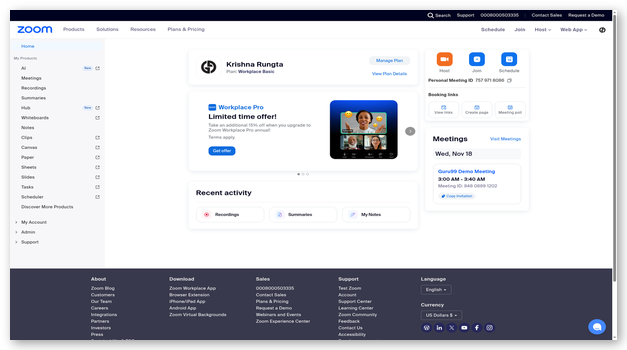
The dashboard shows calling, contacts, voicemail, and activity controls.Zoom Phone fits organizations already using Zoom meetings or messaging. However, the phone service must be purchased, and Auto Dialer needs separate licenses matching the Zoom Phone plan. The public trial page does not promise permanent free dialing.
Features:
- Dialing modes: The optional Auto Dialer supports power, smart cascading, and parallel modes, allowing teams to balance agent control with higher outbound call volume.
- Contact lists: Campaign managers can organize approved records for sequential outreach, assign agents, and keep list activity connected to the broader Zoom communications environment.
- CRM connections: Zoom Phone integrates with common CRM and service platforms, reducing manual call logging and keeping customer context available during outbound conversations.
- Call recording: Authorized administrators can configure call recording and retention policies, subject to plan capabilities, regional availability, and applicable notification or consent requirements.
- Team analytics: Reporting tools help managers review call volume, outcomes, agent activity, and service quality without exporting every interaction into separate spreadsheets.
- Device support: Users can place and receive calls through desktop, mobile, and supported desk-phone devices, giving distributed teams several ways to work.
- License control: Auto Dialer is a separate purchasable add-on, and organizations need enough Auto Dialer licenses to match the relevant Zoom Phone plan seats.
Pros
Cons
How to Get It Free:
- Open Zoom's free-trial page and choose Zoom Phone.
- Create the evaluation account and confirm included calling access.
- Ask sales whether Auto Dialer can be evaluated; it requires separate paid licenses, and no permanent free plan is published.
Zoom Phone trial
2) RingCentral
RingCentral separates everyday business communications from automated outbound campaigns. RingEX covers calls, messages, meetings, and team collaboration, while RingCX provides preview, progressive, and predictive dialing for contact-center operations. This distinction matters because the standard RingEX trial does not prove access to the automated dialer.
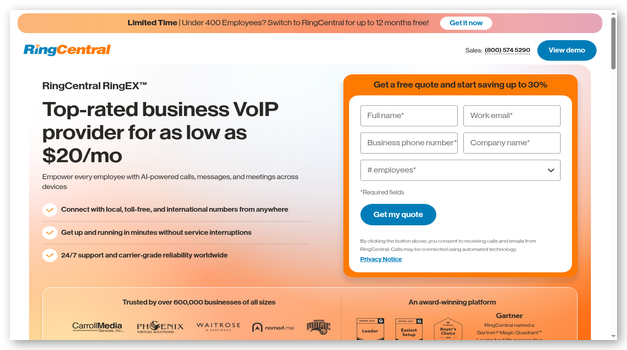
The screenshot shows a communications workspace with calls, contacts, and team functions. RingCentral suits organizations needing campaign management, reporting, and customer-service channels. Smaller teams may face more configuration and higher costs than a focused power dialer. RingCX pricing and evaluation terms require sales contact.
Features:
- Outbound modes: RingCX supports preview, progressive, and predictive dialing, giving supervisors several pacing choices for regulated, high-volume, or agent-led outbound outreach campaigns.
- Campaign controls: Managers can configure lists, schedules, dispositions, pacing, and agent assignments while monitoring campaign performance from centralized contact-center reporting and analytics tools.
- Omnichannel routing: Voice can work beside digital channels, helping larger service teams coordinate outbound follow-up with inbound conversations and complete customer history.
- CRM integrations: Connections with common CRM platforms can surface customer context, log calls, and reduce repeated data entry during sales or service workflows.
- Supervisor tools: Contact-center plans add monitoring, coaching, reporting, and quality controls for teams that need structured oversight rather than individual calling alone.
- Compliance support: Administrators can configure campaign rules and records, but each business remains responsible for consent, calling hours, suppression lists, and local laws.
- RingEX access: The standard business-phone trial helps evaluate RingEX calling and collaboration, but automated campaign dialing belongs to RingCX and needs separate confirmation.
Pros
Cons
How to Get It Free:
- Start RingEX's 14-day trial to assess core calling.
- Remember that SMS is excluded from the standard trial.
- Request a RingCX demo for automated dialing, since the public RingEX trial does not include confirmed predictive or progressive campaign access.
14-day RingEX trial
3) Ultatel
Ultatel is a cloud business phone and contact-center provider with CRM click-to-call, automatic call logging, recording, routing, and analytics. Its current public pages document assisted dialing from customer records, but they do not clearly confirm a native list-based power, predictive, or parallel dialer.
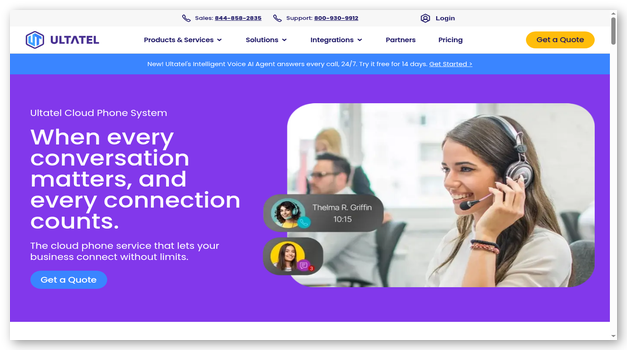
The screenshot presents a phone workspace for users, numbers, and settings. Ultatel suits businesses wanting calling tied to HubSpot, Pipedrive, Zoho, or Microsoft Dynamics. Buyers needing list progression should request a demonstration. Public pricing varies by package, and a general free trial is not advertised.
Features:
- Click-to-call: CRM integrations let representatives start calls from contact or deal records, avoiding copied numbers while keeping the agent in control of each call.
- Automatic logging: Completed calls can create CRM activities with duration, outcome, notes, and related contact details, reducing administrative work after customer conversations.
- Call recording: Supported plans record conversations and link files to relevant customer records, helping authorized teams review quality, training, and dispute details.
- Live monitoring: Supervisors can listen to active calls and provide support where plan permissions allow, giving managers more visibility into agent interactions.
- Call analytics: Dashboards track volume, duration, outcomes, and performance patterns, with entry plans receiving basic reporting and higher tiers adding deeper analysis.
- CRM coverage: Ultatel publishes integrations for HubSpot, Pipedrive, Zoho, Microsoft Dynamics, Salesforce, and other systems used daily by sales and service teams.
- Mobile access: Mobile applications extend business calling and selected integration functions beyond the office, helping remote staff keep work numbers separate from personal lines.
Pros
Cons
How to Get It Free:
- Open Ultatel's contact page and request a free demo.
- Ask the presenter to show the exact outbound workflow needed.
- Confirm whether list automation is included, because public pages document CRM click-to-call but no general free trial or native auto dialer.
Free demo
4) Phone.com
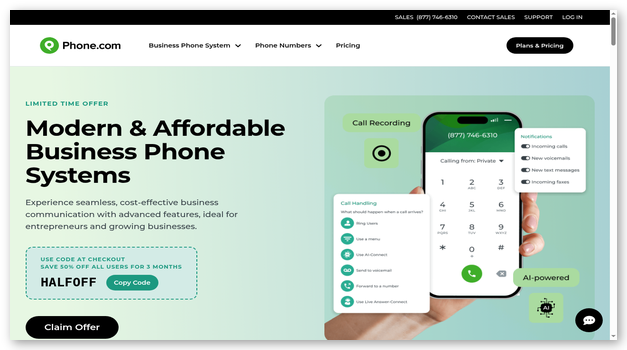
Phone.com is a small-business phone system with click-to-dial, browser calling, routing, voicemail, texting, and an auto attendant. It should not be presented as a true auto dialer: the provider's customer terms prohibit auto-dialing and predictive dialing on its services.
The screenshot shows call, message, contact, and configuration tools for business communication. Phone.com fits teams wanting manual outbound calls from a shared phone system, not automated campaigns. Users gain numbers and routing, though reviews mention setup delays and billing confusion. A 30-day guarantee applies only to user fees, with exclusions.
Features:
- Click-to-dial: Users can start individual calls from a browser or supported interface, reducing manual number entry without automatically working through an imported list.
- Call routing: Schedules, forwarding, queues, and menus send incoming calls to the right user or destination while preserving a consistent business number.
- Auto attendant: A configurable attendant greets callers and offers menu choices, helping small teams route inquiries without relying on a full-time receptionist.
- Voicemail tools: Voicemail can be reviewed through supported applications, and transcription or email delivery may be available depending on the selected plan.
- Business texting: Supported numbers can handle business messages, although registration, carrier rules, plan allowances, and campaign requirements may add cost or setup time.
- Video meetings: Plans can include browser-based video meetings for small groups, giving users another useful communication channel alongside calls and text messages.
- Usage restriction: Phone.com's customer terms prohibit auto-dialing and predictive dialing, so teams must not use the service for automated outbound list campaigns.
Pros
Cons
How to Get It Free:
- Choose a Phone.com plan and review the refund exclusions.
- Evaluate manual calling, routing, and messaging during 30 days.
- Cancel within the guarantee window if unsuitable; only eligible user fees are covered, and automated or predictive dialing is prohibited.
30-day money-back guarantee
5) Tresta
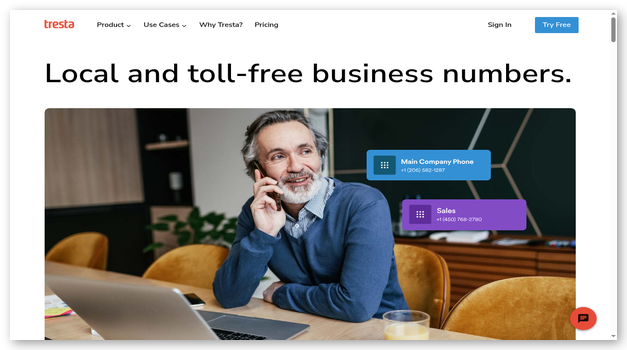
Tresta is a straightforward cloud phone and messaging service with contacts, call recording, routing, auto attendants, extensions, schedules, and activity reporting. It is not designed for automated or high-volume telemarketing; its acceptable-use policy excludes automated and computer-assisted calling applications.
The screenshot shows a compact workspace for calls, messages, and team communication. Tresta suits small businesses needing one phone package, not outbound automation. Its seven-day trial provides calling and platform access, but messaging is unavailable. A card is required, and the account converts to paid service unless canceled before trial ends.
Features:
- Team calling: Users can place and receive business calls through mobile and web applications while keeping work communications separate from personal phone activity.
- Call recording: The service records supported calls and provides unlimited recording storage, helping teams review conversations when notice and consent requirements are satisfied.
- Auto attendants: Custom greetings and keypad menus route inbound callers to users, departments, extensions, or voicemail without any automated outbound list dialing.
- Shared contacts: Private and shared address books help teams manage customer numbers while controlling which records remain visible across the wider organization.
- Call reports: Web reporting presents call statistics and summaries, offering more useful administrative detail than the mobile application's lighter activity view.
- Flexible routing: Schedules, groups, forwarding, and extensions help small teams decide how incoming calls should move during business hours or after hours.
- Usage policy: Tresta states that its service is not intended for automated, high-volume telemarketing, or computer-assisted outbound calling and messaging campaign applications.
Pros
Cons
How to Get It Free:
- Start Tresta's seven-day trial and provide a payment card.
- Test calling, routing, recording, contacts, and reports; messaging is excluded.
- Cancel before day seven to prevent automatic conversion, and do not test automated or high-volume calling prohibited by the usage policy.
7-day free trial
6) KrispCall
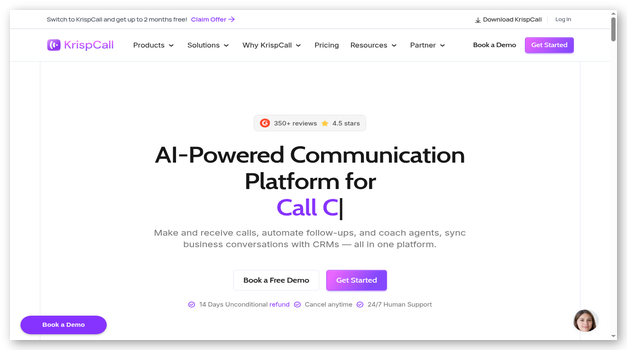
KrispCall is a cloud phone platform with a power dialer on its Advance plan, plus call monitoring, CRM integrations, virtual numbers, analytics, and team features. The power dialer moves through contacts sequentially, supporting sales teams that want higher call volume without predictive multi-line pacing.
The screenshot shows a callbox with contacts, messages, history, and controls. KrispCall fits teams needing international numbers and integrations. It has no public trial. Buyers can request a demo or purchase a subscription with a 14-day refund, but numbers, credits, add-ons, and one-time purchases remain excluded.
Features:
- Power dialer: Advance and higher plans include sequential power dialing, allowing representatives to work through prepared contacts without manually entering every phone number.
- CRM integrations: The platform advertises connections across more than one hundred services, helping teams synchronize contacts, notes, calls, and later follow-up activity.
- Call coaching: Monitoring, listening, whispering, and barging controls help authorized supervisors guide agents during active conversations and review overall team performance trends.
- Virtual numbers: Paid plans can include eligible United States, United Kingdom, or Canadian numbers, while other countries may require documents and separate fees.
- Call analytics: Dashboards and reports track call history, duration, activity, and team patterns, with reporting depth changing between Starter, Advance, and higher plans.
- Call recording: Recording is unavailable on Starter and included on Advance, so teams needing reviewable conversations must choose the correct subscription tier.
- Usage charges: Subscriptions do not cover every expense; calling, messaging, extra numbers, registration, add-ons, and international routes can create additional variable charges.
Pros
Cons
How to Get It Free:
- Book KrispCall's free demo to inspect the power dialer.
- Alternatively, buy Advance and test eligible subscription features promptly.
- Request cancellation within 14 days if unsuitable; the refund covers subscriptions only, not numbers, credits, add-ons, or one-time purchases.
Free demo
7) Nextiva
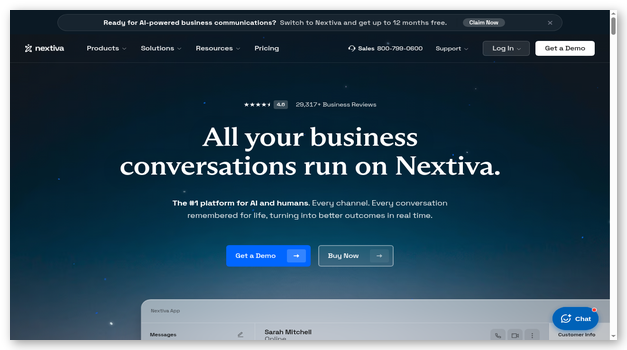
Nextiva combines business communications with a separate contact-center platform. Its Professional contact-center plan adds progressive, predictive, and Quarterback outbound dialers, while the entry Essential plan focuses on voice, web chat, routing, and journey orchestration. Buyers must select the contact-center product for campaign automation.
The screenshot shows a workspace for calls, contacts, and activity. Nextiva suits larger teams needing outbound campaigns beside inbound routing, AI assistance, and supervisor tools. Public contact-center pricing starts with Essential, but advanced dialers require Professional. Nextiva offers a personalized demo rather than a public free trial.
Features:
- Predictive dialing: Professional supports predictive campaigns that place calls based on agent availability, requiring careful pacing and monitoring to control abandoned connections.
- Progressive dialing: Progressive mode places the next call when an agent becomes available, offering more controlled pacing than predictive multi-line campaign behavior.
- Quarterback mode: Nextiva documents Quarterback outbound dialing with answering-machine detection, supporting campaign workflows that react differently to human, busy, or voicemail outcomes.
- Journey routing: Contact-center plans coordinate voice and digital interactions through routing and workflow tools, helping teams manage outbound follow-up beside inbound service demand.
- AI assistance: Higher plans provide real-time agent assistance, transcription, summaries, and self-service functions, though availability and usage charges depend on the package.
- CRM integrations: Connections for platforms such as Salesforce, HubSpot, and Microsoft Teams are available, but some integrations may require add-ons or specific contracts.
- Supervisor controls: Managers can monitor campaigns, guide agents, review analytics, and configure call handling from centralized contact-center administration, coaching, and reporting tools.
Pros
Cons
How to Get It Free:
- Request Nextiva's free personalized contact-center demonstration.
- Ask to see Professional's progressive, predictive, and Quarterback dialers.
- Confirm integrations, usage charges, seat requirements, and contract terms before buying, since Nextiva does not publish a self-service free trial.
Free personalized demo
8) Zoho Voice
Zoho Voice is a cloud telephony service with a power dialer, call queues, monitoring, recording, analytics, and deep connections to Zoho applications. Its 15-day trial includes Contact Centre features, making it one of the clearer ways to inspect automated dialing before purchase.
The screenshot shows call activity, numbers, agents, and controls. Zoho Voice fits teams using Zoho CRM, Desk, Bigin, or related products. Trial users cannot purchase numbers or credits. Outgoing calls require free credits, and advanced functions become paid afterward. Power-dialer access depends on the edition and licenses.
Features:
- Power dialer: Campaigns can load contacts from CSV files or existing records, assign dial groups, and set a pause between consecutive outbound calls.
- Trial access: The 15-day trial includes Contact Centre features, but users need approved free credits to place outgoing calls during the evaluation period.
- Zoho integrations: Native connections with Zoho CRM, Desk, Bigin, Recruit, Cliq, and other products keep calls close to established customer service workflows.
- ZDialer: Browser and mobile extensions support click-to-call, incoming notifications, and direct calling from supported webpages or deeply integrated Zoho business applications.
- Call monitoring: Supported plans let supervisors listen, whisper, barge, or join conversations, helping authorized managers coach agents and handle difficult customer interactions.
- Queue analytics: Dashboards track agent and queue performance, offering detailed call records, dispositions, recordings, and useful operational data for regular contact-center review.
- Plan limits: Number purchase, full configuration, and some advanced functions remain unavailable during trial or depend on paid editions and assigned users.
Pros
Cons
How to Get It Free:
- Create a Zoho Voice account for the 15-day trial.
- Request free outgoing credits from the trial dashboard.
- Test the Contact Centre power dialer, remembering that numbers cannot be purchased during trial and paid access is needed afterward.
15-day free trial
9) CallHippo
CallHippo is a sales and business phone platform offering power, preview, progressive, predictive, and parallel dialing across selected plans or add-ons. It combines these modes with virtual numbers, call recording, analytics, CRM connections, and applications for desktop and mobile work.
The screenshot shows an outbound workspace with call activity and controls. CallHippo fits teams comparing dialing methods. A 10-day trial is available, but no permanent free power dialer exists. Entry pricing appears low because advanced dialers, branded calling, usage, and regulatory services cost extra. Teams should model configuration before purchase.
Features:
- Dialer choices: Selected packages support preview, power, progressive, predictive, or parallel dialing, letting teams align pacing with campaign volume and agent availability.
- Call analytics: Reports summarize call logs, outcomes, agent activity, and campaign performance, with history depth and analytics capability changing by subscription level.
- CRM connections: Integrations and webhooks can connect outbound activity with customer records, helping agents avoid duplicate manual entry after each completed conversation.
- Smart failover: Attempt Manager can surface failed calls for another try using an assigned number, helping teams manage unsuccessful connections more systematically.
- Virtual numbers: Businesses can obtain numbers across supported countries, though availability, documentation, registration, recurring fees, and calling rates differ considerably by location.
- Team applications: Web, desktop, mobile, and browser options give agents several ways to call, review history, and work away from a fixed office.
- Extra costs: Advanced dialers, branded calling, voicemail drop, AI functions, compliance services, usage, and number fees may sit outside the advertised entry price.
Pros
Cons
How to Get It Free:
- Open CallHippo's power-dialer page and start the 10-day trial.
- Choose the campaign mode and integrations your team needs.
- Record add-on, number, usage, and compliance costs before upgrading, because no permanent free power-dialer plan is offered.
10-day free trial
10) PhoneBurner
PhoneBurner is a one-line power dialer with a built-in CRM, voicemail drop, email follow-up, call logging, analytics, lead distribution, and many integrations. The provider explicitly distinguishes it from predictive and traditional auto dialers because the agent remains present for every connection.
The screenshot shows contacts, dial sessions, activity, and follow-up controls. PhoneBurner fits representatives valuing human connection over predictive volume. Individual evaluation uses free minutes without a card or fixed time limit. Team trials are arranged. Paid pricing is high, but dialing and workflows come without contracts or setup fees.
Features:
- Power dialing: PhoneBurner moves through selected contacts one at a time while the representative remains present, avoiding the delayed handoff common in multi-line systems.
- Built-in CRM: Contact records store notes, history, dispositions, tags, and follow-up activity, giving individual users a ready workspace without requiring another CRM.
- Voicemail drop: Agents can leave prerecorded messages with one action after reaching voicemail, then continue working while the platform completes the delivery.
- Workflow actions: Call outcomes can trigger prepared emails, notes, dispositions, and follow-up tasks, reducing repetitive manual administrative steps between consecutive customer contacts.
- CRM integrations: Connections with Salesforce, HubSpot, Zoho, Zapier, and other systems let teams use PhoneBurner directly beside an existing central customer database.
- Team management: Administrative accounts provide lead distribution, permissions, reports, live monitoring, coaching, and standardized campaign settings for multiple active outbound sales representatives.
- Evaluation model: Individuals receive free minutes without a payment card or fixed time limit, while team evaluations can include seats and administrative features.
Pros
Cons
How to Get It Free:
- Create a PhoneBurner trial account without a payment card.
- Use the included free minutes for a real dial session.
- Evaluate at your own pace until minutes expire; teams can request expanded trials with agents, reporting, and administrative controls.
Free minutes; no credit card
Feature Comparison Table Of Top Auto Dialer Software
| Tool | Native auto dialer | CRM integrations | Call recording | Free evaluation | Mobile apps | Campaign analytics |
| Zoom Phone | ✅ | ✅ | ✅ | ✅ | ✅ | ✅ |
| RingCentral | ✅ | ✅ | ✅ | ✅ | ✅ | ✅ |
| Ultatel | ❌ | ✅ | ✅ | ✅ | ✅ | ✅ |
| Phone.com | ❌ | ✅ | ✅ | ✅ | ✅ | ✅ |
| Tresta | ❌ | ❌ | ✅ | ✅ | ✅ | ✅ |
What Is Auto Dialer Software and How Does It Work?
Auto dialer software calls contacts from an approved list and routes answered calls according to campaign rules. A power dialer calls one number when an agent is ready. Predictive systems place several calls based on expected agent availability. Preview dialers show customer details before the agent approves each call. Good platforms also record outcomes, update CRM records, apply suppression lists, and report campaign performance. The calling method matters because pacing affects customer experience, abandoned-call risk, staffing needs, and legal obligations. A browser dial pad alone does not make a product an auto dialer.
What Types of Auto Dialers Are Available?
Auto dialers differ mainly in pacing and agent control. The wrong mode can create delayed connections, abandoned calls, poor customer experiences, or compliance problems.
- Preview dialer: The agent reviews customer details before approving each call.
- Power dialer: The system calls one contact when the agent is ready.
- Progressive dialer: The platform waits for an available agent before calling.
- Predictive dialer: Algorithms call several contacts based on expected agent availability.
- Parallel dialer: Several numbers are called, then one suitable answer is connected.
What Is the Difference Between Power and Predictive Dialers?
A power dialer places one call at a time when an agent becomes available. It reduces manual dialing while keeping the representative ready for every answer. A predictive dialer calls several numbers using forecasts about agent availability and answer rates. That can increase conversations per hour, but it may connect a customer before an agent is free. Predictive campaigns therefore need enough staff, active pacing controls, and close monitoring. Power dialing usually suits smaller sales teams, while predictive dialing fits higher-volume contact centers with mature compliance processes and reliable staffing data.
When Should a Business Use an Auto Dialer?
Auto dialers help when teams repeatedly call approved leads, reminders, renewals, collections, or existing customers. The list should have a clear lawful basis, accurate numbers, and current opt-out records. Small teams often benefit from one-line power dialing because it saves entry time without aggressive pacing. Larger contact centers may justify progressive or predictive modes after staffing and legal review. Automated calling is a poor fit for highly sensitive conversations, unverified purchased lists, or regions where consent cannot be established. The workflow should improve service, not merely increase dial volume.
What Laws Govern Auto Dialer Use?
Calling laws vary by country, state, message type, customer relationship, and dialing technology. In the United States, teams commonly assess TCPA consent, federal and state do-not-call rules, calling-hour limits, caller identification, prerecorded messages, and opt-out handling. Other regions apply separate privacy and electronic-communications laws. Software features do not transfer responsibility away from the caller. Keep evidence of consent, scrub suppression lists, honor revocations promptly, and obtain legal guidance for the intended campaign. Recording laws also differ, so configure notices and storage policies before monitoring live conversations.
How Do Auto Dialers Integrate With CRM Systems?
CRM integration gives agents customer context before or during a call. The dialer can import approved records, display account history, record dispositions, save notes, and schedule follow-up work. Strong integrations also prevent duplicate calling and synchronize consent or do-not-call changes. Check whether the connection is native, API-based, or routed through an automation service. Confirm which fields move in each direction and how failures are handled. A useful integration should reduce data entry without hiding errors, overwriting records, or placing contacts into campaigns before eligibility has been confirmed.
How Can AI Improve Outbound Calling?
AI can summarize conversations, suggest responses, score calls, identify objections, and highlight follow-up tasks. Some systems also recommend calling times or adjust campaign pacing from answer patterns. These features can help supervisors review more interactions and give agents faster guidance. They do not prove consent, guarantee accurate summaries, or remove the need for quality checks. Teams should test transcription across accents and noisy calls, limit access to sensitive recordings, and review automated recommendations. AI works best as a monitored assistant within a clearly governed calling process.
Can AI Replace Human Calling Agents?
AI voice agents can handle routine reminders, qualification questions, appointment scheduling, and simple status updates. They struggle when customers raise unusual concerns, show emotion, negotiate, or need accountability from a person. Disclosure and consent rules may also apply to synthetic voices and prerecorded content. Businesses should define when the system must transfer a call, which statements require human approval, and how recordings are retained. For many outbound teams, AI reduces repetitive work but does not replace judgment, empathy, exception handling, or responsibility for the campaign's legal basis.
How Much Does Auto Dialer Software Cost?
Costs usually combine user licenses, phone numbers, calling minutes, messaging, dialer add-ons, CRM connectors, recordings, storage, and compliance services. A low business-phone price may exclude automated campaigns entirely. Predictive or parallel modes often appear in higher contact-center tiers or separately priced add-ons. Free access usually means a timed trial, a guided demo, or limited calling credits rather than permanent production use. Compare the complete configuration for your team size and destinations. Annual discounts can reduce license rates, but contracts, minimum seats, and usage charges still affect total cost.
What Problems Cause Auto Dialer Campaigns to Fail?
Campaign failures usually come from list quality, pacing, integration, network, or process gaps. Diagnose the pattern before raising call volume.
- Issue: Low-quality or outdated lists produce wrong numbers, repeated failures, poor answer rates, and avoidable customer complaints.
- Solution: The team should validate numbers, remove duplicates, document consent, and synchronize opt-outs before loading any campaign records.
- Issue: Aggressive pacing connects recipients before agents become available, creating silence, abandoned calls, and damaged caller reputation.
- Solution: Supervisors should lower the dialing ratio, confirm staffing levels, and monitor abandonment metrics throughout each active campaign.
- Issue: CRM synchronization errors can call the same person twice or hide important consent and account information.
- Solution: Administrators should test field mapping with sample records, review failure logs, and define one authoritative system for consent status.
- Issue: Weak caller identification and inconsistent numbers make legitimate outreach resemble spam or fraudulent activity to recipients.
- Solution: The business should register numbers where available, maintain consistent identities, and avoid rotating numbers solely to bypass blocking.
- Issue: Poor audio, delayed connections, or unstable networks force agents to repeat information and shorten valuable conversations.
- Solution: Technical teams should test headsets, bandwidth, latency, and call routes before launch, then review quality reports during operation.
- Issue: Unclear scripts and missing escalation paths leave agents unprepared when customers object, revoke consent, or request support.
- Solution: Managers should provide approved scripts, immediate suppression controls, and clear transfer rules for complaints or sensitive requests.
How did we choose best Auto Dialer software?

At Guru99, we prioritize providing credible, accurate, and objective information through rigorous content creation and review. After dedicating over 55hours to researching 17+ free auto dialer software options, I compiled a carefully selected list of the best auto dialer apps and software providers, including both free and paid options. Auto dialers are essential tools that increase call connection ratios, boost agent productivity, and drive sales growth. Below, I present the best software based on specific evaluation criteria to help your business choose the ideal auto dialer solution.
- Ease of use: An auto dialer software should be easy to install and set up or use.
- Call automation: Auto Dialer software should offer features like automatic call routing to the next available agent, but you should also consider other features like preview dialing, automated lead scoring, and call-based workflow automation.
- Customer Relationship Management (CRM) integration: Auto dialer software should have a CRM integration feature because it saves you money, tracks time automatically, and promotes efficient team collaboration.
- Voice-over-Internet-Protocol (VoIP) integration: Auto dialer software should integrate easily with VoIP business phone systems.
- Call analytics: Auto Dialer software should provide detailed reports and analytics on agent performance, call volume, campaign success, etc.
- Customer support: Auto dialer companies should offer easily accessible online documentation and good customer support.
- Price: The Auto dialer software should offer the best pricing structure, number of users, or selected features.
Are Free Auto Dialers Safe for Customer Data?
Free evaluation access can be safe when the provider explains encryption, retention, access controls, subprocessors, and deletion procedures. The plan label alone proves nothing. Upload only the records needed for testing, use fictional or approved sample data first, and restrict administrative permissions. Confirm where recordings and transcripts are stored, who can export them, and what happens after cancellation. Regulated teams should review contracts and compliance documentation before importing real customers. Remove test lists, recordings, and integrations when the evaluation ends, then verify that access tokens have been revoked.
What Trends Will Shape Auto Dialer Software?
Dialers are moving toward AI summaries, real-time coaching, local-presence controls, identity verification, better number reputation monitoring, and tighter CRM synchronization. Regulators and carriers are also increasing scrutiny of consent, caller identification, synthetic voices, and high-volume messaging. Vendors will likely place more campaign tools behind specialized contact-center plans rather than basic phone subscriptions. Buyers should expect clearer separation between agent-led power dialing and automated multi-line systems. The strongest platforms will pair efficient outreach with auditable consent, rapid suppression, accurate reporting, and controls that protect recipients from unwanted contact.
Verdict
I compared the shortlisted platforms across dialing depth, integrations, evaluation access, and compliance controls. Three options offered the clearest fit for distinct outbound teams.
- Zoom Phone: I favored its optional power, cascading, and parallel modes for teams already working inside Zoom, provided they budgeted for separate Auto Dialer licenses.
- RingCentral: Its RingCX campaign controls impressed me most for larger contact centers needing progressive or predictive dialing beside reporting, routing, and supervisor oversight.
- Ultatel: I selected it for CRM-assisted click-to-call, automatic logging, and approachable phone administration, while noting that public pages do not confirm list-based automation.
