
5 BEST Sotwe Alternatives: Twitter Viewer Sites
 Katherine Young
Find Any Twitter User Instantly!
Enter any Phone Number, Username, Name or Email to Find Twitter Accounts!
“This tool has been amazing for finding people online. Highly recommend it!”
50,000+
Profiles Found
5,000+
Satisfied Users
4.8/5
Average Rating
Looking for an alternative to the Sotwe Twitter viewer site? While Sotwe is an easy-to-use instant Twitter access tool that works without an X account, it has its own drawbacks. The main drawback is that it redirects you to inappropriate sites. Many times, when I clicked on its menu bar or anywhere on its interface, it led me to improper sites that host explicit content. Sometimes it may also show wrong tweets or incorrect profiles. Hence, there’s a chance of getting exposed to malware or links that might mine your data. Thus, using a reliable, trusted alternative is a better option than trying to make Sotwe work.

However, you must conduct thorough research before using Twitter Viewer sites/apps. Several sites that claim to give access to Twitter anonymously may also lead to privacy risk, phishing links, or even leave viruses that corrupt your device. I have also come across sites that provide false information or take a subscription fee and refuse to run. Therefore, I spent over 170 hours testing 40+ sites and tools to curate this article. My analysis is backed by my firsthand experience and transparency to help readers make the right decision.
Best Sotwe Alternatives: Top Twitter Viewer Picks!
| Tool Name | Key Features | Free Trial/ Moneyback Guarantee | Link |
|---|---|---|---|
 Spokeo |
• Scans 120+ social networks • Notifies with new updates on reports |
$0.95 for a 7-day paid trial | Learn More |
 xMobi |
• Screen recording • Social media apps tracking |
14-day refund policy | Learn More |
 mSpy |
• Chats with details • Phone camera and mic access |
14-day refund policy | Learn More |
 uMobix |
• Real-time Twitter screenshots • Follower & following tracking |
14-day refund policy | Learn More |
 Twitter Viewer |
• Twitter profile viewing • Tweet viewing with analytics |
Free | Learn More |
Spokeo is a well-known people look-up service that helps you find multiple information about a person, including their social media. It can scan up to 120+ social networks, which include Twitter, and provide you with profile details such as their username, related images, tweets, and more.
1) Spokeo
Spokeo is a well-known people look-up service that helps you find multiple information about a person, including their social media. It can scan up to 120+ social networks, which include Twitter, and provide you with profile details such as their username, related images, tweets, and more. It is also a great tool to reconnect with long-lost relatives, friends, colleagues, etc.
I was impressed with its up-to-date data and the alerts that keep notifying you if any new information arises in the existing reports. This one time, I remembered a funny tweet made by a high school friend. Unfortunately, we lost touch, and I couldn’t find them anywhere on Instagram or Facebook. That’s when Spokeo came to my rescue and dug up their new X account within 3 minutes.
People Search Engine: Public Records Lookup
Identity Info Access: Contacts & Social
Database Depth: Billions of Records
Free Trial: $0.95 for a 7-day paid trial
Features:
- Billions of Records: Spokeo has a humongous database that includes 120+ social networks, 3.9 billion historical records, 600 million business data, and more. This allowed me to find updated and related information on almost any individual.
- Highly Informative Reports: I was able to find various information, such as contacts, personal details, location history, family and associates, etc. You will also be able to tell someone’s hobbies and interests using Spokeo, as it can locate profiles on niche platforms such as music and gaming apps. Its reports include organized sections for each of this information, making them easy to read. This is why I found it most reliable for Twitter profile viewing.
- Images & Comments: It helped me find multiple tweets and images when I looked up a certain someone. Spokeo also showed me some of the comments that they left online on some posts and sites. This enables you to learn slightly about an individual’s personality and character.
- Background Information: It can be a good research partner if you are a curious individual or need to verify a person via their online profile. That’s because it can dig up complete background information, showcasing their properties, marital status, occupation, educational history, and more. Additionally, it offers criminal records such as court orders, DUIs, sexual offenses, charges, etc., to help you avoid dangerous individuals.
- Search Parameters: You can use multiple search options on Spokeo. It supports name, email address, phone number, address, and username search. Therefore, no matter what piece of information I had about a person, I could use it to find their Twitter account. However, I do wish it had reverse image lookup as well.
Pros
Cons
Pricing:
Here are the plans offered by Spokeo:
| 7-Day Trial | Per Month |
|---|---|
| $0.95 | $29.95 |
Free Trial: No, but you can cancel your subscription anytime.
7-Day Trial for $0.95
2) xMobi
xMobi is a phone monitoring app that lets you track all phone activities discreetly. It helped me view all kinds of social media accessed by my target user, including Twitter. The cloud-based dashboard helps you view all the data in real-time, although sometimes a few updates might not sync immediately. I suggest you use it only on your minor’s device to ensure their online safety.
Last summer, I installed it on my kid’s iPhone, who was going away to camp. xMobi kept me posted on who they were chatting with, which apps they were using, their location, and more. Thus, allowing me to observe their digital habits plus monitor them for better safety. Some of the users might also install it on their spouse’s phone, however, I urge you to get their consent before doing so.
Features:
- Screenshot & Screenrecorder: xMobi is an excellent spy app that can display the screen of a target individual. Its screenrecord and screenshot feature lets you view what the person is doing on their phone. I was able to see what the kid was liking, who they were following, which tweets they were retweeting, etc.
- Twitter Messaging: You can track every message sent and received on Twitter with timestamps. This allowed me to find several information on what kind of people my child was interacting with online. It also supports other social media and messaging apps such as Facebook Messenger, Instagram DM, WhatsApp, WeChat, Viber, Zoom, and more.
- Phone Gallery: With an access to my child’s phone gallery, I could see what they captured via their device camera. It also showed me the different folders that were created by default for various social media platforms. This included the media shared in the chat apps. For example, I found several downloaded images from Twitter, Instagram, WhatsApp, etc.
- Browser History: The browser history shows all the visited websites, including the bookmarked pages, on the device. This way, I could also view Twitter web access and what they were doing on the site. In fact, it also showed me incognito browsing, which makes it an excellent Sotwe alternative.
- Keylogger: This feature tracks all the keys typed into the device, including passwords. Hence, guardians can find out if their kids are going on X and taking part in any inappropriate online activities. As invasive as it sounds, minors’ parents can also use this information to log in and get better insights in times of need.
Pros
Cons
Pricing:
Here are the plans offered by xMobi:
| 12 Month | 3 Months | 1 Month |
|---|---|---|
| $12.49 | $29.99 | $49.99 |
Free Trial: No free trial, 14-day refund policy only
14-Days Money-back Guarantee
3) mSpy
mSpy is a parental control app that runs in stealth mode and alerts you to all the activities and apps downloaded on the target user’s phone. Its robust monitoring capabilities track all kinds of social media and messaging apps. I used it to find out about my niece’s online behavior since I was her guardian for a year. It showed me her chats with timestamps along with sender and receiver details.
Furthermore, I could track her calls and SMS, view her contacts, live location, and much more. However, since it is basically a phone spy app, it tracks a device aggressively and is quite intrusive. Hence, limit the monitoring to avoid battery drainage and do not install it on anyone’s phone unless you have their consent.

Features:
- Online Activity: In online activities management, mSpy helps track browsing history and bookmarks, and offers a website blocker, app blocker, and Wi-Fi network viewing. This lets you see if the target person is using Twitter on the web or has bookmarked any X page or profile, etc. I could also block the sites and apps remotely from my dashboard.
- Live Screen Recording: You can directly view the screen of the target device and watch what they are doing on their phone in real-time. I could also swap the orientation of the screen and take screenshots whenever I wanted. This allowed me to see what exactly they were doing on Twitter and which tweets they were liking, retweeting, etc.
- Phone Gallery: The phone gallery contained media clicked, recorded, received, and downloaded. This allows you to view what images and videos they might have uploaded or downloaded from Twitter and other platforms. I could also view the media received in chats, which gives you better insight into your minor’s activities.
- Keylogger: Using the keylogger and keyword alerts of mSpy, you can see what a person is typing on their device and if they are using any restricted words in the conversations. I could also view their Twitter login credentials and received alerts whenever inappropriate words were typed on the device.
- Camera and Mic access: This feature allows you to record calls and directly view plus record their surroundings with their device camera. It also enabled me to record the ambient sound to know what they are doing or where they are. Thus, allowing you to see who they are meeting up with or if they are in danger. Hence, mSpy is so much more than just a Twitter viewer tool.
Pros
Cons
Pricing:
Here are the plans offered by mSpy:
| 12 Months | 3 Months | 1 Months |
|---|---|---|
| $11 | $28 | $48 |
Free Trial: 14-day money-back guarantee
14-Days Money-Back Guarantee
4) uMobix
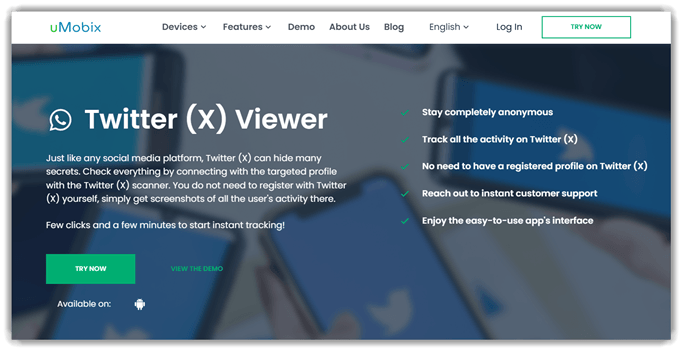
uMobix is a powerful phone monitoring app that lets you keep an eye on someone’s Twitter/X activity discreetly. It captures screenshots from the target device, so I could view the posts, messages, and profiles they accessed without logging into X myself. The updates arrive in real-time on a cloud dashboard, though occasionally a screenshot took a couple of minutes to appear. I recommend using it only on your minor’s device to safeguard their online experience.
When I tested it on an Android phone, uMobix took under 10 minutes to set up and began sending me screenshots of every new tweet and thread the user opened. I could see who they followed, the accounts following them, and the conversations they joined under posts, which gave me a clear view of their digital habits. As with any monitoring tool, please get proper consent before installing it on an adult’s device.
Features:
- Twitter Screenshots: uMobix automatically captures screenshots whenever the device owner opens a new tweet or thread. This let me keep a visual record of the posts and profiles they viewed on X in real-time.
- Follower & Following Tracking: You can view the complete list of accounts the target follows and who follows them. I found this useful to understand the kind of people my kid was interacting with on Twitter.
- Social Media Monitoring: Besides Twitter/X, it tracks activity across other apps like Facebook, Instagram, WhatsApp, Snapchat, and more, giving a full picture of their social interactions.
- Keylogger: This feature records every keystroke typed on the device, including search terms and login details. It helped me see exactly what the user was typing into X and other apps.
- Browser History: uMobix logs all visited websites, so I could view the target’s Twitter web sessions and other pages they browsed, including how frequently they returned to X.
Pros
Cons
Pricing:
Here are the plans offered by uMobix:
| 12 Month | 3 Months | 1 Month |
|---|---|---|
| $12.49 | $29.99 | $49.99 |
Free Trial: No free trial, 14-day refund policy only
14-Days Money-back Guarantee
5) Twitter Viewer
Twitter Viewer is an anonymous X viewer app that lets you easily view a profile or a Tweet without requiring a login to a Twitter account. To test it out, I looked up several accounts and tweets, and within a second, Twitter Viewer brought up these profiles. The result also included their date of joining, social media link given on their bio, location, tweets, and more.
People looking to investigate someone’s Tweets, for example, journalists, bloggers, or even law enforcement, can use it. Its login-free access makes it easy for you to use without signing up with Twitter. However, the site doesn’t show a few tweets of some of the users, which occurs randomly but not often.

Features:
- Browser-Based: Twitter Viewer is entirely browser-based, so there is no need to download any app. The best part is that you do not have to sign up or pay any fee. Hence, people can use it right away, be it for checking their competitors’ tweets or their accounts in general. Users who aren’t tech-savvy can also try it out right away, since there’s no complicated process, unlike phone monitoring apps.
- Actions: Using this Sotwe alternative, I was able to download the display picture and cover photo. It also lets you play the media on the profile or even download it. Moreover, I could visit the profiles of the retweeted individuals to an extent. You can also view the target person’s other social platforms if there are links on their bio.
- Post Insights: Individuals and business owners who want to view their competitors’ profiles can see the number of likes, comments, shares, and reach on every tweet. I could also view the date and time of the post and copy the links mentioned on these tweets to view them independently for better context.
- Tweet Viewer: This tool offers a separate Tweet Viewer feature that lets you add the link of a tweet and get a complete view. It not only shows when the tweet was created, how many likes and comments it has, but also the number of shares, retweets, bookmarks, and quotes.
- Instant Access: Unlike some of the sites that require some time to scan and search for the tweets or Twitter profile, this tool provides the result within just a second. It is also entirely free, so you can check as many profiles and tweets as you want throughout without any limitations.
Pros
Cons
Pricing:
It is a free tool
Link: https://www.twitter-viewer.com/
Comparison Table: Sotwe Alternatives
Here is a quick comparison table of the above Sotwe Alternatives:
| Feature | Spokeo | xMobi | mSpy | uMobix |
| View Public Tweets & Profiles | ✔️ | ✔️ | ✔️ | ✔️ |
| View Private Profile | Limited | ✔️ | ✔️ | Limited |
| View Follower/Following Lists | ❌ | ✔️ | ✔️ | ✔️ |
| Monitor Twitter Activity (Posts/Engagement) | ❌ | ✔️ | ✔️ | ✔️ |
| Search by Twitter Username | ✔️ | ✔️ | ✔️ | ✔️ |
| Identity Verification of a Twitter User | ✔️ | ✔️ | ✔️ | ✔️ |
| Media Download (Images/Videos) | Limited | ✔️ | ✔️ | ✔️ |
| Access to Chats / Direct Messages (DMs) | ❌ | ✔️ | ✔️ | ✔️ |
| Retrieve Account Login Details / Credentials | ❌ | ✔️ | ✔️ | ❌ |
| Location Tracking (User Device or Tweet Location) | Limited | ✔️ | ✔️ | ✔️ |
How to View Twitter Without Third-Party Apps?
Not everyone wants to use third-party apps, or it may be that the tools aren’t giving you the desired outcome, or you simply find them too complex or expensive. In such cases, you can always use the following tricks that do not require using any tool to view a Twitter account:
1) Using a Friend or Relative’s Account
If you want to look up someone, for example, an individual you are interested in, then this could be the right method. You can request a friend, relative, or family member who owns an account on X to help you out. Request them politely and sit with them to view the profile or ask them to send you screenshots of the target’s account, tweets, etc. However, if the individual has a private account, your friend or relative will have to send a follow request and get accepted.
2) Using Direct Tweet links
If someone shares a tweet link with you from a public profile, you can access the tweet directly or copy and paste the link into your browser and view it. There is no login or signing up required for viewing these tweets. You can also see the number of likes, comments, bookmarks, and retweets using this method. However, you cannot read the replies as it requires you to log in to Twitter.

3) Embedded Tweets and Official Widgets On Other Sites
You will see that many news sites and blogs have embedded tweets that use Twitter’s official embed code. The embedded tweet is provided by Twitter’s official embed system. Thus, you can view the tweet without going to the main site since the text and media are already visible. However, the embeds are limited, so you cannot get a complete browsing experience. You may find this method useful to view tweets via another news blog. I found it helpful for gaining insight into a trending tweet mentioned in a related blog that talks about weekly celeb feuds on Twitter.

4) Follow Twitter Content Through Newsletters
This method is excellent for journalists, people interested in trending news, hot topics on X, etc. You can subscribe to newsletters or weekly news updates to get access to the Twitter feeds. It can be helpful for creators as well, who want to stay updated with the Twitter trends to create viral content.
What is Sotwe and How Does it Work?
Sotwe is a Twitter viewer site that allows users to browse through public X profiles, tweets, hashtags, and media without requiring a Twitter account. It displays trending topics, analyzes the reach of the tweets, etc., anonymously. Its interface also mimics Twitter’s layout, but it includes ads and login barriers, therefore, it can be used only for casual browsing.
This Twitter web viewer works by scraping the publicly available information on X and displaying it to the users via its own servers. Hence, when you search for a username or a tweet, Sotwe fetches the latest information and presents it. However, if Twitter changes its API in the future, its functionality can become limited.
How did We Select the Best Sotwe Alternatives?
Guru99 has built its credibility through hands-on research and honest testing. Our research team spent over 170 hours going through 40+ platforms firsthand to ensure transparency, accuracy, and security. Sarah Mitchell, Social Media Strategist, says “Using a trustworthy Twitter viewer can open doors to insightful connections while protecting you from the pitfalls of the internet, such as phishing and malicious content.”
To help you better understand our research process, here’s a list of things that we looked into before curating the above list:
- Real-world testing: Our team evaluated every site to see the performance, interface, and reliability.
- No paid influence: The tools were reviewed independently without any sponsorship from any platform.
- Security assurance: We analyzed each platform’s privacy practices and went through the site’s privacy policies thoroughly to ensure user data remains uncompromised.
- Ease of use: It’s important to ensure that the selected tools are easy to use, hence, we shortlisted simple sites and tools with proper instructions.
- Responsiveness: Our research group tested these sites and tools multiple times to ensure that the speed and response time were consistent and quick by using several devices and browsers.
- Feature set: The experts of Guru99 compared key features like tracking, profile insights, and anonymous viewing options.
- Accuracy of data: We verified that the results of tweets, profiles, and analytics found were accurate and authentic.
What’s the Difference Between Sotwe and Its Alternatives?
Here are the main differences between the Sotwe and its alternatives:
| Comparison Point | Sotwe | Alternatives |
|---|---|---|
| Use case | Sotwe’s main focus is on Twitter, and it works as an analytics tool. It helps users view profiles, tweets, engagement, etc. | While the alternatives, such as Spokeo, allow you to find out if someone uses Twitter. Additionally, phone spy apps such as xMobi can also help you view passwords of the Twitter user. |
| Platform Coverage | Sotwe is built for Twitter viewing, and it works only for this particular platform. | Using platforms like Spokeo and Social Catfish, mSpy, etc, you can view not only Twitter but also other social networks like Facebook, Instagram, and even dating apps. |
| Data Access Type | You get public Twitter data, including analytics, with no access to any private accounts. | Some of the tools, like xMobi and mSpy, provide access to messages, deleted chats, and even passwords. |
| Privacy & Legal Risk | The privacy risk is low, as it works with publicly available Twitter data, but its redirects could lead to malware and phishing sites. | With sites like Spokeo, Social Catfish, etc., the privacy risk is low since they access publicly available data. However, phone spy apps have a high risk as they are intrusive and should be used following all data privacy rules. |
| Ease of Use | It has a web interface and is easy to use. | Sites like Twitter Viewer, Spokeo, and Social Catfish are easy to use as they are browser-based. However, phone spy apps require some technical knowledge. |
Why Sotwe and Similar Twitter Viewers Keep Going Offline
Sotwe, Nitter public instances, and every other unauthenticated Twitter viewer depend on one thing: access to Twitter’s public read endpoints. When Elon Musk-era X changed the rate limits, started blocking anonymous reads, and introduced the login-wall for public profile pages in mid-2023, the entire ecosystem of scraper-based viewers lost its foundation overnight.
Each site has responded differently. Sotwe went offline, came back with a partial solution, and has flickered between working and broken ever since. Most public Nitter instances shut down completely, and the handful that remain are volunteer-run, rate-limited, and routinely blocked. Independent aggregators rotate scraping proxies faster than X blocks them, which is sustainable for a week and unsustainable for a month.
The practical implication: no single Twitter viewer will be stable long-term while X’s access policy keeps tightening. Keep a list of three or four alternatives, assume any one of them will go offline at some point, and plan for official-X access when reliability is critical.
How to Preserve and Archive Twitter/X Content You Care About
If you want tweets or threads you can access reliably next month or next year, do not rely on any third-party viewer — archive the content yourself while it is still visible. Four methods cover everything from a one-off tweet to a researcher’s long-term archive.
One — Wayback Machine submission. Paste the tweet URL into web.archive.org/save to generate an archived snapshot, then bookmark the archive URL. Archives are public, indefinitely accessible, and survive account deletion, rate limiting, and platform takedowns. Do this for every important tweet the moment you see it.
Two — native X Bookmarks and Lists. For tweets from accounts you follow and plan to revisit, Bookmarks (save privately, access from any device) and Lists (curated public or private feeds) keep the content inside X’s infrastructure. The downside: if the original tweet is deleted or the account goes private, the bookmark disappears.
Three — browser-based local archiving. The SingleFile browser extension saves any tweet as a complete, self-contained HTML file including media, preserved locally regardless of what happens to the source. This is the right approach for thread-style threads, investigative journalism saves, or any content you need to reference offline.
Four — thread-unroll services. Threadreaderapp.com generates a clean, readable, archival HTML version of any tweet thread when you reply to the thread with “@threadreaderapp unroll” from a logged-in X account. The resulting page is publicly shareable and survives the original being deleted.
Combine methods for important content: bookmark it, submit to the Wayback Machine, and save a local SingleFile copy. Each method has a different failure mode, so layering them gives you a durable record. For periodic large-scale archiving, X’s official API provides a paid tier that lets researchers and journalists pull historical content in bulk; third-party scraping at any scale breaches X’s terms and is no longer a reliable plan.
Nitter Instances vs Sotwe-Style Aggregators vs Official Twitter/X
Nitter is an open-source, ad-free Twitter frontend that displays tweets through lightweight HTML; when it works, it is the cleanest viewing experience. The trade-off is that every public Nitter instance is one X policy change away from shutting down, and remaining instances are maintained by volunteers with variable uptime.
Sotwe-style aggregators (Sotwe, Twstalker, Picuki-for-Twitter) scrape X directly and often cache results; they are more resilient to individual X changes but less predictable week to week, and they carry more ads.
Official X (twitter.com / x.com) is the most reliable source of truth, but most public profile views now require a login, and the free reading experience has been degraded by algorithmic timeline choices and rate limits. For journalism, OSINT, and research, a logged-in X account (ideally a research-only account) is the only consistently reliable option. For casual browsing, a rotating set of Nitter instances and one aggregator covers most needs.
Verdict
After spending hours glued to my chair, going through each of the above sites and tools, I found them quite robust and reliable at the same time. They are definitely some of the best Sotwe alternatives. Although not all the tools function in a similar way, they are capable enough to provide you with the desired data based on your requirements. However, here are my top favorites that I would like to recommend:
- Spokeo: It is best for users who want to find out if someone has a Twitter account or if they want to view their profile. Spokeo’s instant results, detailed reports, and anonymous lookup make it my top pick.
- xMobi: This tool provides real-time insight into phone activities, allowing you to view even the Twitter login credentials. It’s best for monitoring your kids and viewing their accounts using its features like screenshot, keylogger, etc.
- mSpy: It is another robust phone monitoring app that gives access to multiple social media platforms and the conversations happening on them. You can also view the device screen directly with its live screen recorder and take screenshots whenever you desire. However, it’s advised to use phone spy apps only on your kids or partner with consent.
FAQs
Spokeo is a well-known people look-up service that helps you find multiple information about a person, including their social media. It can scan up to 120+ social networks, which include Twitter, and provide you with profile details such as their username, related images, tweets, and more.
