
5 Best FREE Background Check Sites (2026)
 Editorial Team

After spending over 85 hours carefully testing and analyzing 38+ background check tools, I noticed how quickly quality varies from credible to unreliable. This comprehensive guide provides an unbiased, transparent breakdown of features, pros and cons, and pricing, clearly distinguishing between truly free and hidden-cost services. My advice includes carefully verified, up-to-date recommendations, making this your trusted, go-to source for professional background checks.
Why Do We Not Recommend a Free Background Check Site?
While it sounds tempting to use free services, remember that you often get what you pay for. Many of these free sites may offer less comprehensive information. They may have outdated databases, or worse, provide inaccurate details.Moreover, although free, some sites might require you to input credit card details, which can be a red flag. Also known as “freemium” sites, they might give you a taste of basic information and prompt you to pay for more detailed reports.
It’s critical to be aware of such practices to avoid unwanted charges. On the other hand, paid sites typically ensure your searches are thorough, up-to-date, and accurate. Read more…

Spokeo, often regarded as one of the best solutions for online background checks, stands out as a modern people search engine. Spokeo promises to be the tool for you to gather details on someone without diving into countless databases.
Best Free Trial Background Check Sites: Top Picks!
| Name | Data Accuracy | Key Features | Report Delivery Speed | Trial Period | Link |
|---|---|---|---|---|---|
Spokeo |
High | Criminal record, wealth data, personal details, etc | Fast | $0.95 for 7-day trial | Learn More |
 PeopleSmart |
High | Phone number, Email, Social profiles, Contact information etc. | Moderate | $1 for 7-day trial | Learn More |
 Intelius |
High | Public records, phone lookup, address history, background reports, etc. | Fast | $0.95 for 5-day trial | Learn More |
 ReversePhone |
High | Reverse phone lookup, people search, spam detection, social media & email discovery, etc. | Fast | Free Basic Lookup Available | Learn More |
 USSearch |
High | Background checks, reverse phone lookup, property check, social network search, etc. | Fast | Free basic report available | Learn More |
1) Spokeo
Spokeo provides one of the best solutions for online background checks. I personally recommend it for anyone aiming to reconnect with old friends or family members. I found that it is one of the easiest tools to use for background searches. It helped me access the information I needed with minimal effort, and I could quickly find people who were hard to track.
I found that it pulls together data from many sources, both online and offline. This data provides a clear and easy-to-read profile of an individual’s history. I could access a wealth of information without the hassle of searching through many databases. It is one of the best options for personal and professional needs, offering a solution that is both reliable and thorough.
✓ Find out whose phone number is calling you
✓ Identify scam callers
✓ Education and employment history
✓ Free quick search
Features:
- Deep People Search: Spokeo excels at providing a comprehensive view of an individual by diving into multiple record sources. This includes past addresses, family connections, and even social media profiles. I found it especially helpful when trying to trace family members’ past locations, and it was surprisingly accurate in linking to various online profiles. While testing this feature, I noticed that the more data sources you select, the more comprehensive the report becomes.
- Reverse Phone Lookup: If you’re curious about an unknown caller, Spokeo’s Reverse Phone Lookup can instantly provide information about the owner of the number. This can be particularly useful for avoiding spam or unsolicited calls. I’ve used this feature myself to identify potential scam calls, and it gave me peace of mind to know who was trying to reach me. You’ll find it helpful to check not only the owner’s name but also their location, which could be a red flag for potential spam calls.
- Email Search: Spokeo’s Email Search can uncover details tied to a particular email address, making it ideal for verifying the legitimacy of unfamiliar senders. This is especially beneficial when dealing with potential phishing attempts or fraud. I once tracked down the origins of a suspicious email that appeared to be from a bank, only to find it was a phishing scam. I recommend cross-referencing any suspicious emails with this tool to safeguard yourself from online threats.
- Court and Historical Records: For those needing insight into an individual’s legal background, Spokeo provides access to court and historical records. These reports can be invaluable when conducting thorough background checks, especially for professional reasons. I used this feature to check on a potential business partner and found vital information about past legal matters. It’s a good practice to double-check multiple sources, as some records may not be available depending on the individual’s jurisdiction.
- Property Search: Spokeo’s Property Search gives you a deeper look into property details, whether you’re buying or renting. From ownership records to estimated values, this feature can help you make informed decisions. I used this to gather information about a home I was interested in purchasing, and it gave me clarity about its market value. I suggest using the tool in combination with real estate platforms for a well-rounded understanding of the property market.
Pros
Cons
👉 How to Get Spokeo for Free?
- Visit the Spokeo homepage to start your search.
- Enter information like the person’s name, phone number, email address, or social media username to perform a basic search.
- Click “Search Now” to view basic details, including the person’s name, approximate age, and the number of available social media profiles. To unlock the full results, you can pay $0.95 for a 7-day free trial background check.
$0.95 for 7-Day Trial
2) PeopleSmart
PeopleSmart is a top choice for anyone searching for a reliable, user-friendly background check tool online. I personally recommend it if you need to reconnect with old friends, verify new acquaintances, or simply learn more about someone. In my experience, PeopleSmart stands out for its intuitive design and straightforward background search features, making it easy to uncover hard-to-find details with minimal effort.
What sets PeopleSmart apart is how seamlessly it brings together information from a wide array of public records and online sources. The platform presents a clear, organized profile of individuals—saving you the trouble of digging through multiple databases yourself. Whether your needs are personal or professional, PeopleSmart offers a practical and trustworthy way to access valuable background details quickly.
✓ Extensive Contact Database
✓ Advanced Search Filters
✓ Email Lookup and Reverse Email Search
Features:
- Free People Search: PeopleSmart offers a no-cost people search that includes basic data like addresses, phone numbers, and relatives. It’s a solid option if you’re trying to reconnect or verify someone’s identity without committing to a paid plan. I used this feature to validate a contact before a freelance project. You will notice the tool delivers results faster when the full name and city are included—accuracy improves significantly.
- Reverse Phone Lookup: This feature helped me instantly identify unknown callers during a time when I was getting repeated spam. It provides details like the owner’s name and location, making it useful for both personal safety and screening business leads. While using this feature one thing I noticed is that landline numbers return more reliable data than mobile numbers, so prioritize those if possible.
- Reverse Email Lookup: When dealing with suspicious or unfamiliar email contacts, this tool reveals the person behind the address. It cross-references multiple databases to surface names and associated profiles. I’ve used it to screen potential clients before sending over sensitive information. There is also an option that lets you preview associated social profiles, which adds another layer of credibility.
- Public Records Aggregation: With a paid plan, PeopleSmart taps into public records including property, employment history, and court cases. I found it especially useful when researching a potential tenant. The tool aggregated the data in a clean, readable format. I recommend using the search filters to narrow down the timeframe or location—this drastically reduces irrelevant matches.
- Data Confidence Scoring: PeopleSmart assigns each result a confidence level, helping you gauge accuracy. This saved me from second-guessing data and cut down on the need to verify elsewhere. During a background check, I used this score to focus only on “BestMatch” profiles. I suggest sorting results by confidence first if you’re short on time—it streamlines your research.
- Social Media & Professional Profiles: The tool links to social and professional platforms, offering context about someone’s current interests or career. This has been helpful in pre-interview research, allowing me to see shared connections or work history. I once used it to verify a speaker before a podcast interview, and the insights were spot-on.
Pros
Cons
👉 How to Get PeopleSmart for Free?
- Go to the PeopleSmart homepage and start your search using a person’s name, phone number, email address, or street address.
- Click “Search” to view a basic profile for free, including names, relatives, and contact information.
- For more in-depth results, you have the option to upgrade, but the initial search and essential info come at no cost.
$1 for 7-Day Trial
3) Intelius
Intelius is a background investigation tool that uses publicly available resources to conduct background checks on people. I particularly liked its reverse phone lookup feature, which helps you confirm the caller’s identity before taking action.
I found that the search report offers social media details and contact info, including name and phone numbers. It also scours social media, the internet database, and different authoritative websites.
✓ Reconnect with old friends
✓ Find out who is behind the number calling you
✓ See what appears in your background check
Features:
- Public Records: Intelius offers access to a comprehensive range of public records, including addresses, phone numbers, birthdates, and even social network profiles. This can be incredibly useful when researching someone’s background. While testing this feature, I found it especially valuable for verifying contact details before reaching out to someone professionally.
- People search: This feature is designed to provide a wealth of information by simply entering a person’s name. It aggregates data like addresses, phone numbers, and even criminal records. I tested this feature while searching for a long-lost friend and was amazed by how quickly it pulled up accurate results. It’s a great tool for reconnecting with people.
- Phone number search: This tool lets you learn more about unknown callers by providing details linked to their phone numbers. It’s a great way to identify telemarketers or potential scammers. I recommend using this feature when you’ve received multiple calls from an unfamiliar number. It can save you from unnecessary interruptions.
- Background search: Intelius allows you to uncover detailed background information such as criminal records, employment status, and lawsuits. It’s invaluable for due diligence and protecting yourself in both personal and professional situations. There is also an option that lets you check public records for a more in-depth background review. This feature is ideal for confirming someone’s history before making important decisions.
- Address lookup: With reverse address lookup, Intelius provides property details, ownership history, and more. It can be helpful for checking the background of a potential neighborhood or finding out more about a property. I’ve used this feature before to check out new homes and found it very useful for understanding the neighborhood’s dynamics and previous owners.
Pros
Cons
👉 How to Get Intelius for Free?
- Go to Intelius
- Select “Name” as the search parameter, provide your required information, click on Search, and wait for the scan results.
- Allow Intelius to perform its scan, and once finished, you can pay $0.95 for a 5-day trial to download the report.
$0.95 for 5-Day Trial
4) ReversePhone
ReversePhone is a powerful reverse phone lookup service that lets you quickly identify unknown callers by searching through billions of records. I found it incredibly useful for uncovering the true identity behind unfamiliar numbers, whether for screening potential scam calls or verifying someone before sharing personal information.
What stood out to me during testing was how ReversePhone aggregates data from official public records, government sources, and trusted data providers to deliver comprehensive caller profiles. The results often included names, locations, related phone numbers, email addresses, and even social media profiles, giving me a complete picture of who was calling.
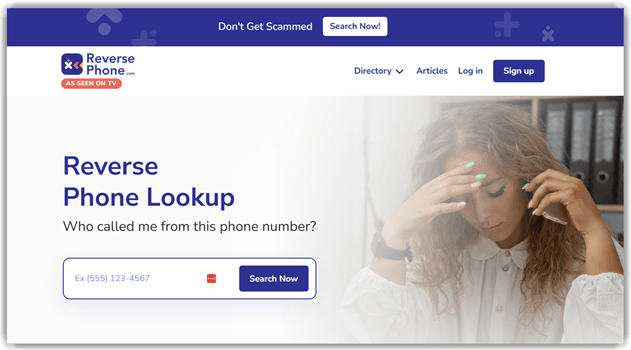
Features:
- Reverse Phone Lookup: ReversePhone lets you search any 10-digit phone number to uncover detailed caller information. It identifies whether the call came from a cell phone, landline, or VoIP number, along with the service provider and area code location. I tested this with several unknown numbers and was impressed by how quickly it returned accurate results. I suggest using this feature whenever you receive calls from unfamiliar numbers to avoid potential scams.
- People Search: Beyond phone lookups, ReversePhone offers a comprehensive people search function similar to a white pages directory. You can search by name to find contact details, addresses, and background information. I found this particularly handy when trying to reconnect with old colleagues whose phone numbers had changed.
- Caller Identity Verification: The platform cross-references multiple data sources to reveal names, ages, languages spoken, and country of origin associated with a phone number. I used this feature to verify callers before returning missed calls, which saved me from engaging with telemarketers and potential scammers.
- Spam Detection: ReversePhone identifies known spammers and telemarketers using user-submitted reports about specific numbers. This crowdsourced approach means the database gets smarter over time. While testing this feature, I noticed it accurately flagged several numbers that had been bothering me for weeks.
- Social Media & Email Discovery: The service can uncover social media profiles and email addresses linked to a phone number. This is especially useful for verifying online identities or investigating suspicious contacts. I discovered that this feature works best when the number has been actively used on social platforms.
Pros
Cons
👉 How to Use ReversePhone?
- Visit ReversePhone official website.
- Enter the full 10-digit phone number including the area code in the search box.
- Review the free basic results, or upgrade to premium for detailed caller reports including addresses, social media profiles, and background information.
Free Basic Lookup Available
5) USSearch
USSearch helps me uncover details like names, phone numbers, and addresses with ease. I particularly appreciate how this platform presents data in a clear and digestible way. In my opinion, it is one of the best tools for background checks.
The advanced algorithms in USSearch allow you to find accurate information quickly. According to my research, it is a great option if you want to avoid wasting time on scattered data sources.

Features:
- Background Checks: USSearch compiles extensive data, including criminal, traffic, marriage, and employment records, offering a comprehensive profile of individuals. This feature provides a clear snapshot of a person’s history. It’s an invaluable resource for decision-making when evaluating someone’s background.
- Reverse Phone Lookup: With USSearch, you can identify the owner behind an unknown number. This feature provides a straightforward way to uncover details, including name and location. While using this feature, you might find the results more accurate when searching for landline numbers rather than mobile numbers.
- Property Check: USSearch offers a thorough examination of any property, including ownership records, sale history, and tax details. This feature is particularly useful when investigating property purchases or ownership disputes. I’ve found this to be a helpful tool for assessing real estate investments, ensuring all property details are verified before a deal.
- Social Network Search: USSearch excels in tracking an individual’s digital presence across social media platforms. This feature provides an in-depth look at a person’s online reputation and behavior. It’s a great tool, especially when researching potential connections or online interactions.
- Civil Court Records: This tool searches civil court records for relevant case information, vital for both business and personal verification. USSearch pulls data from various jurisdictions to provide an accurate record. You will notice that checking court records through USSearch can be more comprehensive than through local or state databases alone.
- Email Search: USSearch allows you to discover the owner of an email address, providing you with additional information about the sender. This feature is essential when dealing with suspicious emails or verifying personal contacts. I suggest using this when you receive an unfamiliar email from someone claiming to be a business or colleague to confirm their identity.
Pros
Cons
👉 How to Get USSearch for Free?
- Go to USSearch
- Click on the “Get Started” button and choose how you’d like to search—by Name, Phone Number, or Address—then provide the necessary information as prompted through the steps.
- Once the search completes, review the basic report available for free, or pay $19.86 for unlimited detailed reports for one month.
Link: https://www.ussearch.com/
Feature Comparison Table
How Did We Choose Best Background Check Service?

At Guru99, we prioritize credibility by focusing on providing accurate, relevant, and objective information. Our rigorous content creation and review process ensures we deliver reliable resources to answer your questions. After dedicating over 288 hours to researching 31+ of the best free background check sites, we have created a comprehensive guide with detailed analysis of each platform’s features, pros, cons, and pricing. Whether you are looking for a free or paid solution, this guide offers trustworthy recommendations for your background check needs. We focus on the following factors while reviewing a tool based on user safety, effectiveness, and reliability.
- Accuracy: We chose services based on their ability to deliver accurate and reliable results, ensuring trustworthiness.
- Ease of Use: Our team shortlisted services that are intuitive and user-friendly, allowing quick and smooth navigation.
- Comprehensive Reports: We selected services offering detailed background checks, covering criminal history, employment records, and more.
- Security: We focused on services that prioritize data security and confidentiality, ensuring user information is protected.
- Customer Support: We chose services with responsive and helpful customer support teams, ensuring users can resolve issues promptly.
- Cost: Our experts selected services based on affordability without compromising quality, ensuring great value for users.
How to Perform a Free Background Check?
Performing a free background check is a task that many undertake for a variety of reasons, from personal to professional. Here are several options to help you navigate the process:
- Begin with Search Engines: Start your inquiry with search engines like Google. Simply input the person’s name in quotation marks to get more specific results. This can yield a wealth of information, including social media profiles, publications, or news articles.
- Utilize Social Media: LinkedIn, Twitter, and Facebook are websites that can provide valuable insights into a person’s professional and personal life.
- Check Public Records: Websites like the National Center for State Courts or county court websites can provide free access to certain public records. You can search for documents related to marriage, divorce, property, and sometimes minor criminal offenses.
- Use Online Directories: Whitepages or ZabaSearch can give you basic details such as phone numbers and addresses.
- Visit Local Courthouses: If you’re searching for criminal records or civil court cases, local courthouses can provide this information for free. With that said you may require an in-person visit.
- University Alumni Networks: Many universities have alumni databases if you’re trying to verify someone’s educational background.
Remember, while free methods can yield much information, they might not be as comprehensive or accurate as paid services. The best free background check app usually either comes with a one-time report with a minuscule payment or a few days of paid trial.
Verdict
When looking for reliable background check platforms, I want a tool that not only offers accuracy but also speed. If you are deciding which service to choose, my verdict will help resolve your dilemma. I recommend balancing features with cost-effectiveness, as it is the best way to achieve comprehensive results without overpaying. Check my verdict.
- Spokeo offers customizable search filters and a user-friendly interface, making it ideal for performing deep searches across various categories.
- PeopleSmart is a top choice for anyone searching for a reliable, user-friendly background check tool online.
- Intelius is a background investigation tool that uses publicly available resources, and its reverse phone lookup helps you confirm a caller’s identity before taking action.
FAQs
Spokeo, often regarded as one of the best solutions for online background checks, stands out as a modern people search engine. Spokeo promises to be the tool for you to gather details on someone without diving into countless databases.
