
7 BEST Onlyfans Search Engines & OnlyFans Finder (2026)
 Editorial Team
Find Anyone’s OnlyFans Account Instantly
Enter any Username, Email, Phone Number or Name to Find OnlyFans Account!
“This tool has been amazing for finding people online. Highly recommend it!”
50,000+
Profiles Found
5,000+
Satisfied Users
4.8/5
Average Rating
To spare you the frustrating trial-and-error phase, I invested over 170 hours testing 35+ OnlyFans search engines. This deep dive allowed me to narrow the field to the 7 best OnlyFans search engines that are worth your time. This article is backed by my unbiased, first-hand evaluations, breaking down each platform’s features, pros and cons, and pricing. After reading this article, you’ll find the right OnlyFans search engine that is suitable for your needs.

Spokeo scans billions of public records and 120+ social networks to connect a name, email, or phone number to active OnlyFans profiles. It even alerts you when a report updates, so you always land on a creator’s most recent account. It is my top pick for finding someone on OnlyFans fast.
Best OnlyFans Search Engine: Top Picks!
| Tool | Feature | Free Trial | Link |
|---|---|---|---|
Spokeo |
• Up-to-date information • 120+ social network database |
$0.95 one-time report | Learn More |
 Intelius |
• Background search • People’s name directory |
$0.95 paid trial | Learn More |
 BeenVerified |
• Reverse phone number lookup • Address verification |
$1 paid 7-day trial | Learn More |
 OnlyFinder |
• Instant keyword and username lookup • Free creator category |
Free tool | Learn More |
 OnlyAccounts |
• Similarity score matching • Alias mapping across platforms |
Free tool | Learn More |
1) Spokeo
Spokeo is another well-known people search engine that gathers its information from publicly available records. This platform offers data from 120+ social networks and has billions of other records, making its results quite reliable. I found its digital record broader than other search engines when it comes to looking up email IDs and usernames. Giving you a high chance of finding someone’s OnlyFans account.
The best part about Spokeo is that even when any changes occur in the existing report, you get notified immediately. I also received an update when new information appeared in the results. However, at times, I did receive a few pieces of outdated information and had to wait for updates. Moreover, budget subscribers will enjoy Spokeo since its paid trial is at a throwaway price.

Features:
- Notification: Outdated or incomplete reports are common in people search engines. However, I didn’t have much to worry about with Spokeo because it sends you an update in the email with the latest information. That’s how I ended up getting the latest account of the target person.
- Billions of Records: Spokeo’s database includes 120+ social networks and billions of other data points, which makes it easy for you to find OnlyFans, even if it may not be a direct search. This allowed me to locate the target individual’s Insta account using name search, which led me to their OF on the bio.
- Personal Details: You can gather information such as the person’s full name, date of birth, phone number, email ID, residential location, etc. In fact, I could also find their possible relatives, acquaintances, ex-partners, and more, which was impressive.
- Pictures and Comments: One of the unique features of Spokeo is that it can help find the pictures and comments of the target person. This allowed me to gather indirect information about their OF account. I noticed that the person mostly had explicit photos and left comments on some of the social sites, mentioning that they run an OnlyFans account.
- Name and Phone Directory: For easy and instant search, you can use Spokeo’s Name and Phone Directory. It helps you look up and find common names from A to Z and provides faster results. The phone directory also allows you to find the right area code, which is not limited to the US.
Pros
Cons
Pricing:
Here are the plans offered by Spokeo:
| 7-day Membership | One Month |
|---|---|
| $5.95 | $29.95 |
Free Trial: No free trial, but it offers a one-time report for $0.95
7-Days Trial for $0.95
2) Intelius
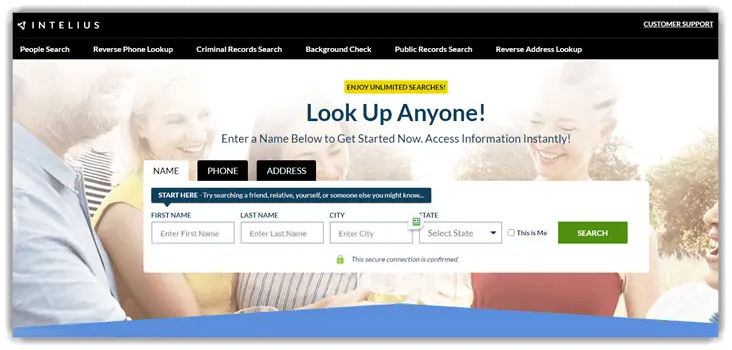
Intelius digs up instant results with a database that is designed to surface public records and connected profiles across social media sites. Its ability to look up only US phone numbers, email IDs, and residents makes it easy for you to gain an auto-filtered result. Hence, its outputs didn’t seem as overwhelming as those of other search engines. This tool is also great for people who want to find out if their date or partner has a secret OnlyFans account.
Hence, I used it to verify if my friend’s current date was on OF since she asked me to. We used all the Intelius search parameters and found out that he was indeed using OF, but it was an old account that he no longer accessed. It also includes a people’s directory by first name and last name, A to Z, adding to the convenience in your quest.
Features:
- Background Check: If you want to look up people that you will be associated with, whether it is a new roommate or a date, then Intelius’ background check can be pretty useful. In this report, you will find not only their real government name, but it will also show you their DOB, address, phone number, occupation, properties, possible OnlyFans account, etc.
- Search Filters: The search filters include city, state, age, whether they lived in the same city their whole life, etc. This helps narrow down the results to avoid overwhelming choices. It looks up federal, state, and county records, so you have to make sure you are searching only for a US resident.
- Address Lookup: For verification purposes, the Intelius address lookup search parameter can be highly beneficial. I wanted to find a niche OF creator, but I wasn’t sure if I found the right person on the app, since their face was hardly visible in their content. That’s when I decided to look them up and match their address with the one mentioned in their videos.
- Confidential Lookup: Your searches with Spokeo are absolutely confidential since it never sends any alerts or notifications to the person. This allows you to look up anyone you want, including any OF model. However, using it ethically and keeping things legal should be the utmost priority.
- Criminal History: Intelius’ criminal history record includes DUI, sexual offences, theft, and other small plus heavy crimes. I could also look up their court records, arrests, penalties, etc. Hence, if you want to conduct a criminal record history search on your favorite OnlyFans creator, give Intelius a try.
Pros
Cons
Pricing:
Here are the monthly plans offered by Intelius:
| People Search | Address Lookup+ People Search |
|---|---|
| $25.11 | $34.97 |
Free Trial: Only paid trial available for $0.95
5-Days Trial for $0.95
3) BeenVerified
BeenVerified is a comprehensive background and a great reverse lookup tool. It is good for users looking for a simple tool and an instant search. If you are a creator as well, looking to find more information on other OnlyFans influencers and models, you can utilize BeenVerified’s in-depth search. You may not always land the result directly; therefore, I suggest trying all of its search features if you have the required pieces of information.
During a deep scan of a username, the tool connected it to archived profiles, active and inactive social media accounts, criminal records, email addresses, and more. However, your search remains anonymous in such sites; therefore, you do not have to worry about notifying the target individual. Overall, BeenVerified is also good for creators who want to do market research and find details on top OF models.

Features:
- Location Matching: Using this feature, you can analyze the location hints tied to the OnlyFans username with the publicly available information. I found BeenVerified’s location search aligns instantly with the creator’s geo-specific campaigns. Moreover, its filtering capability makes the results more reliable.
- Alias Expansion: What I really liked about this tool is its ability to uncover alternative names and nicknames of a person. This is especially helpful if the OF models you are looking for have now changed their usernames or rebranded themselves. It also led me to their social media accounts and offered deeper insights.
- Email Association: With the help of its email lookup service, I found numerous OF creators. It took me directly to their linked official account in the report, making the search simple and straightforward. However, many individuals use a different email ID for their OnlyFans, hence, look for some clues on their social media and other details in the report.
- Name Search: One of the easiest ways to find someone’s OnlyFans account is to conduct a name search. However, not everyone puts their real name in the profile; therefore, I suggest looking into their aliases and other information. For example, I use the email ID found in the name search to look for the individual’s OF profile.
- Phone Number Association: This search technique can be useful for people who want to verify an OF creator’s phone number. Some of the models and creators provide their numbers for various services. I was able to look up numerous such creators with their contact numbers and avoid being scammed.
Pros
Cons
Pricing:
Here are the plans offered by BeenVerified:
| 3 Months | 1 Month |
|---|---|
| $23.98/Month | $36.89 |
Free Trial: $1 for a 7-day trial
7-Days Trial for $1
4) OnlyFinder
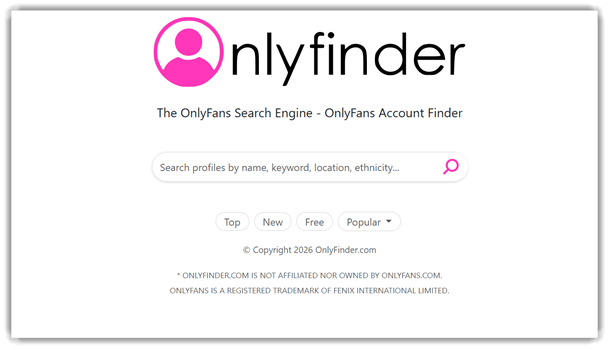
OnlyFinder is a niche search engine that is specifically built for discovering OnlyFans accounts. It digs up the profiles via indexed usernames, bios, and associated social media links. I wanted to find a popular OF model who creates exotic dancing videos. Since I do not own an OnlyFans account, I didn’t know much about her OF profile name. This site helped me find her instantly when I used keywords such as belly dancing, exotic dancer, etc.
However, it can get tedious at times when you are looking for someone just using keywords. You must also try looking for individuals using location, ethnicity, etc. I definitely found it useful, but it works better when your search is more generic.
Features:
- Keyword & Handle Search: To find an OnlyFans account using OnlyFinder, you can type in a keyword or their handle. This will instantly pull up the results, which will include the creator you are looking for. It is definitely a beginner’s tool since it is straightforward and doesn’t require any extra clicks and inputs.
- Category-Driven: It organizes the results into browsable categories, simplifying your search. I was able to jump from broad themes to specific niches in just a few taps. This search is ideal if you want to explore rather than finding a single profile.
- Trending Search: I could find all the trending content on OnlyFinder. If you want to conduct market research of the OF site, then this feature that appears as “Top” can be your shortcut. It’s a straightforward result, hence, you do not have to use any advanced search tricks.
- Featured Pages: This feature highlights the “featured” collections that act like a curated search result. Using these pages, I was able to shortlist creators easily. It’s basically where you find the best content if you are learning about OF and need to explore what’s on it without an account.
- Near Me: It is a location-intent discovery feature that helps you find local-themed content. This was quite helpful to me when I wanted to know what was relevant in my area, and it saved my time, since it was quicker than a manual search performed by adding the location in every query.
Pros
Cons
Pricing:
It is a free tool
Link: https://onlyfinder.com/
5) OnlyAccounts
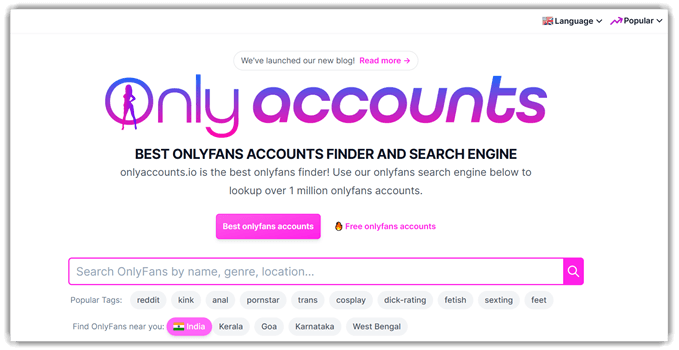
OnlyAccounts is an entirely OnlyFans-focused search engine for instant and structured discovery. Users who interact with people on online dating apps, etc., and want to verify if an individual is an OF model can use OnlyAccounts. It helped me find several IG users on OnlyFans, even if they haven’t mentioned it on their bio. That’s because not everyone wants people to know that they are an OF model.
I was able to locate accounts using usernames, keywords, and categories. It is highly efficient and saves alot of time, unlike some people’s search sites. However, if you want more refined and detailed information, you must opt for people lookup services rather than just a direct OF profile search engine.
Features:
- Similarity Score: It calculates a similarity score between the creators based on tags, subscriber engagement, and content overlaps. Thus, it allowed me to find creators who provided similar content to the one I was looking for. You will find this feature useful mostly if you are auditing trend mapping or market gaps.
- Alias Mapping: Many creators have multiple usernames or accounts across platforms. To ensure that you find the right individual, OnlyAccounts allows you to find potential alias matches. This led me to find several OF account owner’s social media, which helped me verify their profiles.
- Free OnlyFans Profiles: You do not have to create an OF account to use OnlyAccounts. On top of that, you can find free profiles that do not require you to subscribe to any exclusive content. This saves your time and money, leading you instantly to those creators.
- Multi-Language Interface: To simplify your search, OnlyAccounts offers 10 language options for the interface. The languages include English, French, Chinese, Italian, Turkish, Russian, etc. Thus, allowing you to find your favorite creators without any hindrances. Moreover, its location filter also offers regional searches depending on the country you are in.
- Categories: From adult content to exclusive talent and training videos, you will find almost all the categories on this search site. Therefore, you can use it for bulk search, allowing you to find the type of videos that you prefer the most.
Pros
Cons
Pricing:
It is a free tool.
Link: Onlyaccounts.io
6) FansCompass
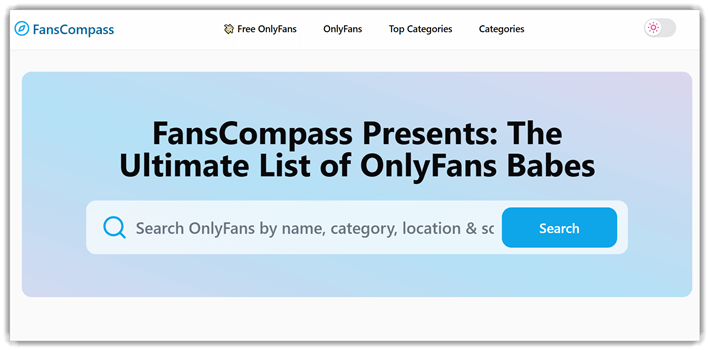
FansCompass is a curated discovery platform designed to find OnlyFans profiles. It blends the search functionality with a categorized exploration, and instead of broad results, it narrows down the search. It offers a high scope to find the creator accounts with its emphasis on category, location, name, and more.
I noticed how smooth its deep-scan was, which makes it a reliable direct OF only search tool. If you are looking for a no-nonsense website to find an OF creator or you need to check the list of your competitors on the platform, then FansCompass is an ideal search engine.
Features:
- Deep Category Browsing: It organizes the OF creators into an unusually broad set of niches, so you can refine discovery beyond the generic categories. I was able to move between labels in just a single click, which made my search quick and easy.
- Top Category Shortcut: This feature highlights popular categories at the top, which makes the search effective. It also lets you view the trending content without manual filtering. If you are receiving dead ends in your searches, try this method for a simplified bulk search.
- Location-Based Directory: You can browse the creators by country, which makes it handy if you are looking for country and region-specific creators. It doesn’t force you to one location; you can go through the countries and select which area’s content you would like to watch.
- Search by Gender: I could look up men’s and women’s accounts separately. It allows you to access filtered content based on gender. Thus, you can use it for finding unlimited bulk profiles of your preferred gender within just a single click.
- Models That DM: With the help of FansCompass, you can find accounts of models that reply to DMs. This way, you do not have to waste your subscription on creators who will not provide one-on-one service.
Pros
Cons
Pricing:
It is a free search engine
Link: https://fanscompass.com/
7) Google
Google Search can be surprisingly effective, although it sounds like a generic search engine. Now, no matter how overwhelming its results might be, you will definitely find some information. I suggest combining advanced operators, image-based searches, and cross-platform indexing, so some of the profiles will surface in the search results.
If you fail to find any results in the regular Google Search, you can try the reverse image search in Google. Just upload the image and allow the lens to scan it, and wait for the results to pop up. However, this can also lead to massive result overload and even provide false positives. On the other hand, you might end up finding the creator you are looking for.

Features:
- Advanced Search Filters: This feature helps you narrow results by language, region, and last update time, so you’re not wading through irrelevant pages. It’s ideal for “instant search” workflows where the most recent content matters. You can quickly target the freshest mentions when you’re researching creators or trends.
- Precision Queries: You can use operators to tighten searches when broad keywords get messy. It makes “background search” feel in-depth by focusing on specific sites, phrases, or file types. While testing this, I found combining quotes with exclusions dramatically reduced spammy directory pages.
- Incognito Browsing: This feature gives you a more private browsing session on your device, which is useful when you don’t want searches saved locally. It’s handy for “anonymous search” habits, especially on shared machines. I suggest treating it as privacy-lite, not invisibility—pair it with careful account sign-in choices.
- Image Search: This feature lets you upload a photo, paste an image URL, or use your camera to find visually matching results fast. It’s ideal for anonymous background checks on profile photos and reposted content. I’ve used it to spot the same image recycled across multiple pages in minutes.
- SafeSearch Controls: It gives you a extra safety layer that can filter or blur explicit visual results, which matters when you’re doing broad social media searches. You can keep research moving without unwanted surprises hijacking the page. The “Blur” option keeps context visible while reducing risky thumbnails during wider queries.
Pros
Cons
Pricing:
It is a free search engine
Link: https://www.google.com/

Feature Comparison Table: Best OnlyFans Search Engines
Here’s a quick comparison table of all of the above OnlyFans search engines:
| Features | Spokeo | Intelius | BeenVerified | OnlyFinder |
| Keyword-based search | ✔️ | ✔️ | ✔️ | ✔️ |
| Username or name lookup | ✔️ | ✔️ | ✔️ | ✔️ |
| Search results listing | ✔️ | ✔️ | ✔️ | ✔️ |
| Profile or result preview | ✔️ | ✔️ | ✔️ | ✔️ |
| External link access | ✔️ | ✔️ | ✔️ | ✔️ |
| Web-indexed data usage | ✔️ | ✔️ | ✔️ | ✔️ |
| Browser-based access (no app required) | ✔️ | ✔️ | ✔️ | ✔️ |
How to Look for Someone on OnlyFans Without Using Search Engines
If you do not want to look for an OnlyFans account with the help of these search engines, then you can use the following tips:
- Use the Built-In Search Bar: You can type the creator’s exact username in the OnlyFans search bar. The platform works best with precise matches, so partial names usually won’t return accurate results.
- Check Profile Links on Social Media: Most of the creators promote their OnlyFans on platforms like Instagram, Twitter, or TikTok. Hence, look into their bio sections for a direct link to avoid confusion.
- Ask a Friend: If you aren’t on OnlyFans, then ask a friend or an acquaintance who is on OF to find the individual for you. This can be the easiest and most straightforward search trich for people who do not own an OF account.
- Look Through Tagged Content: Many OF models and creators collaborate with other creators. Hence, you can always check tagged posts on those creators’ profiles to find them.
- Use Email or Contact Sync: In case a creator had shared their OF account directly with you before, and you lost it, check your old emails, messages, and subscriptions.
- Browse Categories and Suggestions: OnlyFans suggests creators based on interests and activity. Browsing related categories may surface their account if their niche aligns with your viewing behavior.
- Ask Directly: If appropriate, simply ask them in chat or direct conversations. Many creators openly share their link when asked. It’s faster, clearer, and avoids guessing through multiple profile variations.
- Parental Monitoring Apps: If you are looking to find out if your teen is on OnlyFans, then parental monitoring apps can help you find their online activities. Use tools like mSpy, uMobix, XnSpy, etc. However, for your kids over 18, you will need to get their consent.
What Ethical and Legal Boundaries to Maintain While Looking for Someone on OnlyFans?
It is important to maintain ethical and legal boundaries while looking for someone on Onlyfans. Here’s how you can do it:
- Ensure to access the content only using legitimate subscriptions on OnlyFans. You must also never attempt to bypass paywalls or exploit technical loopholes.
- Never download, screenshot, or redistribute paid content without explicit creator permission. This can lead to violating copyright and privacy laws.
- You must avoid searching for a creator’s real identity, location, or personal details beyond what they publicly disclose on their profile.
- Never engage in harassment, coercion, or repeated unsolicited messaging that pressures creators into sharing additional content or personal information.
- Refrain from accessing or sharing leaked material, as it is considered stolen content. Additionally, you must be careful because these actions also contribute to exploitation and potential legal consequences.
- Verify that creators are adults and legitimate account holders before interacting. Always report suspicious or potentially illegal content immediately.
- You must respect the platform’s terms of service by avoiding scraping tools, automation scripts, or third-party search engines that violate usage policies.
- Make sure to protect your own privacy by limiting personal disclosures. You must also use secure payment methods and avoid suspicious external links or data requests.
FAQs
Verdict
After going through all of the search engines above, I realised that finding an OnlyFans account is easy, but not always straightforward in every case. The sites in the article, however, help you find OnlyFans creators instantly most of the time, and they provide the results within a few clicks. Now, coming to my top favorite sites that provided the most reliable output are as follows:
- Spokeo: This site notifies you about the latest information and changes in the existing report. Thus, you get the most updated details, allowing you to find the most recent OnlyFans profile of a creator.
- Intelius: With already narrowed-down results that show only US creators, this site makes the search less overwhelming. Intelius’s background search feature is also quite robust, making this workaround a great option for finding OF models.
- BeenVerified: BeenVerified pulls reverse phone, address, and social records into a single, easy-to-read report, so I rely on it whenever I want to confirm an OnlyFans creator’s identity across several data sources at once.
Spokeo scans billions of public records and 120+ social networks to connect a name, email, or phone number to active OnlyFans profiles. It even alerts you when a report updates, so you always land on a creator’s most recent account. It is my top pick for finding someone on OnlyFans fast.
