
7 Best Ultrawide Gaming Monitor (2026)
 Editorial Team

Ultrawide Gaming Monitors offer a great gaming experience and better viewing angles compared to normal widescreen monitors. They mostly have 1/3rd more screen space in width than a normal widescreen gaming monitor. They provide more horizontal space for better ergonomics and surroundings.
They were launched 5 years ago and have seen rapid adoption by Gamers, Streamers, Animators, Video editors, filmmakers, etc. These ultrawide display screens are a good investment for gamers for better gaming and streaming experience. They are also widely used by animators and video editors for video editing and graphics editing.
After spending over 270 hours researching, I have reviewed 37+ Best Ultrawide Gaming Monitors and curated a list of the top options. My comprehensive article provides an insightful look at each monitor’s features, pros and cons. This exclusive guide may help you make an informed decision. Read the full article for trusted recommendations. Read more…


37 Ultrawide Monitor Tested

270+ Hours of Research

2.3k+ Reviews Examined

Unbiased Reviews
Best Ultrawide Monitor for Gaming (34 inch, 4K)
| Product Name | Screen Size | Curved | Hertz | Amazon Rating | Link |
|---|---|---|---|---|---|
 Sceptre E248B-FPT168 |
24 Inches | No | 165 | 4.5/5 | Learn More |
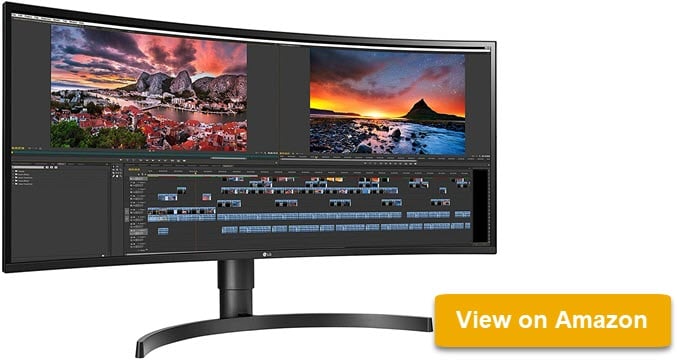 LG 34WN80C-B UltraWide™ 1080p Full HD IPS |
34 inches | Yes | 60 | 4.4/5 | Learn More |
 AOC CU34G2X |
34 Inches | Yes | 144 | 4.6/5 | Learn More |
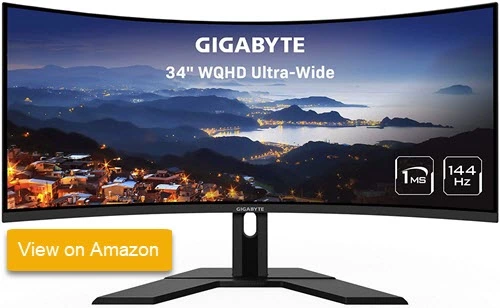 Gigabyte G34WQC |
32 Inches | Yes | 165 | 4.5/5 | Learn More |
 SAMSUNG SJ55W Ultrawide |
34 Inches | Yes | 75 | 4.3/5 | Learn More |
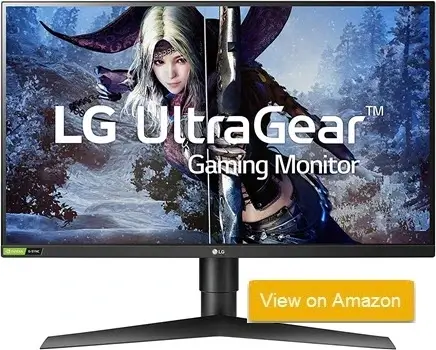 LG UltraGear QHD 27-Inch Gaming Monitor 27GL850-B |
27 inches | Yes | 144 | 4.7/5 | Learn More |
 ASUS TUF Gaming Ultra-Wide Curved Monitor VG34VQ3B |
34 inches | Yes | 180 | 4.6/5 | Learn More |
1) Sceptre E248B-FPT168
The Sceptre E248B-FPT168 is a cutting-edge gaming monitor that offers an exceptional visual experience with its 165Hz refresh rate and IPS panel. This combination delivers smooth, blur-free gameplay with vibrant colors and wide viewing angles. The monitor’s AMD FreeSync technology eliminates screen tearing and stuttering, ensuring seamless motion in fast-paced games. With its edgeless design, the E248B-FPT168 provides an immersive viewing experience, while multiple digital ports, including HDMI and DisplayPort, offer versatile connectivity options for various devices.
Designed with user comfort in mind, the E248B-FPT168 features Blue Light Shift technology to reduce eye strain during extended use. The monitor also incorporates anti-flicker technology for a crisper picture and built-in speakers for convenient audio playback. Whether you’re gaming, working, or enjoying multimedia content, this monitor’s 1080P resolution and user-centric features make it an excellent choice for diverse users seeking high-performance and comfort in one package.
Pros
Cons
🔍 Check Latest Price and User Reviews on Amazon
2) LG 34WN80C-B UltraWide™ 1080p Full HD IPS Monitor
The LG 34WN80C-B is a stunning 34-inch UltraWide Curved IPS monitor designed to elevate your viewing experience. Its 21:9 aspect ratio and WQHD resolution (3440 x 1440) deliver crisp, detailed visuals that bring your content to life. Whether you’re gaming, watching movies, or working on creative projects, the curved screen creates an immersive environment that draws you in.
Multitasking is a breeze with the Screen Split 2.0 feature, allowing you to efficiently work on multiple documents and applications side-by-side. For creative professionals, the monitor’s 99% sRGB color accuracy and HDR10 compatibility ensure precise color reproduction and vibrant visuals. With its sleek design, fast response time, and wide viewing angles, the LG 34WN80C-B is the perfect choice for both work and play.
Pros
Cons
🔍 Check Latest Price and User Reviews on Amazon
3) AOC CU34G2X
The AOC CU34G2X is a high-performance gaming monitor designed to elevate your gaming experience. With a 34-inch ultrawide curved VA panel and a 144Hz refresh rate, you’ll enjoy smooth, fluid gameplay and stunning visuals. The 1ms response time ensures minimal input lag, allowing you to react quickly to in-game action.
This monitor supports AMD FreeSync Premium technology, which synchronizes the refresh rate of the display with your graphics card to eliminate screen tearing and stuttering. The wide color gamut and high contrast ratio deliver vibrant, lifelike colors, making games and movies come to life.
The AOC CU34G2X offers a variety of connectivity options, including 2x DisplayPort 1.4 and 2x HDMI 2.0 ports. The ergonomic stand allows you to adjust the height, tilt, and swivel of the monitor to find your optimal viewing position. While it lacks HDR support, the matte anti-glare coating helps reduce eye strain during long gaming sessions.
Pros
Cons
🔍 Check Latest Price and User Reviews on Amazon
4) GIGABYTE G32QC 81.28 cm (32″) 165Hz 1440P Curved Gaming Monitor
Gigabyte G34WQC Immerse yourself in stunning visuals with the GIGABYTE G32QC, a 32-inch best Ultrawide curved gaming monitor. Its 2560×1440 resolution and 165Hz refresh rate deliver smooth, tear-free gameplay, ensuring you never miss a crucial moment. The 1ms response time eliminates motion blur, providing a sharp and crisp viewing experience.
Designed for optimal comfort, the GIGABYTE G32QC offers ergonomic adjustments, including tilt and height adjustments, allowing you to find your perfect viewing position. The low blue light and flicker-free technology reduce eye strain, enabling extended gaming sessions without discomfort.
With a wide range of connectivity options, including DisplayPort 1.2 and HDMI 2.0 ports, the GIGABYTE G32QC seamlessly integrates into your gaming setup. Experience the future of gaming with this exceptional monitor.
Pros
Cons
🔍 Check Latest Price and User Reviews on Amazon
5) SAMSUNG SJ55W Ultrawide
The SAMSUNG SJ55W Ultrawide is a 34-inch best ultrawide gaming monitor designed to immerse you in your favorite content. Its 21:9 aspect ratio and 3440 x 1440 resolution offer a cinematic viewing experience, providing a wider field of view and sharper details. Whether you’re gaming, working, or streaming, this monitor delivers stunning visuals.
AMD FreeSync technology ensures smooth and tear-free gameplay by synchronizing the refresh rate of your monitor with your graphics card. This eliminates screen tearing and stuttering, providing a seamless gaming experience.
The sleek design of the SJ55W complements any workspace. Its slim panel, metallic bezel, and elegant Y-stand add a touch of sophistication to your setup. With multiple connectivity options, including DisplayPort and HDMI ports, you can easily connect your devices and enjoy a versatile viewing experience.
Pros
Cons
🔍 Check Latest Price and User Reviews on Amazon
6) LG UltraGear QHD 27-Inch Gaming Monitor 27GL850-B
LG UltraGear QHD is a gaming monitor designed to elevate your gaming experience. Its Nano IPS display technology delivers stunning visuals with vibrant colors, deep blacks, and crisp details. With a high native 144Hz refresh rate and 1ms (GtG) response time, you’ll enjoy smooth, tear-free gameplay, even in the most demanding games.
To ensure you see the game as the developers intended, the UltraGear QHD supports HDR10 and covers 98% of the sRGB color spectrum. This means accurate and vivid colors that bring your games to life. Additionally, features like NVIDIA G-SYNC, Dynamic Action Sync, and Black Stabilizer further enhance your gaming experience by reducing input lag, minimizing screen tearing, and improving visibility in dark scenes.
Whether you’re a casual gamer or a competitive esports player, the LG UltraGear QHD is the perfect monitor to take your gaming to the next level. Its combination of stunning visuals, fast response times, and advanced gaming features make it a top choice for any gamer.
Pros
Cons
🔍 Check Latest Price and User Reviews on Amazon
7) ASUS TUF Gaming Ultra-Wide Curved Monitor VG34VQ3B
ASUS TUF Gaming Ultra-Wide Curved Monitor VG34VQ3B is a 34-inch ultra-wide curved gaming monitor that delivers exceptional performance for competitive gaming enthusiasts. This high-performance monitor features 180Hz refresh rate and 1ms MPRT response time, ensuring ultra-smooth gameplay with minimal input lag. The VG34VQ3B also includes advanced HDR10 support and 125% sRGB color gamut coverage, providing vibrant colors and stunning visual clarity for an immersive gaming experience.
Gaming connectivity is optimized with multiple ports including HDMI, DisplayPort, and USB hub for seamless device management and charging. The monitor features Adaptive-Sync technology compatible with both AMD FreeSync Premium and NVIDIA G-Sync, eliminating screen tearing and stuttering for buttery-smooth gameplay. Advanced gaming modes and ASUS GamePlus features allow players to optimize display performance with crosshair overlays, timer functions, and FPS counters for competitive advantage.
ASUS has integrated comprehensive eye-care technologies into the VG34VQ3B, including ASUS Eye Care with TÜV Rheinland certification for reduced blue light emission and flicker-free technology to minimize eye strain during extended gaming sessions. The monitor also offers Shadow Boost for enhanced visibility in dark scenes and GameVisual modes for optimized color settings across different game genres. With its combination of high refresh rate performance, gaming-focused features, and ergonomic 1500R curved design, the ASUS TUF Gaming VG34VQ3B delivers a premium ultra-wide gaming experience for competitive and casual gamers alike.
Pros
Cons
🔍 Check Latest Price and User Reviews on Amazon
How Did We Choose Best Ultrawide Gaming Monitors

At Guru99, we prioritize accurate and unbiased product reviews through meticulous research, ensuring every review is credible and based on real-world testing. Our focus on transparency helps you make informed choices with reliable insights. After spending over 270 hours researching, We reviewed 37+ best ultrawide gaming monitors and curated a list of top options. This comprehensive guide offers an insightful look at each monitor’s features, pros, and cons, helping you navigate the selection process effectively. Check out below important factors to enhance your gaming experience with the best ultrawide gaming monitor.
- Resolution: Aim to select a monitor with at least 1440p for a sharp image.
- Refresh Rate: Pay attention to monitors with a refresh rate of 144Hz or higher for smooth gameplay.
- Response Time: Look for a response time of 5ms or lower to avoid motion blur.
- Panel Type: Consider IPS panels for better color accuracy and viewing angles.
- Adaptive Sync: It is essential to choose monitors with G-Sync or FreeSync technology for tear-free gaming.
- Size: A screen size of 34 inches or more is typically great for immersive experiences.
- Connectivity: Make sure you have sufficient ports like HDMI and DisplayPort for compatibility.
Is an ultrawide monitor good for gaming?
Yes. If you are a beginner or professional gamer, then you can buy an ultrawide gaming monitor. These screens offer an appealing design, a better refresh rate, and great picture quality. These monitors also come with AMD Freesync and Nvidia G-Sync technologies to deliver great gaming and streaming experience.
Note: If you’re looking for the Best earbuds for enhance your gaming experience. Check here Best Gaming Earbuds Reviews
How to split the screen on the Ultrawide Gaming Monitor?
Perform the following steps to split your screen on an ultrawide gaming monitor:
Step 1) Click on Start
Step 2) Click on the system and select the multitasking tab
Step 3) On the slider called “Snap Windows”
What refresh rate is best for a gaming monitor?
Monitor refresh rate is the number of how many times a screen updates with new images every second. It is the most important aspect for gamers when buying a gaming monitor. For best gaming performance, you can buy a screen that has at least a 75Hz to 144Hz refresh rate along with the least response time to get an incredible gaming experience.
What are the advantages of using Ultrawide Monitors?
Here are the advantages of using ultrawide monitors:
- Enables you to do multitasking with ease. This applies to either work or everyday web browsing.
- It increases FOV (Increased Field of View).
- You can easily snap windows to different areas of the screen with ease.
- It is more convenient to manage brightness and other settings.
- Helps you to increase your business productivity.
- You can play games with a wider field of vision.
- Allows you to watch movies on an ultra-wide screen.
Do Ultrawide Gaming Monitors affect FPS?
Yes. Ultrawide Gaming Monitor can affect FPS to some extent because it can have more horizontal pixels than standard 16:9 monitors. As a result, the GPU will have more pixels to process, but the real-world difference in FPS isn’t that significant.
Verdict
After reviewing the best options for ultrawide gaming monitors, here’s my verdict based on their features and performance.
- Sceptre E248B-FPT168 is a great entry-level monitor, offering a decent refresh rate and reliable display without breaking the bank. Ideal for casual gaming.
- LG 34WN80C-B excels in color accuracy, making it a top choice for gamers who also need a reliable monitor for creative tasks.
- The AOC CU34G2X is the ultimate choice for competitive gamers, featuring a fast 144Hz refresh rate and a curved screen for enhanced immersion.
