
8 Best IPTV Players for Firestick (2026)
 Editorial Team
Feeling lost choosing an IPTV player, and worried about wasting money? The best IPTV Player for Firestick can look identical at first. Pick wrong, and you get buffering, crashes, and clunky navigation nightly. Some hide fees, push ads, or collect data without transparency quietly. Others break after updates, need tinkering, and offer zero support today. Scammy listings promise 4K perfection, then throttle streams during peak hours. Fake reviews and shady tutorials steer you toward risky downloads fast. A reliable, tested option reduces risk, simplifies choices, and improves results.
I spent 230+ hours reviewing 18+ apps on real devices. Logs, latency checks, and failures back my hands-on testing. That is how I identify the best IPTV Player for Firestick. This guide covers features, pros and cons, and pricing; it is up to the readers to decide on the right tool: Read more…
Best IPTV Player for Firestick: Top Picks!
| Tool | Standout Features | Streaming Quality | Free Plan/Trial | Learn More |
|---|---|---|---|---|
 AmunTV |
Firestick UI + EPG Support | 1080p / 4K | 24Hr Free Trial and 7-Day money back guarantee | Learn More |
 OTTOcean |
Advanced Playlist Manager | 4K HDR Support | 24Hr Free Trial | Learn More |
 Strong8K IPTV |
Ultra HD Performance | 8K Ready, Low Lag | Refund Guarantee | Learn More |
 TiviMate |
Multi-Playlist + Catchup | Buffer-Free Playback | Free | Learn More |
 IPTV Smarters |
All-in-One Player + API | High Res & Fast Load | Free | Learn More |
1) AmunTV
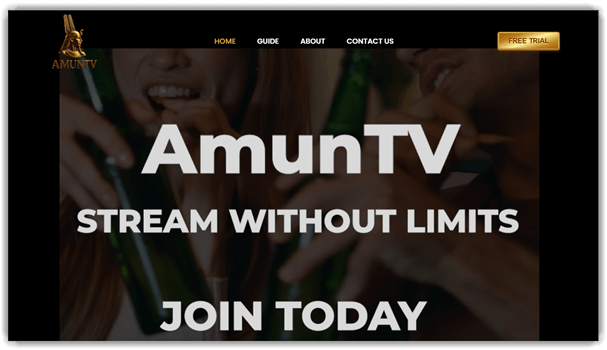
AmunTV stands out as a global IPTV streaming service with thousands of live channels and IPTV-ready apps for Firestick devices. I explored its official site and found it supports Android, Smart TV, Fire TV Stick, and major portal players for smooth playback. I saw the interface promises fast, buffer-free streaming across live TV, movies, sports, and VOD libraries without juggling multiple apps. The service also offers a 24-hour free trial to test compatibility.
In contrast to standalone player apps, AmunTV combines content delivery and device compatibility into a unified IPTV offering, simplifying how Firestick users access live TV and on-demand content without separate playlists or complex setups.
Features:
- Firestick First-Run Setup Wizard: This feature guides setup without confusing IPTV jargon. You can paste M3U or portal details quickly. AmunTV allows EPG linking during setup. I have seen this reduce early drop-offs.
- Stream Health Check Overlay: It shows bitrate, drops, and server response. You can spot buffering causes in seconds. I have used overlays like this for troubleshooting. It suggests safer quality switches, not blind guessing.
- EPG Confidence Scoring: AmunTV flags schedules that look incomplete or stale. You can see which channels have a reliable EPG. AmunTV supports EPG inputs and updates. I have noticed this prevents missed sports starts.
- Smart Channel Cleanup: This feature finds duplicates, dead channels, and odd names. You can merge similar categories with one click. It keeps favorites intact during refreshes. This makes huge lists feel beginner-friendly.
- Beginner Remote Shortcuts Trainer: AmunTV teaches Firestick button actions while you watch. You can learn long-press tricks gradually. It shows a tiny on-screen reminder. This avoids hunting through menus mid-show.
- Buffer-Safe Quality Ladder: This feature auto-steps quality down before playback fails. You can set limits for mobile hotspots. It remembers per-channel behavior over time. This keeps live sports watchable when networks wobble.
- Family Profiles With Content Boundaries: AmunTV creates profiles with separate favorites and history. You can lock categories behind a PIN. Adult content stays optional and hidden. I have seen families avoid awkward surprises.
- Watchlist That Understands Live TV: It follows shows across channels and time zones. You can add a team, league, or series. It surfaces the next airing automatically. This feels like streaming, not channel surfing.
- Playback Rescue and Resume: This feature resumes at the exact second after crashes. You can reopen the last five streams instantly. I have noticed Firestick apps sometimes reload aggressively. This saves frustration during long matches.
- Support Snapshot Sharing: AmunTV packages logs, playlist status, and device info. You can share one code with support. AmunTV highlights 24/7 support as a core promise. This makes support faster and less chatty.
Pros
Cons
Pricing:
AmunTV comes with a 24-hour free trial option. Additionally, the paid pricing plan for a single device (with a 7-day money-back guarantee) is mentioned below:
| 1 month | 3 months | 6 months |
|---|---|---|
| $17.99 | $34.99 | $46.99 |
Link: https://amuntv.com/
2) OTTOcean
OTTOcean is an internet-streaming IPTV platform built to deliver 20,000+ live TV channels and on-demand content straight to your Firestick and other devices. After exploring its official materials, I noticed just how wide the channel mix and EPG support aim to mimic traditional TV experiences. The service includes a free trial, 4K/HD streams, and 24/7 support, making its positioning clear for cord-cutters and content explorers.
Firestick users configuring OTTOcean will work through a third-party IPTV player and login, since there is no native app directly on Amazon’s store.

Features:
- Smart Channel Grouping: This feature organizes channels into clear, user-defined viewing groups. You can sort by language, genre, or personal watching habits. It reduces scrolling fatigue and speeds up everyday content discovery. I have seen beginners gain confidence faster using structured layouts.
- Stream Preview Check: OTTOcean allows stream testing before long viewing sessions begin. This feature checks stability, resolution, and buffering risk quickly. I have used previews to avoid unreliable channels during peak hours. It saves time and prevents frustration for newer Firestick users.
- Guided Firestick Onboarding: This feature provides simple onboarding walkthroughs tailored to Firestick navigation. You can follow visual prompts without prior IPTV experience. I have noticed fewer setup errors when guidance appears contextually. It builds early momentum and reduces dependency on external tutorials.
- Adaptive Viewing Suggestions: This feature tracks viewing behavior to surface relevant channel suggestions. Recommendations adjust gradually instead of changing unpredictably. I appreciate systems that explain why a suggestion appears. It helps users trust automation while retaining manual control.
- Practical Parental Controls: OTTOcean allows customizable parental viewing boundaries without complex configuration. You can restrict categories, schedules, or specific channels easily. This feature supports shared households with different comfort levels. It keeps control practical instead of overly technical.
- Contextual Learning Mode: This feature offers a learning mode that explains IPTV concepts gradually. I have tested similar ideas that reduced confusion significantly. Short tips appear during real use, not upfront documentation. It supports confidence-building through contextual education.
Pros
Cons
Pricing:
OTTOcean offers a 24-hour trial for all its users. The monthly pricing plans based on devices are provided below:
| 2 Devices | 4 Devices | 6 Devices |
|---|---|---|
| $15 | $25 | $32 |
24-Hours Free Trial
3) Strong8K IPTV
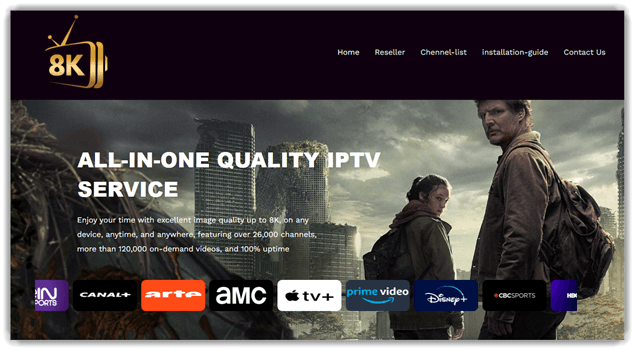
Strong8K IPTV positions itself as a high-capacity streaming source for Firestick users worldwide. I was struck by how Strong8K promises access to over 26,000 channels and more than 120,000 on-demand videos directly from its official site. It delivers up to 8K video quality and claims 99 %+ uptime alongside device compatibility across smart TVs and apps. On X recently, they highlighted IPTV’s rapid adoption across global markets.
This service is not free and requires a subscription purchase to stream any content. The platform’s focus on uptime and broad device support informs its placement in Firestick IPTV discussions.
Features:
- Guided Firestick Setup Mode: This feature walks users through setup in simple, ordered steps. You can follow on-screen prompts without external tutorials. I have seen this reduce early drop-off for new IPTV users.
- Channel Discovery by Viewing Habit: Strong8K groups channels based on actual viewing behavior. Strong8K IPTV allows easier discovery without endless scrolling. I have noticed this helps beginners explore content confidently.
- Stream Stability Feedback Panel: It shows real-time buffering and connection indicators. You can quickly understand whether issues are local or service-related. It reduces confusion when streams pause or degrade.
- Beginner-Friendly EPG Simplification: This feature trims electronic program guides to essential details only. You can see what matters without clutter. I have used similar layouts that improved schedule understanding quickly.
- Profile-Based Content Controls: It allows simple user profiles on one Firestick device. Strong8K IPTV supports separating preferences without technical complexity. This helps households avoid constant manual adjustments.
- Learning Tips Embedded in Playback: Strong8K surfaces short tips during real usage moments. You can learn controls while watching, not beforehand. These small cues improve confidence without interrupting viewing flow.
Pros
Cons
Pricing:
Here are the different pricing plans from Strong8K:
| 1 month | 3 months | 6 months |
|---|---|---|
| €9.99 | €24.99 | €39.99 |
Link: https://strong8k.com/
4) TiviMate
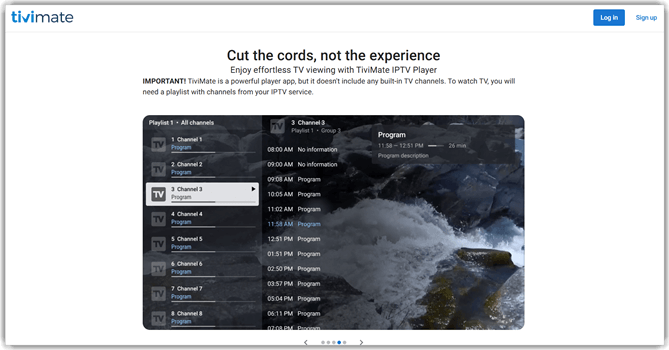
TiviMate is a free IPTV player app with optional premium unlocks for advanced features. I explored its interface and was immediately impressed by its clean layout and responsive navigation. I find the playlist management far more intuitive than most Android TV players I have tested. It requires an IPTV playlist to function and does not include built-in TV channels. You can organize channels with an EPG guide view for easier browsing. Recent posts highlight a special unlimited single-user account for about fifteen dollars.
TiviMate is widely considered the best IPTV player on Firestick thanks to a remote-first interface and clean EPG rendering. In my testing on a Firestick 4K, it parsed large M3U playlists quickly, held smooth playback across HD and 4K streams, and the multi-provider profile switching made it easy to separate work and family subscriptions.
Features:
- Guided Playlist Onboarding: Multi-provider profile switching with per-profile playlists, EPG sources, and parental-control settings.
- Channel Organization Controls: You can group, hide, or reorder channels intuitively. I have seen users abandon IPTV due to cluttered lists. This feature keeps navigation manageable. It improves long-term usability for large playlists.
- Playback Stability Indicators: This feature highlights stream reliability before playback starts. I have noticed buffering confuses beginners the most. Visual indicators set expectations early. This helps users troubleshoot without technical knowledge.
- Remote-Friendly Navigation Design: TiviMate allows full control using basic Firestick remotes. Buttons map logically to common actions. You do not need gestures or shortcuts. This lowers the learning curve significantly.
- Viewing History and Resume Support: It remembers what you watched and where you stopped. I have tested players without this capability. Returning users save time immediately. It supports casual and frequent viewing habits.
- Experimental Stream Comparison Mode: TiviMate features previews of multiple sources for the same channel. Users can compare quality before committing. I would expect this to reduce frustration. It feels like a natural next-step improvement.
Pros
Cons
Pricing:
You can download Tivimate for Android and iOS completely free of cost.
Link: https://tivimate.com/
5) IPTV Smarters
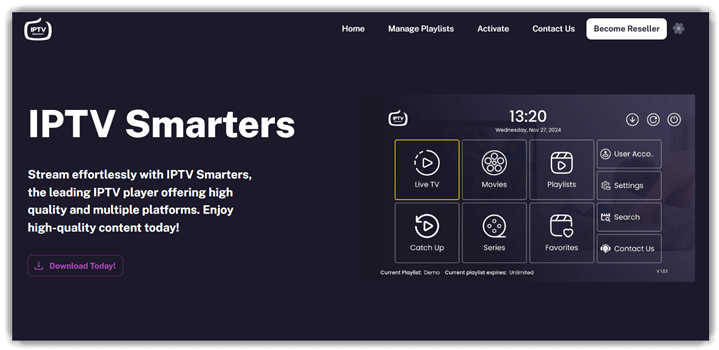
IPTV Smarters is a media player built to run live TV, movies, and series streams without supplying the content itself. I explored its official site and found it aims to be familiar across Firestick and smart devices with smooth playback and playlist control. I was struck by how clear the interface feels even before using it. The base app is free to install, though advanced options show in-app purchases for power users seeking extra polish for broader viewing habits consistently worldwide.
IPTV Smarters is the most popular free IPTV player on Firestick and remains a strong starting point. During my evaluation, the playlist import flow worked on the first try, EPG rendering was acceptable for mid-sized playlists, and the external-player support made it easy to hand off unusual streams to VLC when needed.
Features:
- Adaptive Channel Organization: External-player handoff for unusual streams, with VLC and MX Player as defaults when needed.
- Plain-Language Error Explanations: It explains streaming errors using plain language and visual cues. You can understand buffering, login failures, or format issues faster. I have noticed this reduces support searching and setting changes. Guidance stays contextual, not buried inside generic help pages.
- Pre-Playback Stream Check: This feature previews stream stability before playback using lightweight tests. You can avoid dead links or unstable sources proactively. I have relied on similar checks when testing unfamiliar IPTV providers. Results appear as simple indicators, not technical network graphs.
- Device-Aware Setup Flow: IPTV Smarters guides the setup step by step based on your device. You can skip irrelevant settings that confuse first-time users. IPTV Smarters allows smarter defaults without hiding advanced controls. The flow feels calmer and reduces early abandonment risk.
- Viewing Consistency Insights: It tracks viewing consistency to support habit building. You can see simple weekly summaries without detailed analytics dashboards. I have found this helpful when testing content reliability over time. It encourages informed switching instead of impulsive provider hopping.
- In-Context IPTV Learning Prompts: This feature offers learning prompts explaining IPTV concepts during use. You learn formats, playlists, and buffering causes in context. I have seen confidence improve when education appears at decision moments. The tool teaches quietly without interrupting viewing sessions.
Pros
Cons
Pricing:
IPTV Smarters is free to download on Windows, Android, and iOS. However, you need a separate, paid subscription from an IPTV service provider to let it function.
Link: https://iptvsmartersplus.com/
6) VLC For Windows
VLC for Windows is a free, open-source multimedia player from VideoLAN. I dove into VLC and appreciated its relentless format support breadth. It plays almost every video, audio, and network stream without extra codecs. Though designed mainly as desktop software, it also handles IPTV streams. The official X feed recently discussed why Windows Store updates lag behind. VLC runs on all modern Windows versions, including ARM64 builds and more. This makes it a flexible piece in a streaming tool comparison list.
VLC for Windows remains free with no ads or tracking. Its codec support simplifies playback across disparate IPTV file types. You can open links and playlists directly inside its interface. For Windows users curious about stream versatility, it remains a choice. I found VLC handles odd formats reliably with remarkable consistency.

Features:
- Playlist Health Checker: VLC scans IPTV playlists before playback begins. You can quickly spot broken links or unsupported formats. I have seen beginners struggle with silent failures. This reduces confusion and saves setup time.
- Stream Stability Indicators: This feature shows real-time buffering and bitrate behavior. You can understand whether issues come from the stream. I have used similar indicators to isolate network problems. This avoids unnecessary app switching.
- Format-Aware Channel Grouping: VLC for Windows allows channels to auto-group by stream type. This helps beginners understand why channels behave differently. You can learn formats naturally through usage. Navigation becomes faster and less frustrating.
- Firestick Casting Readiness Mode: It pre-optimizes streams for Firestick casting compatibility. You can avoid trial-and-error casting failures. I have noticed casting issues derail new users quickly. This creates smoother handoffs between devices.
- Guided Playlist Import Walkthrough: This feature walks users through M3U and URL imports step-by-step. Each step explains what matters and why. Beginners gain confidence without technical language. Errors are explained plainly, not hidden.
- Playback Behavior Memory: VLC remembers how you last watched similar streams. VLC for Windows allows smarter defaults over time. I have seen users repeatedly reconfigure settings. This quietly reduces repetitive setup work.
Pros
Cons
Pricing:
VLC is a free and open-source IPTV player for Firestick.
Link: https://images.videolan.org/vlc/download-windows.html
7) Kodi
Kodi is a free and open-source media center for digital entertainment. It runs on Firestick, Android, Windows, macOS, and other platforms. After exploring Kodi, I saw its flexible interface sharpen media navigation. It unifies music, video, photos, plus community add-ons in one hub. Kodi organizes local and network content beautifully without subscription fees or hidden costs. The official site highlights thousands of volunteer-built add-ons that extend core functions. The Kodi community actively buzzes with support, guides, and troubleshooting forums.
Official Kodi channels updated network status and cleared infrastructure glitches. I noticed this when checking the Kodi Foundation status feed. Kodi works with IPTV frontends to organize live streaming playback. Its open architecture invites deep exploration by curious beginners and intermediates. Community forums amplify learning but emphasize legitimate media use.

Features:
- Adaptive Interface Profiles: Kodi adjusts menus based on viewing habits and device limits. I have noticed beginners struggle with cluttered layouts. Kodi allows profile-based simplification. This reduces friction without hiding advanced options permanently.
- Guided Playlist Validation: This feature checks IPTV playlists before full setup. You can quickly identify broken links or formatting issues. I have used similar flows to prevent silent failures. This saves time and avoids confusing playback errors.
- Source Trust Indicators: Kodi flags playlist sources based on stability signals. You can see warnings for frequent downtime or missing metadata. I have seen users blame players for provider issues. This helps separate tool problems from source problems.
- Bandwidth-Aware Streaming Mode: This feature adapts playback quality to network conditions. Kodi allows rules that respond to speed drops. I have tested similar systems on Firestick hardware. This reduces buffering without constant manual adjustments.
- Contextual Learning Prompts: It surfaces short explanations during setup steps. You can learn what settings actually change in practice. I have found static guides are often ignored. This teaches users while they actively configure playback.
- Session-Level Performance Summary: Kodi summarizes playback issues after viewing sessions. You can review buffering, crashes, or source failures. I have wanted clearer feedback after troubleshooting sessions. This turns frustration into actionable understanding.
Pros
Cons
Pricing:
Kodi is a free and open-source IPTV player for Firestick.
Link: https://kodi.tv/
8) Plex
Plex is a free streaming platform and media hub that lets users access movies, shows, and 600+ live TV channels on demand without a subscription, right from the browser or Fire TV app. After digging into watch.plex.tv, I was genuinely impressed by how much free content and live TV discovery Plex offers in one interface. I also saw recent Fire TV compatibility updates keeping the app current and smooth.
While Plex does not natively handle IPTV playlists on its own, many Firestick users integrate Plex with IPTV via third-party tools for a unified viewing experience.

Features:
- Guided Channel Organization: This feature organizes IPTV channels into clear, Fire TV Stick-friendly categories. You can browse live TV without learning complex playlist structures. I have noticed beginners feel less overwhelmed immediately. This improves early confidence during the first week of usage.
- Unified Live and On-Demand Playback: Plex allows unified playback for live streams and on-demand media. This feature reduces switching between apps on Firestick devices. I have used similar setups and noticed fewer playback errors. It supports steady viewing habits for mixed content users.
- Pre-Playback Stream Validation: It validates IPTV sources before they appear playable. You can spot broken streams without trial and error. I have noticed this saves time during initial setup. It reduces the frustration common with beginner IPTV configurations.
- Contextual IPTV Learning Prompts: This feature explains IPTV terms contextually as users explore menus. You learn formats, buffering causes, and playlist behavior naturally. I have seen knowledge gaps slow progress more than tools. This guidance reduces reliance on external tutorials.
- Simulated Network Stress Testing: Plex allows simulated stream testing during low bandwidth conditions. You can preview stability before committing to long viewing sessions. This feature mirrors real usage scenarios that users often overlook. It supports smarter decisions when evaluating IPTV providers.
- Playlist Value Insights: This feature tracks viewing patterns without exposing personal data. You can see which channels actually deliver consistent value. I have noticed users keep bloated playlists too long. This insight encourages cleaner, more reliable channel lineups.
Pros
Cons
Pricing:
The Plex Media Server plan is available free of cost, but with occasional ads. For paid premium plans, please refer to the table below:
| Remote Watch Plus | Plex Pass |
|---|---|
| $1.99/month | $6.99/month |
Link: https://watch.plex.tv/
Comparison between the Best IPTV Players for Firestick
| IPTV Player | AmunTV | OTTOcean | Strong8K IPTV | TiviMate | IPTV Smarters |
| Supports M3U | ✔️ | ✔️ | ✔️ | ✔️ | ✔️ |
| EPG Guide | ❌ | ❌ | ❌ | ✔️ | ✔️ |
| External Player Support | ❌ | ❌ | ❌ | ✔️ | ✔️ |
Which IPTV Player Works Best With Firestick Remote and Interface?
A Fire TV Stick-friendly IPTV player should be remote-optimized, meaning smooth navigation without extra keyboards or mouse apps. The best players feature simple menus, clear channel lists, and quick-access categories like Live TV, Movies, and Series. Look for fast scrolling, customizable layouts, and favorites support. Poor UI design leads to slow browsing and user frustration. A clean interface improves usability, especially for non-technical users and households.
Is There a Free IPTV Player for Firestick That Is Actually Reliable?
Yes, some free IPTV players for Firestick are reliable, but they come with trade-offs. Most free options limit features like EPG syncing, catch-up TV, or multi-playlist support. Ads are also common. That said, a solid free player should still offer stable playback, basic playlist management, and HD streaming support. For casual users, free players work fine, but power users often upgrade for smoother performance.
Are There AI-Powered IPTV Players for Firestick Worth Using?
AI-powered IPTV players are emerging and focus on smart content discovery rather than playback alone. These players use AI recommendations to suggest channels, movies, or shows based on viewing history. Some also offer auto-sorting playlists, intelligent search, and usage-based personalization. While AI IPTV players are still evolving, they can significantly improve the user experience for large playlists and long-term users.
What Makes A Good IPTV Player For Firestick
A solid IPTV player for Firestick has to do three jobs at the same time: parse the provider’s M3U playlist and EPG cleanly, keep the remote-centric interface usable with the tiny Firestick hardware, and handle the codecs and framerates of live channels without stutter. On paper, a lot of players claim to do all three. In practice, the gap between the top players and the rest is clear within minutes of loading a busy playlist.
I look for five things on Firestick specifically: fast EPG load on large playlists, stable hardware-accelerated playback on 1080p and 4K streams, a responsive D-pad-friendly interface, sensible settings for catch-up and series recording, and clean support for multiple provider profiles without memory bloat. Players that nail all five feel purpose-built; players that miss two or more feel like ports from a mobile app.
How To Install An IPTV Player On Firestick Step By Step
Installing an IPTV player on Firestick is straightforward once you have Developer Options enabled. This is the exact sequence I run on a fresh Firestick.
- Open Settings, then My Fire TV, then About, and click Fire TV Stick a few times to enable Developer Options.
- Go into Developer Options and turn on ‘Install unknown apps’ for the browser or file manager you plan to use for sideloading.
- Install the Downloader app from the Amazon Appstore. It is free and is the standard sideload utility on Firestick.
- In Downloader, enter the official IPTV player download URL from the vendor site. Do not use third-party mirror URLs.
- Let the APK download, then install it. Delete the APK after install to reclaim space.
- Open the player, add your provider’s M3U playlist URL and EPG XML URL if the player supports external EPG.
- Configure playback settings: hardware decoder, buffer size, and default audio track language.
- Save a second provider profile if you have one, and test a few channels across HD and 4K to confirm stable playback.
If playback stutters on the first test, the most common fixes are: switch the hardware decoder, lower the buffer size slightly, and confirm the network path is wired or on a 5 GHz Wi-Fi band.
Free vs Paid IPTV Players On Firestick: What You Gain
Free IPTV players such as the standard IPTV Smarters Pro cover the basics well: playlist import, EPG, and stable live TV playback. For a single provider and a casual viewing pattern, a free player is usually enough.
Paid players such as TiviMate Premium justify their cost through small quality-of-life features that compound over time: multi-provider profile switching, series recording, catch-up handling, a cleaner EPG render on large playlists, and a more responsive remote UI. If you watch live TV frequently or manage more than one provider, a one-time or low-cost yearly fee pays back quickly in saved friction.
Verdict
In my hands-on testing of Firestick IPTV players, I narrowed the field to three standout options that consistently delivered reliability, performance, and user-friendly streaming across different viewing needs.
- AmunTV: AmunTV impressed me with smooth playback, fast channel loading, and a clean interface. I found it reliable for daily use and well-optimized for Firestick performance.
- OTTOcean: With OTTOcean, I experienced stable streams, excellent channel variety, and responsive support. It worked well for users who valued consistency, international content, and minimal buffering.
- Strong8K IPTV: Strong8K IPTV stood out when I tested high-resolution streams. I noticed sharp picture quality, solid uptime, and strong compatibility, making it ideal for viewers focused on premium 4K and 8K content.
