
Accounts Payable in SAP FI
 Editorial Team
⚡ Smart Summary
Accounts Payable in SAP FI records every vendor liability, from master data through invoice entry and payment to reconciliation, and each posting updates the General Ledger through the reconciliation account assigned to the vendor.
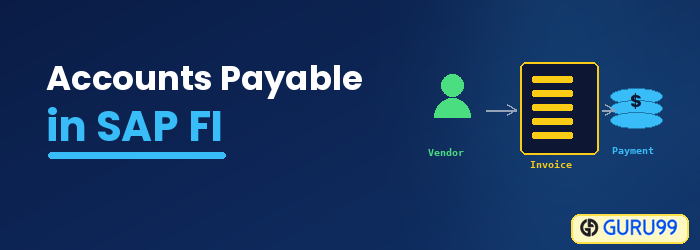
Every purchase a company makes ends as a liability that has to be recorded, approved, paid and reconciled. In SAP FI, that work belongs to the Accounts Payable submodule.
What Is Accounts Payable in SAP FI?
Accounts Payable is a submodule of SAP FI used to manage and record accounting data for all vendors. It handles vendor invoices, approvals, payments and other allied activities.
Every posting made in Accounts Payable is updated in the General Ledger as well. The Accounts Payable submodule also provides reports and forecasting features that track vendor outstanding items and payments.
Accounts Payable works as a subledger. Balances for individual vendors are kept in the subledger, while the General Ledger carries only the totals, collected on the reconciliation account that each vendor is assigned. That design keeps the chart of accounts small even when thousands of vendors are in use.
Because the same liability is created by purchasing activity, Accounts Payable does not stand alone.
- Materials Management: Purchase orders and goods receipts create the reference documents that invoice verification matches against.
- General Ledger: Reconciliation accounts hold the payable totals, and expense or stock accounts take the offsetting entry.
- Banking: Outgoing payments and the payment run produce the bank postings and payment media.
- Accounts Receivable: The mirror submodule for customers shares the same clearing and open-item logic used in accounts receivable.
Accounts Payable Process in SAP
The chief processes covered in the submodule are:
- Maintain vendor master data
- Invoice handling
- Payments
- Account analysis and reconciliation
- Reports
Here is the list of tutorials that teach the above process, grouped by the stage they belong to.
1. Maintain Vendor Master Data
- Create vendor master data — creating a vendor with FK01 or XK01, and displaying the change history of an existing record.
- Create a vendor account group — the account group that drives the number range and the field status of the vendor screens.
- Block or delete a vendor — posting blocks with FK05 and deletion flags with FK06.
- Create one-time vendor master data — a single collective account for vendors that are used only once.
2. Invoice Handling
- Post a purchase invoice — vendor invoice entry with FB60, including invoices raised in a foreign currency.
- Post a purchase return or credit memo — reversing value with FB65 when goods go back to the vendor.
- Post withholding tax — tax retained at invoice entry and at payment.
3. Payments
- Post an outgoing vendor payment — manual clearing of an open item with F-53.
- Partial payments by the residual method — the original item is cleared and a new item is raised for the balance.
- Partial payments by the partial payment method — the original item stays open and the payment is linked to it.
- Automatic payment run — proposal, payment and payment media for many vendors at once with F110.
4. Account Analysis, Reconciliation and Reports
- Reset cleared items — undoing a clearing document with FBRA when a payment was applied to the wrong invoice.
- Map a symbolic account to a G/L account — the payroll bridge that turns HR wage types into FI postings.
- Post rounding differences — absorbing the small residuals that currency conversion leaves behind.
- Standard FI reports — the wider reporting set that vendor analysis draws on.
Key Transaction Codes for Accounts Payable in SAP FI
Most day-to-day Accounts Payable work is reached through a small set of transaction codes, entered in the command field of SAP GUI. The table below groups them by process stage.
| T-code | Purpose | Stage |
|---|---|---|
| FK01 / FK02 / FK03 | Create, change and display a vendor in the accounting view | Master data |
| XK01 / MK01 | Create a vendor centrally, or for the purchasing organisation only | Master data |
| FK04 | Display the change history of a vendor record | Master data |
| FK05 / FK06 | Block a vendor, or flag a vendor for deletion | Master data |
| FB60 / F-43 | Post a vendor invoice without a purchase order reference | Invoice handling |
| MIRO | Verify and post an invoice against a purchase order and goods receipt | Invoice handling |
| FB65 | Post a vendor credit memo | Invoice handling |
| F-53 / F-58 | Post an outgoing payment, with or without a printed cheque | Payments |
| F110 | Run the automatic payment program for many open items | Payments |
| F-44 | Clear vendor open items against each other | Payments |
| FBL1N / FK10N | Display vendor line items, or vendor balances by period | Analysis |
| FBRA | Reset a clearing document | Analysis |
Two neighbouring processes reuse the same open items: dunning chases what is overdue, and exchange rate maintenance supplies the rates that foreign currency vendor invoices are translated with.
Vendor Master Data and Reconciliation Accounts in SAP AP
Nothing can be posted in Accounts Payable until the vendor exists. A vendor record is stored in three segments, and each segment is owned by a different part of the business.
| Segment | Table | Typical content |
|---|---|---|
| General data | LFA1 | Name, address, country, tax numbers. Valid across the whole client. |
| Company code data | LFB1 | Reconciliation account, payment terms, payment methods, dunning data. |
| Purchasing organisation data | LFM1 | Order currency, Incoterms and other purchasing conditions. |
The reconciliation account, held in field AKONT of the company code segment, is the link between the subledger and the General Ledger. It cannot be posted to directly. Every invoice posted against the vendor updates it automatically, so the sum of all vendor balances always equals the balance shown on the reconciliation account.
Open items sit in the secondary index table BSIK while they are unpaid and move to BSAK once they are cleared, which is why an unexpected clearing has to be reset before the item can be paid again. The wider FI table set follows the same open-item and cleared-item pattern.
The vendor account group decides which number range the account number is taken from and which fields are required, optional or hidden on the master data screens, so it is worth defining before the first vendor is created.
Accounts Payable in SAP S/4HANA: Business Partner and the Universal Journal
Accounts Payable is one of the areas that SAP S/4HANA reshaped most visibly, so the classic screens described above behave differently on a converted system.
- One master data transaction: The FK, XK and MK vendor transactions are no longer maintained separately. They redirect to transaction BP, where the supplier is a business partner role and the accounting and purchasing segments become roles on that partner.
- Supplier terminology: The object is called a supplier in S/4HANA, although the underlying tables LFA1, LFB1 and LFM1 are still written by the business partner.
- One journal table: ACDOCA, the universal journal, holds the line items that used to be spread across BSEG, BSIK and BSAK. The old index tables remain available as compatibility views so existing reports keep running.
- Fiori apps: Manage Supplier Line Items, Supplier Balances and the payment proposal apps present the same data as FBL1N, FK10N and F110 in a browser.
Invoice entry itself is largely unchanged. FB60, FB65, F-53 and F110 are still available, and month-end tasks such as foreign currency revaluation continue to run over vendor open items. The credit side of the ledger is handled separately through customer credit control.
