
AngularJS Modules
 Editorial Team
⚡ Smart Summary
Modules in AngularJS act as containers that group controllers, services, directives and filters behind one logical boundary, so the ng-app directive loads only the functionality a single page actually needs at runtime.
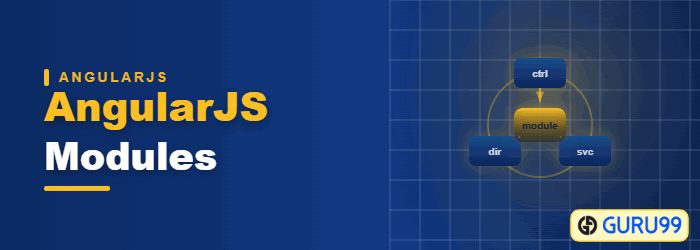
What is an AngularJS Module?
A module defines the application functionality that is applied to the entire HTML page using the ng-app directive. It defines functionality, such as services, directives, and filters, in a way that makes it easy to reuse it in different applications.
The illustration above summarises that boundary.
In all of our earlier tutorials, you would have noticed the ng-app directive used to define your main Angular application. This is one of the key concepts of modules in AngularJS.
⚠️ Version note: AngularJS support ended in January 2022. Modern Angular uses @NgModule, and standalone components are its default. The code below is historical.
How to Create a module in AngularJS
Before we start off with what is a module, let’s look at an example of an AngularJS application without a module and then understand the need of having modules in your application.
Let’s consider creating a file called “DemoController.js” and adding the below code to the file
function DemoController($scope) {
                                    $scope.a=1;
                                    $scope.b=2;
                                    $scope.c=$scope.b + $scope.a;
                            }
In the above code, we have created a function called “DemoController” which is going to act as a controller within our application.
In this controller, we are just performing the addition of 2 variables a and b and assigning the addition of these variables to a new variable, c, and assigning it back to the scope object.
Now let’s create our main Sample.html, which will be our main application. Let’s insert the below code snippet in our HTML page.
<body ng-app="">
      <div ng-controller="DemoController">
      <h3> Guru99 Global Event</h3>
      {{c}}
In the code above, we are including our DemoController and then invoking the value of the $scope.c variable via an expression.
But notice our ng-app directive, it has a blank value.
- This basically means that all controllers which are called within the context of the ng-app directive can be accessed globally. There is no boundary which separates multiple controllers from each other.
- Now in modern day programming, this is a bad practice to have controllers not attached to any modules and making them globally accessible. There has to be some logical boundary defined for controllers.
And this is where modules come in. Modules are used to create that separation of boundaries and assist in separating controllers based on functionality.
Let’s change the code above to implement modules and attach our controller to this module
var sampleApp = angular.module('sampleApp',[]);
sampleApp.controller('DemoController', function($scope) {
                                    $scope.a=1;
                                    $scope.b=2;
                                    $scope.c=$scope.b + $scope.a;
                         });
Let’s note the key differences in the code written above
-
var sampleApp = angular.module('sampleApp',[]);
We are specifically creating an AngularJS module called ‘sampleApp’. This will form a logical boundary for the functionality that this module will contain. So in our above example, we have a module which contains a controller that performs the role of the addition of 2 scope objects. Hence, we can have one module with a logical boundary which says that this module will only perform the functionality of mathematical calculations for the application.
-
sampleApp.controller('DemoController', function($scope)
We are now attaching the controller to our AngularJS module “sampleApp”. This means that if we don’t reference the module ‘sampleApp’ in our main HTML code, we will not be able to reference the functionality of our controller.
Setter versus getter: angular.module creates a module only when the dependency array is passed; without it the call retrieves an existing module.
Our main HTML code will now look as shown below
<body ng-app="sampleApp">
                           <div ng-controller="DemoController">
                           <h3> Guru99 Global Event</h3>
                		   {{c}}
Let’s note the key differences in the code written above and our previous code
<body ng-app="sampleApp">
In our body tag,
- Instead of having an empty ng-app directive, we are now calling the module sampleApp.
- By calling this application module, we can now access the controller ‘DemoController’ and the functionality present in the demo controller.
Modules and Controllers in AngularJS
In AngularJS, the pattern used for developing modern-day web applications is to create multiple modules and controllers to logically separate multiple levels of functionality.
Normally modules will be stored in separate JavaScript files, which would be different from the main application file.
Let’s look at an example of how this can be achieved.
In the example below,
- We will create a file called Utilities.js which will hold 2 modules, one for performing the functionality of addition and the other for performing the functionality of subtraction.
- We are then going to create 2 separate application files and access the Utility file from each application file.
- In one application file we will access the module for addition and in the other, we will access the module for subtraction.
Step 1) Define the code for the multiple modules and controllers.
var AdditionApp = angular.module('AdditionApp',[]);
AdditionApp.controller('DemoAddController', function($scope) {
       $scope.a=5;
       $scope.b=6;
       $scope.c=$scope.a + $scope.b;
});
var SubractionApp = angular.module('SubtractionApp',[]);
SubractionApp.controller('DemoSubtractController', function($scope) {
       $scope.a=8;
       $scope.b=6;
       $scope.d=$scope.a - $scope.b;
});
Let’s note the key points in the code written above
-
 var AdditionApp = angular.module('AdditionApp',[]);
 var SubractionApp = angular.module('SubtractionApp',[]);
There are 2 separate AngularJS modules created, one which is given the name ‘AdditionApp’ and the second one is given the name ‘SubtractionApp’.
-
AdditionApp.controller('DemoAddController', function($scope)
SubractionApp.controller('DemoSubtractController', function($scope)
There are 2 separate controllers defined for each module, one is called the DemoAddController and the other is the DemoSubtractController. Each controller has separate logic for addition and subtraction of numbers.
Step 2) Create your main application files. Let’s create a file called ApplicationAddition.html and add the below code
<!DOCTYPE html>
<html>
<head>
    <meta charset="UTF-8">
    <title>Addition</title>
    <script src="http://ajax.googleapis.com/ajax/libs/angularjs/1.4.8/angular.min.js"></script>
    <script src="lib/utilities.js"></script>
</head>
<body>
<div ng-app = "AdditionApp" ng-controller="DemoAddController">
    Addition :{{c}}

</div>
</body>
</html>
Let’s note the key points in the code written above
-
<script src="/lib/Utilities.js"></script>We are referencing our Utilities.js file in our main application file. This allows us to reference any AngularJS modules defined in this file.
-
<div ng-app = "AdditionApp" ng-controller="DemoAddController">
We are accessing the ‘AdditionApp’ module and DemoAddController by using the ng-app directive and the ng-controller respectively.
-
{{c}}Since we are referencing the above-mentioned module and controller we are able to reference the $scope.c variable via an expression. The expression will be the result of the addition of the 2 scope variables a and b which was carried out in the ‘DemoAddController’ Controller
The same way we will do for subtraction function.
Step 3) Create your main application files. Let’s create a file called “ApplicationSubtraction.html” and add the below code
<!DOCTYPE html>
<html>
<head>
    <meta charset="UTF-8">
    <title>Addition</title>
    <script src="http://ajax.googleapis.com/ajax/libs/angularjs/1.4.8/angular.min.js"></script>
    <script src="lib/utilities.js"></script>
</head>
<body>
<div ng-app = "SubtractionApp" ng-controller="DemoSubtractController">
    Subtraction :{{d}}

</div>
</body>
</html>
Let’s note the key points in the code written above
-
<script src="/lib/Utilities.js"></script>We are referencing our Utilities.js file in our main application file. This allows us to reference any modules defined in this file.
-
<div ng-app = " SubtractionApp " ng-controller=" DemoSubtractController ">
We are accessing the ‘SubtractionApp’ module and DemoSubtractController by using the ng-app directive and the ng-controller respectively.
-
{{d}}Since we are referencing the above-mentioned module and controller we are able to reference the $scope.d variable via an expression. The expression will be the result of the subtraction of the 2 scope variables a and b which was carried out in the ‘DemoSubtractController’ Controller
