
AngularJS Dependency Injection Components
 Editorial Team
⚡ Smart Summary
Dependency Injection in AngularJS hands components the objects they rely on instead of letting them build those objects themselves, so controllers receive services such as $http from the framework injector at run time.
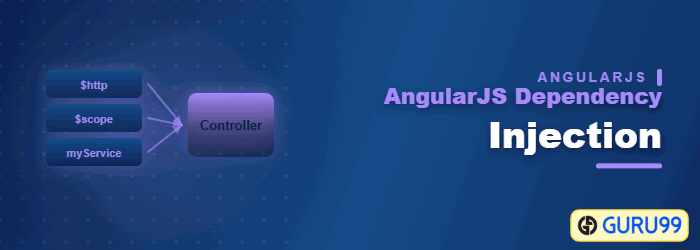
What is Dependency Injection in AngularJS?
Dependency Injection in AngularJS is a software design pattern that implements inversion of control for resolving dependencies. It decides how components hold their dependencies. It can be used while defining the components or providing run and config blocks of the module. It enables you to make the components reusable, testable, and maintainable.
Inversion of Control: It means that objects do not create other objects on which they rely to do their work. Instead, they get these objects from an outside source. This forms the basis of AngularJS Dependency Injection wherein if one object is dependent on another; the primary object does not take the responsibility of creating the dependent object and then use its methods. Instead, an external source (which in AngularJS, is the AngularJS framework itself) creates the dependent object and gives it to the source object for further usage.
⚠️ Version note: AngularJS support ended in January 2022, with no security patches. Modern Angular injects through @Injectable providers and inject(). The code below stays historical.
So let’s first understand what a dependency is.

The above diagram shows a simple AngularJS dependency injection example of an everyday ritual in database programming.
- The ‘Model’ box depicts the “Model class” which is normally created to interact with the database. So now the database is a dependency for the “Model class” to function.
- By dependency injection, we create a service to grab all the information from the database and get into the model class.
In the remainder of this tutorial, we will look more at dependency injection and how this is accomplished in AngularJS.
Which Component can be Injected as a Dependency In AngularJS
In AngularJS, dependencies are injected by using an “injectable factory method” or “constructor function”.
These components can be injected with “service” and “value” components as dependencies. We have seen this in an earlier topic with the $http service.
An AngularJS module registers injectable objects through five recipes.
| Recipe | What it registers |
|---|---|
| value | A ready object, invisible to config blocks |
| factory | A function whose return value is injected |
| service | A constructor instantiated once with new |
| provider | A configurable recipe exposing $get |
| constant | A fixed value readable in config blocks |
We’ve already seen that the $http service can be used within AngularJS to get data from a MySQL or MS SQL Server database via a PHP web application.
The $http service is normally defined from within the controller in the following manner.
sampleApp.controller ('AngularJSController', function ($scope, $http)
Now when the $http service is defined in the controller as shown above. It means that the controller now has a dependency on the $http service.
So when the above code gets executed, AngularJS will perform the following steps;
- Check to see if the “$http service” has been instantiated. Since our “controller” now depends on the “$http service”, an object of this service needs to be made available to our controller.
- If AngularJS finds out that the $http service is not instantiated, AngularJS uses the ‘factory’ function to construct an $http object.
- The injector within AngularJS then provides an instance of the $http service to our controller for further processing.
Annotation forms: Implicit annotation reads parameter names, so minification breaks it. Inline array notation and $inject both survive it; ng-strict-di on ng-app rejects implicit annotation.
Now that the dependency is injected into our controller, we can now invoke the necessary functions within the $http service for further processing.
Example of Dependency Injection
In this example, we will learn how to use dependency injection in AngularJS.
Dependency injection can be implemented in 2 ways
- One is through the “Value Component”
- Another is through a “Service”
Let’s look at the implementation of both ways in more detail.
1) Value component
This concept is based on creating a simple JavaScript object and passing it to the controller for further processing.
This is implemented using the below two steps
Step 1) Create a JavaScript object by using the value component and attach it to your main AngularJS module.
The value component takes on two parameters; one is the key, and the other is the value of the JavaScript object which is created.
Step 2) Access the JavaScript object from the AngularJS controller
<! DOCTYPE html>
<html>
<head>
    <meta charset="UTF-8">
    <title>Event Registration</title>

</head>
<script src="https://ajax.googleapis.com/ajax/libs/angularjs/1.6.4/angular.min.js"></script>
<body ng-app="sampleApp">

<div ng-controller="AngularJSController">
    <h3> Guru99 Global Event</h3>
    {{ID}}
</div>
<script>

    var sampleApp = angular.module('sampleApp',[]);
    sampleApp.value("TutorialID", 5);
    sampleApp.controller('AngularJSController', function($scope,TutorialID) {
        $scope.ID =TutorialID;
    });

</script>
</body>
</html>
The code above carries out the steps below
-
sampleApp.value("TutorialID", 5);The value function of the AngularJS module is being used to create a key-value pair called “TutorialID” and the value of “5”.
-
sampleApp.controller('AngularJSController', function ($scope,TutorialID)
The TutorialID variable now becomes accessible to the controller as a function parameter.
-
$scope.ID =TutorialID;
The value of TutorialID which is 5, is now being assigned to another variable called ID in the $scope object. This is being done so that value of 5 can be passed from the controller to the view.
-
{{ID}}The ID parameter is being displayed in the view as an expression. So the output of ‘5’ will be displayed on the page.
When the above code is executed, the output will be shown as below

2) Service
Service is defined as a singleton JavaScript object consisting of a set of functions that you want to expose and inject in your controller.
For example, the “$http” is a service in AngularJS which when injected in your controllers provides the necessary functions of
( get() , query() , save() , remove(), delete() ).
These functions can then be invoked from your controller accordingly.
Let’s look at a simple example of how you can create your own service. We are going to create a simple addition service which adds two numbers.
<! DOCTYPE html>
<html>
<head>
    <meta charset="UTF-8">
    <title>Event Registration</title>

</head>
<script src="https://ajax.googleapis.com/ajax/libs/angularjs/1.6.4/angular.min.js"></script>
<body>
<h3> Guru99 Global Event</h3>

<div ng-app = "mainApp" ng-controller = "DemoController">
    <p>Result: {{result}}</p>
</div>
<script>
    var mainApp = angular.module("mainApp", []);

    mainApp.service('AdditionService', function(){
        this.ADDITION = function(a,b) {
            return a+b;
        }
    });

    mainApp.controller('DemoController', function($scope, AdditionService) {

            $scope.result = AdditionService.ADDITION(5,6);
    });
</script>

</body>
</html>
In the above example, the following steps are carried out
-
mainApp.service('AdditionService', function()
Here we are creating a new service called ‘AdditionService’ using the service parameter of our main AngularJS module.
-
this.ADDITION = function(a,b)
Here we are creating a new function called ADDITION within our service. This means that when AngularJS instantiates our AdditionService inside of our controller, we would then be able to access the ‘ADDITION’ function. In this function definition, we are saying that this function accepts two parameters, a and b.
-
return a+b;Here we are defining the body of our ADDITION function which simply adds the parameters and returns the added value.
-
mainApp.controller('DemoController', function($scope, AdditionService)
This is the main step which involves dependency injection. In our controller definition, we are now referencing our ‘AdditionService’ service. When AngularJS sees this, it will instantiate an object of type ‘AdditionService.’
-
$scope.result = AdditionService.ADDITION(5,6);
We are now accessing the function ‘ADDITION’ which is defined in our service and assigning it to the $scope object of the controller.
So this is a simple example of how we can define our service and inject the functionality of that service inside of our controller.
