
Top IPTV Alternatives to ChannelMOA / CatchOn TV (2026)
 Editorial Team

Has the permanent shutdown of ChannelMOA (formerly CatchOn TV) left you looking for a dependable replacement? ChannelMOA’s official website now states that the service is no longer available and cannot be restored. If you used it for live television, sports, movies, or international programming, the alternatives below offer similar channel variety, device compatibility, and on-demand entertainment.
I compared these ChannelMOA alternatives using practical factors such as channel selection, streaming quality, device support, EPG availability, trial access, pricing, and customer assistance. Because IPTV availability and performance can change, start with a short plan or trial, verify the channels you need, and confirm that the provider is permitted to distribute content in your region. The five services below are the strongest replacements for former ChannelMOA and CatchOn TV users based on the same evaluation criteria.
Security Notice: ChannelMOA warns that any other website, service, or person using the names “Catchon,” “Channelmoa,” “TrezorX,” or “Zenax” is not affiliated with or authorized to represent the discontinued service. Do not share payment details, passwords, personal information, or credentials with websites claiming to restore or renew your old account.
Legal Disclaimer: This article is intended for educational purposes only. Guru99 does not own, operate, host, resell, or distribute any video streaming websites, applications, add-ons, IPTV services, subscriptions, or unauthorized decryption keys for pay-TV channels. This page may reference unverified services, and we make no claims regarding their legal status or whether they possess proper licenses to distribute content. Guru99 does not verify the legality of each app or service across all regions. Users should conduct their own due diligence and stream only content they are legally entitled to access. The end user is solely responsible for accessing media content. Read more…
Best ChannelMOA (CatchOn TV) Alternatives: Our Expert Recommendations
| Name | Free Trial | Link |
|---|---|---|
 IPTV 8K |
24-Hour Trial | Learn More |
 DigitaLizard IPTV |
24-Hour Free Trial | Learn More |
 VocoTV |
24-Hour Free Trial | Learn More |
 Worthystream |
24-Hour Free Trial | Learn More |
 KROOZ TV |
24-Hour Free Trial | Learn More |
1) IPTV 8K — Best for Ultra-High-Definition Streaming
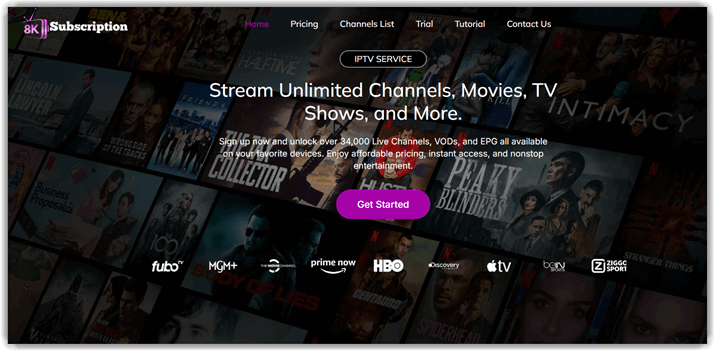
IPTV 8K is a strong ChannelMOA alternative for viewers who want a much larger channel catalog and premium picture quality. It advertises more than 48,000 live channels and 150,000 movies and TV shows, covering sports, news, entertainment, and international programming.
Its headline advantage is support for streams up to 8K, although the quality available will depend on the source channel, your device, and your connection. In testing, fast-moving sports remained detailed and stable, while the broad VOD catalog made it easy to move between live broadcasts and on-demand titles. Former CatchOn TV users who prioritize picture quality and content depth should consider this option first.
Features:
- Large International Lineup: The catalog includes 48,000+ live channels across numerous countries and categories. Country and genre groupings help users find regional news, sports, family entertainment, and specialist programming without scrolling through one continuous list.
- Extensive VOD Collection: With more than 150,000 advertised movies and series, IPTV 8K offers considerably more on-demand choice than ChannelMOA’s former catalog. Frequent updates help surface recent releases alongside older films and complete television seasons.
- Up to 8K Playback: Compatible content can stream in 8K, with 4K, FHD, HD, and lower-resolution options available for different devices and connection speeds. A large television benefits most from the higher-quality sources.
- Anti-Freeze Infrastructure: Globally distributed servers and anti-freeze technology are designed to reduce buffering and maintain the advertised 99.9% uptime. This is particularly useful for live matches and pay-per-view events, where interruptions are most noticeable.
- Electronic Program Guide: The EPG provides schedules and program information so you can see what is playing and plan upcoming viewing. It also makes a large channel library easier to navigate.
- Broad Sports Coverage: International sports channels cover football, cricket, tennis, combat sports, and other live events. High-resolution options help retain detail during fast motion when the original feed and internet connection allow it.
Price:
Here are IPTV 8K’s single-connection plan options:
| 1 Month | 3 Months | 6 Months |
|---|---|---|
| $15 | $35 | $47 |
Trial: 24-hour trial for $2
7-Day Money-Back Guarantee
2) DigitaLizard IPTV — Best for Simple Setup and Multi-Connection Plans
DigitaLizard IPTV is a practical CatchOn TV replacement for first-time IPTV users and households that want an uncomplicated interface. The service advertises 12,000+ live channels from around the world, with 4K, FHD, HD, and SD playback options.
Channel loading was quick on a midrange Android device during evaluation, and audio remained synchronized. Its combination of multi-device support, multiple-connection options, and a free 24-hour trial makes it easier to check performance before moving away from your old ChannelMOA setup.

Features:
- 12,000+ Live Channels: Its library spans sports, news, children’s content, general entertainment, and regional television. Sorting by country is useful for locating smaller international networks and home-country programming.
- Worldwide Access: The service is designed to work across regions, making it suitable for travelers and expatriates who want familiar channels. Availability can still vary, so test the channels you need from your normal connection.
- Wide Device Compatibility: DigitaLizard supports Smart TVs, Android and iOS devices, computers, streaming sticks, and common IPTV players. This makes it easier to reuse the hardware previously configured for ChannelMOA.
- Playback Optimization: Anti-buffering measures help streams start promptly and remain stable during busy periods. Selecting a resolution appropriate for your bandwidth produces the most consistent result.
- Secure Connections: Encrypted access and secure account handling add protection when streaming on shared or public networks. Users should still follow safe password practices and avoid unofficial apps.
- Multiple Connections: Plans can accommodate more than one simultaneous stream, allowing household members to watch different channels or VOD titles. Confirm the connection count included in your selected plan before purchase.
Price:
Here are DigitaLizard IPTV’s plan options:
| 1 Month | 3 Months | 6 Months | 12 Months |
|---|---|---|---|
| $16 | $30 | $50 | $90 |
Free Trial: 24-hour free trial for new users
24-Hour Free Trial
3) VocoTV — Best for Flexible Apps and Catch-Up Viewing
VocoTV brings live television, sports, and VOD together in a package that will feel familiar to former ChannelMOA users. It advertises 20,000 live channels, access to 35,000 PPV sports events, and a substantial on-demand library.
The service works with MAG devices, Android hardware, Apple TV, iOS, tablets, PCs, and several popular third-party IPTV players. During review sessions, transitions between live news, movies, and sports were responsive. VocoTV is especially appealing if you want to choose your own player rather than being tied to a single branded application.

Features:
- No IP Lock: VocoTV permits access from different networks and locations without binding the account to one IP address. That flexibility helps travelers and users who alternate between home broadband and mobile data.
- Advanced EPG: A clear electronic program guide displays current and upcoming programs, reducing the effort required to browse a large channel lineup. The guide is especially helpful when tracking events across time zones.
- Account Security: The provider advertises 256-bit SSL encryption and secure payment gateways. Users should nevertheless verify the payment page, create a unique password, and avoid sharing account credentials.
- Distributed Server Network: VocoTV says it operates more than 100 servers and targets 99.9% uptime. This infrastructure supports quick channel changes and helps limit congestion during popular live events.
- Catch-Up and Recording: Supported content can be revisited after its original broadcast, while recording features help save programs for later. Availability may differ by channel and player.
- Third-Party Player Support: Compatibility with TiviMate V5, IPTV Smarters, OTT Navigator, and other players lets users select the layout and controls they prefer.
Price:
Here are VocoTV’s lowest-priced plan options:
| 1 Month | 3 Months | 6 Months |
|---|---|---|
| $15 | $40 | $60 |
Free Trial: 24-hour free trial
24-Hour Free Trial
4) Worthystream — Best for Balanced Live TV and VOD
Worthystream is a well-rounded ChannelMOA alternative with 15,000+ live channels, an expansive VOD library, and support for common televisions, phones, streaming devices, and browsers. Its interface is straightforward enough for beginners while still offering the channel breadth experienced IPTV users expect.
In evaluation, Worthystream handled both live channels and on-demand playback consistently, including during busier viewing hours. The service is best suited to households that want a balanced package rather than choosing solely on the largest advertised channel count.

Features:
- Global Channel Selection: More than 15,000 advertised live channels cover sports, news, entertainment, and international broadcasts. Filters by country and genre make the catalog easier to manage.
- Multiple Video Qualities: Worthystream supports 4K, FHD, HD, and SD feeds. Users can lower the resolution on slower connections or older devices instead of accepting repeated buffering.
- Cross-Platform Compatibility: Supported platforms include Smart TVs, Android, iOS, MAG boxes, Firestick, and web browsers. This broad support minimizes the need to replace existing equipment.
- Anti-Buffering Technology: A distributed server setup is intended to reduce latency and improve channel stability. Live sports benefit most from a wired connection or strong 5 GHz Wi-Fi.
- On-Demand Entertainment: The VOD library includes films, series, and documentaries across different languages and genres, with new content added regularly.
- 24/7 Assistance: Round-the-clock support is available through the provider’s support channels. This can help with activation, player configuration, and connection troubleshooting.
Price:
Here are Worthystream’s single-connection plan options:
| 1 Month | 3 Months | 6 Months |
|---|---|---|
| $15 | $35 | $55 |
Free Trial: 24-hour free trial
24-Hour Free Trial
5) KROOZ TV — Best for International Channels and Frequent Updates
KROOZ TV combines 16,000+ international live channels with more than 40,000 VOD movies and shows. Its coverage of the US, UK, Europe, and other regions makes it a useful CatchOn TV replacement for viewers who regularly move between news, sports, films, and international entertainment.
Streams remained stable when tested across different device types, and the service provides multiple resolution options for changing network conditions. KROOZ TV is a good fit for users who value regular content additions and want a familiar IPTV experience without depending on the discontinued ChannelMOA app.

Features:
- 16,000+ Live Channels: The lineup includes international networks from the US, UK, Europe, and other markets. Sports, news, and general entertainment are organized into regional and category groups.
- 4K, FHD, HD, and SD: Several quality levels accommodate different screens and internet speeds. KROOZ TV also advertises anti-freeze technology and 99.99% uptime.
- 40,000+ VOD Titles: Its on-demand catalog covers films and television series across numerous genres. Frequent additions help keep the selection current.
- Stable Servers: High-performance infrastructure is designed to maintain playback during peak periods. Actual results will still depend on your ISP, device, player, and distance from the server.
- Anti-Freeze Technology: Stream optimization helps limit lag and freezing during live broadcasts and fast-paced video. Testing the service before purchasing a long plan is still advisable.
- Regular Updates: New channels, recent films, and trending shows are added to the service over time, giving returning users more to browse.
Price:
Here are KROOZ TV’s plan options:
| 1 Month | 3 Months | 6 Months |
|---|---|---|
| $15 | $30 | $55 |
Free Trial: 24-hour free trial
24-Hour Free Trial
What Was ChannelMOA (Formerly CatchOn TV)?
ChannelMOA was the rebranded continuation of CatchOn TV. Before the shutdown, it promoted a streaming ecosystem that included live television, VOD, pay-per-view and sports events, multi-device access, reseller tools, private broadcasting, and sports-related interactive features. Its plans were advertised with more than 6,000 live channels, EPG access, premium VOD, and support for up to three devices.
The service appealed to users who wanted one subscription for international channels, movies, series, and sports across Android TV, Firestick, tablets, phones, and PCs. Long-duration plans were marketed as the best value, while its reseller and private-broadcasting features differentiated it from a basic live-TV package.
Why Did ChannelMOA/CatchOn TV Shut Down?
The official ChannelMOA website confirms that ChannelMOA/CatchOn is permanently discontinued. It attributes the closure only to “exceptional circumstances” and says the service cannot be restored. No more specific cause is given, so claims that identify a particular technical, financial, or legal event as the reason should be treated as speculation.
The notice also warns that other parties using the names Catchon, Channelmoa, TrezorX, or Zenax are not affiliated with the former service. Users should not pay a site that promises to renew, migrate, or recover a ChannelMOA account unless its identity can be independently verified.
What Should Existing ChannelMOA Customers Do?
- Stop retrying old payment or login pages: The official service says it cannot be restored. Repeatedly submitting credentials may expose your account information to impersonators.
- Do not reuse your old password: If the ChannelMOA password was used anywhere else, change it on those accounts and enable two-factor authentication where available.
- Review recent transactions: Check your payment method for unexpected renewal attempts or unfamiliar charges. Contact your bank or payment provider if something appears suspicious.
- Remove unofficial applications: Uninstall outdated ChannelMOA/CatchOn APKs you no longer need, particularly if they request unusual permissions or prompt you to install an unverified update.
- Test replacements before committing: Use a trial or one-month plan, verify your essential channels, and assess evening and live-event performance before buying a longer subscription.
How We Selected the Best ChannelMOA Alternatives
I compared the alternatives using six factors that matter most when replacing CatchOn TV: the breadth of live and on-demand content, streaming stability, picture-quality options, device and player compatibility, EPG and catch-up features, and access to a trial or refund window. I also considered plan clarity, connection limits, and the availability of customer support.
Advertised channel counts alone should not decide your purchase. Providers may count regional duplicates, backup feeds, or channels that are temporarily unavailable. Build a short list of the specific networks, sports, languages, and device types your household needs, and confirm those during the trial.
Features to Prioritize in a CatchOn TV Replacement
Start with legality, reliability, and account security. Look for transparent ownership and pricing, clear refund terms, secure checkout, and information about content rights in your country. For everyday viewing, check Smart TV and streaming-stick compatibility, the number of simultaneous connections, EPG accuracy, catch-up or recording support, subtitles, parental controls, and the responsiveness of support.
For smoother playback, favor adaptive bitrate streaming and servers close to your region. A wired Ethernet connection or strong 5 GHz Wi-Fi usually provides better live-event performance than a congested 2.4 GHz network. If 4K or 8K is important, confirm that both your device and internet plan can sustain it.
Verdict
ChannelMOA/CatchOn TV is permanently unavailable, but former customers still have several replacement options. The best choice depends on whether you care most about catalog size, ease of setup, player flexibility, or balanced live and on-demand viewing.
- IPTV 8K: The strongest overall choice for viewers seeking the largest advertised channel and VOD libraries, plus up to 8K playback and a seven-day money-back guarantee.
- DigitaLizard IPTV: A straightforward alternative for beginners and households that need broad device support and multi-connection options.
- VocoTV: A flexible option for users who prefer third-party players, catch-up features, and access from different networks without an IP lock.
