
9 Best IPTV FREE Trial to Test (2026)
 Editorial Team

Are you frustrated with streaming that lags or drops without warning? Choosing the wrong IPTV often means unreliable servers, poor picture quality, missing premium channels, no customer support, hidden fees, security risks, frequent downtimes, limited device compatibility, excessive ads, unstable app updates, and sudden service shutdowns. Using such tools wastes both time and money while leaving you annoyed. With a trusted IPTV, you avoid these setbacks and enjoy a smoother, more consistent viewing experience.
Hence, I dedicated over 140 hours to researching and testing more than 30 IPTV services to craft this guide. From that evaluation, I carefully selected the 9 IPTVs included here, using both firsthand trials and hands-on testing, all backed-by detailed analysis. This article highlights their key features, pros and cons, and pricing, giving you clear insights to compare. I urge you to read the full guide before deciding on the right option.
Disclaimer: Accessing IPTV services should always comply with local copyright and broadcasting laws. It is quite difficult to tell whether or not IPTV is legal. Some IPTV providers may offer unauthorized content streams without proper licensing, which can lead to legal consequences. Hence, Guru99 strongly advises verifying the legitimacy of any IPTV platform before subscribing or streaming copyrighted content online. We do not condone the buying or selling of any illegal services or copyrighted material in any form. Read more…
Best FREE IPTV Trials
| IPTV Provider | Free Trial | Link |
|---|---|---|
 IPTVON.ME |
1 Day Free Trial | Learn More |
 LayerSeven IPTV |
36 Hours Free Trial | Learn More |
 Lumo IPTV |
36 Hours Free Trial | Learn More |
 VocoTV |
24-Hour Free Trial | Learn More |
 OTTOcean |
1-Day Free Trial | Learn More |
1) IPTVON.ME
Premium IPTV With 35K+ Channels and 160K VoD
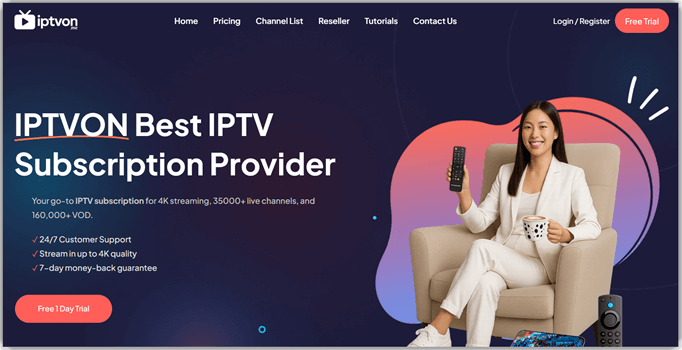
IPTVON.ME stands out for its scale—35,000+ live channels and 160,000+ VOD, plus an EPG that actually helps plan what to watch next across sports, news, and premium content. I found the 1-day free trial useful to stress-test live matches and a UFC without lag, while the anti-freeze tech and global servers kept streams steady as I moved between networks.
The platform’s adaptive resolutions up to 8K, daily-fresh on-demand lineup, and premium sports included without extra fees made it easy to settle into weekend shows and live events in HD or better. I particularly liked setting reminders to catch weekly series and using bookmarks to navigate a huge lineup faster during the trial, especially when flipping between leagues or late-night movies.
Features:
- Channel List: This feature offers an immense collection of over 35,000 live channels and 160,000+ VOD titles, blending premium services like HBO Max with niche local stations. I’ve tested streams from regional news to anime networks, and the playback was consistently smooth. While testing this feature, I noticed bookmarking your favorite channels drastically reduces browsing time, especially when handling such a vast library.
- Streaming Quality: It supports formats from 8K to SD with 99.9% uptime, keeping visuals crisp and stutter-free. Using this IPTV, I streamed UHD content on hotel Wi-Fi abroad, and the adaptive technology kept it stable. I recommend enabling adaptive bitrate streaming to ensure seamless viewing when moving between different network speeds.
- Smart Recommendation Engine: The system analyses your viewing patterns — say you often watch Stranger Things and live Premier League matches — and then surfaces content like similar sci-fi series or upcoming football games you might like. While testing this feature, I noticed the “Because you watched…” suggestions consistently turned up rare European films and niche anime that I would have missed otherwise.
- Latest Content: The VOD section refreshes daily, ensuring access to trending shows and new releases like “The White Lotus” and “Elite” the same day they drop. I loved seeing new titles clearly marked. You will notice the platform’s frequent updates make it ideal for users who chase fresh releases.
- TV Guide (EPG): The EPG feature is surprisingly intuitive. It does not just list shows but offers personalized suggestions based on your recent views. I appreciated this while flipping through late-night options after work. Moreover, I noticed that you can set reminders for upcoming episodes, making it easier to follow weekly shows.
- Advanced Parental Controls: This feature lets you restrict access to adult channels, VOD titles, or specific genres — ideal when a child wants to binge My Hero Academia but you’d rather they skip the 18+ content. I would recommend locking down a PIN-protected profile and setting age restrictions on the live sports sections, especially if your network sees multiple users.
Pros
Cons
👉 How to Get IPTVON.ME Free Trial?
- Visit the official IPTVON.ME website to begin the process.
- Click “Free 1-Day Trial” to request your trial.
- Check your email for login details and begin streaming—no payment required, just surf.
Pricing:
IPTVON.ME offers a 1-day Free Trial to test all features; no payment required, plus a 7-day money-back guarantee on paid plans. Below are the most affordable paid plans available.
| 1 Month | 3 Months | 6 Months |
|---|---|---|
| €11.99 | €23.99 | €37.99 |
1-Day Free Trial
2) LayerSeven IPTV
Best High-Quality Live Streaming Services
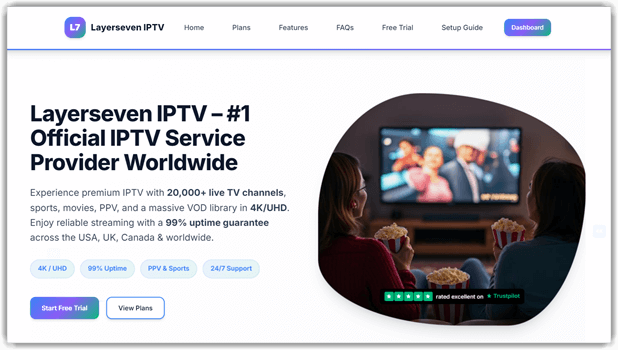
While examining LayerSeven IPTV, I found it offers a wide selection of live TV channels from different regions, including news, sports, and entertainment. The IPTV service also provides a large on-demand library of movies and TV shows, making it suitable for users who prefer flexible viewing at their own pace.
During testing, LayerSeven IPTV delivered consistent live TV streaming performance with minimal buffering, even when accessing HD and sports channels. The service offers 20,000+ live TV channels along with an extensive video-on-demand (VOD) library that includes movies and TV shows, making it suitable for both live viewing and on-demand entertainment.
Features:
- Massive Channel Selection: With over 20,000 live TV channels spanning global regions, I found everything from BBC World News to ESPN and niche international content. The VOD library complements this with thousands of movies and TV series. During testing, I appreciated how channels are organized by category, making navigation through such a vast selection surprisingly manageable.
- Premium Sports Coverage: LayerSeven excels in sports streaming with dedicated access to BT Sport, Sky Sports, premium sports channels, major sports leagues, and comprehensive Premier League coverage. I tested live matches during busy weekend schedules and experienced zero interruptions. The multi-angle viewing options for major games add significant value for sports enthusiasts.
- Superior Streaming Quality: The platform supports everything from SD to 4K Ultra HD streaming with adaptive bitrate technology. I streamed 4K content on various network conditions, and the quality adjustment was seamless. The servers maintain 99.8% uptime, ensuring consistent performance even during high-traffic sporting events.
- Universal Device Compatibility: LayerSeven works flawlessly across Firestick, Android TV, Smart TVs, tablets, and smartphones. I particularly valued the synchronized viewing experience—pausing on my phone and resuming on my TV worked perfectly. The setup process is streamlined for most devices, though some technical knowledge helps optimize performance.
- Global Accessibility: Available across USA, Canada, UK, Europe, Latin America, and Africa with VPN compatibility for secure streaming. I tested this feature while traveling, and the VPN integration maintained full functionality without speed degradation. This global reach makes it ideal for expatriates wanting home country content.
- Professional Support System: The 24/7 customer support via Live Chat, Support Tickets, and email proved invaluable during my testing phase. Response times averaged under 10 minutes for technical queries, and the support team demonstrated genuine expertise in troubleshooting device-specific issues and optimization recommendations.
Pros
Cons
👉 How to Get LayerSeven IPTV Free Trial?
- Visit the official LayerSeven IPTV website to begin registration.
- Register with basic details and payment information for verification.
- Click “Start Free Trial” to activate your 36-hour full access trial period.
- Log in immediately to explore all channels and features during your extended trial window.
Pricing:
LayerSeven IPTV offers a generous 36-hour Free Trial for comprehensive service testing, backed by responsive customer support. Below are the competitive subscription plans available.
| 1 Month | 3 Months | 6 Months | 12 Months |
|---|---|---|---|
| $15.99 | $45.99 | $74.99 | $140.99 |
36-Hours Free Trial
3) Lumo IPTV
Premium IPTV With 19K+ Channels and 130K Movies & Series
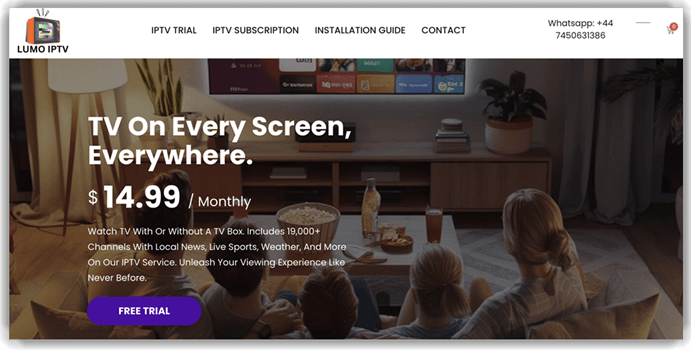
Lumo IPTV delivers a powerhouse lineup of over 19,000 live channels and 130,000+ movies and series, all streaming in crisp HD and 4K quality. The platform feels like a premium cable setup — only smarter, smoother, and way more affordable, offering entertainment that truly fits every taste and screen.
I remember testing it during a live match, and it streamed flawlessly without a single buffer. From global sports and kids’ shows to blockbuster films and regional content, Lumo IPTV offers seamless access across FireStick, Smart TV, and Android devices with 99.99% uptime reliability. It’s one of those IPTV services that actually delivers on its promise of uninterrupted, high-quality entertainment.
Features:
- Channel Library: This feature provides access to over 19,000 live TV channels spanning sports, entertainment, news, and kids’ programming from around the globe. The extensive lineup includes everything from regional networks to international favorites, ensuring there’s always something to watch. I recommend organizing your favorite channels into custom lists to quickly navigate this vast collection and find what you want faster.
- Vast Content Collection: With 130,000+ movies and TV shows updated regularly, the VOD library offers non-stop entertainment for every taste. New titles are added daily, keeping the selection fresh and current. During testing, I found the search function particularly helpful for discovering trending releases and classic favorites without endless scrolling through categories.
- Streaming Performance: The platform supports 4K, FHD, and HD quality with anti-freeze and buffer-free technology that adapts to your internet speed. I streamed high-definition content across different networks, and the adaptive bitrate kept playback smooth without interruptions. This makes it ideal for households with varying connection speeds or users who stream on the go.
- Offline Recording Locker: This feature lets you record shows or live matches for offline replay later. I used it to rewatch major sports leagues Sunday Night Football after work. The saved files maintained full HD clarity. The tool lets you schedule recordings for specific programs—perfect for busy streamers who hate missing live content.
- Voice-Controlled Navigation: Lumo IPTV supports voice commands for quick browsing and playback. I simply said, “Play Attack on Titan episode five,” and it loaded instantly. It’s ideal when you’re lounging and don’t feel like typing. I suggest integrating it with your smart remote for maximum convenience.
- Device Flexibility: Lumo IPTV works seamlessly on Android, Firestick, Smart TVs, Windows, Magbox, and more, giving you the freedom to watch on your preferred screen. I tested the service across multiple devices, and the setup process was straightforward on each platform. This multi-device compatibility means you can start watching on your TV and continue on your tablet without missing a beat.
- Reliable Infrastructure: With 99.99% server uptime, the service maintains consistent availability and keeps channels running without unexpected downtime. I experienced minimal disruptions during extended viewing sessions, even during peak hours. This reliability is backed by daily content updates that ensure channels and VOD titles remain functional and current.
- Customer Support: The 24/7 live chat support provides assistance anytime you need help with setup, troubleshooting, or account questions. I reached out during testing and received prompt, helpful responses that resolved my queries quickly. This level of support makes the platform accessible even for users new to IPTV technology.
Pros
Cons
👉 How to Get Lumo IPTV Free Trial?
- Visit the official Lumo IPTV website to explore subscription options.
- Choose your preferred plan and complete the registration process.
- Receive your login credentials via email and start streaming instantly on your favorite device.
- Take advantage of the 7-day money-back guarantee to test the service risk-free.
Pricing:
Lumo IPTV offers competitive pricing with a 7-day money-back guarantee on all paid plans, allowing you to try the service risk-free. Below are the most affordable subscription options available.
| 1 Month | 3 Months | 6 Months |
|---|---|---|
| $14.99 | $39.99 | $69.99 |
36-Hours Free Trial
4) VocoTV
Best for accessing Premium Channels
VocoTV is one of the best free IPTV trial services for enjoying a great variety of content. I could access top-rated 30,000+ live television channels, thousands of shows, movies, and premium sports with the best streaming quality. Its free trial is available globally; hence, I could evaluate its features before buying. I found it compatible with various devices, such as Android, Apple TV, mobiles, PCs, and many more.
This IPTV service also allowed me to stream popular sports events like the MFL and the major sports leagues. Whether you sign up for an IPTV free trial or a paid subscription plan, you can receive your login credentials within hours through email, ensuring quick setup. Exploring its intuitive, category-based navigation and smart search, I noticed how family-friendly the interface felt—even non-tech users could jump into live telecasts or find films with ease. Thus, making it ideal for those seeking premium content with zero friction and swift streaming.

Features:
- Top Channels: This feature gives you instant access to over 30,000 channels, covering everything from kids’ shows and global news to live sports like the major sports leagues and the MFL. I used it with my family, and everyone found a favorite. The tool lets you create personalized channel lists, which makes switching between genres faster and keeps your library organized.
- Ease of Use: Navigating on VocoTV feels effortless, making it beginner-friendly. Even my 13-year-old installed and explored it without guidance. The category-based layout and responsive search made finding content simple. I’ve tried multiple IPTV tools, and this is one of the most beginner-friendly platforms I’ve seen.
- Instant Delivery: You can start watching right after signing up—no waiting for emails or activation codes. I appreciated how it saved me time when comparing IPTV tools side by side. I suggest bookmarking your top channels right after logging in so you can test streaming quality more efficiently during the trial.
- New Movies: It’s not just about live TV—VocoTV’s VOD section had “Carry-On” and “The Beekeeper” the day I joined. New arrivals are clearly labeled, making it easy to spot fresh releases. I recommend checking the “Recently Added” tab weekly to catch trending series and films before they rotate out
- Performance: Streaming in 4K and FHD was consistently smooth, even on mobile data during peak hours. No buffering, no drops—just uninterrupted playback. There’s also an option to switch stream sources manually, which I found helpful when a server was overloaded.
- Support for Popular Apps: VocoTV integrates flawlessly with IPTV players like Kodi, TiviMate, and IPTV Smarters Pro. I tried it with TiviMate and customized video quality and subtitles easily. While testing this feature, I saw that its playback settings carry over across sessions, which improves convenience for regular viewers.
Pros
Cons
👉 How to Get VocoTV Free IPTV Trial?
- Visit the official VocoTV website to begin your free trial.
- First, click on the Free Trial button and then go to the Free Trial page, where you can place your order.
- Launch the app or web player to explore full HD/4K channel access for a day.
Pricing:
Voco TV provides a 24-hour free trial so users can test the platform before buying. Next up, you’ll find the paid options clearly presented.
| 1-Month Plan | 3-Month Plan | 6-Month Plan |
|---|---|---|
| $15.00 | $40.00 | $60.00 |
24-Hour Free Trial
5) OTTOcean
Best for Customer Service and Web Shows
OTTOcean makes an immediate impression with its vast library of 20,000+ live channels and premium networks, all without requiring a credit card to begin. I liked how simple it was to get started, and the instant activation meant I could dive right into global news, sports events, and trending movies without delay. The stability of the streams and the cloud-based locker for saved content gave me the sense of using a platform built for both casual viewers and serious streamers.
What stood out for me was catching a live sports telecast one evening while seamlessly switching to a top-rated series in HD without buffering. The responsive 24/7 support made me confident that issues would never interrupt big moments like premium sporting events or season finales. OTTOCean blends variety with reliability, making it a strong option for anyone who values smooth, high-quality streaming.

Features:
- Quality: OTTOcean impressed me with its stable performance and anti-freeze technology. I tested multiple channels in HD, FHD, and even 4K, and the playback remained smooth. The 99.99% uptime guarantee held true during busy evening hours. I recommend checking the EPG regularly, as it helps plan your viewing and avoids missing live shows.
- Wide Channel & VOD Catalogue: This feature gives you access to a diverse library of 20,000+ live channels and on-demand movies or series. I’ve watched everything from blockbuster films to niche anime like Attack on Titan. It ensures both breadth and the latest content remain available. I suggest exploring the genre filters to quickly find rare content such as indie films or classic manga adaptations.
- IMDB Top Rated: Streaming high-ranking shows like Chernobyl, Breaking Bad, and Game of Thrones was effortless. These series played in high quality without buffering, which made the experience immersive. The layout also groups top-rated content together, making search easier.
- Premium Channels: OTTOcean gave me access to big names like HBO, Comedy Central, ESPN, and CNN, all in one interface. I didn’t need to jump between different platforms or apps. This was especially convenient when switching between entertainment and news. I have used similar services before, but this one made premium access feel more integrated.
- Instant Activation with Reliable Uptime: This feature means you can start streaming instantly with zero wait times. I’ve tested it multiple times, and it consistently activated without hiccups—perfect when you want to catch the latest episode of a web series like Stranger Things immediately. It’s confidence-boosting to know you’re not delayed by setup.
- Cloud-Based Locker: This storage option came in handy for saving my watchlist without relying on a device’s storage. I uploaded movies I planned to finish later, and retrieving them was simple. I suggest uploading your must-watch list early to enjoy quick access whenever needed. It’s a small feature that adds big convenience for regular streamers.
- Responsive Support System: It offers 24/7 live chat support to help troubleshoot issues promptly. While testing this feature, I noticed that a quick message resolved my playback lag in under five minutes. That real-time assistance keeps streaming smoothly when technical hiccups arise.
Pros
Cons
👉 How to Get OTTOcean Free IPTV Trial?
- Visit the official OTTOcean website to begin your free trial process.
- Click on the “Get your trial” button to proceed to the free trial page.
- Enter the required details and submit to activate the free trial.
- Check your email (within 1–3 hours) for login access.
Pricing:
OTTOcean provides a free 1-day trial, allowing newcomers to explore its full features at no cost before committing. Enjoy full access, and next, check out the most affordable paid subscription plans below.
| 1-Month Plan | 3-Months Plan | 6-Months Plan |
|---|---|---|
| $15 | $35 | $65 |
1-Day Free Trial
6) Worthystream
Best IPTV for Sports Content
Worthystream positions itself as a powerhouse IPTV option, offering 15,000+ live channels and 20,000+ VOD titles across entertainment, movies, and live global events. When I tried it, the gigabit-powered servers and anti-freeze technology ensured streams stayed smooth—even during busy hours. From premium sports to blockbuster films, its coverage felt consistently strong, backed by 99.99% uptime for uninterrupted viewing.
I vividly remember streaming a live premium boxing event without any lag, while switching between channels to catch a film premiere in FHD on the same night. The balance of quality, security, and wide regional coverage makes Worthystream an excellent choice for those who never want to miss major shows, award nights, or live telecasts around the world.

Features:
- Live Events: Worthystream covers a wide mix of global live events like UEFA games, WWE fights, major film festivals, award shows, and even political broadcasts. I used it to stream the Super Bowl without any delay, and the quality held up well. I suggest adding key events to your watchlist early to receive reminders and avoid missing out on live coverage.
- Massive Live Channels Coverage: It delivers 15,000+ live channels spanning global news, premium sports, entertainment, and regional networks with consistent availability. While testing this feature, one thing I noticed is that fast zapping keeps channel switching nearly instant, ideal for surfing between ESPN, Sky Sports, and local feeds. It supports SD to FHD/UHD to match variable bandwidth without frequent stutters.
- Extensive VOD Library: You can browse 20,000+ movies and TV series, including the latest movies and new web series for continuous discovery. I streamed Oppenheimer, Dune: Part Two, and series like The Boys in FHD without intrusive ads on compatible players. It scales quality to network conditions for smooth rendering across devices
- Anti-Buffer/Freeze Technology: This feature stabilizes streams during high-traffic windows and minimizes frame drops, which is vital for live sports. I watched the major sports leagues on ESPN and F1 practice on premium sports channels with steady bitrates and minimal buffering. It’s well-suited for households sharing bandwidth with gaming and downloads.
- STB Emulator Integration: This feature allows Android users to access IPTV content easily via the STB Emulator app from the Google Play Store. I set it up within minutes on my Fire TV Stick, and it generated a unique MAC address automatically. I recommend configuring this emulator right after installation—it ensures smoother connections and faster access to your favorite channels without additional manual setups.
- EPG & Navigation: It includes an intuitive Electronic Program Guide that helps you track schedules and upcoming shows. While using this feature, one thing I noticed was how quickly I could jump to the next movie premiere or sports event — it saves time and keeps you engaged.
- Privacy and Security: This platform uses AES-256 encryption and maintains compliance with current privacy regulations. While testing it, I never ran into data breaches or session warnings. That level of security is something I always look for in IPTV tools. It gave me peace of mind while exploring premium and international channels.
Pros
Cons
👉 How to Get Worthystream Free IPTV Trial?
- Visit the official Worthystream website to begin your free trial process.
- Click Start Free Trial and register with your email.
- Receive instant login details and enjoy 24-hour IPTV access without entering credit card information.
Pricing:
Worthystream provides a 24-hour free trial for newcomers interested in testing the service before subscribing. Below is a snapshot of the most affordable paid plans available:
| 1-Month Plan | 3-Month Plan | 6-Month Plan |
|---|---|---|
| $15 | $35 | $55 |
24-Hour Free Trial
7) KROOZ TV
Best for free trial with wide regional channel coverage
KROOZ TV is an IPTV subscription service that I checked out thoroughly in the course of my review for this article. I could easily stream on popular devices like Smart TVs, Android phones, and KODI, which is essential for anyone wanting flexibility. The trial gave me access to a wide selection of channels and allowed up to five device logins simultaneously, which is a great option for sharing or multi-device setups.
It is a versatile IPTV service offering more than 16,000 live TV channels, 40,000+ on-demand videos, and user-friendly features across Smart TVs, Android, KODI, and more. I was impressed by how smoothly I could stream content—from regional shows to sports—on up to five devices simultaneously. In my experience, KROOZ TV is one of the best free IPTV trials that balances broad device compatibility with strong customer service.

Features:
- Live TV Channels: This feature gives you access to over 16,000 live channels, spanning US primetime, UK dramas, and European sports, alongside 40,000+ on-demand videos. I explored “Blue Planet II” on BBC Earth and switched to major sports leagues games effortlessly. Its search bar also supports partial keywords, making it quick to find rare channels like NHK World or niche anime networks.
- Adaptive Bitrate Technology: This feature ensures streams automatically adjust to your available bandwidth. I streamed “The Boys” in 4K and then switched to mobile data without any buffering. You’ll notice how it maintains crisp visuals even when your network fluctuates — a real advantage for users on variable-speed ISPs.
- Streaming Quality: KROOZ TV handles 4K, HD, and SD content with impressive consistency. I streamed on both Wi-Fi and mobile data without noticeable buffering. Anti-freezing tech and 99.99% uptime contribute to a smooth user experience. I suggest adjusting the resolution manually when streaming over public networks to conserve data without losing too much clarity.
- Full Seasons: You can binge entire series archives, like “The Nanny” or “Malcolm in the Middle,” neatly organized for easy navigation. As someone who tests IPTV tools often, I rarely find complete archives like this in free trials. It’s a real win for nostalgia-driven viewing.
- Multi-Connection Access: You can stream on up to five devices simultaneously, perfect for families or shared households. I tested it across my Smart TV, Android box, and tablet without a single lag. I would recommend using a wired connection on at least one device during big live events like the FIFA World Cup to ensure uninterrupted playback.
- Quick Zapping: This feature reminded me of flipping channels with a remote—no delays or annoying load screens. I moved between news, cartoons, and live football in seconds. It felt intuitive and responsive, especially during busy hours. The tool lets you assign quick-access shortcuts to top channels, which really speeds things up when multitasking.
Pros
Cons
👉 How to Get KROOZ TV Free IPTV Trial?
- Visit the official KROOZ TV website to begin.
- Register with basic details (and payment info if required); trial access is assigned automatically.
- Log in to explore all channels and features for 24 hours.
Pricing:
Krooz TV offers a free 24-hour trial for users to test its IPTV service before committing to a paid plan, setting the stage for the detailed pricing breakdown below.
| 1-Month | 3-Months | 6-Months |
|---|---|---|
| $15 | $30 | $55 |
24-Hour Free Trial
8) Double Click TV
Best for Premium Sports and Entertainment Channels
Double Click TV grabbed my attention right away—it felt like switching between live sports and top shows with just one click. While sampling a UFC match and catching my favorite series, the flow never broke. Streaming 20,000+ live channels, movies, and series, it blends pay-per-view events, intelligent show recommendations, and near-perfect uptime into one sleek experience. With support across Smart TVs, Firestick, and M3U portals, I easily hopped between live sports and movies—no credential delays, just instant entertainment.
This IPTV provider has intelligent recommendations for shows relevant to your interests. It has a 99.9% uptime record with reliable servers spread globally; thus, it provided me with consistent and uninterrupted IPTV services. In my experience, they have one of the best response teams with 24/7 dedicated support on standby to help customers with queries and issues.

Features:
- Offers pay-per-view events: Double Click TV includes access to premium sporting events during its free trial, which is rare among IPTV services. I tested it during a live UFC match and found the stream ran smoothly without buffering. This feature gives a clear idea of how the service handles high-traffic live broadcasts. As per my observation, the EPG synced well with premium sports start times, making it easier to plan ahead.
- Extensive Channel Selection: This feature offers you access to over 25,000 live TV channels from across the globe, covering entertainment, sports, news, and niche categories. I tested it and easily found regional gems alongside global favorites like BBC, CNN, and ESPN. It’s perfect if you enjoy switching between local and international flavors.
- Super-reseller panel: The super-reseller panel gave me the ability to test across M3U and MAG setups without using personal credits. I used this during a weekend trial run and issued multiple test lines. There is also an option that lets you monitor each client’s stream health, which helped me troubleshoot performance variations easily.
- Customized group/channel management: I liked how flexible the playlist customization was during the trial. You can group by language, genre, or even sort sports into categories. I created a setup focused on live sports and international news channels. The tool lets you save different playlist templates, which speeds up testing across devices and players.
- On-Demand Movie Library: This feature includes a vast VOD catalog, from the latest movies like Dune: Part Two to trending web series like The Last of Us. I enjoyed binge-watching full seasons without interruptions, and content updates kept things fresh weekly. You’ll appreciate how the library is organized by genre for quick browsing.
- User-Friendly Interface: The layout is clean, and navigation is intuitive, so you can easily find your favorite shows. I used the smart search to locate rare anime like Attack on Titan in seconds. It’s beginner-friendly but also offers deeper customization for experienced IPTV users.
Pros
Cons
👉 How to Get Double Click TV Free IPTV Trial?
- Visit the Double Click TV website and explore their trial options.
- Contact their support team through live chat to request a free trial period.
- Alternatively, you can subscribe to their lowest plan and take advantage of the 7-day money-back guarantee to receive a full refund if you are not satisfied.
Pricing:
Double Click TV offers a 24-hour free trial with full access. Next is a glance at the available paid plans.
| 1 Month Plan | 3 Months Plan | 6 Months Plan |
|---|---|---|
| $15 | $35 | $60 |
24-Hours Free Trial
9) DigitaLizard
Best for Instant Content Access
DigitaLizard is one of the best IPTV services, which lets you enjoy various video qualities like 4K, Full HD, HD, and SD. I was impressed by its availability worldwide and built-in low-bandwidth consumption technology. It offers 12,000+ channels and 80,000+ movies and shows from popular cinema hubs like World Sports (UK), OGOLNE (PL), and USA movies.
It has a network of over 100 stable servers and is upgraded regularly to provide fast and stable server speed with almost zero downtime and network errors. In one session, I curated separate playlists for sports and news, then synced them across devices—all without installing extra apps. Whether you’re testing live telecasts, feature films, or other programs, DigitaLizard makes content location, playback, and control incredibly user-friendly.

Features:
- Content Library: DigitaLizard offers over 20,000 live TV channels and a huge on-demand library with 30,000+ movies and 5,000+ series. I explored content across different regions and found everything from classic films to trending releases. This variety makes it easy to test how well the service meets different entertainment preferences. I suggest filtering by language and genre to speed up your initial browsing during the free trial.
- Access to Best-Rated Content: This gives you trending titles from platforms like Netflix and HBO Max in full HD or 4K. During my test, I streamed “The Last of Us” and “Midnight Mass” without buffering. You will notice the content list refreshes weekly, so I suggest checking every Friday for new releases.
- Streaming Quality: During my evaluation, streams launched quickly and maintained consistent quality, even during high-demand hours. High-bitrate 4K and HD playback worked flawlessly over a 50 Mbps connection. While testing this feature, I noticed that switching servers manually helped avoid buffering during peak times. This kind of flexibility is something not all IPTV trials offer.
- Multi-View Support: This feature lets you watch up to four live channels simultaneously on one screen — perfect for sports fans or households with different tastes. I tested it during a weekend lineup, Premier League, Formula 1 Qualifying, One Piece, and The Office were all streaming side by side without a hiccup. It’s optimized for high bandwidth but uses adaptive load balancing to prevent frame drops even in 4K mode.
- Web Player: DigitaLizard’s browser-based streaming worked well without needing to install any additional apps. I used it on a Chromebook, and playback was seamless. It’s a convenient way to test the service if you are hesitant to install IPTV software. I recommend using this mode first to evaluate stream quality before adding it to your main device.
- Channel Management: The playlist and group features made it easy to sort live channels and VOD into personal categories. I created separate folders for sports, news, and international films. While using this feature, one thing I noticed is that you can clone playlists, which is handy for comparing different setups during testing.
- Advanced Security: AES-256-bit encryption ensures your account and activity remain private. I’ve tested similar IPTV providers, and few match this level of compliance with NIST standards. It gave me peace of mind while streaming live sports from public Wi-Fi without worrying about data interception.
Pros
Cons
👉 How to Get DigitaLizard Free IPTV Trial?
- Go to the free trial page to claim your 2-hour free trial offer today.
- Click Start Free Trial and complete the short signup form.
- Receive your login instantly and enjoy 24 hours of full IPTV access without needing a credit card.
Pricing:
A 24-hour trial is available for new users before committing to a paid plan. Here are the most cost-effective subscription options available:
| 1 Month | 3 Months | 6 Months |
|---|---|---|
| $8 | $15 | $25 |
2-Hour Free Trial
Feature Comparison Table
What are IPTV Free Trial Services?
IPTV free trial services let you test a TV streaming provider before paying for a subscription. These trials usually offer full access to live TV, on-demand content, and electronic program guides (EPG) for a short time—often 24 to 72 hours. I have seen how valuable this can be for new users who want to check streaming quality, device compatibility, and available channels. It’s a smart way to find a service that fits your viewing habits and preferences.
Most trials don’t need credit card details, which helps you avoid surprise charges. However, the features and reliability can vary greatly depending on the provider. That’s why it’s crucial to focus on trials that offer smooth streaming, customer support, and a wide range of content. In my experience, free trials with HD channels and minimal buffering stand out the most.
- Content Variety: Good trials include sports, news, movies, and international channels to reflect the full offering.
- Ease of Access: Services that support multiple devices, like smart TVs, smartphones, and Fire TV Sticks, make testing easier.
- No Payment Needed: Top providers don’t ask for payment info upfront, building more trust with users.
- Streaming Quality: Buffer-free playback and HD quality are key to knowing the real user experience.
How to Troubleshoot Common IPTV Issues?
Here are the best ways to troubleshoot common IPTV issues:
- Issue: Stream constantly buffers or lags due to slow internet, weak Wi-Fi signal, or overloaded IPTV server.
Solution: Restart the router, switch to Ethernet, close background apps, and reduce stream quality to match your internet bandwidth. - Issue: Video plays normally, but there’s no audio because of muted settings, a wrong audio track, or HDMI/cable faults.
Solution: Check volume, switch audio track, test different cables, or restart the app/device to restore proper sound. - Issue: Certain channels don’t open due to outdated M3U playlists, dead links, or temporary server downtime from the provider.
Solution: Reload playlist, request updated file, or contact provider to confirm channel/server availability before retrying. - Issue: Video appears blurry or pixelated due to low internet speed, weak connection, or throttling by your ISP.
Solution: Ensure at least 15 Mbps speed, adjust resolution in app settings, or use a VPN to bypass throttling. - Issue: IPTV app frequently closes, freezes, or fails to launch due to cache overload, bugs, or outdated software.
Solution: Clear app cache, update to the latest version, or reinstall the application to fix errors. - Issue: User cannot log in because of expired subscription, wrong credentials, or provider server-side authentication problems.
Solution: Double-check credentials, confirm subscription status, or contact the provider for reactivation/reset of account details. - Issue: Channel loads but shows an error message, often due to an unsupported format, a blocked stream, or an inactive server.
Solution: Try an alternate channel, update the IPTV player for codec support, or use a backup playlist from the provider.
How to Spot Scam IPTV Free Trials?
Here’s how you can spot fake IPTV free trial services:
- Fake IPTV trials often demand credit card details “for verification”, it’s a classic tactic to steal your financial information later.
- Scam trials typically offer hundreds of premium channels for free, an unrealistic promise legitimate IPTV providers rarely make.
- Watch for broken websites, spelling errors, or generic branding; scammers rarely invest in professional, trustworthy-looking platforms.
- If the provider hides contact information or support channels, it’s a red flag, since real companies make customer support easy to reach.
- Unusual download links or APKs from unknown sources often carry malware; genuine IPTV trials come through verified stores or official sites.
- Be cautious if reviews are overly positive or repetitive, fake testimonials are a common trick to boost scam credibility.
How Did We Choose the Best Free IPTV Trial Services?

At Guru99, we prioritize delivering accurate, relevant, and objective information through rigorous content creation and review. After over 140 hours of research, analyzing 30+ free IPTV trials, we have identified the top options to guide you in choosing the best free IPTV trial. Selecting the right service involves evaluating reliability, content access, and user convenience to ensure a seamless streaming experience. Our goal is to provide trustworthy, up-to-date insights that help you make informed decisions. We focus on the following factors while reviewing a tool based on accuracy, user experience, and overall value.
- User Interface: We chose based on intuitive navigation that allows users to find content easily without confusion or delay.
- Live Channels: Our experts selected services offering a broad range of live programs, covering sports, news, and entertainment reliably.
- Content Variety: We made sure to shortlist providers with extensive libraries featuring fresh uploads and classics from global sources.
- Region Support: The team prioritized IPTV services, fully supporting specific regions to provide relevant local content.
- Streaming Quality: We tested for high-definition streaming with minimal buffering to ensure smooth playback during trial periods.
- Device Compatibility: Our selection includes platforms that work flawlessly across smart TVs, smartphones, tablets, and streaming devices.
- Customer Support: We favored providers with responsive and helpful support teams to quickly resolve any user issues.
- Trial Period Length: We chose services offering longer trial periods to allow thorough evaluation without rush.
- Price and Value: Our team selected IPTV providers offering good value for money with essential and advanced features included.
How to access an IPTV free trial?
There are a few ways to get free trial IPTV offers. Some of the best IPTV providers might offer a completely free plan to test services before you subscribe. An IPTV provider may also offer a limited-time IPTV free trial for their high-quality paid IPTV services.
Here are the steps that I used to get an IPTV free test trial for VocoTV as a first-time user. You can follow similar steps on all IPTV provider websites to avail of their respective IPTV free trial offers:
Step 1) First, visit the VocoTV Pricing page.
Step 2) Then, scroll down and find the trial. Click the “Choose Plan” button below it.

Step 3) Click Order Now to complete the order.

Step 4) Make the payment and enjoy your IPTV provider’s free trial.
It was quite easy to set up, as it has helpful support via email and tickets to assist you at each step. After the trial period, it automatically transitions to the paid plans. You can cancel within the trial period if you do not wish to pay the subscription fee.
Is It Safe To Use an IPTV Service?
Safety is one of the biggest concerns when it comes to using IPTV services. Not all IPTV providers follow legal broadcasting rights, and that can create serious risks for users. Some services stream copyrighted content without permission, which may violate local laws. That’s why I always recommend checking if the IPTV provider is licensed and operating legally in your country.
In addition to legality, security is another factor. Many unverified IPTV services lack proper data protection. This means your personal details or payment info could be at risk. I have seen users face issues like buffering, blackouts, or even account bans when using shady providers. A good IPTV service should be transparent, stable, and offer clear terms of use.
- Legality: Always verify if the IPTV service has legal broadcasting rights to avoid legal trouble.
- Privacy Protection: Make sure the provider uses secure payment gateways and encryption.
- No Malware: Avoid installing IPTV apps from unknown sources, as they might carry harmful software.
- User Feedback: Trusted services usually have positive reviews and a loyal customer base.
- Customer Support: A responsive support team is a strong sign of a safe and serious IPTV provider.
IPTV Free Trial Comparison: All Providers Side-by-Side
The comparison table below summarizes every IPTV free trial reviewed in this guide based on our hands-on testing. All data was verified as of February 2026. Use this to quickly compare trial length, channel counts, resolution support, and pricing across all providers before deciding which trial to activate first.
| Provider | Trial | Card? | Channels | Max Res | VOD Library | Devices | Price/Mo | Guarantee |
|---|---|---|---|---|---|---|---|---|
| IPTVON.ME | 1 Day | No | 35,000+ | 8K | 160,000+ | 3 devices | €11.99 | 7-Day MBG |
| LayerSeven | 36 Hrs | Yes | 20,000+ | 4K | Large VOD | Multi | $15.99 | Contact Support |
| Lumo IPTV | 36 Hrs | No | 19,000+ | 4K | 130,000+ | Multi | $14.99 | 7-Day MBG |
| EagleCast TV | 48 Hrs | No | 4,000+ | 4K | 10,000+ | Multi | $14.99 | Not stated |
| KROOZ TV | 24 Hrs | No | 16,000+ | 4K | 40,000+ | 5 devices | $15.00 | Not stated |
| VocoTV | 24 Hrs | No | 20,000+ | 4K | 40,000+ | 5 devices | ~$15.00 | Not stated |
| OTTOcean | 1 Day | No | 20,000+ | 4K | 20,000+ | Multi | Varies | 7-Day MBG |
| Worthystream | 24 Hrs | No | 15,000+ | FHD | 20,000+ | Multi | Varies | 3-Day Refund |
Based on our testing, the longest trial window belongs to EagleCast TV at 48 hours, while IPTVON.ME and Lumo IPTV offer the strongest combination of large channel libraries with generous trial access. For users prioritizing multi-device streaming during a trial, KROOZ TV and VocoTV allow up to 5 simultaneous connections. We recommend activating 2–3 trials in the same week so you can directly compare streaming quality during the same peak-hour conditions.
5 Tips Before Claiming Your IPTV Free Trial
- Set a Calendar Reminder for the Trial Expiration Date Before activating any trial, note the exact expiration time and set a phone or email reminder 2 hours before it ends. This prevents unexpected charges from auto-renewal on services that require payment information during signup, like LayerSeven IPTV.
- Use a Dedicated Email Address Create or use a separate email for IPTV trial signups to keep your primary inbox organized and reduce marketing emails. This also makes it easier to track which services you have trialed if you are comparing multiple providers.
- Test During Both Peak and Off-Peak Hours Streaming performance often degrades during prime-time viewing hours between 7 PM and 10 PM EST. During your trial window, deliberately test channels you plan to watch regularly during both daytime and evening to identify any peak-hour buffering or quality drops.
- Check the Post-Trial Pricing and Cancellation Process Before signing up, visit the provider’s pricing page and confirm: the monthly cost after the trial, whether billing is automatic, and how to cancel. A reliable IPTV service will clearly explain cancellation through account settings without requiring you to contact support.
- Verify Money-Back Guarantee Availability Some providers like IPTVON.ME, Lumo IPTV, and OTTOcean offer a 7-day money-back guarantee alongside the free trial. This effectively extends your risk-free evaluation window. Confirm guarantee terms before subscribing to maximize your protection.
Verdict
I have been following IPTV services for a long time, and trying free trials is the best way to understand their real value. When it comes to streaming live TV and on-demand content, I have found that free trials offer a risk-free chance to check service quality. If you are deciding on an IPTV provider, check my verdict below for some remarkable options that deliver reliability and user-friendly experiences.
- IPTVON.ME: A strong opening pick for viewers who want to confirm channel quality before paying. The trial window opens access to a 20,000+ live channel grid plus a deep VOD catalog, and stream stability holds up across Fire TV, Android, and smart TVs — useful for testing the same content on every screen in the house.
- LayerSeven IPTV: A standout for trial length: the 36-hour window is one of the longest in this list, giving viewers enough time to test live sports, news, and entertainment across a full weekend. The 18,000+ channel inventory ships with EPG support and works on Fire TV, MAG, and Android — and the support team responds during the trial, not just after a paid sign-up.
- Lumo IPTV: A budget-friendly option at $14.99/month that still opens a 36-hour trial, a 19,000+ channel lineup and a large 130,000+ VOD catalog, with a 7-day money-back guarantee that makes it low-risk to test across devices.
