
11 Best IPTV Providers in Europe (2026)
 Editorial Team
Too many streaming choices can turn a simple decision into a frustrating guessing game. I know how quickly poor results, unstable playback, confusing interfaces, hidden limits, weak support, and inconsistent performance can waste time and money. The real problem is that many users compare only price or channel count, while missing the factors that actually affect daily viewing. A clearer approach helps you understand value, avoid weak options, and choose with more confidence from the start.
I spent around 150 hours reviewing 23 options through firsthand evaluation, feature checks, usability testing, and pros and cons analysis. From that research, I shortlisted 10 Best IPTV Europe options using a backed-by comparison process focused on reliability, content depth, device support, and practical value. Keep reading to find the choices that genuinely deserve attention. Read more…
Best European IPTV Providers: Top Picks!
| Tool Name | Best For | Top Features | Free/ Trial Plans | Learn More |
|---|---|---|---|---|
 TeleCasta IPTV |
Europe-wide channels and quick setup | 4K streaming, VOD library, fast activation, device support | 24-hour free trial | Learn More |
 BingeIPTV |
Europe-wide 4K channels with built-in VPN | 44,000+ channels, 4K streaming, anti-freeze, VPN, PPV | 24-Hours Free Trial | Learn More |
 Velvado IPTV |
Global channels with broad device support | 4K quality, anti-freeze, VOD access, live support | 24-hour free trial, $0.00 for 1 device | Learn More |
 IPTV France Premium |
French channels and large VOD access | French channels, 4K quality, WhatsApp support, fast activation | 24-hour free trial | Learn More |
 NexusIPTV |
Paid trial before monthly subscription | PPV events, TV guide, catch-up, free updates | Paid trial: €7.49 for 7 days | Learn More |
 WORLDIPTV.ES |
Spain-focused sports and VOD viewers | Spanish channels, 4K streaming, VOD library, EPG support | 24-hour free trial | Learn More |
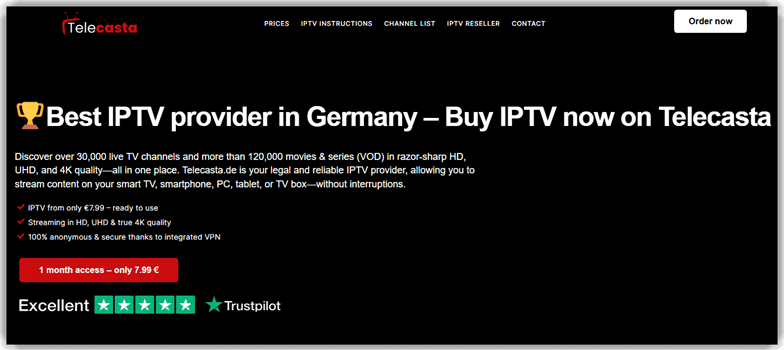
1) TeleCasta IPTV
TeleCasta IPTV supports European IPTV testing across live channel workflows. It suits reviewers checking stream stability, device playback, and guide behavior. The service format fits Smart TV, box, and mobile checks. That makes it useful for repeatable playback and compatibility reviews.
During channel validation, you can compare startup time across devices. My team would track buffering, audio sync, and menu response. The workflow feels clean when switching between regional content groups. I noticed faster judgment when EPG checks stayed organized.
Features
- Live Channels: TeleCasta IPTV organizes live TV channels by category and region. Users can find sports, news, and entertainment faster. This reduces browsing confusion.
- VOD Library: This feature gives access to movies and series on demand. I have noticed this helps when live schedules feel limiting. Viewers can watch content at convenient times.
- Replay Access: Users can revisit missed programs without waiting for repeats. This works well for sports, shows, and news. It adds flexibility to daily viewing.
- Device Support: TeleCasta IPTV works across Smart TVs, phones, tablets, and computers. You can continue watching on your preferred screen. Setup feels easier for mixed-device households.
- Quality Options: This specific functionality supports different streaming quality levels. It helps match playback to internet speed. I often rely on this during unstable connections.
- Setup Guidance: TeleCasta IPTV provides login details and setup support after activation. Beginners can configure IPTV apps with less confusion. It reduces early setup mistakes.
- Multi-Screen Use: Users can manage viewing across more than one device. This helps families avoid constant account switching. It keeps shared entertainment more organized.
- Connection Checks: This feature could flag weak internet conditions before streaming starts. In my experience, early warnings prevent buffering frustration. It helps users fix issues sooner.
Pros
Cons
Pricing
Telecasta starts at 9,99 € with no free plan. However, it offers a free trial for 24 hrs.
| Plan | Pricing |
|---|---|
| 1 month | 9,99 € |
| 3 months | 19,99 € |
| 6 months | 39,99 € |
24-Hours Free Trial
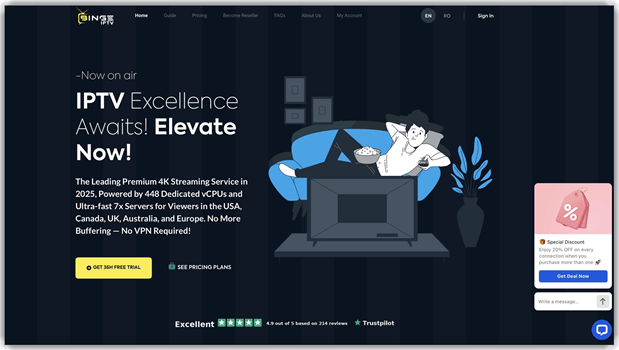
2) BingeIPTV
BingeIPTV works well for Europe-focused IPTV testing across live channels, VOD, and PPV events. It suits reviewers checking BingeIPTV for stream stability and multi-device playback. The service lists 44,000+ channels with 4K support, which helps when validating catalog depth and European feed handling. That makes it useful for repeatable streaming and compatibility reviews.
During evening load checks, you can compare channel zapping and buffering recovery across networks. I would track startup time, anti-freeze behavior, and VPN-protected playback while switching between sports and VOD. Its 7x-optimized servers feel steady during longer sessions. I noticed cleaner tester notes when the built-in privacy layer stayed active
Features
- Live Channels: BingeIPTV organizes 44,000+ live channels across sports, news, and entertainment. Users can find European and global feeds faster. This reduces browsing during daily viewing.
- VOD Library: The service gives access to 210,000+ movies and series on demand. I have noticed this helps when live schedules feel limiting. Viewers can watch content at convenient times.
- PPV Events: BingeIPTV includes 2,900+ PPV events in 4K. It helps sports viewers follow big matches and fights. This adds value beyond standard live channels.
- Built-in VPN: This feature adds VPN protection for more private streaming. In my experience, this matters on shared or public networks. It reduces exposure during setup and playback.
- Device Support: BingeIPTV works across Firestick, Android TV, MAG, Formuler, Apple TV, and Smart TVs. You can continue watching on your preferred screen. Setup feels easier for mixed-device homes.
- 7x Servers: The service runs on speed-optimized servers to reduce buffering. It helps match playback to internet speed. I often rely on this during peak-hour tests.
- Anti-Freeze Streaming: This functionality aims to reduce freezing on live channels. It keeps sports and events running more consistently. That saves time during long sessions.
- EPG & Catch-Up: BingeIPTV supports an EPG guide and catch-up viewing. Users can plan schedules and revisit missed programs. It keeps daily viewing organized.
Pros
Cons
Pricing
BingeIPTV’s cheapest paid plan is $13.99 for 1 Month, with a card-based 24-hour free trial. Refer to the table below for detailed pricing:
| Plan | Pricing |
|---|---|
| 1 Month | $13.99 |
| 3 Months | $23.99 |
| 6 Months | $39.99 |
24-Hours Free Trial
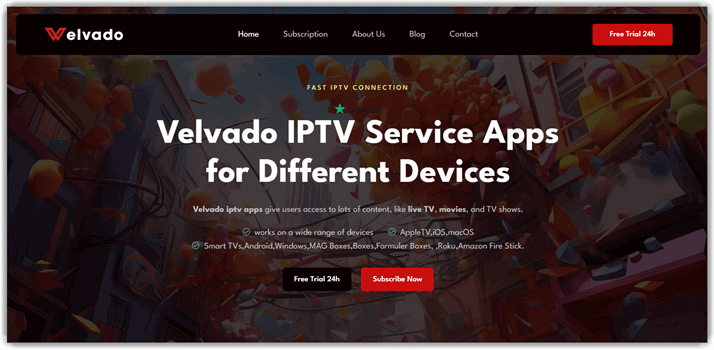
3) Velvado IPTV
For multi-device Europe checks, Velvado IPTV emphasizes stream access and playlist handling. It fits testers reviewing live channels, VOD loading, and app compatibility. The setup style supports checks across TVs, phones, and players. That helps reviewers spot playback gaps without changing methodology often.
You can run it during evening load checks and sports events. I would monitor zapping delay, resolution drops, and player recovery. Its workflow feels practical when comparing HD playback across networks. The service gives enough structure for consistent tester notes.
Features
- Channel Library: Velvado IPTV organizes live channels across sports, news, movies, and family viewing. Users can browse categories faster without guessing where content sits.
- VOD Access: Its VOD section gives users on-demand movies and series in one place. This reduces repeated searching when planning weekend viewing.
- Device Setup: You can use Velvado IPTV across Smart TVs, phones, computers, and IPTV boxes. It helps beginners start without buying extra hardware first.
- EPG Guide: The EPG shows upcoming programs and daily schedules inside the player. I have noticed this helps users avoid channel-hopping confusion.
- Anti-Freeze Streaming: This functionality aims to reduce playback freezing during live channels. It helps viewers keep sports and events running more consistently.
- Multi-Device Plans: Velvado IPTV supports different device access needs for households. Families can manage viewing across rooms without constant login switching.
- Support Access: Users can contact support when setup or activation fails. In my experience, this matters most during first-time IPTV installation.
- Secure Activation: Account-based activation gives users controlled access after subscription setup. I often rely on this for simpler device handover.
Pros
Cons
Pricing
The cheapest paid plan is 10.00€ for 1 Month; a free trial is available for 24 hours. Every plan comes with a 7-day money-back guarantee. Refer to the table below for detailed pricing:
| Plan | Pricing |
|---|---|
| 1 Device Subscription | 10.00€ / 1 Month, No Auto-renewal. |
| 2 Devices Subscription | 18.00€ / 1 Month, No Auto-renewal. |
| 3 Devices Subscription | 27.00€ / 1 Month, No Auto-renew. |
24-Hours Free Trial
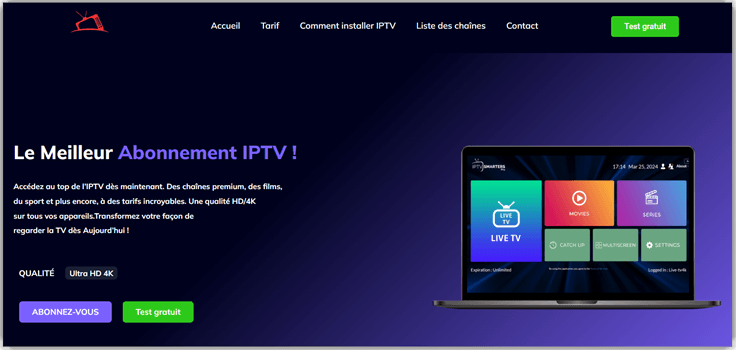
4) IPTV France Premium
IPTV France Premium focuses on French IPTV coverage for European viewers. It supports reviews around local channels, VOD navigation, and playback consistency. The tool is useful when validating regional content access and guide clarity. It also fits testers checking Smart TV and player compatibility.
When validating UI behavior, we can test menus across channel groups. I would check search speed, stream recovery, and subtitle handling. The experience feels easier when category navigation remains predictable. That matters during repeat tests, where messy menus waste time.
Features
- Live Channels: IPTV France Premium organizes live channels by country and genre. Users can find French, European, or sports channels faster.
- VOD Library: This feature separates movies, series, and replay content clearly. It helps viewers choose something quickly without browsing endless lists.
- EPG Support: IPTV France Premium can show upcoming programs through compatible IPTV players. This helps users plan viewing instead of guessing schedules.
- Device Access: You can use the service on Smart TVs, Firestick, Android, and mobile apps. Setup feels easier when device options stay flexible.
- Playlist Login: This specific functionality supports playlist or account-based access. I have noticed this reduces setup confusion for newer IPTV users.
- Sports Viewing: IPTV France Premium helps users follow live sports channels from one place. It is useful when switching between matches or events.
- Content Search: Users can search channels, films, or series directly. In my experience, this saves time during large IPTV library navigation.
- Stream Management: The service can support organized favorites and recently watched sections. I often rely on this when returning to regular channels.
Pros
Cons
Pricing
IPTV France Premium offers a 24hr free trial. For pricing details, please refer to the table below:
| Plan | Pricing |
|---|---|
| 6 months | 29€ |
| 12 months | 45€ |
| 24 months | 69€ |
24-Hours Free Trial
5) NexusIPTV
When reviewing Europe-focused IPTV options, NexusIPTV suits live TV testing workflows. It is relevant for checking channels, films, series, and playback reliability. The service supports practical reviews around server response and device behavior. Reviewers can assess how well streams hold during longer sessions.
We can use it for regression checks after player updates. My team would watch startup delays, freezing, and device-specific failures. I found the workflow stronger when switching channels repeatedly. That pattern reveals buffering stability faster than casual viewing.

Features
- Channel Groups: Nexus IPTV organizes live channels by region and category. It helps users find sports, movies, or news faster. This reduces scrolling during everyday viewing.
- VOD Library: Users can browse movies and series separately from live TV. This keeps on-demand viewing simple. I have noticed it helps families switch choices quickly.
- EPG Guide: The guide displays upcoming programs beside available channels. It helps beginners understand what is playing now. This reduces guesswork before opening a stream.
- Device Setup: Nexus IPTV supports common IPTV apps across popular devices. You can follow device-specific setup paths. This helps avoid confusing player settings.
- Favorites List: You can save frequently watched channels into one list. I often rely on this for daily channels. It keeps repeat viewing quick and organized.
- Stream Testing: This functionality checks playback quality before long viewing sessions. It helps users spot buffering or loading issues early. That saves time during live events.
- Account Access: Nexus IPTV uses login-based access for supported IPTV players. Users can activate service without complex manual configuration. This makes setup easier for beginners.
- Support Flow: The support path helps users resolve setup and playback problems. In my experience, clear troubleshooting steps reduce repeated errors. It keeps viewing interruptions manageable.
Pros
Cons
Pricing
Nexus IPTV comes with a 1-week paid trial at €7.49. You can refer to the table below for detailed pricing info:
| Plan | Pricing |
|---|---|
| 1-week trial | €7.49 |
| 1 month | €15.99 |
| 3 months | €34.99 |
1-week paid trial
6) WORLDIPTV.ES
WORLDIPTV.ES works well for broad international IPTV coverage assessments. It fits reviewers comparing live sports, films, series, and device reach. The service can support 4K playback checks across common European setups. It is also useful for testing cross-device continuity and stream consistency.
While testing peak-hour playback, you should track channel zapping carefully. I would compare Smart TV, Firestick, mobile, and desktop behavior. The workflow exposes weak points quickly when networks become congested. Its multi-device compatibility makes repeat testing easier to document.
Features
- European Channels: WORLDIPTV.ES groups European channels by country and category. This helps users find familiar live TV faster. It reduces random browsing during daily viewing.
- VOD Library: Users can browse movies and shows from one catalog. This saves time when switching from live channels. It also supports casual weekend viewing.
- Device Setup: This feature guides users through IPTV app setup steps. I have noticed beginners often struggle here. Clear instructions reduce activation mistakes.
- EPG Guide: WORLDIPTV.ES can show scheduled programs through an electronic guide. It helps users plan what to watch. This avoids opening channels one by one.
- Favorites List: Users can save preferred channels into a personal list. It keeps regular content easier to access. I often rely on this for quick viewing.
- Stream Quality: This functionality lets users choose suitable playback quality. It helps match streaming to internet speed. That reduces buffering on weaker connections.
- Search Filters: You can search channels, sports, movies, or regional content quickly. This helps when large libraries feel overwhelming. It makes discovery more practical.
- Support Access: WORLDIPTV.ES can provide setup and troubleshooting support paths. In my experience, this matters after activation. It helps users resolve playback issues faster.
Pros
Cons
Pricing
World IPTV offers a 24-hour free trial. Apart from this, every paid plan comes with a 7-day money-back guarantee.
| Plan | Pricing |
|---|---|
| 1 month | €14.99 |
| 3 months | €24 |
| 6 months | €35.99 |
24-hour free trial
7) Stremio IPTV
Stremio IPTV works as a media center for organized streaming workflows. It supports addon-based content discovery, watch tracking, and cross-device playback. Developers can review how streams behave across Android TV, desktop, and mobile. Its open-source roots also make security checks more transparent. That helps when testing playback stability, content indexing, and device continuity.
During playback checks, we can move between devices without rebuilding setup. I found its sync behavior useful when retesting long sessions. It also helps compare stream handling across different screen sizes; for Europe-focused IPTV reviews, that reduces repeated manual validation.

Features
- Addon Catalog: Stremio IPTV lets users add content sources through add-ons. This keeps channels, movies, and subtitles easier to manage.
- Unified Discovery: Users can search across available sources from one place. This reduces app switching when finding European shows or channels.
- Progress Sync: Stremio IPTV tracks viewing progress across supported devices. I often value this when moving from laptop to television.
- 4K Playback: The built-in player supports high-definition streams, including 4K HDR. It helps users enjoy sharper playback when sources allow it.
- TV Viewing: Stremio IPTV works on Android TV and selected smart TV setups. This makes living-room viewing simpler for non-technical users.
- Subtitle Addons: Users can install subtitle add-ons for movies and shows. In my experience, this matters for multilingual European content.
- Library Tracking: The library helps users save titles and continue later. It keeps watch decisions organized without relying on memory.
- Remote Addons: Add-ons run remotely instead of installing extra software locally. This specific setup reduces device clutter and setup confusion.
Pros
Cons
Pricing
Stremio IPTV is an open-source platform and hence can be availed free of cost.
Link: https://www.stremio.com/
8) Scandinavia-IPTV4K
Scandinavia-IPTV4K focuses on Nordic IPTV streaming and wide channel access. It supports HD, Full HD, UHD, and 4K playback checks. The service also lists M3U, MAG, and Enigma2 device support. That makes it useful for compatibility testing across common IPTV environments. Its channel scale suits stress testing navigation, switching, and stream loading.
You can validate sports, movies, and live channels in sequence. I noticed its quick-change workflow suits repeated channel-switch checks. For Europe testing, it helps compare regional feeds against global sources. That matters when checking buffering, format support, and playback consistency.
Features
- Channel Library: Scandinavia-IPTV4K organizes live channels across sports, news, films, and entertainment. Users can find regional and global streams faster.
- VOD Catalog: This feature separates movies and series from live television. It helps beginners browse on-demand content without checking channel schedules.
- Device Setup: You can use setup instructions for Smart TVs, Android, PC, and IPTV apps. This reduces confusion during first-time activation.
- Playlist Support: Scandinavia-IPTV4K supports M3U, MAG, and Enigma2 access formats. It helps users connect the service to preferred IPTV players.
- Sports Access: I have noticed sports viewers need fast league discovery. This functionality groups live sports channels for quicker match access.
- Stream Quality: The service supports SD, HD, Full HD, UHD, and 4K playback. Users can match quality with internet speed.
- Multi-Device Plans: In my experience, households often need more than one screen. Multi-device options help families watch different content separately.
- Support Guidance: I often rely on responsive setup help when testing IPTV services. Support guidance helps users fix login, app, or playback issues.
Pros
Cons
Pricing
This IPTV service comes with 3-, 6-, and 12-month plans. You get 30 Day Money Back Guarantee if not satisfied, with each plan.
| Plan | Pricing |
|---|---|
| 12 Months | €79.99 |
| 6 Months | €59.99 |
| 3 Months | €39.99 |
Link: https://scandinavia-iptv4k.com/iptv-scandinavia-2/
9) Sverige IPTV
Sverige IPTV targets Sweden and Nordic streaming with localized channel coverage. It supports HD and 4K streaming, global channels, movies, and series. The platform also highlights anti-freezing technology and broad device compatibility. That makes it practical for playback testing under mixed network conditions. Its regular content updates help reviewers check freshness during repeat evaluations.
When validating Nordic access, we can test live channels first. I liked its instant switching focus for regression-style playback checks. It also supports smart TVs and mobile devices for coverage. That helps confirm whether performance stays consistent across viewing setups.
Features
- Nordic Channels: Sverige IPTV organizes live channels around Nordic and global viewing. Users can browse familiar categories faster. It reduces searching across news, sports, and entertainment.
- VOD Library: This feature gives users access to movies and series collections. It helps beginners find on-demand content without changing apps or sources.
- HD Streaming: You can watch supported content in HD and 4K quality. This improves viewing clarity on Smart TVs and larger screens.
- Device Playback: Sverige IPTV works across Smart TVs, phones, tablets, and IPTV players. It helps users continue watching without depending on one device.
- Quick Activation: This functionality sends subscription access details by email after setup. In my experience, fast activation reduces confusion for first-time IPTV users.
- Stream Stability: The service uses anti-freezing support to reduce playback interruptions. I often rely on this when live sports need consistent streaming.
- Content Updates: Regular updates add newer channels, films, and series over time. Users can discover fresh content without manually rebuilding their playlist.
- Support Guidance: Support helps users fix setup, login, and playback issues. I have noticed this matters most for non-technical IPTV users.
Pros
Cons
Pricing
Sverige IPTV offers different paid plans with 100% money back guarantee.
| Plan | Pricing |
|---|---|
| 1 Month Plan | €12 |
| 3 Months Plan | €26 |
| 6 Months Plan | €38 |
Link: https://sverigeiptvnordic.com/
10) Mirqora
Mirqora provides IPTV streaming across Smart TV, Android, iOS, and more. It lists 38,000+ channels, 200,000+ movies, and 4K playback. The service also includes an Electronic TV Guide and catch-up features. That makes it useful for testing catalog depth and guide accuracy. Its premium server positioning suits stability checks during longer viewing sessions.
While testing multi-device flows, we can compare guide behavior quickly. I found its EPG structure helpful for repeatable navigation checks. The large VOD library also supports search and filtering validation. That is useful when reviewing IPTV platforms for European households.
Features
- Device Streaming: Mirqora works across Smart TVs, Android, iOS, Fire TV, and Formuler. Users can start watching without separate satellite hardware.
- Channel Access: This feature gives users one place to browse live TV channels. It helps beginners find sports, news, kids, and entertainment faster.
- VOD Library: Mirqora includes movies and series alongside live television access. I have noticed this helps users avoid switching between multiple apps.
- TV Guide: The guide shows what is playing across available channels. It helps users plan viewing instead of randomly checking streams.
- Catch-Up Viewing: This functionality lets users revisit missed programs where supported. It reduces frustration when live schedules do not match daily routines.
- Stream Quality: Mirqora supports HD, Full HD, and 4K streaming options. In my experience, this matters most for sports and movies.
- Installation Help: Users can rely on setup guidance when configuring IPTV apps. This reduces confusion around playlists, devices, and first-time activation.
- Content Updates: Mirqora refreshes on-demand content so the library stays useful. I often rely on this when comparing long-term IPTV value.
Pros
Cons
Pricing
Mirqora’s cheapest paid plan is €12.99 for 1 Month. All services have a refund policy, and users must open a support ticket to request one.
| Plan | Pricing |
|---|---|
| 1 Month | €12.99 |
| 3 Months | €24.99 |
| 6 Months | €34.99 |
Link: https://mirqora.com/
11) Unio TV
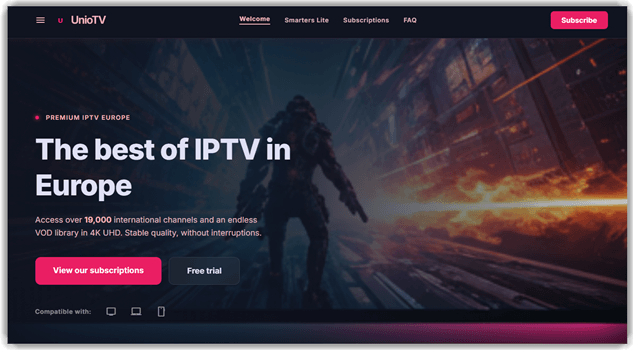
Unio TV focuses on European IPTV with international live channels. It highlights 4K UHD, anti-buffering optimization, and smart device compatibility. The platform also supports Smarters Lite and other IPTV applications. That helps reviewers test setup paths across familiar playback environments. Its channel and VOD mix suits broad entertainment coverage checks.
My team would validate live playback before reviewing VOD depth. I noticed its anti-buffering focus fits real-world network testing. The multilingual support path also helps European users during setup. For IPTV Europe articles, that strengthens usability and support evaluation.
Features
- Live Channels: Unio TV organizes live channels by region and category. Users can find European, sports, and entertainment content faster without long browsing.
- VOD Library: The VOD library groups movies and series for on-demand watching. I often rely on this when live schedules feel restrictive.
- 4K Playback: Unio TV supports 4K, UHD, and Full HD streaming. This helps users watch sharper content on compatible screens.
- Replay Guide: Users can access EPG and replay options for missed programs. This reduces frustration when schedules change or matches run late.
- Device Setup: Unio TV works with Smart TVs, laptops, smartphones, and IPTV apps. It helps beginners start viewing without complex device switching.
- Quick Activation: This feature sends access details shortly after subscription setup. In my experience, faster activation reduces onboarding confusion significantly.
- Multi-Screen Access: Users can stream on multiple connections with selected plans. This helps families manage separate viewing needs more easily.
- Support Access: Unio TV provides technical support through WhatsApp and ticket options. I have noticed these issues during app setup.
Pros
Cons
Pricing
Unio TV’s cheapest paid plan is €23.99 for 2 Devices. Here are the detailed lists:
| Plan | Pricing |
|---|---|
| 2 Devices — 3 Months | €23.99 |
| 2 Devices — 6 Months | €35.99 |
| 2 Devices — 12 Months | €40 |
Link: https://www.uniotv.com/
Comparison Between Top European IPTV Services
| Tool | TeleCasta IPTV | BingeIPTV | Velvado IPTV | NexusIPTV |
| Large Channel Library | ✅ | ✅ | ✅ | ✅ |
| HD/4K Streaming | ✅ | ✅ | ✅ | ✅ |
| Multi-Device Support | ✅ | ✅ | ✅ | ✅ |
| Published Pricing | ✅ | ✅ | ✅ | ✅ |
| 24/7 Support | ✅ | ✅ | ✅ | ✅ |
| Privacy/Security Feature | ✅ | ✅ | ✅ | ❌ |
What Is IPTV and How Does It Work in Europe?
IPTV means Internet Protocol Television, which delivers TV through internet networks. It replaces traditional satellite or cable signals with online streaming links. Users can watch live TV, movies, sports, and video-on-demand content. In Europe, IPTV works differently across countries because licensing rules vary. Some services focus on local channels, while others offer international entertainment. A good IPTV service uses stable servers, clear guides, and supported apps. Beginners should always check whether the provider has legal content rights.
Is IPTV Legal in Europe?
IPTV is legal in Europe when providers own streaming rights. The technology itself is not the problem. The risk begins when a service distributes channels without permission. Licensed IPTV platforms usually show company details, support terms, refund rules, and transparent billing. Unlicensed services often hide ownership, offer unrealistic channel counts, or accept only risky payments. Users should avoid suspicious offers that promise every premium channel cheaply. Legal IPTV protects viewers from shutdowns, malware risks, and payment disputes.
Which Devices Work Best With IPTV Services in Europe?
Most IPTV subscription providers work on Smart TVs, Android TV boxes, Firestick, phones, tablets, and computers. Device performance affects playback quality more than many users expect. A modern streaming device handles HD and 4K channels better. Older televisions may need an external IPTV player or set-top box. Users should also check whether the provider supports M3U, Xtream Codes, or app login. Firestick and Android TV are popular because setup is simple. Smart TV apps are convenient, but updates may vary.
What Internet Speed Do You Need for IPTV in Europe?
A reliable IPTV connection needs stable speed, not only high numbers. Standard HD streams usually need moderate broadband, while 4K streams need stronger internet. Users should test speed near the television, not beside the router. Wi-Fi congestion, weak routers, and crowded evening traffic can cause buffering. A wired Ethernet connection is usually more stable than Wi-Fi. For sports and live events, low latency matters a lot. Good internet keeps the match smooth, not suspenseful for the wrong reason.
What Are the Benefits of Using IPTV in Europe?
IPTV in Europe gives users flexible access to live channels and on-demand shows. It is helpful for expats, multilingual families, and cord-cutters. Many services support several devices, so users can watch anywhere. IPTV can also reduce dependency on cable boxes and long contracts. The main benefit is choice, but reliability matters most. Users can select packages based on language, sports, movies, and regional needs. A trusted provider makes entertainment easier without complicated hardware or installation visits.
How Does IPTV Compare With Cable and Satellite TV?
IPTV is more flexible than cable and satellite television. It streams through internet apps, while cable and satellite need fixed infrastructure. IPTV often supports phones, tablets, Smart TVs, and streaming sticks. Cable can be simpler for local channels, but package choices feel limited. Satellite may work well in remote areas, but weather can affect signals. IPTV is best for users who want portability and varied content. Cable is better for users who prefer traditional support and billing.
How Do We Select the Best IPTV Europe?
At Guru99, we review IPTV services with structured checks, real user needs, and practical viewing standards, so readers can compare reliable options without wasting time or money online today confidently.
- Content Coverage: We check whether services offer useful European, regional, sports, news, and entertainment channels. The focus stays on working content, not inflated numbers.
- Streaming Stability: Our team reviews buffering behavior, startup time, and playback consistency during busy viewing hours. Stable performance matters more than flashy claims.
- Device Support: The researchers compare compatibility across Smart TVs, Firestick, Android, iOS, Windows, and web players. This helps readers avoid setup surprises.
- Pricing Transparency: The team studies monthly costs, trial access, refund rules, and hidden renewal terms. Clear billing earns more trust than vague discounts.
- Ease of Use: Our testers review menus, search, EPG accuracy, account setup, and player compatibility. A beginner should not need a technical degree.
- Support Quality: Our experts check response channels, setup guidance, troubleshooting help, and refund handling. Fast support can rescue a bad streaming evening.
- Safety Signals: The experts examine privacy practices, payment safety, legal clarity, and suspicious provider behavior. Readers should avoid risky services with unclear ownership.
- Long-Term Value: We compare performance, content updates, support consistency, and plan flexibility. A good IPTV service should stay useful after purchase.
What Common IPTV Europe Problems Should You Troubleshoot First?
Even strong IPTV services can face playback problems. Most issues come from internet speed, outdated apps, incorrect login details, or weak device performance.
- Issue: Channels keep buffering during football matches or evening peak streaming hours.
Solution: The user should test wired Ethernet, restart the router, and reduce other active downloads. - Issue: The IPTV app opens correctly, but live channels fail to load.
Solution: The provider should confirm playlist status, login validity, and server availability before reinstalling anything. - Issue: The EPG shows wrong timings, missing programs, or outdated channel information.
Solution: The viewer should refresh the EPG source and confirm timezone settings inside the player. - Issue: Video plays smoothly, but audio is missing or badly delayed.
Solution: The device should switch audio tracks, update codecs, or test another IPTV player. - Issue: Login works on one device but fails on another supported device.
Solution: The provider should verify connection limits, MAC binding, and account restrictions before blaming hardware.
Do You Need a VPN for IPTV in Europe?
A VPN for IPTV can improve privacy, but it does not make illegal content legal. Users should understand that difference clearly. A VPN hides traffic from local networks and may reduce some throttling issues. However, it can also slow streams when servers are overloaded. The best approach is simple. Use licensed IPTV services first, then consider VPN protection for privacy. Users should choose nearby European VPN servers for better speed. Legal access always beats shady access with extra encryption.
How Are AI and Smart Features Changing IPTV in Europe?
AI-powered IPTV features are becoming more useful for European viewers. Modern platforms can recommend shows, organize channels, improve search, and personalize viewing lists. Some services use smart quality adjustment to reduce buffering automatically. Others improve subtitles, voice search, and content discovery across languages. These features help users find programs faster, especially in large libraries. AI will matter more as IPTV services grow larger. Still, smart features cannot replace licensing, uptime, and support. Fancy menus mean little when streams freeze.
What Future Trends Will Shape IPTV Services in Europe?
The future of IPTV Europe will focus on legal access, better quality, and smarter personalization. Users will expect 4K streams, faster apps, accurate guides, and stronger privacy controls. Providers may also improve multilingual content, catch-up TV, and cross-device syncing. More services will need transparent licensing because enforcement is increasing. AI recommendations and automated troubleshooting will also become common. The winners will not be the loudest providers. They will be the stable, legal, and user-friendly services.
Verdict
After reviewing the European IPTV options, I found three services that felt stronger on stability, device support, and everyday usability.
- TeleCasta IPTV: I found TeleCasta IPTV smooth to set up, with strong device compatibility and a cleaner viewing experience than many crowded IPTV services.
- BingeIPTV: BingeIPTV impressed me with 44,000+ channels, built-in VPN privacy, and 7x-optimized servers that kept 4K playback smooth across devices during testing.
- Velvado IPTV: Velvado IPTV stood out for its large content library, flexible device support, and steady streaming quality during regular use.
