
AngularJS Expressions: Array, Objects, $eval, Strings
 Editorial Team
⚡ Smart Summary
AngularJS Expressions are code fragments placed inside double braces that bind data straight into a template. They evaluate numbers, strings, objects, and arrays, and the $eval function performs the same evaluation from inside a controller.
What is AngularJS Expressions?
Expressions are variables written inside double braces {{ }}. They are very commonly used within AngularJS, and appear throughout the earlier tutorials in this series.
⚠️ Support notice: AngularJS reached end of life on 31 December 2021 and receives no further patches or security fixes. The syntax below remains accurate for maintaining existing AngularJS 1.x applications; new projects should use modern Angular, where interpolation braces still exist but ng-init and $eval do not.
Explain AngularJS Expressions with an example
AngularJS expressions are written inside double braces, as in {{expression}}.
Syntax: a simple example of an expression is {{5 + 6}}.
AngularJS expressions bind data to HTML in the same way as the ng-bind directive, and AngularJS displays the data exactly where the expression is placed.
In this example we show a simple addition of numbers as an expression.

<!DOCTYPE html>
<html>
<head>
    <meta charset="UTF-8">
    <title>Event Registration</title>
</head>
<body>

    <script src="https://code.angularjs.org/1.8.3/angular.min.js"></script>

    <h1>Guru99 Global Event</h1>

    <div ng-app="">
        Addition : {{6+9}}
    </div>

</body>
</html>
Code Explanation:
- The ng-app directive is blank, which means no module supplies controllers, directives, or services to this page.
- A simple expression adds two numbers.
Output:
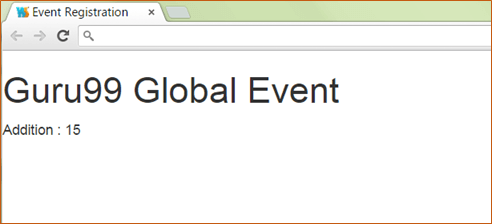
The addition of 9 and 6 takes place and the result, 15, is displayed.
AngularJS Numbers
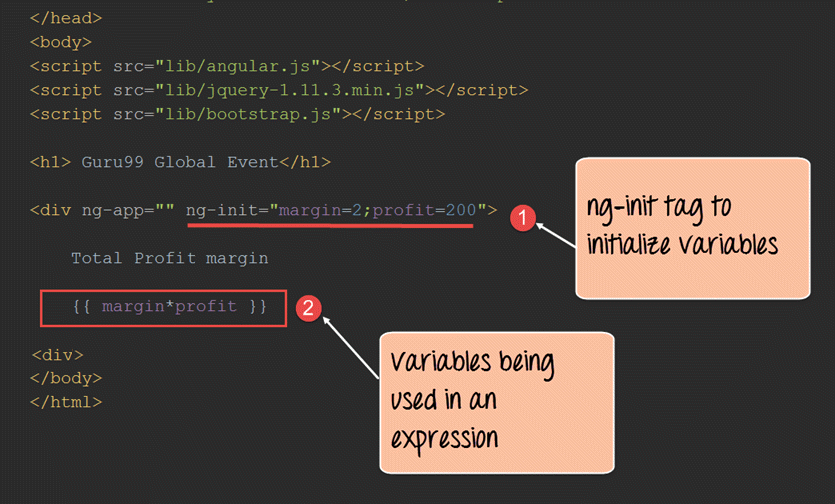
Expressions work with numbers. This example multiplies two number variables, margin and profit, and displays the product.
<!DOCTYPE html>
<html>
<head>
    <meta charset="UTF-8">
    <title>Event Registration</title>
</head>
<body>

    <script src="https://code.angularjs.org/1.8.3/angular.min.js"></script>

    <h1>Guru99 Global Event</h1>

    <div ng-app="" ng-init="margin=2;profit=200">
        Total profit margin

        {{margin*profit}}
    </div>

</body>
</html>
Code Explanation:
- The ng-init directive defines variables and their values in the view itself, much like local variables in any programming language. Here
marginandprofitare declared and assigned. - The expression then multiplies those two local variables.
Output:
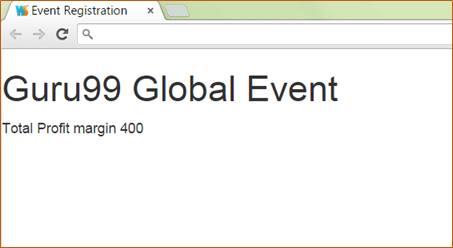
The multiplication of 2 and 200 takes place and the product, 400, is displayed.
AngularJS Strings
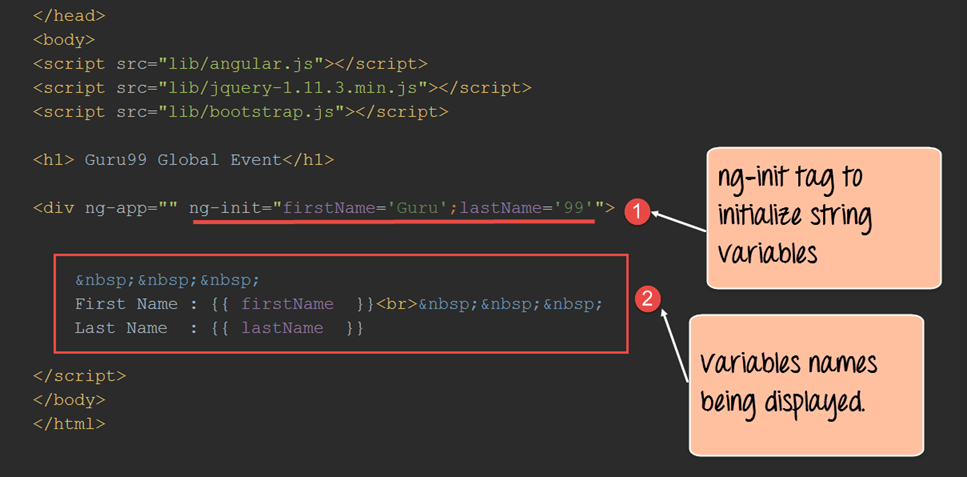
Expressions also work with strings. This example defines firstName and lastName and displays both.
<!DOCTYPE html>
<html>
<head>
    <meta charset="UTF-8">
    <title>Event Registration</title>
</head>
<body>

    <script src="https://code.angularjs.org/1.8.3/angular.min.js"></script>

    <h1>Guru99 Global Event</h1>

    <div ng-app="" ng-init="firstName='Guru';lastName='99'">
        First Name : {{firstName}}<br>
        Last Name : {{lastName}}
    </div>

</body>
</html>
Code Explanation:
- The ng-init directive defines
firstNamewith the value “Guru” andlastNamewith the value “99”. - The expressions
{{firstName}}and{{lastName}}read those variables and display them in the view.
Output:
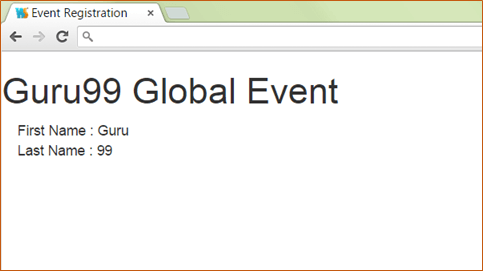
Both values appear on screen.
AngularJS Objects
Expressions work with JavaScript objects, which consist of name-value pairs. The syntax of a JavaScript object looks like this:
var car = {type: "Ford", model: "Explorer", color: "White"};
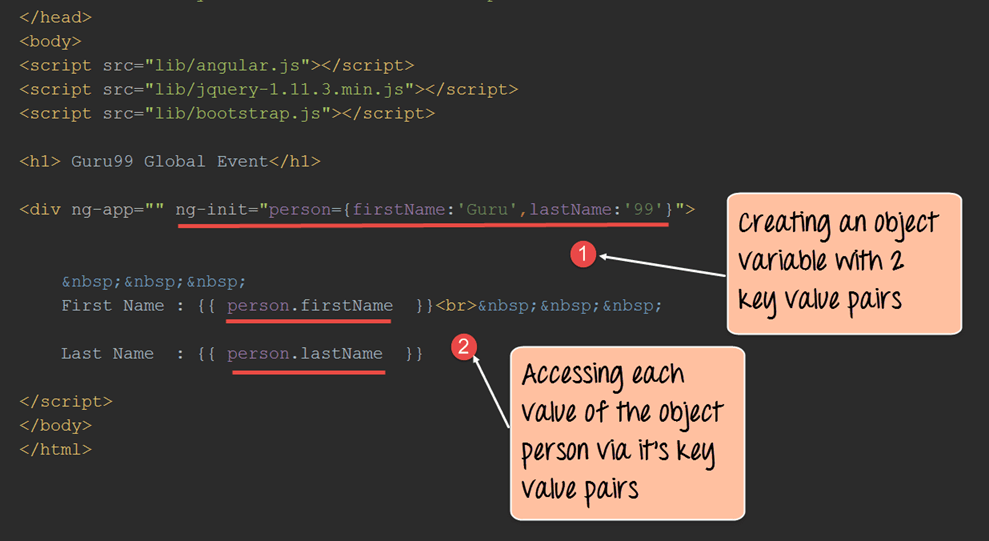
This example defines a person object holding two key-value pairs, firstName and lastName.
<!DOCTYPE html>
<html>
<head>
    <meta charset="UTF-8">
    <title>Event Registration</title>
</head>
<body>

<script src="https://code.angularjs.org/1.8.3/angular.min.js"></script>

<h1>Guru99 Global Event</h1>

<div ng-app="" ng-init="person={firstName:'Guru',lastName:'99'}">
    First Name : {{person.firstName}}<br>
    Last Name : {{person.lastName}}
</div>

</body>
</html>
Code Explanation:
- The ng-init directive defines the object
personwith the key-value pairsfirstNameset to “Guru” andlastNameset to “99”. - The expressions
{{person.firstName}}and{{person.lastName}}read those members. Because they belong to the object, dot notation is required to reach their values.
Output:

The values of firstName and lastName appear on screen.
AngularJS Arrays
Expressions work with arrays. This example defines an array holding a student’s marks in three subjects and displays each value.

<!DOCTYPE html>
<html>
<head>
    <meta charset="UTF-8">
    <title>Event Registration</title>
</head>
<body>

<script src="https://code.angularjs.org/1.8.3/angular.min.js"></script>

<h1>Guru99 Global Event</h1>

<div ng-app="" ng-init="marks=[1,15,19]">
    Student Marks<br>
    Subject1 : {{marks[0]}}<br>
    Subject2 : {{marks[1]}}<br>
    Subject3 : {{marks[2]}}
</div>

</body>
</html>
Code Explanation:
- The ng-init directive defines the array
markswith the three values 1, 15, and 19. - Expressions of the form
marks[index]read each element.
Output:

The marks defined in the array are displayed.
AngularJS Expression capabilities and Limitations
Capabilities
- AngularJS expressions resemble JavaScript expressions and share much of the same power and flexibility.
- Where JavaScript raises a ReferenceError or TypeError on an undefined property, AngularJS evaluation is forgiving and yields undefined or null.
- Filters can be applied inside an expression to format data before it is displayed.
- The ternary operator is supported, so
{{ isReady ? 'Yes' : 'No' }}is valid.
Limitations
- Loops and exception handling cannot be used inside an AngularJS expression. Conditional logic is limited to the ternary operator;
ifstatements are not available. - Functions cannot be declared in an expression, not even inside an ng-init directive.
- Regular expressions cannot be created inside an expression. A regular expression is a combination of symbols and characters used to match strings, such as
.*\.txt$, and such literals are rejected. - The comma operator (
,) and thevoidoperator are not permitted.
ng-bind vs Expression Braces: Which to Use
Double braces and the ng-bind directive produce the same rendered output, so the choice between them looks arbitrary. It is not. The two behave differently during the moment before AngularJS has finished loading, and that difference is visible to the person using the page.
| Aspect | {{ expression }} | ng-bind |
|---|---|---|
| Written in | Element content | An element attribute |
| Before AngularJS loads | Raw braces flash on screen | Nothing is shown |
| Readability | Higher — the value sits inline | Lower — value is hidden in an attribute |
| Multiple values per element | Yes | No, one binding only |
| One-time binding | Yes, with {{::value}} |
Yes, with ng-bind="::value" |
The brief appearance of raw braces is known as the flash of uninterpolated content, and it happens because the browser renders the markup before AngularJS compiles it. Use ng-bind, or add the ng-cloak directive, for content visible above the fold. Braces remain the clearer and more readable choice everywhere else, particularly where several values appear inside one element.
Difference between expression and $eval
The $eval function evaluates expressions from inside the controller. Expressions evaluate in the view, whereas $eval evaluates in controller code.
This example uses $eval to add two numbers and place the result on the scope object so the view can display it.

<!DOCTYPE html>
<html>
<head>
    <meta charset="UTF-8">
    <title>Event Registration</title>
</head>
<body>

<script src="https://code.angularjs.org/1.8.3/angular.min.js"></script>

<div ng-app="sampleApp" ng-controller="AngularController">
    <h1>Guru99 Global Event</h1>
    {{value}}
</div>

<script>
    var sampleApp = angular.module('sampleApp', []);
    sampleApp.controller('AngularController', function($scope) {
        $scope.a = 1;
        $scope.b = 1;

        $scope.value = $scope.$eval('a+b');
    });
</script>

</body>
</html>
Code Explanation:
- Two scope variables,
aandb, each hold the value 1. $scope.$evalevaluates their addition and assigns the result to the scope variablevalue.- The view then displays
value.
Output:

The output shows the expression evaluated inside the controller, with the sum of the two scope variables sent to and displayed in the view.
