
Test Automation Framework: Architecture and Types
 Thomas Hamilton
⚡ Smart Summary
Test Automation Framework architecture defines the coding standards, test data handling, and object repository rules that automation scripts follow. Five established types exist, each trading setup effort against reuse, maintenance cost, and long term scalability.
What is Framework in Automation Testing?
A Test Automation Framework is a set of guidelines like coding standards, test-data handling, object repository treatment etc… which when followed during automation scripting produces beneficial outcomes like increased code re-usage, higher portability, reduced script maintenance cost etc. These are just guidelines and not rules; they are not mandatory and you can still script without following the guidelines. But you will miss out on the advantages of having a Framework.
Why do you need a Framework?
Let’s consider an example to understand why you need a Framework.
I am sure you have attended a seminar/lecture/conference where the participants were asked to observe the following guidelines –
- Participants should occupy their seats 5 minutes before the start of a lecture.
- Bring along a notebook and pen for note-taking.
- Read the abstract, so you have an idea of what the presentation will be about.
- Mobile Phones should be set to silent.
- Use the exit gates at the opposite end to the speaker should you require to leave in the middle of the lecture.
- Questions will be taken at the end of the session.
Do you think you can conduct a seminar WITHOUT observing these guidelines?
The answer is a big YES! Certainly, you can conduct a seminar/lecture/conference/demonstration without the above guidelines.. in fact, some of us will not follow them even though there are laid out!
But if the guidelines are followed, it will result in a beneficial outcome like reduced audience distraction during lectures, increased participant retention, and understanding of the subject matter.
Based on the above, a Framework can be defined as a set of guidelines that, when followed, produces beneficial results.
Test Automation Framework Architecture: Key Components
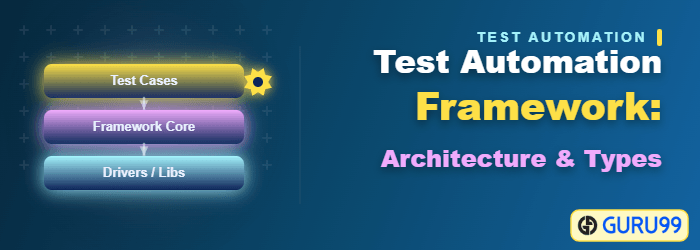
Before comparing the types, it helps to see what every framework contains. Architecture describes how these parts are layered so that a change in one layer does not break the others.
- Test script layer: Holds the test cases. Scripts stay short because they call reusable functions instead of repeating navigation steps.
- Function library: Stores shared actions such as login, search, and logout, so a workflow change is made once.
- Object repository: Maps friendly names to GUI element locators. When the interface changes, only this layer is edited.
- Test data layer: Keeps input and expected values in Excel, CSV, or database sources rather than inside the code.
- Configuration layer: Contains environment URLs, browser choices, timeouts, and credentials.
- Reporting layer: Produces execution reports, failure screenshots, and diagnostic logs.
- Execution layer: Triggers suites from a build server, linking automation to continuous integration.
The framework types below differ mainly in how strictly they separate these layers.
Types of Test Automation Frameworks
Below are the different types of Automated Testing Frameworks:
- Linear Scripting
- The Test Library Architecture Framework.
- The Data-Driven Testing Framework.
- The Keyword-Driven or Table-Driven Testing Framework.
- The Hybrid Test Automation Framework.
Lets look at them in detail –
1) Linear Scripting – Record & Playback
It is the simplest of all Testing Automation Frameworks and also know as “Record & Playback”. In this Automation Testing Framework, Tester manually records each step ( Navigation and User Inputs), Inserts Checkpoints ( Validation Steps) in the first round . He then , Plays back the recorded script in the subsequent rounds.
Example: Consider logging into Flight Reservation Application and checking whether the application has loaded on successful log-on. Here , the tester will simply record the steps and add validation steps.
SystemUtil.Run "flight4a.exe","","","open"
Dialog("Login").WinEdit("Agent Name:").Set "Guru99"
Dialog("Login").WinEdit("Password:").Set "Mercury"
Dialog("Login").WinButton("OK").Click
'Check Flight Reservation Window has loaded after successful log-on
Window("Flight Reservation").Check CheckPoint("Flight Reservation")
Advantages
- Fastest way to generate a script
- Automation expertise not required
- The easiest way to learn the features of the Testing Tool
Disadvantages
- Little reuse of scripts
- Test data is hardcoded into the script
- Maintenance Nightmare
2) The Test Library Architecture Framework
It is also know as “Structured Scripting” or “Functional Decomposition”.
In this Automation Testing Framework, test scripts are initially recorded by “Record & Playback” method. Later, common tasks inside the scripts are identified and grouped into Functions. These Functions are called by main test script called Driver in different ways to create test cases.
Example: Using the same example as above, the function for logging in to Flight Reservation will look like .
Function Login()
  SystemUtil.Run "flight4a.exe","","","open"
  Dialog("Login").WinEdit("Agent Name:").Set "Guru99"
  Dialog("Login").WinEdit("Password:").Set "Mercury"
  Dialog("Login").WinButton("OK").Click
End Function
Now, you will call this function in the main script as follows
Call Login()
---------------------------
'Other Function calls / Test Steps.
---------------------------
Advantages
- Higher level of code reuse is achieved in Structured Scripting as compared to “Record & Playback”
- The automation scripts are less costly to develop due to higher code re-use
- Easier Script Maintenance
Disadvantages
- Technical expertise is necessary to write Scripts using Test Library Framework
- More time is needed to plan and prepare test scripts.
- Test Data is hard coded within the scripts
3) The Data-Driven Testing Framework
In this Framework , while Test Case logic resides in Test Scripts, the Test Data is separated and kept outside the Test Scripts. Test Data is read from the external files (Excel Files, Text Files, CSV Files, ODBC Sources, DAO Objects, ADO Objects) and are loaded into the variables inside the Test Script. Variables are used both for Input values and for Verification values. Test Scripts themselves are prepared either using Linear Scripting or Test Library Framework. The technique is explained further in the data driven testing tutorial.
Example: Developing the Flight Reservation Login script using this method will involve two steps.
Step 1) Create a Test – Data file which could be Excel , CSV , or any other database source.
| AgentName | Password |
|---|---|
| Jimmy | Mercury |
| Tina | MERCURY |
| Bill | MerCURY |
Step 2) Develop Test Script and make references to your Test- Data source.
SystemUtil.Run "flight4a.exe","","","open"
Dialog("Login").WinEdit("Agent Name:").Set DataTable("AgentName", dtGlobalSheet)
Dialog("Login").WinEdit("Password:").Set DataTable("Password", dtGlobalSheet)
Dialog("Login").WinButton("OK").Click
'Check Flight Reservation Window has loaded
Window("Flight Reservation").Check CheckPoint("Flight Reservation")
'Note "dtGlobalSheet" is the default excel sheet provided by QTP.
Advantages
- Changes to the Test Scripts do not affect the Test Data
- Test Cases can be executed with multiple Sets of Data
- A Variety of Test Scenarios can be executed by just varying the Test Data in the External Data File
Disadvantages
- More time is needed to plan and prepare both Test Scripts and Test Data
4) The Keyword-Driven or Table-Driven Testing Framework
The Keyword-Driven or Table-Driven automation framework development requires data tables and keywords, independent of the test automation tool used to execute them . Tests can be designed with or without the Application. In a keyword-driven test, the functionality of the application-under-test is documented in a table as well as in step-by-step instructions for each test.
There are 3 basic components of a Keyword Driven Framework viz. Keyword , Application Map , Component Function.
Keyword is an Action that can be performed on a GUI Component. Ex. For GUI Component Textbox some Keywords ( Action) would be InputText, VerifyValue, VerifyProperty and so on.
What is the Application Map?
An Application Map Provides Named References for GUI Components. Application Maps are nothing but “Object Repository“
What is Component Function?
Component Functions are those functions that actively manipulate or interrogate the GUI component. An example of a function would be click on web button with all error handling , enter data in a Web Edit with all error handling. Component functions could be application dependent or independent.
Example: To understand Keyword View lets take the same example. It involves 2 steps
Step 1: Creating Data Table (Different from Test-Data Table created in Data Driven Framework). This Data Table contains Action to be performed on GUI Objects and corresponding arguments if any. Each row represents one Test Step.
| Object | Action | |
|---|---|---|
| (Application MAP) | (KEYWORDS) | Argument |
| WinEdit(Agent Name) | Set | Guru99 |
| WinEdit(Password) | Set | Mercury |
| WinButton(OK) | Click | |
| Window(Flight Reservation) | Verify | Exists |
Step 2: Writing Code in the form of Component Functions.
Once you’ve created your data table(s), you simply write a program or a set of scripts that reads in each step, executes the step based on the keyword contained the Action field, performs error checking, and logs any relevant information. This program or set of scripts would look similar to the pseudo code below:
Function main()
{
  Call ConnectTable(Name of the Table) { //Calling Function for connecting to the table.
  while (Call TableParser() != -1) //Calling function for Parsing and extracting values from the table.
  {
    Pass values to appropriate COMPONENT functions. Like Set(Object Name, Argument) ex. Set(Agent Name, Guru99).
  }
}
  Call CloseConnection() //Function for Closing connection after all the operation has been performed.
} //End of main
Thats all to Keyword Driven Framework.
The advantage of Keyword Driven Framework is that the Keywords are re-usable. To understand this consider you want to verify login operation for a Website say YAHOO MAIL. The table will look like this –
| Object | Action | |
|---|---|---|
| (APPLICATION MAP) | (KEYWORD) | Argument |
| WebEdit(UserName) | Set | abc@yahoo.com |
| WebEdit(Password) | Set | xxxxx |
| WebButton(OK) | Click | |
| Window(Yahoo Mail) | Verify | Loads |
If you observe in this case the Keywords Set , Click , Verify remain the same for which corresponding component functions are already developed. All you need to do is change the Application Mapping (Object Repository) from earlier Flight Reservation to Yahoo Mail , with a change in argument values and the same script will work!
Advantages
- Provides high code re-usability
- Test Tool Independent
- Independent of Application Under Test, the same script works for AUT (with some limitations)
- Tests can be designed with or without AUT
Disadvantages
- Initial investment being pretty high, the benefits of this can only be realized if the application is considerably big and the test scripts are to be maintained for quite a few years.
- High Automation expertise is required to create the Keyword Driven Framework.
NOTE : Even though OpenText UFT One (formerly Micro Focus UFT) advertises itself as a Keyword Driven Framework, you can not achieve complete test tool and application independence using it.
5) The Hybrid Test Automation Framework
As the name suggests this framework is the combination of one or more Automation Frameworks discussed above pulling from their strengths and trying to mitigate their weaknesses. The hybrid test QA automation framework is what most test automation frameworks evolve into over time and multiple projects. Maximum industry uses Keyword Framework in a combination of Function decomposition method.
PS: Other Automation Frameworks worth a mention are
Test Modularity Framework
In this framework, a common task in test script are grouped together as Modules.
Example: Using Actions in QTP use can create a Modular Scripts
Sample Script for Login
SystemUtil.Run "flight4a.exe","","","open"
Dialog("Login").WinEdit("Agent Name:").Set "Guru99"
Dialog("Login").WinEdit("Password:").Set "Mercury"
Dialog("Login").WinButton("OK").Click
'End of Script
Now you can call this Action in the main script as follows –
RunAction ("Login[Argument]", oneIteration)
Business Process Testing (BPT)
These Automation Frameworks, break up large Business Processes into Components which can re-used multiple times in the same or different test scripts. For example , the Business Process of Booking a flight is split into components like Login , Finding Flights , Booking , Payment & Logout which can be re-used in the same Business process or different processes. Also, BPT facilitates closer coordination amongst SME’s and Automation Engineers .
How to Choose the Right Test Automation Framework
No single type wins every time. The correct choice depends on team skill, application size, and how long the suite must survive. The table below compares the five types on the factors that decide the outcome.
| Framework Type | Setup Effort | Code Reuse | Maintenance Cost | Best Suited For |
|---|---|---|---|---|
| Linear Scripting | Very low | Very low | Very high | Demonstrations and one time smoke checks |
| Test Library Architecture | Medium | Medium | Medium | Stable applications with repeated workflows |
| Data-Driven | Medium | Medium | Low | Forms and calculations needing many input sets |
| Keyword-Driven | High | Very high | Low | Large suites maintained by mixed technical teams |
| Hybrid | High | Very high | Low | Long running enterprise programmes |
Work through these questions before committing:
- How long will the suite live? Years of maintenance justify the high initial investment of a keyword driven or hybrid design. A short project does not.
- Who writes the tests? If manual testers contribute cases, a keyword table lets them work without learning the scripting language.
- How volatile is the interface? Frequent screen change makes a separate object repository essential, otherwise every script needs editing.
- How much data variation is needed? Many input combinations point directly at a data driven design.
- Which tool is already in use? The framework must fit the chosen automation tool and a language the team knows, such as Selenium with Java or Cucumber.
Most teams begin with a library or data driven approach, then grow toward a hybrid model as the regression suite expands.
Benefits of Test Automation Framework Architecture
Following are the benefits of Test automation framework architecture:
- A test automation framework helps to reduce the risk and cost expenses
- It improves the efficiency of tests
- It helps to reduce the maintenance cost
- Allows the reuse of code
- It allows achieving maximum test coverage
- It maximizes the application functionality
- Helps to reduce test case duplication
- It helps to improve the test efficiency and performance with test automation
