
Class and Object in Java
 Editorial Team
⚡ Smart Summary
Class and Object in Java are the core building blocks of object-oriented programming. A class is a blueprint that defines fields and methods, while an object is an instance of that class. This resource explains both concepts, their differences, and working example programs.
What is Classes and Objects in Java?
Classes and Objects in Java are the fundamental components of OOP. Often there is confusion between classes and objects. In this tutorial, we try to tell you the difference between a Class and an Object in Java. First, let us understand what they are.
What is Class in Java?
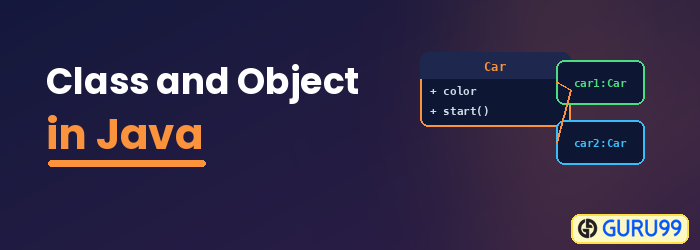
A Class is a blueprint or a set of instructions to build a specific type of object. It is a basic concept of Object-Oriented Programming which revolves around real-life entities. A class in Java determines how an object will behave and what the object will contain.
Syntax of Class in Java
class <class_name> {
    field;
    method;
}
What is an Object in Java?
An Object is an instance of a class. An object in OOP is nothing but a self-contained component that consists of methods and properties to make a particular type of data useful. For example, color, name, table, bag, or barking. When you send a message to an object, you are asking the object to invoke or execute one of its methods as defined in the class. From a programming point of view, an object in OOP can include a data structure, a variable, or a function. It has a memory location allocated. Java objects are designed as class hierarchies.
Object Syntax in Java
ClassName ReferenceVariable = new ClassName();
What is the Difference Between Object and Class in Java?
A Class in object-oriented programming is a blueprint or prototype that defines the variables and the methods (functions) common to all Java objects of a certain kind.
An object in OOP is a specimen of a class. Software objects are often used to model real-world objects that you find in everyday life.
Click here if the video is not accessible.
Click here if the video is not accessible
Understand the concept of Java Classes and Objects with an example
Let us take an example of developing a pet management system, specially meant for dogs. You will need various information about the dogs, like different breeds of dogs, the age, size, etc.
You need to model real-life beings, i.e., dogs, into software entities.
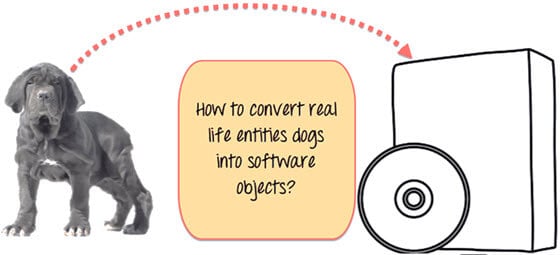
Moreover, the million-dollar question is, how do you design such software?
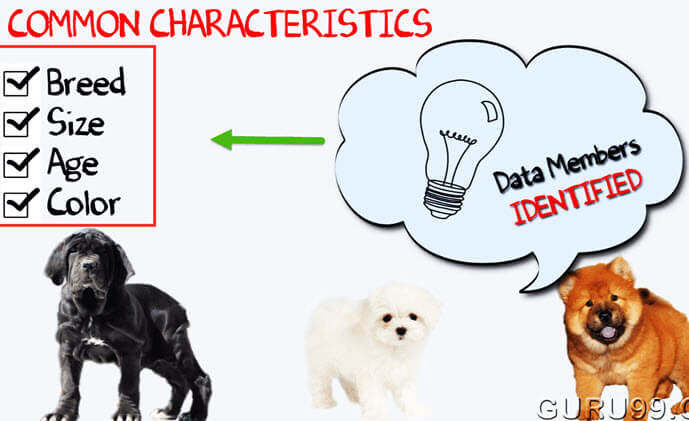
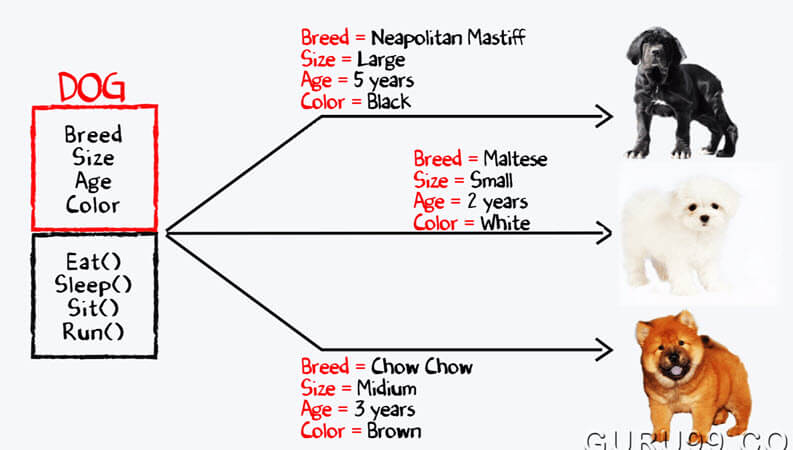
Here is the solution: First, let us do an exercise. You can see the picture of three different breeds of dogs below.

Stop here right now! List down the differences between them.
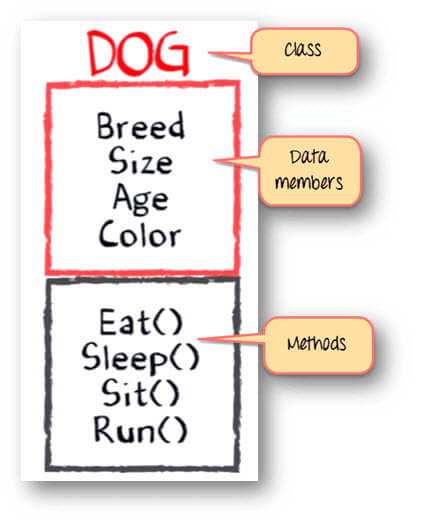
Some of the differences you might have listed out may be breed, age, size, color, etc. If you think for a minute, these differences are also some common characteristics shared by these dogs. These characteristics (breed, age, size, color) can form data members for your object.
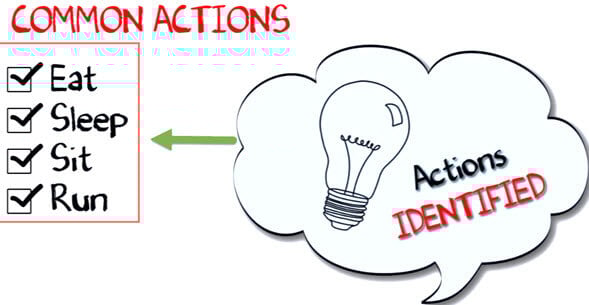
Next, list out the common behaviors of these dogs like sleep, sit, eat, etc. So these will be the actions of our software objects.
So far we have defined the following things:
- Class – Dogs
- Data members or objects – size, age, color, breed, etc.
- Methods – eat, sleep, sit, and run.
Now, for different values of data members (breed, size, age, and color) in a Java class, you will get different dog objects.
You can design any program using this OOP approach. While creating a class, one must follow these principles:
- Single Responsibility Principle (SRP): A class should have only one reason to change.
- Open Closed Principle (OCP): It should be possible to extend a class without modifying it.
- Liskov Substitution Principle (LSP): Derived classes must be substitutable for their base classes.
- Dependency Inversion Principle (DIP): Depend on abstraction and not on concretions.
- Interface Segregation Principle (ISP): Prepare fine-grained interfaces that are client-specific.
Classes and Objects in Java Example Programs
// Class Declaration
public class Dog {
    // Instance Variables
    String breed;
    String size;
    int age;
    String color;

    // method 1
    public String getInfo() {
        return ("Breed is: "+breed+" Size is:"+size+" Age is:"+age+" color is: "+color);
    }

    public static void main(String[] args) {
        Dog maltese = new Dog();
        maltese.breed="Maltese";
        maltese.size="Small";
        maltese.age=2;
        maltese.color="white";
        System.out.println(maltese.getInfo());
    }
}
Output:
Breed is: Maltese Size is:Small Age is:2 color is: white
Java Object and Class Example: main outside class
In the previous program, we created the main() method inside the class. Now, we create the class and define the main() method in another class. This is a better way than the previous one.
// Class Declaration
class Dog {
    // Instance Variables
    String breed;
    String size;
    int age;
    String color;

    // method 1
    public String getInfo() {
        return ("Breed is: "+breed+" Size is:"+size+" Age is:"+age+" color is: "+color);
    }
}
public class Execute {
    public static void main(String[] args) {
        Dog maltese = new Dog();
        maltese.breed="Maltese";
        maltese.size="Small";
        maltese.age=2;
        maltese.color="white";
        System.out.println(maltese.getInfo());
    }
}
Output:
Breed is: Maltese Size is:Small Age is:2 color is: white
