
What is Test Harness? (Examples)
 Editorial Team
⚡ Smart Summary
Test Harness in Software Testing brings together stubs, drivers, test data, and execution tools so teams validate modules before every dependency exists, turning blocked test cycles into repeatable, automated verification that reports results without manual effort.

Test Harness in Software Testing
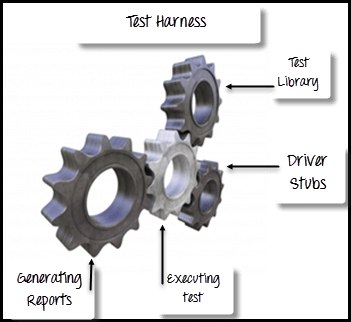
Test Harness in Software Testing is a collection of stubs, drivers and other supporting tools required to automate test execution. Test harness executes tests by using a test library and generates test reports. Test harness contains all the information needed to compile and run a test like test cases, target deployment port(TDP), source file under test, stubs, etc.
Put simply, a harness wraps the component you want to verify inside a controlled environment. Neighbouring modules that are missing get replaced by small dummy programs, inputs arrive from a fixed data set, and every outcome is written to a log instead of being read off a screen. The sections that follow explain why teams build one, what it is made of, how it runs, and where it fits.
Why use Test Harness?
A harness exists to take waiting out of the test cycle. Because it simulates whatever is not ready yet, a software testing team can start verifying behaviour in the first sprint rather than after the final integration. The diagram below shows where a harness sits between the test scripts and the application under test.
- Automate the testing process
- Execute test suites of test cases
- Generate associated test reports
- Support for debugging
- To record the test results for each one of the tests
- Helps the developers to measure code coverage at a code level
- Increase the productivity of the system through automation
- Enhance the quality of software components and application
- To handle the complex condition that testers are finding difficult to simulate
These gains matter most on short release cycles. When code ships several times a week, a defect that survives to the integration stage costs far more to trace than one caught against a stub on the day it was written. That payoff only arrives, however, when the harness is assembled from the right parts.
Key Components of a Test Harness
A harness is not a single program but an assembly of parts, each removing one obstacle that would otherwise stop a test from running unattended.
- Test scripts: Automated instructions stating the steps to perform and the result to expect, written per the test script conventions.
- Test execution engine: The runner that reads scripts in order, resolves dependencies, and triggers sequential or parallel execution.
- Test data repository: Input values held outside the script in CSV, JSON, XML, or a seeded database, often filled by test data generation tools.
- Drivers: Dummy calling modules that invoke the component under test when the real upper layer, such as a user interface, is unfinished.
- Stubs: Dummy called modules returning canned answers, for example a payment service replying “Payment Successful” without contacting a bank.
- Output validator: Assertion logic that compares actual output against the expected value and marks each case pass or fail.
- Logging and reporting layer: Timestamps, screenshots, console output, and a run summary that make every failure traceable afterwards.
Remove any one part and the harness stops being automatic, because something then has to be supplied by hand on every run.
How Does a Test Harness Work?
A harness repeats the same loop on every execution. Knowing that loop tells you exactly where your own automation testing assets plug in, and which step is failing when a run turns red.
- Prepare the environment: The harness resolves environment configuration, opens connections, and loads fixtures, so every run starts from the same known state.
- Load the test scripts: Scripts, parameters, and expected results are read from the repository. Nothing is typed in at run time, which is what makes a second run comparable to the first.
- Substitute the missing modules: Drivers stand in for callers that do not exist yet, and stubs stand in for services that are unfinished, unstable, or expensive to call.
- Invoke the application under test: The execution engine triggers the workflow described by the script, whether that is a method call, an API request, or a browser interaction.
- Capture the actual output: Return values, response payloads, database rows, log lines, and screen state are all recorded as they are produced.
- Compare against expected results: The output validator asserts on each captured value. Any mismatch marks the case as failed and records both the expected and the observed value.
- Log and report: The harness writes a timestamped trace of the run and generates a pass/fail report that a developer can read without re-running anything.
- Tear down: Temporary data, connections, and stub state are cleared so the next case cannot inherit residue from this one.
💡 Tip: Refresh your stubs whenever the real module changes. A stub still answering with last quarter’s format will report a green run while the live integration is already broken.
A worked example makes the loop concrete. Suppose the checkout page is ready but the payment gateway is not. A driver fires the request the interface would normally send, a stub answers first with “Payment Successful” and then with a timeout, and the validator confirms the order in one case and a retry prompt in the other. Both paths are verified before the gateway team writes a line of code.
There are two contexts where Test Harness is used
That same mechanism serves two distinct purposes, and the vocabulary changes slightly depending on which one you are in.
- Automation testing: It contains the test scripts, parameters necessary to run these scripts and gather results to analyze it
- Integration testing: It is used to put together two units of code or module that interact with each other to check whether or not the combined behavior is as expected or not
Consider a login module and a profile module that must exchange a user token. In the integration context, a driver simulates a successful login and hands the token to the profile logic, so the data mapping, the permission check, and the screen rendering can all be verified before the real authentication service is finished. In the automation context, that same pair of cases is added to a suite and re-run on every build without anyone touching it again.
Types of Test Harnesses
Because software is built in layers, a harness is usually specialised to the layer it verifies. Four types cover almost every project.
A unit test harness exercises the smallest pieces of code, such as a single function or method, with every dependency replaced by a stub. It is the fastest to run and the cheapest to maintain, which is why unit testing suites are usually the first harness a team builds. Testing a tax calculation without touching the billing module is a typical use.
An integration test harness checks that two or more modules cooperate correctly and is the layer where data mismatches and failed calls surface. It is the harness described in the integration testing context above, for instance verifying that an order service hands the right payload to a payment service.
A system test harness drives a complete end-to-end flow across interface, service, and database, so system testing can confirm that business rules hold once every layer is present. A regression test harness then re-runs the accumulated suite after each change, which is what makes regression testing practical when several hundred scenarios must be repeated on every merge.
Test Harness Tools
Each of those types is normally built on an existing tool rather than from scratch. The two classic choices remain the unit-level frameworks:
- Junit: Tool used while using Java
- Nunit: Tool used for using .Net framework
Beyond those two, most teams add tools that extend the harness to the browser, the API layer, or the load profile. The table below maps the common options to the role each one plays.
| Tool | Best suited for | Role inside the harness |
|---|---|---|
| JUnit | Java unit and integration suites | Supplies drivers, fixtures, and assertions |
| NUnit | C# and VB.NET code on the .NET platform | Same role as JUnit for .NET languages |
| Selenium | Browser based end-to-end flows | Acts as the driver for the user interface layer |
| TestNG | Large Java suites needing grouping and parallel runs | Serves as the test execution engine |
| PyTest | Python services and API level checks | Fixtures double as stubs and data providers |
| Apache JMeter | Load, stress, and performance scenarios | Generates synthetic traffic against the application under test |
| Postman | REST API contract verification | Provides mock servers that stand in for unfinished endpoints |
Whichever combination you pick, the harness only pays for itself once it runs unattended, so wire it into a continuous integration job early. A wider catalogue of options is listed in the Guru99 testing tools round-up. One distinction still causes confusion, and it is worth settling before you choose anything.
Test Harness Vs Test Framework
A harness and an automation framework are often treated as the same thing, yet they answer different questions: the harness is what executes a test, while the framework is the structure inside which tests are designed. The table below sets them side by side.
| Test Harness | Test Automation Framework |
|---|---|
| A test harness is composed of drivers and stubs, which are small dummy programs that interact with the software under test | It is a set of processes, procedures, abstract concept and an environment in which automated tests are designed and implemented |
| You can not “Record & Playback” script in Test Harness | A tester can manually “Record & Playback” script in this framework |
| Test harness contains all the information needed to compile and run a test like test cases, target deployment port(TDP), source file under test, stubs, etc. | Test automation framework contains information like test library, testing tools, automated testing practices, a testing platform, etc. |
| A test harness is categorized into Automation Testing Integration Testing |
Automation framework examples Data-driven testing Keyword driven testing Modularity driven testing Hybrid testing Model-based testing Code driven testing Behavior-driven testing |
