
Python List Append() with Examples
 Editorial Team
⚡ Smart Summary
Python list append() adds a single object to the end of an existing list, increasing its length by one. The method modifies the list in place, returns no value, and accepts integers, strings, floats, or other objects.
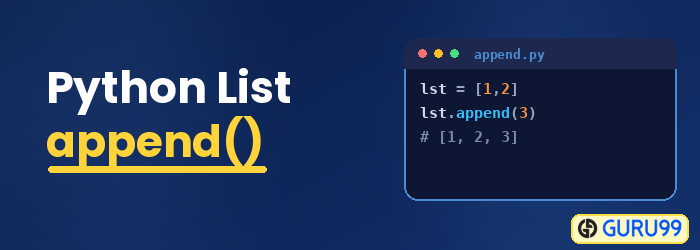
What is the Append method in Python?
The append function in Python helps insert new elements into a base list. The items are appended on the right-hand side of the existing list. The append method accepts a single argument and increments the size of the list by 1.
The following diagram illustrates Python’s append function:

Syntax:
List.append(object)
Note: Here, the object could be an integer number, string, or floating number. An append function does not return any value or list. Instead, it modifies and grows the base list.
How to utilize the Append function to create a Python list?
A Python list can be created and populated using two methods.
- In the first method, list comprehension is used.
- The second method utilizes the Append function and a “for loop”. In this approach, you can create a user-defined function that uses for loops and appends.
Take a look at the example below that uses the second method:
import math
def calc_sqr_root(b_list):
    bop=[]
    for number in b_list:
        bop.append(math.sqrt(number))
    return bop

base_list=(4,9,100,25,36,49,81)
print("the Squared number list is as follows",base_list)
calc_sqr_root(base_list)
print("the numbers with square root in list is as follows",calc_sqr_root(base_list))
Output:
the Squared number list is as follows (4, 9, 100, 25, 36, 49, 81)
the numbers with square root in the list is as follows [2.0, 3.0, 10.0, 5.0, 6.0, 7.0, 9.0]
Code Explanation:
- Make use of square brackets to define an empty list.
- The for loop and append function is used together under a user-defined define function.
- It fills an empty list from scratch.
- It inserts single items one by one by making use of for loop to insert items.
- The appended list is used to return value for the user-defined function.
Below is an example that uses the first method:
Example:
Python code:
import math
def calc_sqr_root(b_list):
    return [math.sqrt(number) for number in b_list]
base_list=(4,9,100,25,36,49,81)
print("the Squared number list is as follows",base_list)
calc_sqr_root(base_list)
print("the numbers with square root in list is as follows",calc_sqr_root(base_list))
Output:
the Squared number list is as follows (4, 9, 100, 25, 36, 49, 81)
the numbers with a square root in the list are as follows [2.0, 3.0, 10.0, 5.0, 6.0, 7.0, 9.0]
Code Explanation:
- You can use list comprehension as a substitute to append a function in Python to fill a list from scratch.
- It helps in populating a list from the start.
- The List comprehension under the customized list helps populate elements in the original list.
- It helps optimize the processing of data compared to the combination of for loop with the append function.
How Append method Works?
The append function works in the following manner:
- The Append function in Python adds the object to the base list.
- It takes the object as an argument and places it in the next empty space.
- The list items are ordered and can be accessed using the index.
Below is an image showing the indexes for the elements:

Let us take the below example that adds elements to the base list.
Python Example:
baselist = ['P','Y','3','4.2','T']
print("The original list", baselist)
print("At index 0:", baselist[0])
print("At index 3:",baselist[3])
baselist.append('n')
print("The appended list", baselist)
print("At index 5 post append:",baselist[5])
Output:
The original list ['P', 'Y', '3', '4.2', 'T']
At index 0: P
At index 3: 4.2
The appended list ['P', 'Y', '3', '4.2', 'T', 'n']
At index 5 post append: n
Code Explanation:
- The Append function added object data type of object to the reserved space available in the list.
- Python lists are iterable sequences that can hold different data types and objects.
The append function adds a new element at index 5, as shown below:

How to insert elements to a list without Append?
Programmers can add elements to a list by applying a two-step process if the append function is not used.
Using a Len function, you can find out the length of the last item in a list. Assign the empty space identified to the new object. The following example illustrates the concept:
Example:
base_list=[2,4,6]
print("The list before append",base_list)
base_list[len(base_list):]=[10]
print("The list after append",base_list)
Output:
The list before append [2, 4, 6]
The list after append [2, 4, 6, 10]
How to define Stack using Append Function?
The following attributes apply to a stack:
- A stack can be defined as a data structure that places items one over another.
- The items can be inserted or deleted on last in first out basis.
- Typically, a stack pushes an item either at the end or at the top of the stack, whereas a pop operation removes an item from the stack.
- An append function acts as a push operation of the stack, whereas a list, by default, has a pop function defined for removing items.
- The pop method, by default, returns and removes the last item from the list when no arguments are specified to the function.
- It throws an index error when the list becomes empty.
- If an integer argument is provided to the function, then it returns the index of the list.
- It removes the item present at that index of the list.
Let us look at a program where the append and pop function work as push and pop operations for the defined stack:
Example:
Python code:
#initialize the stack
GGGstack = []
print("Adding item to the list",GGGstack.append(100))
print("Adding item to the list",GGGstack.append(2333))
print("Adding item to the list",GGGstack.append(50000))
print("the base list after adding elements,",GGGstack)
print("base list after calling pop",GGGstack.pop())
print("base list after calling pop",GGGstack.pop())
print("base list after calling pop",GGGstack.pop())
print("base list after calling pop",GGGstack.pop())
Output:
Adding item to the list None

Adding item to the list None

Adding item to the list None

the base list after adding elements, Stack([100, 2333, 50000])

base list after calling pop 50000

base list after calling pop 2333

base list after calling pop 100

Empty stack

base list after calling pop None
Code Explanation:
- A stack GGGStack is defined
- Items are added using the append method
- Each item is popped from the original list one by one.
- When the list is empty, it throws an index error.
What is the extend method in Python?
Extend function allows adding new elements to an iterable list. Examples of iterable lists include dictionaries, tuples, and strings. These attributes help you modify the elements of an iterable list.
Note: This function does not return any value post its execution.
The following is the syntax for the extend function:
Syntax:
List.extend(iterable list)
Difference between Extend and Append in Python
The append and extend methods differ in the following key ways:
- The append function in Python adds only one element to the original list, while the extend function allows multiple items to be added.
- The append list takes only a single argument, whereas the extend function takes an iterable list such as tuples and dictionaries.
