
Output Determination in SAP SD using Tcode V/30
 Editorial Team
⚡ Smart Summary
Output determination in SAP decides the media—print, fax, email, or EDI—sent to business partners from documents such as invoices and order confirmations. It is maintained through the customer master or, more flexibly, the condition technique using transaction V/30.
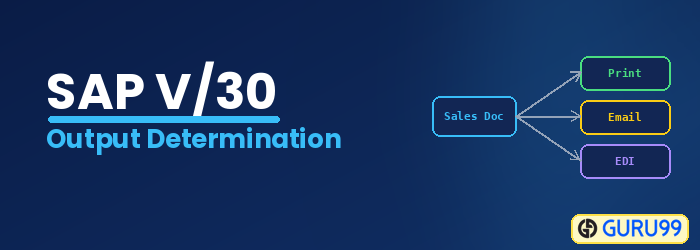
Output determination for Sales Activities
Output determination is the process to determine the “media” such as printouts, telexes, faxes, e-mails, or EDI that are sent from one business to any of its business partners.
The output can be sent to the business partners (Customer / Vendor) in the format which is defined in documents such as invoices, order confirmations, delivery notes, or shipping notifications. Output determination can be maintained in two ways-
- Customer master – Output determination can be maintained in customer master. Output proposal triggered by the customer master does not have the benefit of using an access sequence (A search criteria, which is using to get valid data for a condition type).
- Condition technique – Output determination can be triggered by condition technique.
Output determination using condition technique can be maintained for three purposes-
- Output determination for sales activities (Sales call, Sales Letter, Phone calls etc.).
- Output determination for sales documents (Invoice, etc.).
- Output determination for billing documents (Billing, etc.).
Output determination for sales activities.
Step 1)
- Enter T-code V/30 in the command field.
- Select output types node.
- Click on new entries’ button.
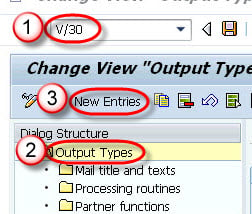
Step 2)
- Enter output type , description and select general data tab.
- Enter Access sequence.
- Check Access to conditions.
- Unchecked multiple issuing.

Step 3)
- Enter Transmission medium(medium of output).
- Enter Partner function.

Step 4)
Check timing 4 in time tab.

Step 5)
Click on save button. A message “Data was saved ” will be displayed.

Key Elements of the Condition Technique
The condition technique for output determination is built from the same components used in pricing. Understanding them makes configuration predictable:
- Condition type: The output itself, such as an order confirmation or invoice.
- Access sequence: The search strategy that finds a valid condition record.
- Condition table: The key fields, such as customer and document type, used in the search.
- Output procedure: The list of condition types assigned to a document.
- Condition record: The actual data that triggers the output and its medium.
Best Practices for Output Determination
- Prefer the condition technique: Use it instead of the customer master for flexible control.
- Set the correct medium and timing: Choose print, email, or EDI and the right dispatch time.
- Maintain partner functions: Direct each output to the correct partner.
- Test with real documents: Verify output on a sample invoice or order confirmation.
- Reuse standard types: Copy standard output types rather than building from scratch.
