
Consignment Process in SAP SD
 Editorial Team
⚡ Smart Summary
Consignment Process in SAP SD lets a company store products at a customer location while retaining ownership until the customer consumes them, managed through four sales order types covering fill-up, issue, return, and pickup of consignment stock.
What is the Consignment Process?
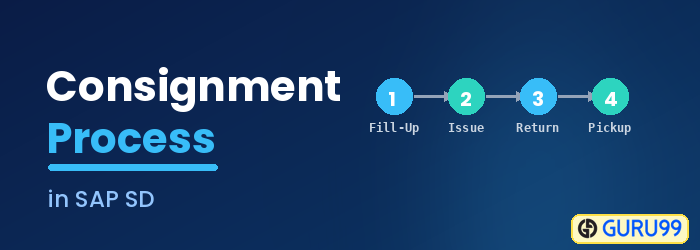
Consignment Process is where product are stored at the customer location but the owner of this product is still company. Customer stores the consignment stock at their own a warehouse. Customer can consume product from warehouse at any time and customer billed for product for actually quantity consumes. In Consignment Stock Processing, there are four main transactions in the SAP System, all of which support separate management of stock:
- Consignment Fill-Up (Stock Fill up at warehouse).
- Consignment Issue (Stock issue from warehouse).
- Consignment Return (Stock return from customer).
- Consignment Pickup (Stock return to manufacture).
The table below summarizes the four consignment processes, their sales order types, and what each one does.
| Process | Order Type | Description |
|---|---|---|
| Consignment Fill-Up (CF) | KB | Company stores product at customer site; company remains owner. |
| Consignment Issue (CI) | KE | Customer consumes product and is billed for the quantity used. |
| Consignment Return (CONR) | KR | Customer returns damaged, poor-quality, or expired issued product. |
| Consignment Pickup (CP) | KA | Company takes back unsold consignment stock from the customer. |
Consignment Fill-Up
Consignment Fill-Up is a process, in which company store product at customer sites and still company is the owner of this product. This process is known as consignment fill up (CF). Sales order type for consignment filling is – KB.
In consignment fill up only order and delivery takes place.
Step 1) Create Consignment Fill Up
- Enter T-code VA01 in the command field.
- Enter Order type CF (consignment fill up).
- Enter sales area in organizational data.

Step 2)
- Enter PO number.
- Enter PO Date.
- Enter Order Quantity.

Step 3) Click on save  button.
A message as below is displayed.

Consignment Issue
Once stock has been filled at the customer site, the customer may consume it. The customer can access product at any time to sell or their use from their warehouse and company will issue invoices for only accessed product, and this invoices known as the consignment issue (CI). Sales order type for consignment issue is – KE.
In consignment Issue Order, Delivery and Invoices take place.
Step 1)
- Enter T-code VA01 in command field.
- Enter order type CI (Consignment issue).
- Enter Sales area data in Organizational data block.

Step 2)
- Enter Sold-To party / Ship-to Party / PO number.
- Enter PO Date.
- Enter Material and ordered quantity.

Step 3) Click on save  button.




Consignment Return
Sometimes issued product must come back. If customer return product due to damage, poor quality, expiry, then this process is called consignment return (CONR). Consignment return happens after consignment issue. i.e customer can return Consignment product, the product are issued to customer by Consignment issue process. Sales order type for consignment return is – KR.
In consignment Return Order, Delivery, Invoices and Credit for return take place.
Step 1)
- Enter T-code VA01 in command field.
- Enter order type CONR (Consignment Returns).
- Enter Sales area data in Organizational Data block.

Step 2)
- Enter Sold-to Party / Ship-to party.
- Enter Order reason.
- Enter Material and ordered quantity.

Step 3) Click on save  button.

Consignment Pickup
Finally, unsold stock can be reclaimed by the company. When a customer request to the company, to take back the product, the company will pack this product from customer sites, this process is known as Consignment Pickup (CP). In consignment pickup process, product are not issued to customer and only stored at customer warehouse as consignment stock. Sales order type for consignment pickup is – KA.
In consignment Pickup Order, Return Delivery takes place.
Step 1)
- Enter T-code VA01 in command field.
- Enter Order type CP (Consignment pickup).
- Enter Sales Area data in Organizational Data block.

Step 2)
- Enter Sold-to Party / Ship-to party.
- Enter Order reason.
- Enter Material and ordered quantity.

Step 3) Click on save button.

