
How to Find Average of List in Python
 Editorial Team
⚡ Smart Summary
Finding the average of a list in Python means dividing the sum of its numbers by their count. Here you will learn four ways to do it: a loop, sum() with len(), the statistics module, and NumPy.
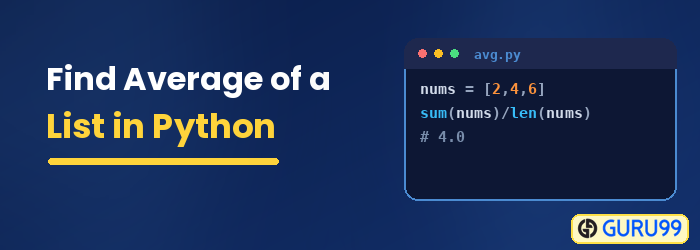
Python Average
The Python Average function is used to find the average of given numbers in a list. The formula to calculate average in Python is done by calculating the sum of the numbers in the list divided by the count of numbers in the list.
The Python average of list can be done in many ways listed below:
Method 1: Python Average via Loop
In this example, we have initialized the variable sum_num to zero and used for loop. The for-loop will loop through the elements present in the list, and each number is added and saved inside the sum_num variable. The average of list Python is calculated by using the sum_num divided by the count of the numbers in the list using len() built-in function.
Code Example
def cal_average(num):
    sum_num = 0
    for t in num:
        sum_num = sum_num + t
    avg = sum_num / len(num)
    return avg
print("The average is", cal_average([18,25,3,41,5]))
Output:
The average is 18.4
Method 2: Python Average – Using sum() and len() built-in functions
In this example the sum() and len() built-in functions are used to find average in Python. It is a straight forward way to calculate the average as you don’t have to loop through the elements, and also, the code size is reduced. The average can be calculated with just one line of code as shown below.
Program Example
# Example to find average of list
number_list = [45, 34, 10, 36, 12, 6, 80]
avg = sum(number_list)/len(number_list)
print("The average is ", round(avg,2))
Output:
The average is 31.86
Method 3: Python Average Using mean function from statistics module
You can easily calculate the “average” using the mean function from the statistics module. Example shown below
# Example to find the average of the list
from statistics import mean

number_list = [45, 34, 10, 36, 12, 6, 80]
avg = mean(number_list)
print("The average is ", round(avg,2))
Output:
The average is 31.86
Method 4: Average in Python Using mean() from numpy library
Numpy library is commonly used library to work on large multi-dimensional arrays. It also has a large collection of mathematical functions to be used on arrays to perform various tasks. One important one is the mean() function that will give us the average for the list given.
Code Example
# Example to find avearge of list
from numpy import mean
number_list = [45, 34, 10, 36, 12, 6, 80]
avg = mean(number_list)
print("The average is ", round(avg,2))
Output:
C:\pythontest>python testavg.py
The average is  31.86
