
Python List Comprehension: Append, Sort, Length
 Editorial Team
⚡ Smart Summary
A Python list is a mutable container that holds objects like numbers and strings in square brackets. Here you will learn to access, slice, update, delete, append, sort, and loop through lists, plus how list comprehensions work.
What is a Python List?
A list is exactly what it sounds like, a container that contains different Python objects, which could be integers, words, values, etc. It is the equivalent of an array in other programming languages. It is represented by square brackets (and this is one of the attributes that differentiates it from tuples, which are separated by parentheses). It is also mutable, that is, it can be modified or updated; unlike tuples, which are immutable.
Examples of Python lists:
Python lists can be homogeneous, meaning that they can contain the same type of objects; or heterogeneous, including different types of objects.
Examples of homogeneous lists include:
list of integers =  [1, 2, 3, 8, 33]
list of animals = ['dog', 'cat', 'goat']
list of names = ['John', 'Travis', 'Sheila']
list of floating numbers = [2.2, 4.5, 9.8, 10.4]
Examples of heterogeneous lists include:
[2, 'cat', 34.33, 'Travis']
[2.22, 33, 'pen']
Accessing values within lists
To access values within lists, the index of the objects inside the lists can be used. An index in Python lists refers to the position of an element within an ordered list. For example:
list = [3, 22, 30, 5.3, 20]
- The first value in the list above, 3, has an index of 0
- The second value, 22, has an index of 1
- The third value, 30, has an index of 2
and so on. To access each of the values from the list, you would use:
list[0] to access 3
list[1] to access 22
list[2] to access 30
list[3] to access 5.3
list[4] to access 20
The last member of a list can also be accessed by using the index -1. For example,
list[-1] = 20
Python List slicing
List slicing is the method of splitting a subset of a list, and the indices of the list objects are also used for this. For example, using the same list example above;
list[:] = [3, 22, 30, 5.3, 20] (all the members of the list];
list[1:3] = [22, 30] (members of the list from index 1 to index 3, without the member at index 3);
list[:4] = [3, 22, 30, 5.3] (members of the list from index 0 to index 4, without the member at index 4)
list[2:-1] = [30, 5.3] (members of the list from index 2, which is the third element, to the second to the last element in the list, which is 5.3).
Python lists are upper-bound exclusive, and this means that the last index during list slicing is usually ignored. That is why
list[2:-1] = [30, 5.3]
, and not [30, 5.3, 20]. The same goes for all the other list slicing examples given above.
Updating lists
Let’s say you have a list = [physics, chemistry, mathematics], and you want to change the list to [biology, chemistry, mathematics], effectively changing the member at index 0. That can easily be done by assigning that index to the new member you want.
That is,
list = [physics, chemistry, mathematics]
    list[0] = biology
    print(list)
Output: [biology, chemistry, mathematics]
This replaces the member at index 0 (physics) with the new value you want (chemistry). This can be done for any member or subset of the list you want to change.
To give another example; let’s say you have a list called integers and containing the numbers [2, 5, 9, 20, 27]. To replace 5 in that list with 10, you can do that with:
integers = [2, 5, 9, 20, 27]
           integers[1] = 10
           print(integers)

>>> [2, 10, 9, 20, 27]
To replace the last member of the list of integers, which is 27, with a free number like 30.5, you would use:
integers = [2, 5, 9, 20, 27]
           integers[-1] = 30.5
           print(integers)

>>> [2, 5, 9, 20, 30.5]
Deleting list elements
There are 3 Python methods for deleting list elements: list.remove(), list.pop(), and del operator. Remove method takes the particular element to be removed as an argument while pop and del take the index of the element to be removed as an argument. For example:
list = [3, 5, 7, 8, 9, 20]
To delete 3 (the 1st element) from the list, you could use:
- list.remove(3) or
- list.pop[0], or
- del list[0]
To delete 8, the item at index 3, from the list, you could use:
- list.remove(8), or
- list.pop[3]
Appending list elements
To append elements to a list, the append method is used, and this adds the element to the end of the list.
For example:
list_1 = [3, 5, 7, 8, 9, 20]
    list_1.append(3.33)
    print(list_1)

    >>> list_1 = [3, 5, 7, 8, 9, 20, 3.33]

    list_1.append("cats")
    print(list_1)
    >>> list_1 = [3, 5, 7, 8, 9, 20, 3.33, "cats"]
List built-in functions (methods)
The following is a list of list built-in functions and methods with their descriptions:
- len(list): this gives the length of the list as output. For example:
numbers = [2, 5, 7, 9]
print(len(numbers))
>>> 4
- max(list): returns the item in the list with the maximum value. For example:
numbers = [2, 5, 7, 9]
print(max(numbers))
>>> 9
- min(list): returns the item in the list with the minimum value. For example:
numbers = [2, 5, 7, 9]
print(min(numbers))
>>> 2
- list(tuple): converts a tuple object a list. For example;
animals = (cat, dog, fish, cow)
print(list(animals))
>>> [cat, dog, fish, cow]
- list.append(element): appends the element to the list. For example;
numbers = [2, 5, 7, 9]
numbers.append(15)
print(numbers)
>>> [2, 5, 7, 9, 15]
- list.pop(index): removes the element at the specified index from the list. For example;
numbers = [2, 5, 7, 9, 15]
numbers.pop(2)
print(numbers)
>>> [2, 5, 9, 15]
- list.remove(element):deletes the element from the list. For example;
values = [2, 5, 7, 9]
values.remove(2)
print(values)
>>> [5, 7, 9]
- list.reverse(): reverses the objects of the list. For example;
values = [2, 5, 7, 10]
values.reverse()
print(values)
>>> [10, 7, 5, 2]
- list.index(element): to get the index value of an element within the list. For example;
animals = ['cat', 'dog', 'fish', 'cow', 'goat']
fish_index = animals.index('fish')
print(fish_index)
>>> 2
- sum(list): to get the sum of all the values in the list, if the values are all numbers (integers or decimals). For example;
values = [2, 5, 10]
sum_of_values = sum(values)
print(sum_of_values)

>>> 17
If the list contains any element that is not a number, such as a string, the sum method would not work. You would get an error saying: “TypeError: unsupported operand type(s) for +: ‘int’ and ‘str'”
- list.sort(): to arrange a list of integers, floating point numbers, or strings, in ascending or descending order. For example:
values = [1, 7, 9, 3, 5]
# To sort the values in ascending order:
values.sort()
print(values)

>>> [1, 3, 5, 7, 9]
Another example:
values = [2, 10, 7, 14, 50]
# To sort the values in descending order:
values.sort(reverse = True)
print(values)

>>> [50, 14, 10, 7, 2]
A list of strings can also be sorted, either alphabetically, or by length of the strings. For example;
# to sort the list by length of the elements
strings = ['cat', 'mammal', 'goat', 'is']
sort_by_alphabet = strings.sort()
sort_by_length = strings.sort(key = len)
print(sort_by_alphabet)
print(sort_by_length)

>>> ['cat', 'goat', 'is', 'mammal']
        ['is', 'cat', 'goat', 'mammal']
We can sort the same list alphabetically by using ‘strings.
Looping through lists
Looping through lists can be done in just the same way as any other looping function in Python. This way, a method can be performed on multiple elements of a list at the same time. For example:
list = [10, 20, 30, 40, 50, 60, 70].
To loop through all the elements of this list, and let’s say, add 10 to each element:
for elem in list:
        elem = elem + 5
        print(elem)

    >>>>15
        25
        35
        45
        55
        65
        75
To loop through the first three elements of the list, and delete all of them;
for elem in list[:3]:
    list.remove(elem)

    >>>list = [40, 50, 60, 70]
To loop through the 3rd (index 2) to last element on the list, and append them to a new list called new_list:
new_list = []
    for elem in list[2:]:
        new_list.append(elem)
        print(“New List: {}”.format(new_list))

   Output:
	New List: [30, 40, 50, 60, 70]
In this way, any or method or function can be applied to the members of a list to perform a particular operation. You can either loop through all the members of the list, or loop through a subset of the list by using list slicing.
List Comprehensions Python
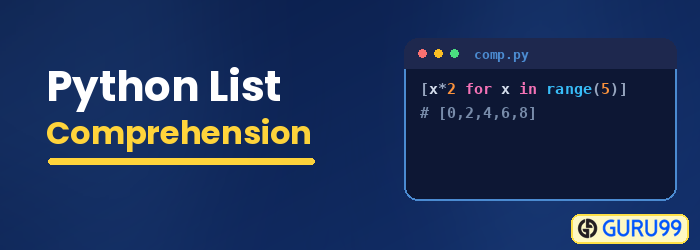
List comprehensions are Python functions that are used for creating new sequences (such as lists, dictionaries, etc.) using sequences that have already been created. They help to reduce longer loops and make your code easier to read and maintain.
For example; let’s say you wanted to create a list which contains the squares of all the numbers from 1 to 9:
list_of squares = []
    for int in range(1, 10):
        square = int ** 2
        list_of_squares.append(square)

    print(list_of_squares)

List_of_squares using for loop:

    [1, 4, 9, 16, 25, 36, 49, 64, 81]
To do the same thing with list comprehensions:
list_of_squares_2 = [int**2 for int in range(1, 10)]

    print('List of squares using list comprehension: {}'.format(list_of_squares_2))

Output using list comprehension:

    [1, 4, 9, 16, 25, 36, 49, 64, 81]
As seen above, writing the code using list comprehensions is much shorter than using traditional for loops, and is also faster. This is just one example of using list comprehensions in place of for loops, but this can be replicated and used in a lot of places where for loops can also be used. Sometimes, going with a for loop is the better option, especially if the code is complex, but in many cases, list comprehensions will make your coding easier and faster.
Below is a table containing some list functions and methods, and their descriptions.
Built-in Functions
| FUNCTION | DESCRIPTION |
|---|---|
| Round() | Rounds off the number passed as an argument to a specified number of digits and returns the floating point value |
| Min() | return minimum element of a given list |
| Max() | return maximum element of a given list |
| len() | Returns the length of the list |
| Enumerate() | This built-in function generates both the values and indexes of items in an iterable, so we don’t need to count manually |
| Filter() | tests if each element of a list true or not |
| Lambda | An expression that can appear in places where a def (for creating functions) is not syntactic, inside a list literal or a function’s call arguments |
| Map() | returns a list of the results after applying the given function to each item of a given iterable |
| Accumulate() | apply a particular function passed in its argument to all of the list elements returns a list containing the intermediate results |
| Sum() | Returns the sum of all the numbers in the list |
| Cmp() | This is used for comparing two lists and returns 1 if the first list is greater than the second list. |
| Insert | Insert element to list at particular position |
List Methods
| FUNCTION | DESCRIPTION |
|---|---|
| Append() | Adds a new item to the end of the list |
| Clear() | Removes all items from the list |
| Copy() | Returns a copy of the original list |
| Extend() | Add many items to the end of the list |
| Count() | Returns the number of occurrences of a particular item in a list |
| Index() | Returns the index of a specific element of a list |
| Pop() | Deletes item from the list at particular index (delete by position) |
| Remove() | Deletes specified item from the list (delete by value) |
| Reverse() | In-place reversal method which reverses the order of the elements of the list |
