
How to Create Partner Function & Partner Determination: SAP VOPAN
 Editorial Team
⚡ Smart Summary
Partner Function and Partner Determination in SAP define the roles that customers and organizations play in a sales transaction. This resource explains partner functions, partner types, and the three step VOPAN configuration that links each function to an account group.
What is Partner Function?
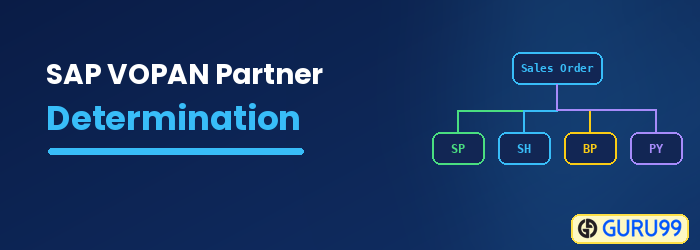
A partner function is a two-character identification key that describes the people and organizations you do business with and who are therefore involved in a transaction. It defines the role each party plays in the sales process. Here are some standard partner functions for a customer:
- Sold-to party
- Ship-to party
- Bill-to party
- Payer
What is Partner Determination?
The partner and business partner terms in SAP SD refer to the parties with whom you do business, and each business partner has a specific role. For example, the Sold-to party is the business partner who orders the goods or services. Partner determination controls which partner functions are valid and defaulted for an object, and it is completed in three steps:
- Define the partner function.
- Create the partner determination procedure by grouping partner functions.
- Assign the partner determination procedure to the respective partner object.
Common Partner Functions and Partner Types in SAP SD
Every partner function belongs to a partner type, which fixes the kind of master record the function can use. SAP delivers the partner types, and you build your own functions on top of them. The most common customer partner functions in Sales and Distribution are shown below.
| Partner function | Standard key | Partner type | Role in the sales process |
|---|---|---|---|
| Sold-to party | SP | KU (Customer) | Places the order |
| Ship-to party | SH | KU (Customer) | Receives the goods |
| Bill-to party | BP | KU (Customer) | Receives the invoice |
| Payer | PY | KU (Customer) | Settles the invoice |
| Forwarding agent | FA | LI (Vendor) | Transports the goods |
| Contact person | CP | AP (Contact) | Main contact at the customer |
A single customer master can hold all four core functions at once, which lets one order be delivered, invoiced, and paid by different parties whenever the business requires it. When a customer is created, SAP copies these default partner functions into the master record, and they later flow automatically into every sales document raised for that customer.
How to Configure Partner Determination in SAP using VOPAN
Partner determination is set up in three stages: define the partner function, group functions into a procedure, and assign that procedure to a partner object. The steps below configure partner determination for the customer master in transaction VOPAN.
Step 1) Define the partner function.
- Enter T-Code VOPAN in the command bar.
- Select the Customer Master partner object.
- Click on the Change button. The Partner Determination Procedure screen appears.

Next, create the procedure and its partner functions:
- Click on the New Entries button.

- Enter the Partner Determination Procedure and its name.

- Double-click on the Partner Function node. The screen below appears.

- Click on the New Entries
 button.
 - Enter the Partner Function detail.


 button.
Enter the Partner Function, Name, and Partner Type using the fields below:
| Field Name | Description |
|---|---|
| Partner Function | Two-character unique identifier for each partner function. |
| Name | A meaningful description for this partner function. |
| Partner Type | Tells whether the partner function is for a customer (KU), a vendor (LI), a contact person (AP), and so on. |
Step 2) Create the partner determination procedure by grouping partner functions.
- Click on Partner Functions in the Procedure node.
- Enter the Partner Det. Procedure, Partner Function, and Name.

Step 3) Assign the partner determination procedure to the partner object.
We are creating a partner function for a customer, so the partner object is Customer and it is assigned to the Account Group. The table below shows how each partner object is assigned:
| Partner Object | Assign to |
|---|---|
| Customer | Account Group |
| Sales Document Header | Sales Document Type |
| Sales Document Item | Item Category Type |
| Delivery Header | Delivery Document Type |
| Shipment Header | Shipment Document Type |
| Billing Header | Billing Document Type |
| Billing Item | Billing Item Category type |
| Contact | Contact type |
- Click on the Account Groups – Function node and click on the New Entries button.
- Enter the Partner Function, Name, Account Group, and Name.

Click on the Save button  to save the partner function.
Best Practices for Partner Determination in SAP SD
Thoughtful partner determination keeps sales documents complete, protects downstream delivery and billing, and reduces errors during order processing. Keep the following best practices in mind when you configure partner functions in SAP SD:
- Assign only what you need: Add just the partner functions a process requires so that master data stays simple and clear.
- Set mandatory functions: Mark essential functions, such as Sold-to and Ship-to party, as mandatory to prevent incomplete documents.
- Reuse standard functions: Prefer the partner functions SAP delivers before creating custom ones, because standard functions are supported across processes.
- Test with real scenarios: Verify the procedure with a sample customer and order before transporting it to production.
- Document custom functions: Record the purpose of any custom partner function so future consultants understand its role.
- Keep procedures consistent: Reuse the same determination procedure across similar account groups so that partner behavior stays predictable and easy to support.
