
10 Top Cyber Security Companies (2026)
 Editorial Team

Are you tired of betting your business on security providers that promise protection but deliver headaches? I’ve seen weak choices trigger data leaks, compliance failures, slow incident response, poor visibility, hidden costs, vendor lock-in, weak support, outdated defenses, and false confidence. These mistakes drain budgets, stall teams, and expose reputations. The right providers reverse the damage by strengthening detection, speeding response, simplifying compliance, and restoring trust.
I spent over 150 hours researching and hands-on testing 36+ Cyber Security Companies to curate this guide. From that deep dive, I narrowed everything down to the 10 that truly matter. This article is backed by firsthand experience and real-world evaluation. I break down key features, pros and cons, and pricing for clarity. Read through the full article to make a confident, informed decision. Read more…

ManageEngine provides a centralized cybersecurity and IT management platform focused on endpoint security, patching, vulnerability management, and compliance. It helps organizations reduce attack surfaces by managing firewalls, endpoints, and configurations.
Top Cybersecurity Companies: Top Picks!
| Cyber Security Company | Key Features | Free Trial | Link |
|---|---|---|---|
👍 ManageEngine |
Vulnerability Management, Patch Automation, Compliance Reports | 30-day Free Trial | Learn More |
 Log360 |
SIEM, Real-Time Threat Detection, UEBA | Free Trial Available | Learn More |
 Teramind |
Insider Threat Detection, User Behavior Analytics | Demo Available | Learn More |
 Vulnerability Manager Plus |
Vulnerability Assessment, Patch Management, Security Configuration | 30-Days Free Trial | Learn More |
 Check Point Software Technologies Ltd |
Network Security, Cloud & Endpoint Protection | Demo Available | Learn More |
1) ManageEngine
ManageEngine provides a centralized cybersecurity and IT management platform focused on endpoint security, patching, vulnerability management, and compliance. It helps organizations reduce attack surfaces by managing firewalls, endpoints, and configurations while strengthening protection against malware, ransomware, and zero-trust gaps.
What stood out to me was how quickly risks became visible once everything was centralized. During a routine security review, mispatched endpoints and policy gaps surfaced immediately, making prevention and remediation far more efficient without juggling multiple tools or losing governance control.
Headquarters: Pleasanton, California – United States
Founded: 1996
Revenue: $974 Million
Employee Strength: >10000
Features:
- Unified Visibility: This feature brings all endpoints into a single management view, eliminating blind spots across networks. It helps maintain consistent security controls on distributed devices. I’ve used it to quickly identify unmanaged systems during a sudden endpoint audit.
- Patch Automation: This capability simplifies patching by automating detection, testing, and deployment across operating systems and applications. It reduces exposure to exploits caused by delayed updates. While using this feature, I suggest staging patches on a pilot group before full rollout.
- Risk Assessment: This feature continuously scans endpoints to identify vulnerabilities and ranks them by severity. It helps security teams focus remediation efforts where risk is highest. I found it especially useful during quarterly risk reviews when timelines were tight.
- Threat Response: This functionality detects malicious activity and triggers automated remediation workflows. It strengthens protection against malware, ransomware, and intrusion attempts. You can integrate this with SOC processes to accelerate incident containment.
- Surface Control: This feature reduces attack vectors by restricting risky behaviors, ports, and applications. It supports a zero-trust approach at the endpoint level. I once relied on this to block unauthorized tools introduced during an urgent vendor troubleshooting session.
- Policy Compliance: This capability identifies configuration drift and unsafe endpoint settings that often lead to breaches. It enforces standardized security baselines across environments. If compliance audits are a recurring pain point, this keeps controls consistently enforced.
Pros
Cons
Pricing:
Free download available for more information, contact support.
2) Log360
Log360 is a SIEM and log management solution built for real-time threat detection, compliance monitoring, and security analytics across networks, endpoints, and cloud environments. It correlates logs to identify intrusions, suspicious behavior, and policy violations while supporting audits and regulatory requirements.
I’ve seen Log360 turn overwhelming log data into clear security signals. While reviewing unusual access patterns, it highlighted a genuine threat buried under noise, allowing faster investigation, forensics, and response before the issue escalated into a broader security incident.
Headquarters: Pleasanton, California – USA
Founded: 1996
Revenue: $974 Million
Employee Strength: >10000
Features:
- Centralized Logging: This feature brings logs from Active Directory, servers, endpoints, applications, and cloud environments into one unified SIEM console. It standardizes event data quickly. I like how it prevents context switching when investigating network-security and cloud-security incidents.
- Threat Correlation: This capability connects related security events in real time to uncover multi-stage attacks that single alerts can’t reveal. It reduces alert noise significantly. I’ve seen it expose lateral movement patterns that traditional firewall and IDS alerts failed to detect.
- Threat Intelligence: This feature enriches alerts with global intelligence feeds, adding reputation and risk context to IPs and domains. It speeds up decision-making. While testing this feature, I noticed investigations move faster when indicators already include threat severity and origin details.
- Compliance Reporting: This capability automates audit-ready reports for standards like PCI DSS, HIPAA, and SOX using live log data. It reduces manual evidence collection. I would recommend scheduling reports in advance to stay audit-ready and avoid last-minute compliance stress.
- Security Monitoring: This feature continuously analyzes telemetry and triggers alerts when abnormal behavior appears across your environment. Dashboards convert raw data into insights. I’ve used this during maintenance windows and caught abnormal authentication spikes before they escalated into incidents.
- Log Forensics: This capability enables fast, detailed log searches using filters, Boolean logic, and wildcards. It shortens investigation time. I tested this while tracing a phishing incident, and the focused results helped isolate the compromised account within minutes.
Pros
Cons
Pricing:
You get a live demo and get the quote from the sales.
3) Teramind
Teramind focuses on insider threat detection, user behavior analytics, and data loss prevention by monitoring endpoint activity in real time. It helps organizations prevent phishing fallout, data exfiltration, and policy violations while supporting compliance, risk management, and security investigations.
In one scenario, abnormal user behavior was flagged early, preventing a potential data exposure. That level of visibility made it clear how Teramind strengthens prevention, supports forensics, and reinforces governance without relying solely on perimeter-based security controls.

Headquarters: Florida, USA
Founded: 2014
Revenue: $13.4 Million
Employee Strength: 10,000
Features:
- Insider Threat Prevention: This feature helps you spot risky insider behavior before it becomes a breach. It correlates user actions across apps, files, and sessions to flag suspicious intent. I’ve seen it catch unusual after-hours access patterns fast. That early signal makes containment simpler.
- Data Loss Prevention: You can reduce leakage by monitoring and controlling sensitive data movement across endpoints. It watches transfers, uploads, and other exfiltration paths that attackers love to abuse. While testing this, I suggest starting with high-value folders first, then widening policies gradually. That keeps false positives manageable.
- Incident Forensics: It gives you defensible evidence to reconstruct what happened during a security incident. You can review user activity trails to support investigations, remediation, and threat intelligence enrichment. I’ve used playback-style review during an internal audit week to validate timelines quickly. The context is genuinely helpful.
- Workforce Productivity Monitoring: This capability connects security and productivity signals so you can see where risky habits overlap with inefficient workflows. It tracks behavior patterns that can affect compliance and governance across teams. In a remote-work rollout, I noticed it surfaced “shadow IT” usage early. That visibility supports smarter policy tightening.
- UEBA-Driven Anomaly Detection: Instead of relying only on static rules, the platform can learn normal behavior and highlight deviations that look like a compromise. You can use it to catch unusual file access, odd tool usage, or sudden permission hunting. That’s useful when phishing leads to stealthy account misuse.
- Smart Rules and Automated Alerts: When you need faster response, this feature lets you automate detection logic and generate alerts the moment policies are violated. You can tune rules around sensitive data, suspicious apps, or abnormal access sequences. I would recommend tagging alerts by risk level so triage stays clean. It keeps the SOC queue sane.
Pros
Cons
Pricing:
It offers a live demo for free, and here are the lowest plans offered by Teramind:
| Starter | UMA | DLP |
|---|---|---|
| $15 | $30 | $35 |
4) ManageEngine Vulnerability Manager Plus
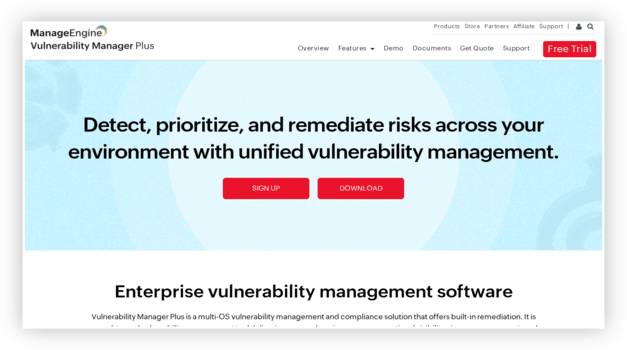
ManageEngine Vulnerability Manager Plus is a comprehensive security threat and vulnerability management solution that helps organizations detect, assess, and remediate weaknesses across their IT infrastructure. It combines automated vulnerability scanning, risk-based prioritization, and integrated patch management to protect systems from both known and emerging threats.
When I evaluated it across a mixed Windows, Linux, and macOS setup, the built-in patching and zero-day mitigation stood out immediately. I could scan, prioritize, and remediate high-risk vulnerabilities from a single console, which makes it a practical fit for teams that want prevention and patching in one place.
Features:
- Vulnerability Assessment: It continuously scans servers, workstations, and network devices to surface exploitable weaknesses and misconfigurations before attackers can reach them.
- Integrated Patch Management: You can automate patch deployment for Windows, macOS, Linux, and hundreds of third-party applications from the same console, closing security gaps fast.
- Security Configuration Management: It detects weak configurations, default passwords, and open shares, then helps you harden systems against common attack paths.
- Zero-Day Vulnerability Mitigation: It provides prebuilt scripts to mitigate zero-day flaws while official patches are still pending, reducing your exposure window.
Pros
Cons
Pricing:
It offers a free edition for small environments plus a 30-day free trial of the paid editions, with Professional and Enterprise pricing available on request.
5) Check Point Software Technologies Ltd
Check Point Software Technologies Ltd delivers enterprise-grade cybersecurity with a strong focus on firewall protection, threat detection, and zero-trust prevention across networks, endpoints, and cloud environments. Its platforms are designed to stop malware, ransomware, and phishing attacks before they escalate, while supporting compliance, governance, and risk management through centralized visibility and policy control.
When I evaluated its security stack in a real-world deployment, the intrusion prevention and automated threat intelligence stood out immediately. It handled endpoint vulnerabilities and patching workflows smoothly, making it a dependable choice for organizations that prioritize proactive defense and audit-ready security operations.

Features:
- Patch Automation: It keeps endpoints, gateways, and security components aligned with the latest vulnerability fixes, so exploit windows stay short. I like that it supports consistent patching hygiene without babysitting every asset. While testing this feature, I suggest staging updates in a pilot group before broad rollout.
- Policy Customization: You can tailor firewall rules, zero-trust access controls, and threat-prevention profiles to match real business workflows. I’ve used it to segment a hybrid workforce by role and device posture, which reduced lateral movement risk. It also makes governance and audit evidence easier to explain.
- Data Protection: This capability helps reduce breach impact by layering encryption, threat detection, and policy-based controls around sensitive data flows. I’ve seen it catch risky outbound traffic patterns that looked like stealthy exfiltration. It also supports compliance-driven monitoring, which is handy during security reviews.
- Threat Prevention: You’ll get strong network-security enforcement with modern firewalling plus intrusion prevention that blocks exploits before they land. I’ve watched it shut down suspicious command-and-control traffic mid-session in a test environment. It’s a solid foundation for perimeter and east-west visibility.
- Secure Access: What stands out is how it secures remote users without exposing internal applications to the open internet. In a “contractor needs access by Monday” scenario, you can lock access to only the required services and enforce MFA. There’s also an option that lets you restrict access by device posture.
- Central Management: You can manage policies, telemetry, and incident workflows from a centralized console instead of juggling disconnected tools. I’ve used this setup to speed up SOC triage when alerts spike after a phishing wave. It also helps standardize controls across branch, cloud, and mobile environments.
Pros
Cons
Pricing:
You get a free live demo and the quote can be requested by contacting the sales/support.
Link: https://www.checkpoint.com/
6) Cisco
Cisco approaches cybersecurity from a network-first mindset, blending firewall security, endpoint protection, encryption, and zero-trust access into a unified ecosystem. Its solutions emphasize threat detection, intrusion prevention, and secure connectivity, making it particularly effective for organizations managing complex infrastructures with high compliance and governance requirements.
While using Cisco’s security tools in a high-traffic environment, I noticed how naturally threat monitoring and policy enforcement fit into daily operations. The ability to correlate network behavior with endpoint signals helped reduce risk exposure and improve response times without disrupting performance or operational continuity.

Features:
- Cybersecurity Services Coverage: You can rely on Cisco for a wide range of protections, including firewall security, endpoint defense, malware prevention, and cloud security controls. This breadth helps reduce tool sprawl across your environment. It’s particularly useful when aligning telemetry for centralized threat detection.
- Customizable Alerts: This capability lets teams focus on high-risk threats instead of alert noise. You can fine-tune triggers for suspicious authentication attempts, endpoint anomalies, or lateral movement. While using this feature, one thing I noticed is that tighter severity thresholds dramatically reduce SOC fatigue.
- Proactive Malware Detection: This functionality focuses on identifying malicious behavior before it escalates into a breach. I’ve seen it catch early ransomware indicators and command-and-control traffic. That early detection shortens remediation cycles and limits blast radius.
- User-Friendly Dashboard: This interface makes monitoring security posture easier without jumping between multiple consoles. I like how it speeds up validation during active investigations. During one internal review, I used it to quickly confirm whether alerts matched real endpoint activity.
- Cisco Talos Threat Intelligence: This intelligence engine enriches detections with real-world attack context. It supports threat-hunting, incident analysis, and faster decision-making. You will notice it often explains attacker behavior patterns, which helps analysts respond with confidence.
- Duo MFA for Zero-Trust Access: This feature strengthens authentication using multi-factor verification across cloud and on-prem applications. It’s effective when phishing and credential theft are recurring pain points. I’ve personally used it to harden VPN and SaaS access without disrupting user workflows.
Pros
Cons
Pricing:
Contact support for demo and quote
Link: https://www.cisco.com/site/in/en/index.html
7) Palo Alto Networks
Palo Alto Networks is known for advanced threat prevention that spans firewalls, endpoint security, cloud workloads, and zero-trust architectures. Its platforms focus heavily on real-time detection, malware analysis, and automated response, helping organizations stay ahead of ransomware, phishing, and evolving intrusion techniques.
In hands-on usage, the precision of its threat intelligence and behavioral analytics became obvious very quickly. Security incidents were identified earlier in the attack chain, reducing forensic workload and exposure. It’s a strong fit for teams that need deep visibility, rapid prevention, and scalable protection without added operational complexity.

Features:
- Product Scope: This feature covers firewall, endpoint, cloud-security, and threat prevention under one ecosystem. It simplifies governance and risk alignment across teams. You can standardize zero-trust and network-security controls without juggling disconnected tools.
- Threat Control: This capability centralizes detection and response so alerts connect across malware, phishing, and intrusion attempts. It reduces swivel-chair analysis during incidents. I’ve seen teams close investigations faster with correlated telemetry in one place.
- Live Alerts: This feature delivers real-time notifications for suspicious activity and exploit attempts. It helps SOC teams react before threats escalate. While using this feature, one thing I noticed is that fine-tuning severity rules early keeps alert fatigue under control.
- Cortex XDR: This capability correlates endpoint, network, cloud, and identity signals to surface high-confidence threats. It’s designed for modern threat-hunting across multiple attack vectors. I tested similar workflows during simulations and saw triage times drop significantly.
- Prisma Cloud: This feature secures workloads from code to runtime with vulnerability detection and compliance checks. It helps prevent misconfigurations that often lead to breaches. You can use it to align DevOps speed with application-security controls.
- Prisma Access: This feature enables zero-trust connectivity for remote users and branches without heavy VPN reliance. It enforces encryption and MFA-based access consistently. For hybrid teams, this setup removes performance bottlenecks while maintaining strong authorization.
Pros
Cons
Pricing:
Contact support for demo, trials and quote.
Link: https://www.paloaltonetworks.com/
8) IBM
IBM delivers a robust and enterprise-grade cybersecurity suite built around integrated threat detection, prevention, and incident response for networks, cloud environments, endpoints, and data. IBM’s security services leverage advanced encryption, situational awareness, and automated response systems to fortify digital operations across industries, including large-scale government and corporate deployments.
In using IBM’s security platform for comprehensive risk management, I could see how its unified framework simplifies complex governance and compliance challenges. This makes IBM a strong choice for organizations that need a strong firewall, malware protection, zero-trust access controls, and real-time defense against phishing and ransomware.

Features:
- Cyber Strategy and Risk: This area focuses on governance, compliance, and operationalizing security controls across hybrid environments. It helps align vulnerability management, patching priorities, and audit readiness with real business risk. Picture a regulated team prepping for an assessment—this keeps evidence organized instead of scrambling at the last minute.
- Quantum-Safe Transformation: This capability prepares cryptography for the post-quantum future so today’s encrypted data isn’t tomorrow’s easy target. It’s especially relevant for long-retention industries handling identities, financial records, or healthcare data. I’ve found that early planning here prevents painful re-architecture later.
- Managed Security Services: This service gives you around-the-clock monitoring and response coverage, which is huge when threats don’t respect office hours. It’s built for advanced detection, incident response, and ongoing risk management. While using this approach, I recommend defining escalation paths early to avoid midnight confusion.
- X-Force Threat Intelligence: IBM’s threat intelligence research helps you stay ahead of exploits, malware campaigns, and emerging attacker tactics. It adds context to detections so analysts can prioritize what actually matters. You’ll notice investigations move faster when indicators and reputation data enrich alerts.
- QRadar Threat Detection and Response Suite: QRadar brings SIEM, SOAR, and endpoint security together so you can detect, investigate, and automate containment in one workflow. It’s designed to reduce alert fatigue with a unified analyst experience. I suggest tuning high-value use cases first—like phishing-to-compromise chains—before expanding rules.
- Automated Response System: This capability helps you contain incidents fast when telemetry spikes or an intrusion alert fires. It streamlines triage so ransomware, phishing, or botnet activity gets isolated before it spreads. I like how it reduces manual handoffs during noisy SOC shifts.
Pros
Cons
Pricing:
Contact sales for quote.
Link: https://www.ibm.com/services/security
9) CyberArk Software
CyberArk Software specializes in identity and privileged access security, protecting critical assets by preventing unauthorized access, credential misuse, and lateral movement within networks. Its identity security platform combines secure authentication methods, adaptive access policies, and deep threat insights to secure hybrid and cloud environments.
While evaluating privileged account security, I noticed CyberArk’s credential vaulting and adaptive MFA significantly reduced potential intrusion paths and improved compliance posture. This makes it a compelling solution for enterprises aiming to harden access points, enforce least-privilege policies, and guard against insider threats and credential-based attacks.

Features:
- Automated Credential Rotation: This capability keeps privileged passwords, keys, and secrets from going stale. It reduces breach blast radius when phishing or malware steals credentials. While validating it, I recommend aligning rotation windows with patching and change-control to avoid surprise lockouts.
- Customizable Access Policies: This control helps you enforce zero-trust by defining who can access which systems, when, and under what conditions. It supports least-privilege workflows for admins and apps. Picture a contractor needing weekend database access—you can grant time-bound approval without opening the floodgates.
- Comprehensive Threat Insights: This reporting layer turns privileged activity into usable security telemetry for detection and response. It highlights risky behavior patterns that often precede ransomware, insider misuse, or lateral movement. I’ve used these insights during an incident review to quickly narrow down the first suspicious privileged login.
- Privileged Session Monitoring & Recording: This feature isolates privileged sessions and captures detailed audit trails that make forensics and compliance audits far less painful. It records what happened, not just that “someone logged in.” While using it, one thing I noticed is how much faster investigations go when you standardize session tags by system and ticket ID.
- Secrets Management for Apps & DevOps: This capability protects non-human identities by centrally controlling API keys, tokens, and service credentials across pipelines and cloud workloads. It reduces secrets sprawl and supports rotation without forcing developers into awkward workflows. I’ve seen it prevent a repo-leak scare from turning into a full incident.
- Endpoint Least Privilege Enforcement: This feature removes unnecessary local admin rights and shrinks the endpoint attack surface without breaking daily work. It helps stop privilege-based malware spread and supports governance requirements with clear controls. I like it for teams battling repeated trojan and spyware infections on user laptops.
Pros
Cons
Pricing:
Request demo and quote from sales.
Link: https://www.cyberark.com/
10) Fortinet
Fortinet is a global leader in network and cybersecurity solutions, known for high-performance next-generation firewalls, endpoint protection, and broad threat-intelligence-driven security fabrics that secure networks, applications, and users across hybrid environments. Its platform covers intrusion prevention, anti-malware, web filtering, VPN, and security management at scale.
In hands-on scenarios examining Fortinet’s threat detection and prevention tools, I experienced how quickly FortiGate firewalls and integrated threat analytics block suspicious traffic and contain risks. This makes Fortinet ideal for organizations that want unified protection against ransomware, phishing, malware, data loss, and evolving intrusion attempts.

Features:
- Firewall Protection: This feature anchors Fortinet’s network-security posture with deep packet inspection and real-time intrusion prevention. It actively blocks malware, exploits, and botnet traffic. I’ve seen it stop lateral movement attempts during aggressive port scans and automated breach simulations.
- Access Control: This capability helps enforce zero-trust principles by validating users and devices before granting access. It continuously reassesses authorization instead of relying on static rules. I used it to restrict third-party access during a compliance audit without disrupting internal workflows.
- Threat Intelligence: This feature strengthens detection and prevention by leveraging constantly updated global threat intelligence. It helps identify phishing campaigns, ransomware variants, and emerging exploits early. While testing this, I noticed alert correlation significantly improved incident response accuracy.
- Security Fabric: This feature connects network, endpoint, and cloud-security controls into a unified ecosystem. It improves visibility by sharing telemetry across tools. You can respond faster to threats without jumping between disconnected dashboards and logs.
- Forensic Analysis: This capability supports deep investigation after a security incident by reconstructing attack timelines. It helps teams understand root causes and validate remediation steps. I relied on this during an internal breach review to rule out data exfiltration concerns.
- Endpoint Detection: This feature extends protection to endpoints by monitoring suspicious behavior and exploit techniques. It helps catch stealthy spyware and credential abuse. If an endpoint triggers alerts, you can quickly trace related activity across the network.
Pros
Cons
Pricing:
Contact support for quote.
Link: https://www.fortinet.com/
11) CrowdStrike
CrowdStrike delivers cloud-native endpoint and threat intelligence protection that stops breaches before they spread. I saw its AI-driven Falcon platform catch and neutralize stealthy ransomware and phishing threats faster than traditional endpoint defenses.
In real deployments, I’ve had to pivot quickly when a new malware wave hit, and CrowdStrike’s unified threat detection and automated response kept systems safe without manual firefighting. This makes it ideal for teams seeking comprehensive detection, prevention, and real-time response across endpoints, cloud workloads, and identities.

Features:
- Central Console: It brings endpoint, cloud, and investigation tools into a single dashboard for better control. That reduces tool sprawl and analyst fatigue. You can manage policies centrally, which helps maintain consistency across large or distributed organizations.
- Forensic Analysis: This feature supports deep investigation into attacker behavior, persistence methods, and lateral movement. It’s useful when validating the full scope of an incident. I’ve relied on it after suspicious admin activity to confirm what actually changed.
- Incident Response: It helps you investigate and contain breaches using clear attack timelines and guided remediation steps. Everything feels built for speed when pressure is high. I’ve used this during simulated incidents, and the structured workflow kept response actions focused.
- Ransomware Defense: This feature is designed to stop encryption attempts before damage spreads across systems. It monitors abnormal file and process behavior closely. I’ve seen it trigger early warnings during ransomware simulations, which gave teams enough time to isolate affected endpoints.
- Vulnerability Insight: It continuously identifies exposed vulnerabilities across endpoints and ties them to real-world exploit activity. That makes patching more risk-focused. I suggest prioritizing vulnerabilities linked to active threats rather than patching everything blindly.
- Identity Protection: This feature focuses on detecting credential misuse and identity-based attacks that bypass traditional defenses. It strengthens zero-trust strategies across environments. You’ll notice this becomes critical as attackers increasingly target authentication rather than infrastructure.
Pros
Cons
Pricing:
It offers a 15-day trial and 30-day moneyback guarantee. Here are it’s yearly plans:
| Flacon Go | Flacon Pro | Falcon Enterprise |
|---|---|---|
| $59.99 | $99.99 | $184.99 |
Link: https://www.crowdstrike.com/en-us/
Feature Comparison: Top Cybersecurity Companies
Here’s a comparison table of the top cybersecurity companies with their features:
| Feature (security capability) | ManageEngine | Log360 | Teramind | ManageEngine Vulnerability Manager Plus |
| SIEM / Log Management | ✔️ | ✔️ | ✔️ | ❌ |
| SOAR / Security Automation | Limited | ✔️ | ✔️ | Limited |
| UEBA / Behavioral Analytics | Limited | ✔️ | ✔️ | ❌ |
| Endpoint EDR / XDR | ✔️ | ✔️ | Limited | Limited |
| Next-Gen Firewall (NGFW) | Limited | ❌ | ❌ | ❌ |
| Cloud Security (CNAPP/CSPM/CWPP) | ✔️ | ✔️ | ✔️ | Limited |
| Threat Intelligence (native feeds/research) | Limited | Limited | ❌ | Limited |
How to Troubleshoot the Common Issues of Using Cyber Security Companies?
Here’s how you can troubleshoot the common challenges of the cyber security tools:
- Issue: Security tools overwhelm teams with complex dashboards, alerts, and configurations during daily monitoring.
Solution: Focus on gradual onboarding, prioritize critical alerts first, customize dashboards, and schedule regular training sessions to build confidence and operational efficiency. - Issue: Integration problems arise when security solutions clash with existing infrastructure, software, or legacy systems.
Solution: Review compatibility requirements early, involve IT stakeholders, test integrations in staging environments, and document configurations thoroughly before full deployment rollout process. - Issue: False positives trigger excessive alerts, causing alert fatigue and distracting teams from genuine security threats.
Solution: Tune detection rules carefully, use baseline behavior analysis, suppress noisy alerts, and review incident patterns regularly to maintain focus on real risks. - Issue: High costs escalate quickly due to licensing tiers, add-ons, and unexpected scaling requirements.
Solution: Audit actual usage periodically, eliminate unused features, negotiate contracts proactively, and align spending with risk priorities and organizational growth plans. - Issue: Limited internal expertise makes it difficult to configure, manage, and interpret advanced security capabilities effectively.
Solution: Invest in continuous staff education, leverage vendor documentation, use managed services selectively, and establish clear operational playbooks for consistent execution. - Issue: Delayed incident response occurs when workflows are unclear and responsibilities are poorly defined across teams.
Solution: Create documented response procedures, assign clear ownership, run tabletop exercises regularly, and automate escalation paths to reduce reaction time significantly. - Issue: Insufficient visibility leaves blind spots, preventing detection of lateral movement or insider-driven malicious activity.
Solution: Expand log coverage strategically, correlate data sources centrally, monitor user behavior continuously, and validate visibility through periodic security assessments and regular reviews. - Issue: Slow performance impacts systems when security processes consume excessive resources during scanning or monitoring.
Solution: Optimize configurations, schedule intensive scans during off-hours, fine-tune resource limits, and coordinate with infrastructure teams to balance protection and performance.
How did we Select the Best Cyber Security Companies?

At Guru99, we rely on experience, not assumptions. We invested 150+ hours researching and hands-on testing 36+ cyber security companies, evaluating them in real-world scenarios. Our reviewers narrowed the field to the 10 that truly deliver measurable protection, usability, and value. Every recommendation is grounded in firsthand analysis, expert validation, and practical outcomes—not marketing hype. Here’s are some of the important points we kept in ind while shortlisting them:
- Hands-on Testing: Our team directly tested each cyber security company in live environments, validating threat detection, response accuracy, and operational reliability under realistic attack scenarios.
- Expert Review Panels: Our reviewers and security experts assessed tools based on industry standards, compliance readiness, and effectiveness against evolving cyber threats across multiple business use cases.
- Threat Detection Capability: We analyzed how consistently each provider identified malware, ransomware, zero-day attacks, and advanced persistent threats during controlled and real-world testing.
- Performance and Scalability: Our research group evaluated system impact, response speed, and how well solutions scaled for startups, mid-sized businesses, and large enterprises.
- Ease of Deployment: We prioritized companies offering straightforward setup, intuitive dashboards, and minimal learning curves, ensuring teams can deploy protection without operational slowdowns.
- Incident Response and Support: Our team reviewed response times, expert support quality, and availability of incident remediation services during simulated and real security breaches.
- Compliance and Regulatory Alignment: We examined how well each company supports GDPR, HIPAA, ISO, and other compliance frameworks critical for regulated industries.
- Innovation and Technology Stack: The experts assessed AI usage, automation, behavioral analytics, and continuous improvement to ensure long-term relevance against emerging threats.
- Customer Reputation and Transparency: Our reviewers analyzed verified user feedback, breach history, disclosure practices, and overall trustworthiness to confirm consistent real-world performance.
- Value for Investment: We compared pricing models against delivered security depth, ensuring organizations receive strong protection without paying for unnecessary complexity or inflated branding.
How do Internet security service provider companies help you to stay secure?
Here are methods that your Internet security companies can use to perform cybersecurity operations:
- Train employees in security principles: Helps you to establish basic security practices and policies for employees, such as why you need to https://startacybercareer.com/how-do-cybersecurity-companies-make-money/ng passwords and how to establish specific Internet usage guidelines.
- Enables firewall security for your Internet connection: A firewall is a group of related applications which helps you to prevent any unauthorized person from accessing data on a private network. Your cyber security provider company should make sure OS firewall is enabled or install free firewall software available online. They also need to make sure that If employees work from home, a firewall protects their home system(s).
- Helps you to back up important business data and information: Network security companies help you to take the regular backup of the data on all computers. This data includes word processing documents, spreadsheets, databases, etc.
- Guides employ best practices on payment cards: Work with banks or processors that allow you to ensure the most trusted and validated tools and anti-fraud services. You may have additional security obligations under agreements with your bank or processor. It also allows you to isolate payment systems from other, less secure programs.
- Limit employee access to data and information: Never offers any one employee access to all data systems. Your cybersecurity service provider firm needs to ensure that your employees only access the specific data systems they need for their jobs and never install any software without admin permission.
- Passwords and authentication: Assist you in getting the right password and have an effective authentication method. You need to consider implementing multi-factor authentication, which demands additional information beyond a password to gain entry.
What tools do you use to perform cybersecurity operations?
Here are tools that you can use to perform cybersecurity operations:
Firewalls:
The firewall is the most vital security tool. Its job is to prevent unauthorized access from any private network. It helps you to implemented as hardware, software, or with a combination of both. The firewalls help you to all types of unauthorized internet users from accessing private networks connected with the Internet.
Every message that is entering or leaving the intranet pass with the help of a firewall. It also allows you to examine all the messages. It blocks those messages that do not meet the specified security criteria.
Antivirus Software:
Antivirus software helps you prevent, detect, and remove viruses and other malware attacks on the individual computer, networks, and I.T. systems. This type of spyware protection software also helps you protect your computers and networks from various threats and viruses such as Trojan horses, keyloggers, browser hijackers, spyware, adware, and ransomware.
Most of this antivirus program offers an auto-update feature that regularly helps your system check for new viruses and threats. It also provides additional services like scanning emails to save you from malicious attachments and web links.
Read more: Remove Viruses from an iPhone
PKI Services:
PKI is a short form of Public Key Infrastructure. This type of tool supports the distribution and identification of public encryption keys. It allows users and computer systems to securely exchange data over the Internet and verify the other party’s identity. It also allows you to exchange sensitive information without PKI. Still, you will not get any assurance of the other party’s authentication in that case.
PKI can also be used to:
- Enable Multi-Factor authentication and access control
- Create compliantly, Trusted Digital Signatures
- Allows you to encrypt email communications and authenticate your sender’s Identity
- You will get a digital signature to protect your code
Managed Detection and Response Service (MDR):
Today’s cybercriminals and hackers use more advanced techniques and software to breach organization security. Therefore, there is a necessity for every business to be used more powerful forms of defense of cybersecurity.
It is a service that arises from the need for organizations. It also helps you to detect and respond to threats. It also uses machine learning and AI technology to investigate, auto-detect threats, and coordinate faster results.
Penetration Testing:
Penetration testing is an important way to evaluate a business’s security systems and the security of an I.T. infrastructure by safely exploiting vulnerabilities. These vulnerabilities also exist in operating systems, services, applications, improper configurations, or risky end-user behavior. In Pen testing, cybersecurity provider companies use the same techniques and processes that criminal hackers utilize to check for potential threats and improve your areas of weakness.
A pen test attempts the various attacks a business might face from criminal hackers like password cracking, code injection, and phishing. It also involves a simulated real-world attack on a network or application. These tests can be performed using manual or automated technologies to evaluate servers, web applications, network devices, wireless networks, mobile devices, and other potential points of vulnerabilities.
Staff Training:
Staff training helps you defend against cyber threats. Today’s many training tools available help you educate the company’s staff about the best cybersecurity practices.
What Do Cyber Security Companies Do?
Cyber Security companies have come up with new products or services which aim to improve corporate data protection. They offer technological support, software security tools, penetration testing, and vulnerability analysis, among others.
These services have become increasingly essential as anybody can become a victim of cybercrime; availing network companies’ services is surely a wise investment decision for your organization.
Why is Cyber Security Important for Business?
The benefits of cybersecurity are as follows:
- It protects the business against ransomware, social engineering, and phishing.
- This network security tool helps you to protect end-users.
- It offers protection for both data and networks.
- Helps you to increase your system recovery time.
- Cybersecurity helps you to prevent unauthorized users.
How do cybersecurity companies make money?
Network security companies offer their clients several services, including outsourced technical support, managed services, software tools, penetration testing, vulnerability analysis, and consulting.
Verdict
After evaluating all the cybersecurity companies listed above, I found each tool reliable and thoughtfully designed. I personally analyzed their features, usability, and real-world security impact across multiple business scenarios. My evaluation focused on threat detection strength, management efficiency, and how practical each solution felt. After this detailed analysis, three cybersecurity companies clearly stood out to me as top performers.
- ManageEngine: I was impressed by how ManageEngine centralizes security management without becoming overwhelming. It stood out to me for its customizable endpoint protection and strong access controls. My analysis showed it works especially well for teams wanting scalable security with clear visibility.
- Log360: It impressed me during my evaluation with its powerful SIEM and log management features. I liked how it unified threat detection, compliance reporting, and real-time monitoring. It stood out to me as a dependable choice for organizations needing deep security insights.
- Teramind: Its detailed user activity monitoring and insider threat prevention is impressive. My evaluation showed its proxy tracking and behavior analytics add strong defensive value. I liked how it balances security enforcement with actionable visibility for administrators.
FAQs
ManageEngine provides a centralized cybersecurity and IT management platform focused on endpoint security, patching, vulnerability management, and compliance. It helps organizations reduce attack surfaces by managing firewalls, endpoints, and configurations.
