
All About Infotype 0003 Payroll Status in SAP
 Editorial Team
⚡ Smart Summary
Infotype 0003 Payroll Status stores control fields that govern an employee’s payroll run and time evaluation in SAP HR. The system creates and updates it automatically during hiring, payroll, and time processing activities.
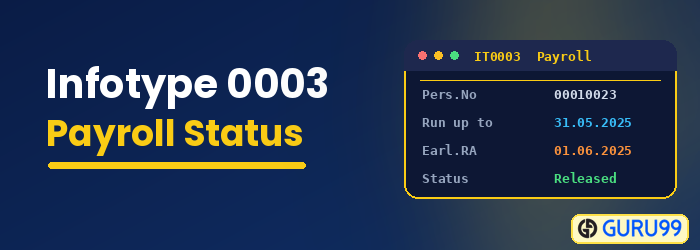
Infotype 0003 – Payroll Status
Infotype 0003 (Payroll Status) controls how SAP processes an employee in payroll and time evaluation. Its key characteristics are as follows:
- It automatically stores data that controls the employee’s Payroll run and time evaluation.
- It is created automatically by the system, in the background, during the Hiring Action.
- Data is updated automatically when time is evaluated, payroll is run, or changes are made to the payroll past for the employee.
- Data stored in this infotype should be changed ONLY in exceptional cases, as these changes will affect the employee’s payroll processing and/or retroactive accounting.

The main fields stored in Infotype 0003 are described below:
| Field: | Details: |
|---|---|
| Earl. pers. RA date | Sets the exact date back to which the system can run retroactive accounting. |
| Run Payroll up to | Day up to which the employee will have payroll run even if he or she has left the company. |
| Do not Account After | Payroll is run for this employee until this date. |
| Pers. no Locked | Employees can be locked for payroll. |
| Accounted to | Date until which payroll has taken place for an employee. |
| Earliest MD Change | The program recognizes whether and when payroll must be repeated to take master data changes into account. |
| MD Change Bonus | To perform retroactive Accounting in connection with bonus accounting. |
| Payroll Correction | If the personnel number has been rejected or data has been changed in the correction phase. |
Maintain IT003 in SAP
To maintain Payroll Status in your SAP HR system, enter transaction PU03 in the command prompt and follow these steps:
- Enter the Pernr (personnel number).
- Click Validate.
- Click Execute.

Maintain the data as required and save your changes.

How Infotype 0003 Controls Retroactive Accounting
The most important role of Infotype 0003 is governing retroactive accounting, the process by which SAP recalculates payroll for periods that have already been paid. Two fields drive this behavior.
The Earliest Personal Retroactive Accounting Date sets how far back the system may recalculate master and time data for the employee. The Earliest MD Change field is updated automatically whenever a retro-relevant change is made, and it tells the payroll driver from which period the recalculation must start.
When you change a retro-relevant field, for example in Infotype 0001 (Organizational Assignment) or Infotype 0008 (Basic Pay), the system stamps the Earliest MD Change date and triggers a recalculation in the next payroll run. If that retroactive run is not wanted, the payroll administrator must review why the date was set before resetting it, because clearing it incorrectly can produce wrong pay results.
Infotype 0003 vs the Payroll Control Record
Beginners often confuse Infotype 0003 with the payroll control record, but they operate at different levels.
Infotype 0003 stores payroll status for a single employee, while the payroll control record (maintained with transaction PA03) governs an entire payroll area. The table below highlights the differences:
| Aspect | Infotype 0003 | Payroll Control Record (PA03) |
|---|---|---|
| Scope | One personnel number | Whole payroll area |
| Purpose | Stores retro dates and payroll status per employee | Controls the payroll period and processing status |
| Transaction | PU03 or PA30 | PA03 |
| Typical use | Reset a retro date or lock one employee | Release, start, and exit the payroll run |
During a normal payroll cycle, the control record moves the payroll area through its phases, while Infotype 0003 keeps each employee’s individual status in step with that cycle.
When SAP Updates Infotype 0003 Automatically
Because Infotype 0003 is a system-controlled infotype, most of its values are written by SAP rather than by an administrator. Knowing when the system updates it helps you avoid unnecessary manual changes.
SAP writes to Infotype 0003 in the following situations:
- Each payroll run: The Accounted to date advances to the period just processed.
- Time evaluation: Status fields update after the time evaluation report runs.
- Master data changes: Retro-relevant edits set the Earliest MD Change date.
- Payroll corrections: The correction indicator is set when a personnel number is rejected during a run.
Because these updates happen automatically, you should maintain Infotype 0003 manually only in exceptional cases, for example to reset an unwanted retroactive accounting date or to lock a personnel number for payroll.
