
MySQL Wildcards: Like, NOT Like, Escape, ( % ), ( _ )
 Marcus Allen
⚡ Smart Summary
MySQL Wildcards make pattern-based searching possible by pairing the LIKE and NOT LIKE operators with special characters. This explains the percentage and underscore wildcards, the ESCAPE keyword, practical queries against the myflixdb database, and performance considerations.
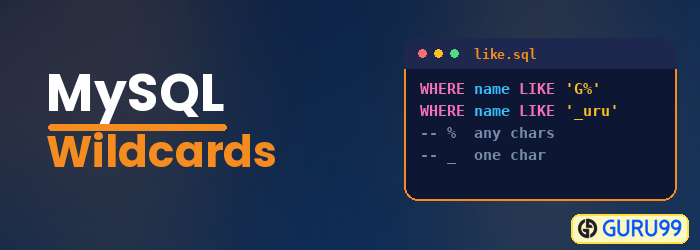
What are MySQL Wildcards?
MySQL Wildcards are special characters that help you search for data matching a complex pattern instead of an exact value. Wildcards are always used in conjunction with the LIKE comparison operator or with the NOT LIKE comparison operator.
MySQL supports two wildcard characters, and each one answers a different question about your data.
| Wildcard | Meaning | Example pattern | Matches |
|---|---|---|---|
| % | Zero (0) or more characters | ‘%code%’ | Code Name Black, Davinci Code |
| _ | Exactly one character | ‘200_’ | 2005, 2008 |
Now that the two characters are defined, the next section explains why they are worth learning.
Why use Wildcards in MySQL?
If you are familiar with SQL, you may think that you can already search for any complex data using SELECT and the WHERE clause. So why use wildcards at all?
Before we answer that question, let us look at an example. Suppose that the marketing department of the Myflix video library carried out promotions in the city of Texas and would like feedback on the number of members that registered from Texas. You can use the following SELECT statement together with the WHERE clause to get the desired information.
SELECT * FROM members
WHERE postal_address = 'Austin, TX'
   OR postal_address = 'Dallas, TX'
   OR postal_address = 'Iola, TX'
   OR postal_address = 'Houston, TX';
As you can see from the above query, the “WHERE clause” becomes long and fragile: every new city has to be added by hand, and a single misspelled address is silently excluded. Using wildcards simplifies the query, because a single pattern covers every city in the state.
SELECT * FROM members
WHERE postal_address LIKE '%TX';
In short, wildcards allow you to build powerful search features into data-driven applications with far less SQL. The next section breaks down each wildcard character in turn.
Types of MySQL Wildcards
% – The percentage wildcard
The percentage (%) character is used to specify a pattern of zero (0) or more characters. It has the following basic syntax.
SELECT * FROM table_name
WHERE fieldname LIKE 'xxx%';
HERE:
- “SELECT statement” is the standard SQL SELECT command.
- “WHERE” is the keyword used to apply the filter.
- “LIKE” is the comparison operator that is used in conjunction with wildcards.
- ‘xxx’ is any specified pattern, such as a single character or more, and “%” matches any number of characters starting from zero (0).
To fully appreciate the above statement, let us look at a practical example. Suppose we want to get all the movies that have the word “code” as part of the title. We would use the percentage wildcard on both sides of the word “code” to perform a pattern match anywhere in the title.
SELECT * FROM movies
WHERE title LIKE '%code%';
Executing the above script in MySQL Workbench against the myflixdb database gives us the results shown below.
| movie_id | title | director | year_released | category_id |
|---|---|---|---|---|
| 4 | Code Name Black | Edgar Jimz | 2010 | NULL |
| 7 | Davinci Code | NULL | NULL | 6 |
Notice that the search keyword “code” is returned whether it appears at the beginning or at the end of the title. This is because the pattern allows any number of characters before “code” and any number of characters after it.
Let us now modify the script so that the percentage wildcard appears at the beginning of the search criteria only.
SELECT * FROM movies
WHERE title LIKE '%code';
Executing the above script in MySQL Workbench against the myflixdb database gives us the results shown below.
| movie_id | title | director | year_released | category_id |
|---|---|---|---|---|
| 7 | Davinci Code | NULL | NULL | 6 |
Notice that only one record has been returned. The pattern matches any number of characters at the beginning of the title but requires the title to end with “code”.
Let us now shift the percentage wildcard to the end of the pattern instead. The modified script is shown below.
SELECT * FROM movies
WHERE title LIKE 'code%';
Executing the above script in MySQL Workbench against the myflixdb database gives us the results shown below.
| movie_id | title | director | year_released | category_id |
|---|---|---|---|---|
| 4 | Code Name Black | Edgar Jimz | 2010 | NULL |
Only one record is returned again, because this pattern matches every title that starts with “code” followed by any number of characters. The position of the % symbol therefore decides the meaning of the search.
💡 Tip: A pattern such as ‘code%’ can still use an index on the title column, while ‘%code%’ cannot. A leading percentage wildcard forces MySQL to scan every row, so keep the wildcard on the right whenever the search allows it.
_ – The underscore wildcard
The underscore wildcard is used to match exactly one character. Suppose that we want to find all the movies released in the years 200x, where x is exactly one character that could be any value. The script below selects all the movies released in the year “200x”.
SELECT * FROM movies
WHERE year_released LIKE '200_';
Executing the above script in MySQL Workbench against the myflixdb database gives us the results shown below.
| movie_id | title | director | year_released | category_id |
|---|---|---|---|---|
| 2 | Forgetting Sarah Marshal | Nicholas Stoller | 2008 | 2 |
| 9 | Honey mooners | Jhon Shultz | 2005 | 8 |
Notice that only movies whose year_released value is 200 followed by any single character are returned. Unlike the percentage wildcard, the underscore reserves a place for one character and no more.
NOT LIKE with wildcards
The NOT logical operator can be used together with wildcards to return the rows that do not match the specified pattern.
Suppose we want the movies that were not released in the years 200x. We combine the NOT logical operator with the underscore wildcard, as shown below.
SELECT * FROM movies
WHERE year_released NOT LIKE '200_';
| movie_id | title | director | year_released | category_id |
|---|---|---|---|---|
| 1 | Pirates of the Caribean 4 | Rob Marshall | 2011 | 1 |
| 4 | Code Name Black | Edgar Jimz | 2010 | NULL |
| 8 | Underworld-Awakeninh | Michahel Eal | 2012 | 6 |
Only the movies that do not follow the 200x pattern are returned, because NOT inverts the result of the wildcard comparison. Note that rows holding a NULL value are never returned by LIKE or NOT LIKE, since NULL is unknown rather than unequal.
ESCAPE keyword
The ESCAPE keyword is used to escape pattern-matching characters such as the percentage (%) and the underscore (_) when they form part of the data itself.
Suppose that we want to search for the literal string “67%”. We declare an escape character and place it immediately before the character that must be read as data.
LIKE '67#%%' ESCAPE '#';
If we want to find the movie “67% Guilty”, we can use the script shown below.
SELECT * FROM movies
WHERE title LIKE '67#%%' ESCAPE '#';
Note the double “%%” in the LIKE clause. The first one is preceded by the escape character (#) and is therefore treated as part of the string being searched for. The second one keeps its wildcard meaning and matches any number of characters that follow.
Any character can serve as the escape character, so the same query also works with the equals sign.
SELECT * FROM movies
WHERE title LIKE '67=%%' ESCAPE '=';
Wildcards cover simple patterns very well, but some searches need more expressive rules. The comparison below shows where the limit lies.
MySQL Wildcards vs REGEXP: which one should you use?
MySQL supports only two wildcard characters. Character lists such as [a-c], which some other database engines accept inside LIKE, are not supported. When a search needs character ranges, alternation, or anchoring, the REGEXP operator is the correct choice.
| Criterion | LIKE with wildcards | REGEXP |
|---|---|---|
| Pattern power | Two symbols only: % and _ | Character classes, ranges, alternation, repetition |
| Typical use | Prefix, suffix, or “contains” searches | Validation, complex matching, multiple alternatives |
| Index usage | Possible when the pattern does not begin with % | Never uses an index |
| Readability | Simple for beginners | Steeper learning curve |
As a rule, reach for LIKE first: it is easier to read, and it is the only one of the two that can benefit from an index. Move to REGEXP when a single pattern must express several alternatives, for example matching every title that begins with a digit. Both operators are read-only comparisons, so neither one changes the rows returned by INSERT or UPDATE statements; they only filter what the WHERE clause selects.
