
Schedule Line Category Determination Tutorial: SAP VOV6
 Editorial Team
⚡ Smart Summary
Schedule line category in SAP controls the delivery data of a sales document item, such as dates and quantities. This resource explains what a schedule line category is, how it is determined, and how to define it in VOV6.
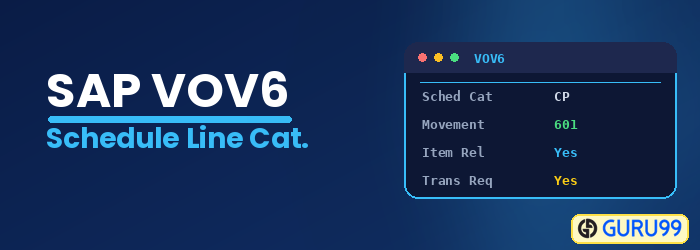
What is Schedule Line Category?
The SAP system only copies those items of a sales document that have a schedule line. Schedule lines contain all the delivery-related information, such as delivery dates and quantities, as well as information about the requirements transfer and inventory management. In other words, the schedule line category controls how an item behaves during delivery and planning.
A schedule line category has a two-character alphanumeric key.
1) The first character of the key indicates the document:
| Char | Uses |
|---|---|
| A | Inquiry |
| B | Quotation |
| C | Sales order |
| D | Returns |
2) The second character of the key indicates the planning or inventory rule:
| Char | Uses |
|---|---|
| T | No inventory management, e.g. services |
| X | No inventory management with goods issue |
| N | No planning |
| P | MRP |
| V | Consumption-based planning |
The schedule line category also behaves differently in each sales document:
- No availability check.
- Not relevant for delivery.
- The schedule line is for information purposes.
- The schedule line is not relevant for delivery.
- No movement type (a movement type describes the type of material movement).
Order:
- The schedule line is relevant for delivery.
- The movement type is 601.
Return:
- The schedule line is relevant for delivery.
- The movement type is 651.
How Is the Schedule Line Category Determined?
Although you can enter a schedule line category manually, SAP normally determines it automatically when an item is added to a sales document. The determination is based on two things: the item category of the line and the MRP type from the material master.
The system reads the item category, which itself comes from the document type and item category group, together with the MRP type, and then proposes the matching schedule line category. This automatic proposal is set up in the schedule line category determination, maintained in transaction VOV5, where each combination of item category and MRP type is assigned a schedule line category. A manual schedule line category can still be allowed as an alternative. Because the determination links the item, its planning strategy, and its delivery behavior, getting it right ensures that stock items are planned and delivered correctly, while non-stock items such as services are handled without inventory movements.
Define Schedule Line Category
You can define a schedule line category in three ways:
- Copy an existing schedule line category and change it according to your requirements.
- Change an existing schedule line category.
- Create a new schedule line category.
Step 1) Open the definition screen.
- Enter T-code VOV6 in the command field.
- A list of existing schedule line categories is displayed.
- To create a new schedule line category, click on the New Entries
 button.
 button.
Step 2) Enter the schedule line category details.
- Enter the schedule line category and its description.
- Enter the Movement type (it describes the type of material movement to be performed, such as receipts, issues, transfers, or reversal).
- Enter the Order Type, item category, and Account Assignment category.
- Check “Item rel. f. delivery” and “Purchase requisition delivery schedule” as required.

Step 3) Click on the Save  button. A message “Data was saved” is displayed.

Key Fields in a Schedule Line Category
When you define a schedule line category in VOV6, a few fields control how the item behaves. The most important ones are:
- Movement type: The type of goods movement, such as 601 for a delivery or 651 for a return, that the schedule line triggers.
- Item relevant for delivery: Marks whether the schedule line can be delivered, which is set for orders and returns but not for inquiries.
- Availability check: Controls whether the system checks stock availability for the item.
- Transfer of requirements: Decides whether the requirement is passed to planning (MRP).
- Purchase requisition and account assignment: Used when the item is procured externally or posted to a special account.
These fields together decide whether an item is planned, checked for availability, and delivered, so they must match the way the material is actually handled in the business. In standard SAP, categories such as CN, CP, and CV already combine these settings for common cases, so you often start from one of them and adjust only the fields your process requires.
