
Splunk Tutorial for Beginners: What is Splunk Tool? How to Use?
 Editorial Team
⚡ Smart Summary
Splunk is a data platform that collects, indexes, and correlates machine-generated data in real time, then turns it into searchable events, dashboards, alerts, and visualizations that support monitoring, troubleshooting, security analysis, and business decision-making across an entire organization.

What is Splunk?
Splunk is a software platform used to monitor, search, analyze, and visualize machine-generated data in real time. It captures, indexes, and correlates streaming data inside a searchable repository and then produces graphs, alerts, dashboards, and visualizations. Because it makes log and event data easy to access across an organization, teams rely on Splunk for fast diagnostics, IT operations monitoring, and even Security Information and Event Management (SIEM).
Why do we need Splunk?
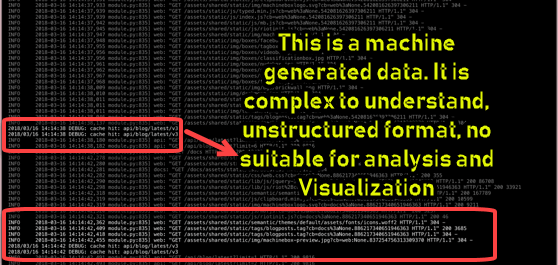
The Splunk monitoring tool offers many benefits for an organization. The main advantages of using Splunk are:
- Delivers an enhanced GUI with real-time visibility through interactive dashboards.
- Reduces troubleshooting and resolution time by returning instant results.
- Serves as a well-suited tool for root cause analysis.
- Lets you generate graphs, alerts, and dashboards from your data.
- Makes it easy to search and investigate specific results.
- Helps you troubleshoot any failure condition to improve performance.
- Monitors business metrics so that you can make informed decisions.
- Allows you to incorporate Artificial Intelligence into your data strategy.
- Gathers useful operational intelligence from your machine data.
- Summarizes and collects valuable information from different logs.
- Accepts almost any data type, including .csv, JSON, and common log formats.
- Provides powerful search, analysis, and visualization for users of all types.
- Creates a central repository for searching Splunk data from many sources.
Features of Splunk
The key features of Splunk include the following:
- Accelerates development and testing.
- Lets you build real-time data applications.
- Helps you generate ROI faster.
- Supports agile statistics and reporting with a real-time architecture.
- Offers search, analysis, and visualization that empower users of all types.
Splunk Products
Splunk is available in three different editions, each aimed at a different scale of use:
- Splunk Enterprise
- Splunk Light
- Splunk Cloud
Splunk Enterprise
Splunk Enterprise edition is used by large IT businesses. It helps you collect and analyze data from applications, websites, servers, and other sources.
Splunk Cloud
Splunk Cloud is a hosted platform that offers the same features as the Enterprise version. You can obtain it directly from Splunk or through the AWS cloud platform.
Splunk Light
Splunk Light is a free version that lets you search, report on, and alter your log data. It has limited functionality compared with the other editions and is best for small-scale use, indexing up to 500 MB of data per day.
Splunk Architecture
Now that you understand the editions, let us look at the Splunk architecture and its main building blocks:

The following are the fundamental components of the Splunk architecture:
Universal Forwarder (UF)
The Universal Forwarder, or UF, is a lightweight agent that pushes data to the heavy Splunk forwarder. You can install it on a client machine or an application server, and its only job is to forward the log data.
Load Balancer (LB)
The load balancer is Splunk’s default balancer. However, it also lets you use your own personalized load balancer instead.
Heavy Forwarder (HF)
The Heavy Forwarder is a heavier component that lets you filter data before it moves on — for example, collecting only error logs.
Indexer
The Indexer stores and indexes the incoming data, which improves Splunk search performance. By default, Splunk indexes automatically using fields such as host, source, and date and time.
Search Head (SH)
The Search Head is used to gain intelligence and to run reports. It is where users write SPL (Search Processing Language) queries to explore the indexed data.
Deployment Server (DS)
The Deployment Server helps you deploy configurations — for example, updating a Universal Forwarder configuration file — and it can share settings across multiple Splunk components.
License Manager (LM)
The License Manager tracks licensing, which is based on volume and usage (for example, 50 GB per day). Splunk regularly checks these licensing details.
How Splunk Works?
Now let us walk through how Splunk works, following the data from collection all the way to analysis:

Forwarder
The Forwarder collects data from remote machines and forwards it to the Indexer in near real time.
Indexer
The Indexer processes the incoming data in real time. It also stores and indexes the data on disk.
Search Head
End users interact with Splunk through the Search Head, which lets them search, analyze, and visualize the indexed data.
Applications of Splunk
To see Splunk in action, consider a real-world example. Problem statement: McDonald’s had no clear visibility into which promotional offers worked best. The factors involved included:
- Offer type (for example, 20% off)
- Cultural differences at the regional level
- Time of purchase
- Device used by the customer
- Revenue generated per order
The company needed insight into consumer behavior and customer response.
The entire process used three types of data source:
- Orders placed at a McDonald’s outlet
- Orders placed through the mobile application
- Orders placed through the web application
The data then flowed from one stage to the next, as shown in the diagram below.

Input
The input data moves to the parsing stage.
Parsing
In the parsing stage, the relevant data is converted into events:
- Customer region
- Revenue per order
- Time of order (morning, afternoon, evening, night)
- Device used by customers (mobile, PC, tablet)
- Discount coupons applied
Indexing stage
In this stage, events are sorted and indexed for storage based on:
- Sales by geographical location
- Order revenue
- Time of order (morning, afternoon, evening, night)
- Device used by the customer
- Coupon applied
Search Head
The Search Head is used to gain intelligence and run reports.
McDonald’s used it to answer the following questions:
- Which sales offer works best in which geographical location?
- How does customer behavior change order revenue?
- What is the best time to apply burger or combo offers?
How Splunk Helped?
- Showed all orders coming from a specific region in real time.
- Determined how different promotional offers performed in real time.
- Monitored the performance of McDonald’s in-house point-of-sale systems.
- Let employees monitor customer feedback and understand expectations.
- Analyzed the speed of different payment modes.
- Identified error-free payment modes.
Best Practices of using Splunk
- Test your index first so that you can run tests quickly.
- Get the key fields right at index time; everything else can be created or modified only after indexing.
- Event breaking happens automatically in Splunk, so confirm that it correctly detects the beginning and end of each event.
- Splunk can detect the timestamp automatically, but if your log format uses a different timestamp, configure it manually.
Famous companies using Splunk
Some well-known companies that use Splunk include:
- Cisco
- Bosch
- IBM
- Motorola
- PepsiCo
- Adobe
- Visa
- Adidas
- Salesforce
- Walmart
Alternatives to Splunk
1) Site24x7’s Log Management
Site24x7 provides a centralized, cloud-based log management tool for your whole infrastructure stack. It automatically recognizes application logs and delivers out-of-the-box support for over 100 applications.

Key features of Site24x7’s log management tool:
- Supports over 100 log types, including cloud platform logs.
- Enables easy management of any logs with simple customization.
- Provides a user-friendly, query-language-based search.
- Supports a wide range of log formats (JSON, multiline, key-value, XML, and more).
- Clusters messages based on pattern similarity.
- Offers IT automation for auto-healing incidents.
- Sends third-party alerts through tools such as Microsoft Teams, ServiceNow, PagerDuty, Opsgenie, Jira, Webhooks, Zendesk, and Zoho Cliq.
2) Sumo Logic
Sumo Logic helps you maintain your application infrastructure, and searching and analyzing log data in real time is simple. The tool lets you monitor and visualize both historical and real-time events.
Download link: https://www.sumologic.com/
3) Fluentd
Fluentd is a free, open-source data collector. It saves your logs to an FS buffer so that you can retrieve them whenever you want, and it offers features such as load balancing and retries for added robustness.
Download link: https://www.fluentd.org/
4) ELK Stack
The ELK Stack lets users take data from any source, in any format, and search, analyze, and visualize it. It offers centralized logging, which is helpful when identifying problems with servers or applications.
Download link: https://www.elastic.co/elk-stack
5) LogFaces
LogFaces is another Splunk alternative that lets you email your queries and keeps log data on your premises. It ships as an easy-to-use desktop application.
Download link: http://www.moonlit-software.com/
Disadvantages of using Splunk
Despite its strengths, Splunk has a few drawbacks worth noting:
- Splunk can become expensive for large data volumes.
- Its dashboards are functional but not always as effective as some dedicated monitoring tools.
- The learning curve is steep; because it uses a multi-tier architecture, you need training and time to master it.
- Searches can be hard to understand, especially regular expressions and search syntax.
