
Process Management in OS: PCB in Operating System
 Editorial Team
⚡ Smart Summary
Process management in an operating system handles the creation, scheduling, and termination of processes, while the process control block stores the state, registers, and priority of every process so the CPU can track and resume execution reliably.
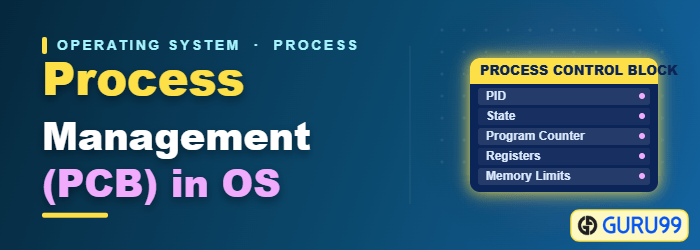
What is a Process?
A process is the execution of a program that performs the actions specified in that program. It can be defined as an execution unit where a program runs. The operating system helps you create, schedule, and terminate the processes used by the CPU. A process created by the main process is called a child process.
Process operations can be controlled easily with the help of a PCB (Process Control Block). You can consider it the brain of the process, because it holds all the crucial information related to processing, such as the process ID, priority, state, and CPU registers.
What is Process Management?
Process management involves various tasks such as the creation, scheduling, and termination of processes, and it also handles deadlock. A process is a program under execution, which is an important part of modern operating systems. The OS must allocate resources that enable processes to share and exchange information. It also protects the resources of each process from other processes and allows synchronization among processes.
It is the job of the OS to manage all the running processes of the system. It handles operations by performing tasks such as process scheduling and resource allocation. Efficient process management keeps the CPU busy and improves overall CPU scheduling.
Process Architecture

Process architecture Image
Here is an architecture diagram of the process. The process is divided into four main sections in memory:
- Stack: The stack stores temporary data such as function parameters, return addresses, and local variables.
- Heap: This allocates memory that may be processed during the run time of the process.
- Data: This section contains the global and static variables.
- Text: The text section includes the current activity, which is represented by the value of the program counter.
Process Control Blocks
PCB stands for Process Control Block. It is a data structure that is maintained by the operating system for every process. The PCB is identified by an integer Process ID (PID). It helps you store all the information required to keep track of all the running processes.
It is also accountable for storing the contents of the processor registers. These are saved when the process moves out of the running state and restored when it returns. The information is updated quickly in the PCB by the OS as soon as the process makes a state transition.
Process States
Once a process is created, it does not stay in one condition. It moves between several states as the operating system schedules it and as resources become available.

Process States Diagram
A process state is the condition of the process at a specific instant of time. It also defines the current position of the process. There are mainly seven stages of a process:
- New: The new process is created when a specific program is called from secondary memory (hard disk) to primary memory (RAM).
- Ready: In the ready state, the process is loaded into primary memory and is ready for execution.
- Waiting: The process is waiting for the allocation of CPU time and other resources for execution.
- Executing: The process is in an execution state, running on the CPU.
- Blocked: This is a time interval when a process is waiting for an event, such as an I/O operation, to complete.
- Suspended: The suspended state defines the time when a process is ready for execution but has not been placed in the ready queue by the OS.
- Terminated: The terminated state specifies the time when a process is finished.
After completing every step, all the resources used by a process are released and memory becomes free.
Process Control Block (PCB)
Every process is represented in the operating system by a process control block, which is also called a task control block. Here are the important components of a PCB:

Process Control Block (PCB)
- Process state: A process can be new, ready, running, or waiting.
- Program counter: The program counter holds the address of the next instruction that should be executed for that process.
- CPU registers: This component includes accumulators, index and general-purpose registers, and condition-code information.
- CPU scheduling information: This component includes the process priority, pointers to scheduling queues, and other scheduling parameters.
- Accounting and business information: This includes the amount of CPU used, time utilities such as real time used, and job or process numbers.
- Memory-management information: This includes the value of the base and limit registers and the page or segment tables, depending on the memory system used by the operating system.
- I/O status information: This block includes the list of open files and the list of I/O devices allocated to the process.
