
PostgreSQL IN, Not IN with Examples
 Editorial Team
⚡ Smart Summary
PostgreSQL IN operator checks whether a value appears within a list or subquery inside a WHERE clause, replacing multiple OR conditions across SELECT, UPDATE, INSERT, and DELETE statements for cleaner, faster, and more readable filtering.
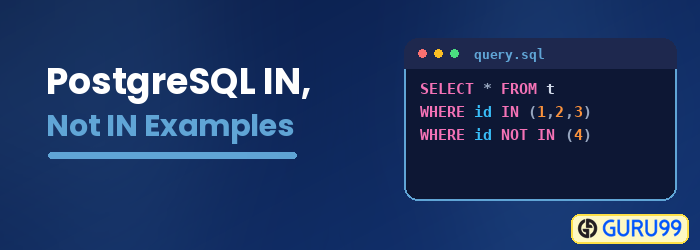
What is PostgreSQL IN?
The IN operator is used in a WHERE clause that allows checking whether a value is present in a list of other values. The IN operation helps to reduce the need for multiple OR conditions in SELECT, UPDATE, INSERT, or DELETE statements.
Syntax
The IN operator takes the following syntax:
value IN (value_1, value_2, ...)
The value is the value that you are checking for in the list.
The value_1, value_2… are the list values.
If the value is found in the list, the operator will return a true.
The list can be a set of numbers or strings, or even the output result of a SELECT statement as shown below:
value IN (SELECT value FROM table-name);
The statement placed inside the parenthesis is known as a subquery.
PostgreSQL IN With Character
Let us demonstrate how you can use the IN operator with character values.
Consider the following table:
Employees:

Let us run the following query against the above table:
SELECT * FROM Employees WHERE name IN ('James John', 'Mercy Bush', 'Kate Joel');
It returns the following:

We have a list of three names. We are searching for whether we can find any of these names in the name column of the Employees table. Kate Joel was matched to one of the table’s records, and its details were returned.
PostgreSQL IN With Numeric
Now, let us see how we can use the IN operator with numeric values.
Consider the Price table given below:
Price:

We can run the following query against the table:
SELECT * FROM Price WHERE price IN (200, 308, 250, 550);
This returns the following:

We have created a list with 4 numeric values. We are checking whether we can match any of these values with the values contained in the price column of the Price table. Two values were matched, and their details were returned.
Using the NOT Operator
The IN operator can be used together with the NOT operator. It returns the values that are not found in the specified column. We will use the Price table to demonstrate this.
SELECT * FROM Price WHERE price NOT IN (200, 400, 190, 230);
This will return the following:

We have created a list with 4 numerical values. We are checking the price column of the Price table for values that are not part of the list. Two values, 250 and 300, were not found. Hence their details have been returned.
Using pgAdmin
Beyond the SQL shell, the same IN and NOT IN queries can be run visually through the pgAdmin interface.
With Character
To accomplish the same through pgAdmin, do this:
Step 1) Login to your pgAdmin account.
Step 2)
- From the navigation bar on the left, click Databases.
- Click Demo.
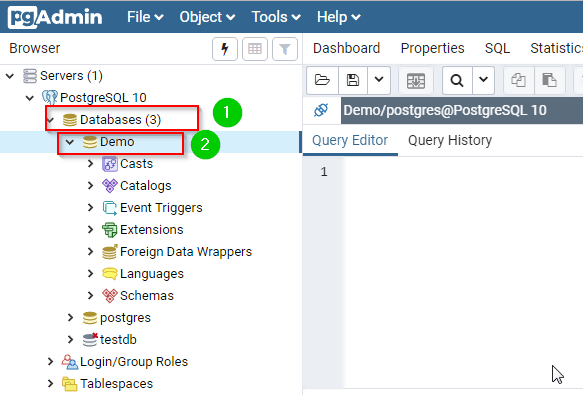
Step 3) Type the query in the query editor:
SELECT * FROM Employees WHERE name IN ('James John', 'Mercy Bush', 'Kate Joel');
Step 4) Click the Execute button.

It should return the following:

With Numeric
To accomplish the same through pgAdmin, do this:
Step 1) Login to your pgAdmin account.
Step 2)
- From the navigation bar on the left, click Databases.
- Click Demo.

Step 3) Type the query in the query editor:
SELECT * FROM Price WHERE price IN (200, 308, 250, 550);
Step 4) Click the Execute button.

It should return the following:

Using the NOT Operator
To accomplish the same through pgAdmin, do this:
Step 1) Login to your pgAdmin account.
Step 2)
- From the navigation bar on the left, click Databases.
- Click Demo.

Step 3) Type the query in the query editor:
SELECT * FROM Price WHERE price NOT IN (200, 400, 190, 230);
Step 4) Click the Execute button.

It should return the following:

Download the Database used in this Tutorial
