
Interoperability Testing in Software Testing
 Editorial Team
⚡ Smart Summary
Interoperability testing verifies that a software product exchanges data correctly with other components, devices, and vendor systems, proving that end-to-end functionality between two communicating systems behaves exactly as the stated requirements specify.

What is Interoperability Testing?
Interoperability Testing is a software testing type that checks whether the software can interact with other software components and systems. The purpose of interoperability tests is to ensure that the software product is able to communicate with other components or devices without any compatibility issues.
In other words, interoperability testing means proving that end-to-end functionality between two communicating systems is as specified by the requirements. For example, interoperability testing is done between smartphones and tablets to check data transfer via Bluetooth.
It is classified as a form of functional testing, because the question it answers is behavioral: does the exchanged information arrive intact and does the receiving system act on it correctly?
Different Levels of Software Interoperability
Two systems can agree with each other at several depths. Each level below assumes the one above it already works.
- Physical Interoperability — the connection itself is established, for example over Bluetooth, Wi-Fi, USB, or a wired network link.
- Data-type Interoperability — both sides encode and decode the same primitive types, character sets, and byte order.
- Specification level Interoperability — both sides implement the same message formats and protocol rules published in the specification.
- Semantic Interoperability — both sides attach the same meaning to the exchanged data, so a field such as “temperature” is interpreted in the same unit and context.
Why Do Interoperability Testing
Interoperability testing is done because,
- It ensures end-to-end service provision across two or more products from different vendors
- The software product should be able to communicate with other components or devices without any compatibility issues
The risks associated with a lack of interoperability testing are
- Loss of data
- Unreliable performance
- Unreliable operation
- Incorrect operation
- Low maintainability
How to do Interoperability Testing
The testing process for interoperability testing includes the following steps.
Step 1: Launch Project.
- Define and formalize the statement of work and set up project management infrastructure.
Step 2: Set up test lab
- Make sure all required skills and automation tools are set up for test activities
- Use automation tools for minimizing test cases and re-using test cases
- Maintain a database of configuration files
- Record and analyze metrics for the project
- Record configuration from unsuccessful tests for reference and analysis
Step 3: Develop test plan
- Write the Test Plan
- Define the test cases and procedures
- Set up necessary monitoring equipment for maintaining test logs.
Step 4: Execute test plan
- Execute test cases
- Work with the test team to analyze the root cause of failure
Step 5: Document Results
- Use test logs to record the implementation notes
Step 6: Free up resources and evaluate performance on the project,
- With the help of automation tools, analyze the test results
Example Test Cases for Interoperability Testing
The diagram below shows a typical two-vendor setup: devices from different manufacturers are connected, and every exchange between them becomes a test case.
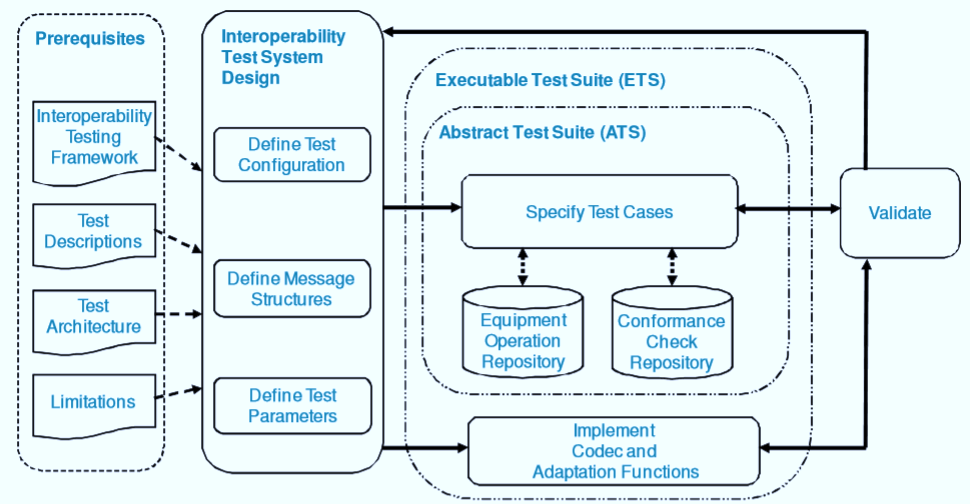
The testing strategy for interoperability testing includes
- Connect two or more devices from different vendors
- Check connectivity between devices
- Check if a device can send and receive packets or frames from each other
- Check if data is handled correctly in the network and facility layers
- Check if implemented algorithms work correctly
- Result ok: check next result
- Result not ok: Use monitor tools to detect the source of error
- Report result in Test reporting tool.
Interoperability Testing Tools and Techniques
No single product covers an interoperability matrix end to end. Most teams combine a packet-level view, a functional view, and a way to stand in for partner systems that are not available in the lab.
| Category | Typical tools | What it helps you verify |
|---|---|---|
| Protocol and packet analyzers | Wireshark, tcpdump, vendor protocol sniffers | Whether messages leave and arrive in the expected format, at the bit level |
| API and web-service clients | Postman, SoapUI | Request and response contracts between services built by different vendors |
| Service virtualization, stubs and mocks | WireMock, Mountebank, vendor SDK stubs | Behavior of a partner system that is unavailable, costly, or still under development |
| Device simulators and emulators | Vendor simulators, smart-home and IoT platform emulators | Large device and firmware matrices without buying every physical unit |
| CI automation | Jenkins, GitLab CI, Azure Pipelines | Automatic re-runs of the full combination matrix after every build |
Alongside the tools, three techniques recur: pairwise testing to keep the vendor combination matrix manageable, negative testing with malformed or out-of-version messages, and protocol-level logging so a failure can be traced to the exact frame that broke.
Best Practices for Interoperability Testing
Interoperability defects are expensive because they surface late, in someone else’s environment. The practices below keep the matrix under control.
- Maintain a compatibility matrix that lists every device model, firmware version, and protocol version in scope, and update it every release.
- Test backward and forward compatibility, not only the latest pairing. Older peers stay in the field for years.
- Anchor test cases to a published standard such as an IEEE, ISO, IETF, or industry profile, so “pass” means something both vendors accept.
- Automate and run continuously inside the CI pipeline, because a partner update can break a pairing that passed yesterday.
- Simulate before you buy — emulators cover breadth cheaply, and physical labs then confirm the highest-risk combinations.
- Version-control every configuration so a failing run can be reproduced exactly.
- Test degraded conditions including timeouts, dropped packets, partial messages, and version mismatch, not just the happy path.
- Agree on the reporting format early with the partner vendor, so defects are actionable on both sides.
Interoperability Testing Vs Conformance Testing
Interoperability, conformance, and compatibility testing are often used interchangeably, yet each answers a different question.
| Aspect | Interoperability Testing | Conformance Testing | Compatibility Testing |
|---|---|---|---|
| Purpose | It ensures that the product or software will interoperate with other certified products without any issues | It ensures the compliance of the product with respect to the required standard and specification | It ensures the product works correctly inside a given environment, such as an operating system, browser, or hardware configuration |
| Question answered | Can these two systems work together? | Does this system follow the rulebook? | Does this system run properly here? |
| Reference point | Another vendor’s product | The published standard | The target platform or environment |
| Example | File transfer between a phone and a tablet over Bluetooth | Validating protocol messages against the specification | Running the same application on Android 14, Android 15, and Android 16 |
Disadvantages of Interoperability Testing
The main difficulties in interoperability testing are
- Determining root causes of defects — a failure can sit in either system, or in the network between them.
- Accurate Measurement — results depend on timing and load, so the same test can pass and fail on consecutive runs.
- Scalability of testing — every new vendor multiplies the combination matrix.
- Network complexity — real topologies rarely match the simplified lab setup.
- Testing the Test Equipment — analyzers and simulators need their own validation before results can be trusted.
- Documenting Test Results and Learnings — findings must be readable by an external partner, not only the local team.
- Inadequate requirements — vague specifications leave both vendors technically compliant yet unable to communicate.
