
Interface in Java with Example
 Editorial Team
⚡ Smart Summary
Interface in Java is an abstract type that specifies the behavior a class must implement, containing constants and abstract methods. This resource explains what an interface is, why it is required, how to declare and implement one, and how interfaces differ from classes and abstract classes.
What is Interface in Java?
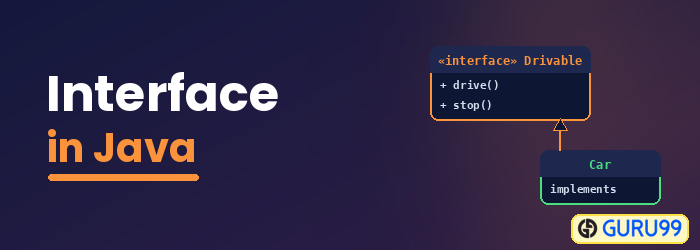
An Interface in Java programming language is defined as an abstract type used to specify the behavior of a class. A Java interface contains static constants and abstract methods. A class can implement multiple interfaces. In Java, interfaces are declared using the interface keyword. All methods in the interface are implicitly public and abstract.
Syntax for Declaring Interface
To use an interface in your class, append the keyword “implements” after your class name, followed by the interface name.
interface {
   // methods
}
Example for Implementing Interface
Now, let us understand interfaces in Java with an example:
class Dog implements Pet
interface RidableAnimal extends Animal, Vehicle
Click here if the video is not accessible.
Click here if the video is not accessible
Why is an Interface required?
To understand the use of an interface in Java better, let us look at a Java interface example. The class “Media Player” has two subclasses: CD player and DVD player. Each has its own unique interface implementation method to play music.

Another class, “Combo drive”, inherits both CD and DVD (see image below). Which play method should it inherit? This may cause serious design issues, and hence, Java does not allow multiple inheritance.

Now let us take another example of a Dog.
Suppose you have a requirement where the class “dog” inherits the class “animal” and “Pet” (see image below). But you cannot extend two classes in Java. So what would you do? The solution is an Interface.

The rulebook for an interface says:
- A Java interface is a 100% abstract class and has only abstract methods.
- A class can implement any number of interfaces.
Class Dog can extend the class “Animal” and implement the interface “Pet”.

Java Interface Example
Let us understand the below interface program in Java:
Step 1) Copy the following code into an editor.
interface Pet {
  public void test();
}
class Dog implements Pet {
   public void test() {
     System.out.println("Interface Method Implemented");
  }
   public static void main(String args[]) {
     Pet p = new Dog();
     p.test();
  }
}
Step 2) Save, Compile & Run the code. Observe the output of the interface in the Java program.
Difference between Class and Interface
| Class | Interface |
|---|---|
| In a class, you can instantiate variables and create an object. | In an interface, you cannot instantiate variables or create an object. |
| A class can contain concrete (with implementation) methods. | An interface cannot contain concrete (with implementation) methods. |
| The access specifiers used with classes are private, protected, and public. | In an interface, only one specifier is used – public. |
When to use Interface and Abstract Class?
- Use an abstract class when a template needs to be defined for a group of subclasses.
- Use an interface when a role needs to be defined for other classes, regardless of the inheritance tree of these classes.
Must know facts about Interface
- A Java class can implement multiple Java interfaces. It is necessary that the class implements all the methods declared in the interfaces.
- A class should override all the abstract methods declared in the interface.
- The interface allows sending a message to an object without concern for which class it belongs to.
- A class needs to provide functionality for the methods declared in the interface.
- All methods in an interface are implicitly public and abstract.
- An interface cannot be instantiated.
- An interface reference can point to objects of its implementing classes.
- An interface can extend from one or many interfaces. A class can extend only one class but implement any number of interfaces.
- An interface cannot implement another interface. It has to extend another interface if needed.
- An interface which is declared inside another interface is referred to as a nested interface.
- At the time of declaration, an interface variable must be initialized. Otherwise, the compiler will throw an error.
- A class cannot implement two interfaces in Java that have methods with the same name but a different return type.
