
Components of Operating Systems
 Editorial Team
⚡ Smart Summary
Components of an operating system are the core modules that manage files, processes, input and output devices, memory, storage, security, and networking, working together to run programs and share hardware resources efficiently.
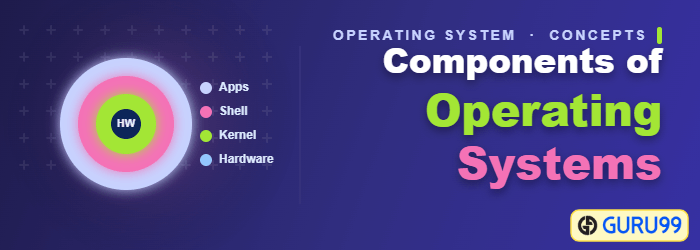
What are OS Components?
An operating system is a large and complex system that can only be created by partitioning into small pieces. These pieces should be a well-defined portion of the system, with carefully defined inputs, outputs, and functions.
Although Mac, Unix, Linux, Windows, and other OS do not have the same structure, most of the operating systems share similar OS system components like File, Process, Memory, and I/O device management.
Let’s see each of these components in detail.

File Management
A file is a set of related information which is defined by its creator. It commonly represents programs, both source and object forms, and data. Data files can be numeric, alphabetic, or alphanumeric.
Functions of file management in OS
The operating system has the following important activities in connection with file management:
- File and directory creation and deletion.
- Manipulating files and directories.
- Mapping files onto secondary storage.
- Backing up files on stable storage media.
Process Management
The process management component is a procedure for managing the many processes that are running simultaneously on the operating system. Every software application program has one or more processes associated with it when it is running.
For example, when you use a browser like Google Chrome, there is a process running for that browser program. The OS also has many processes running, which perform various functions.
All these processes should be managed by process management, which keeps processes running efficiently. It also uses the memory allocated to them and shuts them down when needed.
The execution of a process must be sequential, so at least one instruction should be executed on behalf of the process.
Functions of process management in OS
The following are the process management functions in an OS:
- Process creation and deletion.
- Suspension and resumption.
- Process synchronization.
- Process communication.
I/O Device Management
One of the important uses of an operating system is that it helps you to hide the variations of specific hardware devices from the user.
Functions of I/O management in OS
- It offers a buffer caching system.
- It provides general device driver code.
- It provides drivers for particular hardware devices.
- I/O helps you to know the individualities of a specific device.
Network Management
Network management is the process of administering and managing computer networks. It includes performance management, fault analysis, provisioning of networks, and maintaining the quality of service.
A distributed system is a collection of computers/processors that never share their own memory or a clock. In this type of system, all the processors have their local memory, and the processors communicate with each other using different communication lines, like fiber optics or telephone lines.
The computers in the network are connected through a communication network, which can be configured in a number of different ways. With the help of network management, the network can be fully or partially connected, which helps users to design routing and connection strategies that overcome connection and security issues.
Functions of Network management
- Distributed systems help you to use various computing resources in size and function. They may involve microprocessors, minicomputers, and many general-purpose computer systems.
- A distributed system also offers the user access to the various resources the network shares.
- It helps to access shared resources that help computation speed up or offer data availability and reliability.
Main Memory Management
Main memory is a large array of storage or bytes, each of which has an address. The memory management process is conducted by using a sequence of reads or writes of specific memory addresses.
In order to execute a program, it should be mapped to absolute addresses and loaded inside the memory. The selection of a memory management method depends on several factors.
However, it is mainly based on the hardware design of the system. Each algorithm requires corresponding hardware support. Main memory offers fast storage that can be accessed directly by the CPU. It is costly and hence has a lower storage capacity. However, for a program to be executed, it must be in the main memory.
Functions of Memory management in OS
An operating system performs the following functions for memory management:
- It helps you to keep track of primary memory.
- It determines which part of it is in use by whom, and which part is not in use.
- In a multiprogramming system, the OS decides which process will get memory and how much.
- It allocates the memory when a process requests it.
- It also de-allocates the memory when a process no longer requires it or has been terminated.
Secondary-Storage Management
The most important task of a computer system is to execute programs. These programs, along with the data they access, must be in the main memory during execution.
This memory of the computer is too small to store all data and programs permanently. The computer system offers secondary storage to back up the main memory. Today, modern computers use hard drives/SSDs as the primary storage of both programs and data. However, secondary storage management also works with storage devices like a USB flash drive and CD/DVD drives.
Programs like assemblers and compilers are stored on the disk until they are loaded into memory, and then use the disk as a source and destination for processing.
Functions of Secondary storage management in OS
Here, are the major functions of secondary storage management in OS:
- Storage allocation
- Free space management
- Disk scheduling
Security Management
The various processes in an operating system need to be secured from each other’s activities. For that purpose, various mechanisms can be used to ensure that those processes which want to operate on files, memory, CPU, and other hardware resources have proper authorization from the operating system.
For example, memory addressing hardware helps you to confirm that a process can be executed within its own address space. Timing ensures that no process has control of the CPU without releasing it.
Lastly, no process is allowed to do its own I/O, which helps to keep the integrity of the various peripheral devices.
Other Important Activities
Here, are some other important activities of an OS:
- The user’s program cannot execute I/O operations directly. The operating system should provide some medium to perform this.
- The OS checks the capability of the program to read, write, create, and delete files.
- The OS facilitates an exchange of information between processes executing on the same or different systems.
- OS components help to make sure that you get correct computing by detecting errors in the CPU and memory hardware.
