
7 BEST Photo Recovery Software in 2026
 Editorial Team
Photo recovery software often feels like a gamble when you need it most. Files vanish, scans return partial results, interfaces confuse rather than guide, and some tools quietly skip over critical data. I have seen people lose irreplaceable memories or spend hours chasing dead ends because the software could not deliver consistently. What many overlook are the deeper factors that actually influence recovery success. With the right approach, however, you can restore lost photos more reliably, avoid unnecessary frustration, and move forward with confidence instead of uncertainty.
I spent over 180 hours researching and testing 25+ options, comparing real-world recovery performance, ease of use, and reliability across different scenarios. After rigorous testing, I narrowed it down to 8 best photo recovery software options, each evaluated firsthand for features, strengths, and trade-offs, with insights backed by practical usage. Keep reading to find the one that actually fits your situation. Read more…
Best Photo Recovery Software: Top Picks!
| Tool Name | Best For | Top Features | Free/Trial Plans | Link |
|---|---|---|---|---|
| Stellar Photo Recovery | Deep photo & video recovery | • RAW recovery • SD card support • Preview files • Repair images |
Free version | Learn More |
| iToolab RecoverGo | Mobile photo recovery (Android/iOS) | • WhatsApp recovery • Phone scan • Selective restore • No root needed |
30-day moneyback guarantee | Learn More |
| Dr.Fone (Wondershare) | All-in-one mobile recovery toolkit | • iOS/Android recovery • App data restore • System repair • Backup tools |
7-day money-back guarantee | Learn More |
| Wondershare Recoverit | Beginner-friendly photo recovery | • Deep scan • Preview recovery • Crash recovery • Partition restore |
Free version | Learn More |
| EaseUS Data Recovery Wizard | High success rate & ease of use | • 2GB free recovery • RAW photo support • Fast scan • File preview |
30-day moneyback guarantee | Learn More |
1) Stellar Photo Recovery
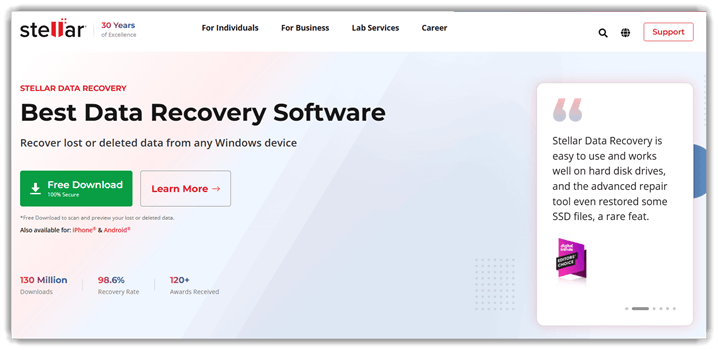
Stellar Photo Recovery is a specialized data recovery tool for photos. It supports photo, video, and audio recovery from multiple storage devices. The tool works with memory cards, hard drives, and USB devices. It is widely trusted for reliable recovery and a simple interface.
I found its scanning process fast and results consistently accurate. For example, during accidental deletion, it quickly restored lost images efficiently. It helps when recovering files after formatting or corrupted storage devices. The free version allows previewing recoverable files before completing recovery tasks.
Features:
- Deep Scan: Stellar Photo Recovery scans storage devices sector by sector to locate lost files. It identifies recoverable photos even after deletion or formatting. This helps users retrieve data from complex loss scenarios. It is especially useful when standard scans fail to find missing files.
- Preview Files: This feature displays recoverable photos before restoring them to your system. You can verify file quality and relevance in advance. It reduces unnecessary recovery and saves time during selection. It also helps avoid restoring corrupted or incomplete files.
- Selective Recovery: You can choose specific files or folders instead of restoring everything. This keeps storage organized and avoids clutter from unwanted files. It also speeds up the recovery process significantly. This is useful when working with limited storage space.
- Multiple Formats: Stellar Photo Recovery supports various image, video, and audio file types. It ensures compatibility with common formats used across devices. This helps users recover mixed media from different sources easily. It reduces the need for separate tools for different file types.
- Drive Filtering: This specific functionality filters scan results by file type or date. Users can quickly narrow down large recovery lists. It makes locating important files faster and less overwhelming. This becomes valuable when dealing with large storage devices.
- Resume Recovery: I have noticed this works well when scans get interrupted unexpectedly. Stellar Photo Recovery saves scan progress for later continuation. This prevents restarting long scans from scratch. It ensures recovery tasks can continue without losing progress.
Pros
Cons
Pricing:
Stellar Photo Recovery offers a free download (preview-only) with paid plans starting at $49.99 for full recovery features.
| Plan | Pricing |
|---|---|
| Standard | $49.99 |
| Professional | $59.99 |
| Premium | $69.99 |
2) iToolLab RecoverGo
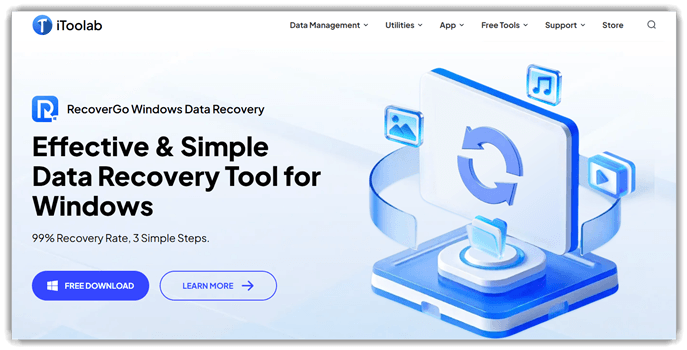
iToolLab RecoverGo is a data recovery tool designed for lost photos. It supports photo recovery from devices, storage drives, and memory cards. The software handles deleted, formatted, or corrupted images with consistent accuracy. Its scan engine and previews make recovery workflows reliable for beginners.
I found the recovery process straightforward, with stable scans across storage types. For example, you can recover deleted photos before finalizing a project update. This makes it practical during regression checks after storage or device failures.
Features:
- File Recovery Modes: iToolLab RecoverGo offers multiple recovery modes for deleted, lost, or formatted files. This helps users target specific data loss scenarios. It reduces unnecessary scanning time and improves recovery accuracy.
- Deep Scan Engine: This feature performs an in-depth scan of storage devices to locate hidden or fragmented files. I have noticed it works well for severely corrupted drives. It increases the chances of recovering otherwise inaccessible data.
- Device Compatibility: RecoverGo supports recovery from smartphones, computers, and external storage devices. This allows users to handle multiple data sources in one tool. It simplifies workflows without switching between different recovery software.
- Selective Recovery: This specific functionality lets users choose exactly which files or folders to recover. It avoids restoring large amounts of unwanted data. It also saves time and storage space during recovery.
- Data Type Filtering: Using this feature, users can filter results by file type, such as photos, videos, or documents. I often rely on this when searching for specific files quickly. It makes navigation through large scan results easier.
- System Repair Tools: RecoverGo includes tools to fix system issues that cause data loss. This helps stabilize devices before attempting recovery. It improves overall success rates by reducing recurring errors.
Pros
Cons
Pricing:
It offers a free download and a 30-day money-back guarantee with conditions. It also offers discounts from time to time and may have some offers for first-time buyers. Here are its Windows plans:
| Plan | Pricing |
|---|---|
| Quater Plan | $19.95/ month |
| 1 Month Plan | $19.95/ month |
| Yearly Plan | $49.95 |
3) Dr. Fone
Dr. Fone is a comprehensive data recovery tool for photos and files. It supports mobile and desktop recovery across multiple devices and systems. The software focuses on photo recovery, backups, and device data restoration. Its stable performance and structured scans make recovery processes reliable.
I noticed scans completed quickly and results remained consistent across devices. During regression checks, deleted photos needed to be restored before validating gallery changes. The tool helped retrieve images after failed updates or accidental deletions. This fits workflows requiring quick recovery validation before final release cycles.

Features:
- Selective Restore: Instead of bulk recovery, users can filter results by file type, size, or date. This makes large scan outputs manageable and easier to navigate. It helps prevent overwriting newer data while restoring only what matters.
- Cross-Device Support: Dr. Fone supports recovery across different operating systems and device models. It adapts scanning behavior depending on device architecture and storage type. This ensures consistent workflows even when switching between Android and iOS environments.
- Backup Extraction: Users can access backup files without performing a full device restore process. The system parses backup layers to isolate specific data categories. I have found this particularly useful when retrieving single items from large backup archives.
- System Repair: This feature addresses common firmware and OS-level issues without requiring manual flashing. It guides users through structured repair flows with minimal technical input. This reduces dependency on external repair tools or service centers.
- WhatsApp Recovery: Dr. Fone scans app-specific databases to recover chat histories and media files. It reconstructs conversations even when partial data is available. I often rely on this when recovering messages after accidental app deletions.
- Data Transfer: The tool enables direct device-to-device migration without intermediate storage steps. It maps compatible data formats between source and target devices. This reduces transfer errors and speeds up device setup during upgrades.
Pros
Cons
Pricing:
Dr.Fone offers a 7-day money-back guarantee, while paid plans start from $29.95 with monthly, yearly, or lifetime options.
| Plan | Pricing |
|---|---|
| Dr.Fone Basic | $29.95/month |
| Dr.Fone – Data Recovery | $34.95/ month |
| Dr.Fone – Full Toolkit | $79.95/month |
4) Wondershare Recoverit
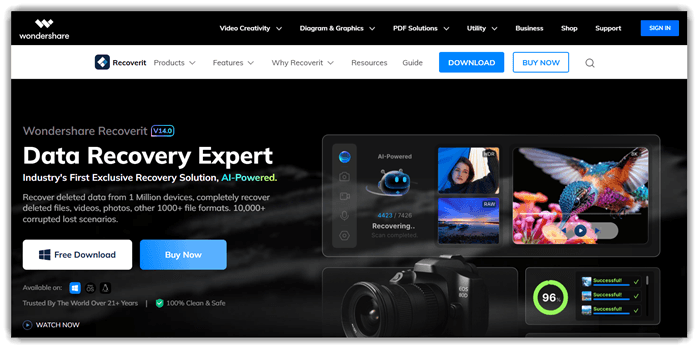
Wondershare Recoverit is a data recovery tool built for restoring deleted photos and files. It supports photo recovery, videos, and documents from many storage devices. The software uses deep scan algorithms to find lost or formatted data. Its reliability comes from stable performance and wide device compatibility.
In my testing, scans completed quickly and recovered images without corruption. For example, during regression checks, I restored deleted UI assets before release. This ensures visual elements remain intact after updates or testing cycles.
Features:
- Bootable Recovery: Wondershare Recoverit creates a bootable USB for crashed or unresponsive systems. It allows recovery without accessing the operating system. This helps users recover data even when devices fail to start.
- Advanced File Filtering: Wondershare Recoverit lets users filter scan results by file type, size, or modification date. This narrows large result sets quickly. It helps users locate specific files without scrolling endlessly.
- Scan Pause Resume: This feature allows pausing ongoing scans and resuming them later from the same point. It prevents losing progress during interruptions. I have found this useful when scanning large drives over multiple sessions.
- Crash Scenario Recovery: Wondershare Recoverit guides users through recovery when systems fail due to crashes or boot errors. It provides step-by-step recovery flows. This reduces confusion during stressful data loss situations.
- NAS Recovery: Users can connect network-attached storage devices directly within the tool for remote recovery. It scans over the network without physical access. This is helpful for recovering data from office or shared environments.
- File Path Reconstruction: This feature rebuilds original folder structures during recovery whenever possible. It organizes recovered files logically. Users can restore data without manually sorting thousands of scattered files.
Pros
Cons
Pricing:
Recoverit offers a free version (limited to 500MB recovery) and three paid plans: monthly, yearly, and lifetime licenses.
| Plan | Pricing |
|---|---|
| 1 Month License | US$ 59.99/month |
| 1 Year License | US$ 99.99/year |
| Perpetual License | US$ 129.99 |
5) EaseUS Data Recovery
EaseUS Data Recovery is a data recovery tool for restoring lost photos. It supports photo recovery, deleted file restoration, and deep scanning modes. The tool works across drives, memory cards, and formatted storage devices reliably.
I found its scanning stable when recovering images from corrupted storage. For example, before deployment, you validate recovery after accidental file deletion. It helps ensure critical photos can be restored from damaged partitions quickly. This fits well into data recovery testing workflows and backup validation tasks.

Features:
- Deep Recovery: The tool performs a deeper scan to find files missing from quick results. It checks raw disk sectors thoroughly. This increases the chances of recovering files after formatting or system crashes.
- Preview Files: You can preview recoverable files before restoring them to your system. It shows file contents clearly. This helps confirm file integrity and avoids restoring unnecessary or corrupted files.
- Selective Restore: This feature allows users to recover only specific files instead of entire folders. It supports multiple formats. It helps reduce clutter and saves time during the recovery process.
- Partition Recovery: EaseUS Data Recovery can detect lost or deleted partitions on storage devices. It rebuilds partition structures. This helps retrieve files even when drives become inaccessible or appear unallocated.
- Filter Search: Using this feature, users can filter results by file type, size, or date. It narrows down large scan results. In my experience, this saves significant time when dealing with thousands of files.
- Crash Recovery: The tool supports recovery from system crashes or unexpected shutdown scenarios. It scans damaged storage environments. I have found this useful when recovering files after operating system failures.
Pros
Cons
Pricing:
EaseUS Data Recovery Wizard offers a free version, paid plans start at $49.95 with no free trial and a 30-day money-back guarantee.
| Plan | Pricing |
|---|---|
| Monthly | $49.95 |
| Annual | $59.95 |
| Lifetime Upgrades | $89.95 |
6) Glarysoft
Glarysoft is a file recovery tool designed to restore deleted photos. It supports photo recovery, file scanning, and deep storage analysis capabilities. The software works on hard drives, memory cards, and removable devices. Its reliable recovery engine helps retrieve files without complex setup steps.
I found the scanning process quick, and the results appeared clearly organized. During regression checks, you might recover accidentally deleted screenshots before reporting issues. This helps verify UI changes when visual references suddenly go missing.

Features:
- System Cleanup: Glarysoft scans your system for temporary files, cache, and leftover data. It helps free up storage space quickly. This reduces clutter and improves overall system responsiveness.
- Registry Repair: The tool detects broken or outdated registry entries causing system slowdowns. It allows safe cleanup with backup options. This reduces errors and stabilizes overall Windows performance.
- Startup Manager: Glarysoft lets users control which programs run during system startup. You can disable unnecessary apps easily. This significantly reduces boot time and improves system readiness.
- Privacy Eraser: This feature removes browsing history, cookies, and usage traces from your device. It helps protect personal data from unauthorized access. Many users rely on this for maintaining digital privacy.
- Disk Analysis: This functionality visualizes how storage space is being used across files and folders. It highlights large or unnecessary files quickly. I often rely on this when cleaning up overloaded drives.
- Automation Tasks: Glarysoft allows users to schedule maintenance tasks like cleanup and scanning. It runs these processes automatically at set intervals. This reduces manual effort and keeps systems consistently optimized.
Pros
Cons
Pricing:
Glarysoft File Recovery offers a free version; paid plans start at USD $19.95/week. Refund policy: It also has a 7-day money-back guarantee for the One-week License, a 30-day money-back guarantee for the Annual License, and a 90-day money-back guarantee for the Lifetime License.
| Plan | Pricing |
|---|---|
| One-week License | USD $19.95/Week |
| Annual License | USD $49.95/Year |
| Lifetime License | USD $99.95/Lifetime |
7) Tenorshare 4DDiG
Tenorshare 4DDiG is a data recovery tool for recovering lost photos. It supports photo recovery, partitions, drives, and formatted storage devices. The tool is reliable due to deep scanning and broad format support. It works across Windows and macOS with a simple interface.
I noticed scans remained stable even with large damaged storage drives. During a release cycle, you might recover deleted images before publishing updates. This helps validate visual assets after accidental deletion or corruption issues.

Features:
- Crash Recovery: This specific functionality recovers files from crashed or unbootable systems. In my experience, this is useful after unexpected shutdowns or system failures. It ensures important data is not permanently lost.
- External Device Support: The tool works with USB drives, SD cards, and external hard disks. It helps users recover files from multiple storage sources easily. This expands recovery options beyond just internal system drives.
- Scan Pause Resume: You can pause and resume scans without losing progress during long operations. I often rely on this when scanning large drives over several hours. It improves flexibility and avoids restarting time-consuming scans.
- Path-Based Recovery: Tenorshare 4DDiG reconstructs original folder structures during the scan process. This helps users restore files in their original locations. It reduces confusion when recovering large volumes of mixed data.
- Drive Health Insights: Tenorshare 4DDiG provides basic indicators about drive readability during scans. I have noticed this helps identify failing storage early. It allows users to act before a complete hardware failure occurs.
- Scan Result Sorting: Users can sort scan results by size, date, or file type. This makes it easier to prioritize important files quickly. It improves navigation when dealing with thousands of recoverable items.
Pros
Cons
Pricing:
Tenorshare 4DDiG starts at $36.95 for a 1 Month License, with a 7-Day-Trial and has a 30-day money-back guarantee.
| Plan | Pricing |
|---|---|
| 1 Month License | $36.95 |
| 1 Year License | $59.95 |
| Lifetime License | $79.95 |
Feature Comparison: Best Photo Recovery Software
Here’s a quick feature comparison table that you can use for taking a quick at all the above tools:
| Tool | Stellar Photo Recovery | iToolab RecoverGo | Dr.Fone | Wondershare Recoverit |
| Broad device coverage | ✔️ | ❌ | ❌ | ✔️ |
| Preview before restore | ✔️ | ✔️ | ✔️ | ✔️ |
| Free recovery tier | ✔️ | ✔️ | ✔️ | ✔️ |
| 24/7 support | ❌ | ❌ | ❌ | ✔️ |
| Encrypted/RAID recovery | ✔️ | ❌ | ❌ | ✔️ |
What Is Photo Recovery Software and How Does It Work?
Photo recovery software helps retrieve deleted or lost images from storage devices. These tools scan memory sectors for recoverable file fragments. They rebuild files even after accidental deletion or formatting events. Most tools support hard drives, SSDs, USB drives, and memory cards.
The software uses deep scan algorithms to locate hidden image data. Some advanced tools also recover corrupted or partially overwritten files. This makes them essential for photographers and everyday users alike. Understanding how these recovery tools work helps users choose reliable recovery solutions.
Why Do Photos Get Deleted or Lost in the First Place?
Photos often disappear due to accidental deletion, formatting errors, or system crashes. Malware attacks and corrupted storage devices also cause data loss. Sometimes files become inaccessible due to partition issues or software failures. Even improper device ejection can lead to data corruption.
Many users unknowingly overwrite files, reducing recovery chances. Recognizing these causes helps prevent permanent data loss. It also highlights the importance of using recovery tools quickly. Early action improves the chances of successful photo recovery significantly.
What Are Common Issues and Troubleshooting Tips for Photo Recovery Software?
Photo recovery tools sometimes face technical issues during operation. Understanding these problems helps users resolve them efficiently.
- Issue: The software fails to detect the storage device during the initial scanning process.
Solution: The device should be reconnected properly, and drivers must be updated to ensure system recognition and compatibility. - Issue: The recovery process stops midway due to unexpected software crashes or system errors.
Solution: The software should be restarted with administrative permissions, and background applications must be closed to improve stability. - Issue: Recovered photos appear corrupted or partially unreadable after successful scanning completion.
Solution: A deeper scan mode should be used since it reconstructs fragmented files more accurately using advanced recovery algorithms. - Issue: The scanning process takes an extremely long time on large storage devices.
Solution: Quick scan mode should be used initially, and specific file types must be selected to reduce scanning duration. - Issue: The software shows recovered files, but does not allow saving them properly.
Solution: The destination drive should be different from the source drive to avoid overwriting. The software must also be granted proper write permissions in system settings. - Issue: The recovered photos are missing original file names and folder structure details.
Solution: A deep scan mode should be used since it restores metadata more effectively. Organizing recovered files manually may still be required after completion. - Issue: The software installation fails or gets blocked by system security settings.
Solution: Antivirus or firewall settings should be temporarily adjusted to allow installation. The software must be downloaded only from official sources to ensure safety. - Issue: The tool does not support certain RAW image formats from newer camera models.
Solution: The software should be updated to the latest version, as newer updates include expanded format support. Choosing tools with frequent updates improves compatibility. - Issue: The recovery results include many duplicate or irrelevant image files after scanning.
Solution: File filters should be applied before scanning to target specific formats. Sorting and preview features can also help identify the correct files efficiently.
How Did We Choose the Best Photo Recovery Software?
Guru99 performs rigorous analysis to identify the best photo recovery software. The team focuses on usability, performance, and reliability. Each tool undergoes real-world testing scenarios for accurate evaluation.
- Feature Analysis: We evaluate scanning modes, file support, and preview capabilities carefully.
- Performance Testing: Our team measures recovery speed and success rates across devices.
- Usability Review: The researchers assess interface simplicity for beginners and advanced users.
- Compatibility Check: The team ensures tools work across multiple operating systems and formats.
- Security Evaluation: Our testers verify data safety and the absence of malware risks.
- User Feedback Review: The experts thoroughly analyze real user experiences and ratings.
- Value Assessment: Our experts compare pricing against features to determine overall value.
This structured process ensures users get trustworthy and well-tested recommendations.
Verdict
After testing multiple photo recovery tools across different scenarios, I found a few that consistently delivered reliable recovery results, smooth performance, and a genuinely user-friendly experience.
- Stellar: I found Stellar exceptionally reliable for deep scans. It recovered lost photos from multiple formats with impressive accuracy and maintained file quality throughout the process.
- iToolLab RecoverGo: What stood out during my testing was its simplicity. I restored deleted images quickly, and the clean interface made the entire recovery process feel effortless.
- Dr. Fone: I appreciated its versatility across devices. It handled both Android and iOS recovery smoothly and delivered consistent results even with partially corrupted photo files.
