
10 BEST Excel Books (2026 Update)
 Editorial Team
We are reader supported and may earn a commission when you buy through links on our site
Microsoft Excel is a spreadsheet program used to organize, calculate, and present data. It can handle budgets, sales records, schedules, reports, charts, and many other everyday tasks. Learning Excel can help students, office workers, analysts, and business owners work with information more clearly and quickly.
Choosing the right book makes learning easier. Beginners need clear lessons on worksheets, formulas, formatting, sorting, and charts, while experienced users may want help with PivotTables, business modeling, or VBA automation.
This article compares 10 Excel books for different skill levels and goals. Each review explains the main topics, the type of reader the book suits, and any limits readers should know before choosing one for daily work or study. Read more…
Best Excel Books for Beginners and Advanced Users
| Book Title | Author Name | Latest Edition | Publisher | Ratings | Link |
|---|---|---|---|---|---|
| Excel 2019 Bible | Michael Alexander, Richard Kusleika, and John Walkenbach | 1st edition | Wiley |  |
Learn More |
| Excel 2019 All-in-One for Dummies | Greg Harvey | 1st edition | For Dummies |  |
Learn More |
| Slaying Excel Dragons | Mike Girvin and Bill Jelen | 1st edition | Holy Macro! Books | |
Learn More |
| Ctrl+Shift+Enter Mastering Excel Array Formulas | Mike Girvin | 1st edition | Holy Macro! Books | |
Learn More |
| Excel for Beginners (Excel Essentials Book 1) | M. L. Humphrey | 1st edition | Independently Published |  |
Learn More |
Ratings: These ratings come from Amazon book listings, not Guru99. They may vary by book edition or seller. Ratings, publisher names, and edition details were checked in October 2026.
1) Excel 2019 Bible
Author Name: Michael Alexander
Publisher: Wiley
Latest Edition: 1st edition
No of Pages: 1120 pages
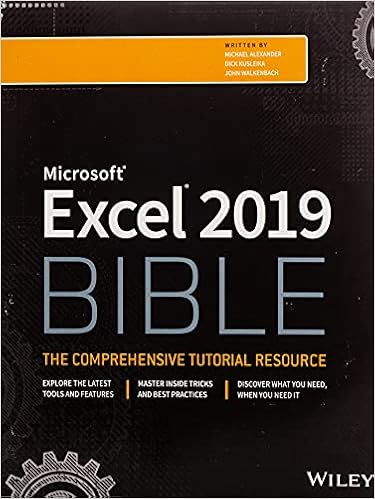
Excel 2019 Bible by Michael Alexander, Richard Kusleika, and John Walkenbach is a wide reference for everyday spreadsheet work. It covers worksheet setup, formulas, formatting, charts, PivotTables, data analysis, and workbook controls. The topic-based layout also makes it easy to return when you need help with one task.
At more than a thousand pages, this is not a quick cover-to-cover read. Some screens and feature names reflect Excel 2019, so Microsoft 365 users should check current menus. It works best as a broad reference beside regular hands-on practice.
What You’ll Learn:
- Build clear worksheets with consistent labels, ranges, and formats
- Write formulas using cell references and common Excel functions
- Create PivotTables for faster summaries and practical data analysis
- Make charts that explain trends without crowding the worksheet
- Clean imported data before sorting, filtering, or reporting
- Protect workbooks and check formulas before sharing results
Best For: Readers who want one broad Excel reference covering everyday tasks, formulas, charts, PivotTables, data analysis, and workbook management in depth.
2) Excel 2019 All-in-One for Dummies
Author Name: Greg Harvey
Publisher: For Dummies
Latest Edition: 1st edition
No of Pages: 816 pages
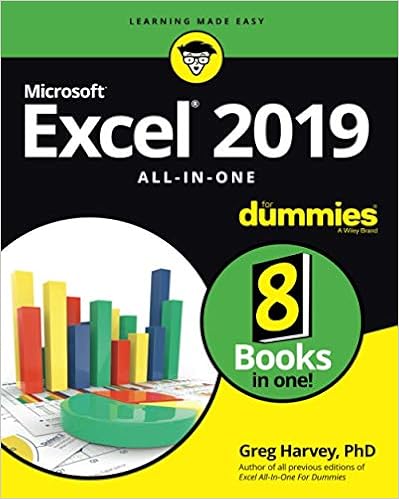
Excel 2019 All-in-One for Dummies by Greg Harvey gathers core and advanced topics into one approachable guide. It explains worksheet editing, formulas, charts, data imports, review tools, financial work, and basic macros. Separate topic sections help readers find a lesson without following every chapter in order.
The large size can feel heavy if you only need one feature, and its interface examples come from Excel 2019. Readers using Microsoft 365 may see different labels or buttons. Choose it when you want patient explanations and broad coverage rather than a short course.
What You’ll Learn:
- Create, edit, format, and protect everyday Excel worksheets
- Build formulas with references, functions, names, and tables
- Import outside data and prepare it for analysis
- Present results using charts, graphics, and worksheet formatting
- Review workbooks and share files with other users
- Start automating repeated steps with macros and Visual Basic
Best For: Beginners who prefer one large, friendly guide covering worksheets, formulas, charts, data tools, macros, and Excel tasks step by step.
3) Slaying Excel Dragons
Author Name: Mike Girvin
Publisher: Holy Macro! Books
No of Pages: 578 pages
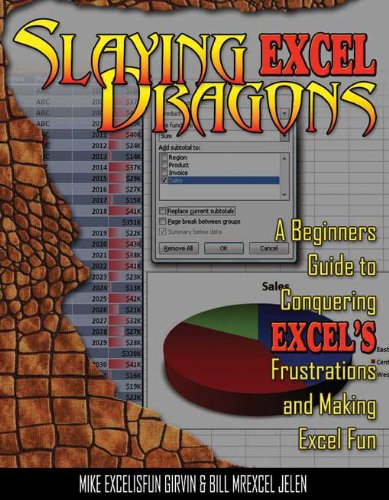
Slaying Excel Dragons by Mike Girvin and Bill Jelen teaches Excel through screenshots, fixes, and practical worksheet examples. It starts with rows, columns, and cells, then moves into formulas, sorting, subtotals, and PivotTables. Readers can follow a problem, see the steps, and apply the same method to their own files.
The many screenshots make the book long, and the older interface may not match current Microsoft 365 screens. It suits visual learners who want detailed demonstrations. Readers looking for a compact reference may find the step-by-step format slower than needed.
What You’ll Learn:
- Navigate worksheets and manage rows, columns, and cells
- Enter, clean, sort, and filter everyday business data
- Build formulas that solve common spreadsheet calculation problems
- Format reports for clearer reading and faster review
- Summarize long lists with subtotals and practical PivotTables
- Fix frequent Excel mistakes using clear screenshot examples
Best For: New Excel users who learn through screenshots, practical fixes, and detailed examples that turn common worksheet problems into repeatable skills.
4) Ctrl+Shift+Enter Mastering Excel Array Formulas
Author Name: Mike Girvin
Publisher: Holy Macro! Books
Latest Edition: 1st edition
No of Pages: 326 pages

Ctrl+Shift+Enter by Mike Girvin focuses on array formulas and the logic behind complex worksheet calculations. It explains how arrays work, how functions process multiple values, and how to combine criteria, lookups, and calculations. Worked examples help readers understand why a formula works instead of only copying it.
This is a specialist book, not an introduction to Excel. Its methods reflect the classic array formula approach used before newer dynamic array features became common. Readers should know basic functions and references first, then compare older formulas with current Microsoft 365 options.
What You’ll Learn:
- Understand how Excel stores and calculates array values
- Build practical multi-condition formulas without extra helper columns
- Combine lookup functions with logical tests and calculations
- Debug array formulas by checking each calculation stage
- Use named ranges inside complex reusable worksheet formulas
- Compare classic arrays with newer dynamic array features
Best For: Formula users who understand basic Excel and want deeper control over array calculations, lookup logic, criteria, and reusable worksheet models.
5) Excel for Beginners (Excel Essentials Book 1)
Author Name: M.L. Humphrey
Publisher: Independently Published
No of Pages: 146 pages

Excel for Beginners by M. L. Humphrey gives first-time users a short introduction to the program. It covers navigation, data entry, worksheet formatting, basic formulas, sorting, printing, and charts. The compact length makes it easier to finish than a large reference book and keeps attention on common tasks.
The book does not provide the depth needed for advanced formulas, PivotTables, automation, or large data models. It is best used for the first stage of learning. After completing it, practice with a personal budget or simple tracker before moving to a larger guide.
What You’ll Learn:
- Find commands, worksheets, cells, rows, and columns quickly
- Enter and edit text, numbers, dates, and formulas
- Format worksheet content for clean and readable reports
- Sort simple lists and organize related worksheet records
- Create basic charts from a selected data range
- Prepare worksheets for printing and everyday file sharing
Best For: First-time Excel users who want short lessons on navigation, data entry, formatting, formulas, printing, and basic charts without advanced topics.
6) Microsoft Excel 2019 Pivot Table Data Crunching
Author Name: Bill Jelen
Publisher: Microsoft Press
Latest Edition: 1st edition
No of Pages: 512 pages

Microsoft Excel 2019 Pivot Table Data Crunching by Bill Jelen and Michael Alexander concentrates on turning lists into useful summaries. It explains PivotTable setup, grouping, filtering, calculated fields, charts, and reporting methods. The examples are aimed at business data, which helps readers connect each feature with a real reporting need.
This book assumes you already know basic Excel navigation and formulas. Its screenshots follow Excel 2019, while newer versions may place commands differently. It is a focused choice for PivotTable work, but it will not replace a general Excel guide.
What You’ll Learn:
- Prepare clean source lists before building useful PivotTables
- Group dates, numbers, and categories for clearer summaries
- Filter large reports using slicers and report controls
- Create useful calculated fields for custom PivotTable measurements
- Turn PivotTable results into clear practical PivotChart reports
- Refresh summaries when the underlying business data changes
Best For: Analysts, managers, and students who already know Excel basics and need focused instruction on PivotTables, PivotCharts, grouping, filters, and summaries.
7) Microsoft Excel 2019 Data Analysis and Business Modeling
Author Name: Wayne Winston
Publisher: Microsoft Press
Latest Edition: 6th edition
No of Pages: 880 pages

Microsoft Excel 2019 Data Analysis and Business Modeling by Wayne Winston teaches spreadsheet methods through business questions. It covers formulas, forecasting, optimization, probability, financial models, and data analysis, including examples tied to Office 365. The examples show how to turn a business problem into a workbook model and then read the result.
The book is detailed and works better after you know formulas, tables, and charts. Some steps follow Excel 2019 rather than the latest Microsoft 365 layout. Readers wanting only basic office tasks may find its modeling sections more mathematical than necessary.
What You’ll Learn:
- Translate real business questions into structured spreadsheet models
- Use formulas for forecasting, finance, and decision analysis
- Measure business uncertainty with probability and simulation methods
- Optimize choices using Excel Solver and clear constraints
- Summarize datasets with tables, charts, and descriptive measures
- Check model assumptions carefully before presenting business recommendations
Best For: Business analysts and advanced users who want realistic modeling examples, data analysis methods, forecasting tools, and better spreadsheet decision support.
8) Excel VBA Programming For Dummies (For Dummies)
Author Name: Michael Alexander
Publisher: For Dummies
Latest Edition: 1st edition
No of Pages: 416 pages

Excel VBA Programming For Dummies by Michael Alexander and John Walkenbach introduces automation through Visual Basic for Applications. It explains the Visual Basic Editor, macros, procedures, variables, loops, worksheet events, user forms, and error handling. The friendly style helps Excel users move from recorded macros to code they can change themselves.
Readers should understand workbooks, ranges, and formulas before starting. The book focuses on desktop Excel, so some automation ideas do not apply to Excel for the web. VBA also requires practice; reading examples without running and changing them will limit progress.
What You’ll Learn:
- Navigate the Visual Basic Editor and manage code modules
- Record macros and replace fixed steps with flexible code
- Work with variables, loops, conditions, ranges, and worksheets
- Build user forms for simple guided data entry
- Handle errors and debug macros that stop unexpectedly
- Run code from buttons, events, and workbook actions
Best For: Excel users ready to automate work with VBA, create macros, build forms, handle errors, and understand the Visual Basic Editor.
9) Professional Excel Development
Author Name: Rob Bovey
Publisher: Addison Wesley
Latest Edition: 2nd edition
No of Pages: 1176 pages
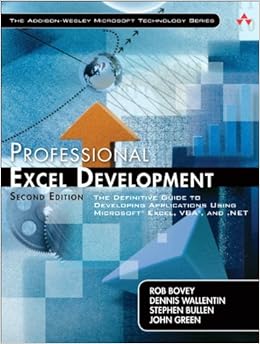
Professional Excel Development by Rob Bovey, Dennis Wallentin, Stephen Bullen, and John Green is written for people building serious Excel applications. It covers architecture, VBA practices, user interfaces, add-ins, deployment, error handling, and maintainable workbook design. The focus is how features behave in real projects, not only how to turn them on.
This is an advanced reference with older technology examples, so it is not suitable for beginners. Some deployment details may need updating for current Office versions. Experienced VBA developers can still use its design principles to make business workbooks easier to support.
What You’ll Learn:
- Plan workbook applications before writing formulas or code
- Structure VBA projects for easier testing and maintenance
- Create polished workbook interfaces for guided business workflows
- Build add-ins that reuse features across multiple workbooks
- Handle application errors and record useful diagnostic details
- Prepare Excel applications for safe controlled user deployment
Best For: Experienced Excel and VBA developers building dependable business applications, reusable code, polished interfaces, add-ins, deployment plans, and maintainable workbook systems.
10) Excel Basics In 30 Minutes
Author Name: Ian Lamont
Publisher: I30 Media Corporation
Latest Edition: 2nd Revised edition
No of Pages: 112 pages

Excel Basics In 30 Minutes by Ian Lamont offers a quick tour of the worksheet screen and common tasks. It explains cells, data entry, basic formatting, formulas, charts, and file options in plain language. Screenshots and short steps make it useful when you need a fast start before practicing in Excel.
The short format leaves little room for deeper formulas, PivotTables, data cleaning, or automation. Some comparisons and screens may reflect older editions of Excel. Treat it as an orientation guide, then build a small worksheet and move to a fuller book when questions grow.
What You’ll Learn:
- Recognize workbook, worksheet, cell, row, and column terms
- Enter data and correct common worksheet entry mistakes
- Apply simple number, text, border, and alignment formats
- Write basic formulas using operators and cell references
- Create straightforward charts from a clean data range
- Save, print, and share a simple Excel workbook
Best For: Busy beginners who want a fast introduction to worksheets, cells, formatting, formulas, sorting, charts, printing, and common Excel terms first.
How to Choose an Excel Book
Start with the task you need to complete. A first-time user needs navigation, data entry, formatting, formulas, charts, and printing. A business user may need PivotTables and reporting. Analysts may want forecasting and modeling, while developers need VBA and application design.
- For broad coverage: Choose Excel 2019 Bible.
- For a shorter start: Use Excel for Beginners or Excel Basics In 30 Minutes.
- For visual lessons: Choose Slaying Excel Dragons.
- For formulas: Read Ctrl+Shift+Enter after learning the basics.
- For reporting: Choose Pivot Table Data Crunching.
- For automation: Start with Excel VBA Programming For Dummies.
Are Older Excel Books Still Useful?
Older Excel books can still teach worksheet structure, formulas, references, charts, PivotTables, and VBA. Those ideas change more slowly than the program’s menus. The main difference is that Microsoft 365 may have newer functions, dynamic arrays, and a different screen layout.
Check the edition before buying. If a book explains a stable topic well, use it for the main lesson and compare its steps with current Microsoft support pages. Choose a recent guide when you need features that did not exist in Excel 2019.
How to Practice Excel While Reading
Open Excel and rebuild each example instead of only reading the steps. Change the source data, break one formula, and fix the error. This shows whether you understand the method or only copied it.
Use small projects such as a monthly budget, expense tracker, sales report, task list, or chart dashboard. Keep raw data separate from summaries, label columns clearly, and check totals before sharing the file. Add PivotTables or VBA only after the basic worksheet works.
