
Microsoft Office 365 Cloud: Benefits of Microsoft Excel Cloud
 Editorial Team
⚡ Smart Summary
Excel in the Cloud through Office 365 lets users create, edit, and share spreadsheets and other documents from any device, combining locally installed Microsoft applications with synchronized cloud storage, OneDrive backup, and online access for greater productivity and collaboration.
What is Office 365 Cloud?
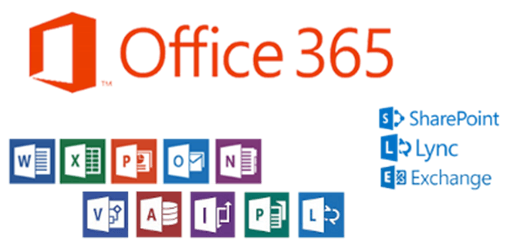
Office 365 is a cloud-based product suite containing Microsoft programs for office use that can be run locally and synchronized to cloud storage. With the help of Office 365, you can work from anywhere and share the work documents with your colleagues worldwide. It helps individuals as well as businesses to easily work on different documents.
Devices supported by Office 365:
- Desktop Computers – installed as Microsoft Office 365
- Web – Office online allows you to create and edit documents using lightweight versions of Office applications.
- Mobile Devices – smartphones and tablets
Excel is also part of the programs that are shipped with Office 365. You can use the powerful features found in desktop versions of Office 365 Excel in the cloud based version too.
Benefits of Office 365
- Improved user productivity
- Ability to access documents from multiple devices and locations
- Easily share documents with colleagues
- 1 TB storage with OneDrive
- Easily recover data from the cloud if you lose your computer or it crashes etc.
Disadvantages of Office 365
- Since this is a cloud based service, there is a possibility of outages if something happens with the cloud services for Office 365
- Ease of access from multiple devices/locations may also pose security risks if the users do not follow security best practices
How to subscribe to Office 365
If you would like to try out Office 365 or get more details, you can visit this link. https://www.microsoft.com/en-us/microsoft-365/business/all-business or https://products.office.com/en-us/try. Since this is a subscription based service, you will be required to pay for it every month. You can try it for free for 30 days.
Operating Systems Supported by Office 365
- Android powered devices
- iOS phones and iOS powered tablets
- Windows powered devices (Smartphones and tablets)
- Windows operating system(s)
- OS X operating system(s)
