
7 BEST AI Coding Assistant Tools (2026)
 Editorial Team
I spent over 210 hours researching and testing 25+ different options to understand what works beyond marketing claims. This included hands-on evaluation across real coding scenarios, analyzing features, strengths, and limitations with a practical lens. After rigorous testing, I shortlisted 7 Best AI Coding Assistant Tools based on performance, usability, and backed-by real developer experience. If clarity and better choices matter, the next sections will guide you forward.
Best AI Tools for Coding: Top Picks!
| Tool Name | Best For | Top Features | Free Trial | Link |
|---|---|---|---|---|
| GitHub Copilot | Every day coding productivity boost | • Code autocomplete • IDE integration • AI chat • Multi-language support |
Free plan available | Learn More |
| Cursor | AI-first IDE with deep context | • AI-native editor • Multi-file edits • Context awareness • Built-in chat |
Free plan available | Learn More |
| Tabnine | Privacy-focused development teams | • Local deployment • Secure completion • Custom models • IDE integrations |
Contact sales | Learn More |
| Gemini Code Assistant | Google Cloud & Android developers | • Code generation • Test generation • IDE integration • Cloud integration |
Free tier available | Learn More |
| Qodo | AI-driven code quality & testing | • Test generation • Code analysis • AI review • IDE support |
30-day free trial | Learn More |
1) GitHub Copilot
GitHub Copilot is an AI-powered coding assistant that generates code suggestions. It supports test creation, unit testing, and automation workflows inside editors. Built on advanced models, it learns context from code and comments. This makes it reliable for writing assertions and improving test coverage.
I found Copilot helpful when speeding repetitive test scripts and boilerplate setups. For example, during regression testing before release, it suggests missing edge cases. It can generate mocks, test data, and assertions quickly within IDE workflows. This reduces manual effort while keeping consistency across automated testing suites.

Features:
- Context-Aware Suggestions: GitHub Copilot analyzes your current code and comments to generate relevant suggestions. It helps users write functions faster without searching documentation. This reduces interruptions during coding sessions.
- Inline Code Completion: This feature predicts entire lines or blocks of code as you type. You can accept suggestions instantly using simple keyboard shortcuts. It speeds up repetitive coding tasks significantly.
- Natural Language Prompts: You can describe what you want in plain English within comments. Copilot translates that into working code snippets automatically. I have noticed this works well for boilerplate and standard logic.
- Multi-Language Support: GitHub Copilot works across many popular programming languages and frameworks. It helps users switch between projects without learning separate tools. This improves consistency across different development environments.
- Test Generation: This feature suggests unit tests based on your existing code structure. You can quickly generate test cases without writing them from scratch. It helps improve code reliability with less manual effort.
- Refactoring Aid: Copilot recommends cleaner or more efficient ways to rewrite existing code. In my experience, this is useful for improving readability during reviews. It helps maintain better code quality over time.
Pros
Cons
Pricing:
Here’s GitHub Copilot pricing and it comes with a free plan:
| Plan | Pricing |
|---|---|
| Free | $0/month |
| Team | $4/user/month (first 12 months) |
| Enterprise | $21/user/month |
Link: https://github.com/features/copilot
2) Cursor
Cursor is an AI-powered coding assistant focused on improving developer productivity. It supports code generation, refactoring, and contextual suggestions across modern programming workflows. The tool integrates directly into editors, enabling fast iteration during testing tasks. Its reliability comes from strong context awareness and consistent code understanding.
I noticed it handled repetitive test code updates smoothly without breaking logic. For example, while preparing regression tests, it quickly suggested missing assertions. This helps ensure coverage when validating UI changes across multiple environments. It fits well into workflows where automation and quick feedback loops matter.

Features:
- Codebase Chat: Cursor lets you ask questions directly about your entire codebase. It explains functions, dependencies, and logic clearly. This helps beginners understand unfamiliar projects without manually tracing files.
- Inline Editing: You can modify code using natural language prompts within the editor. It applies changes directly to selected sections. This reduces context switching and speeds up small but repetitive edits.
- Multi-File Changes: This feature updates related code across multiple files in one step. It keeps dependencies consistent automatically. I have noticed this saves significant time during refactoring tasks.
- Error Fixing: Cursor analyzes errors and suggests targeted fixes based on context. It explains why the issue occurs before applying changes. This helps users learn debugging while resolving problems faster.
- Command Generation: Users can describe tasks and receive ready-to-run terminal commands. It reduces guesswork for complex workflows. This is especially useful when working with unfamiliar tools or environments.
- Context Awareness: Cursor understands project structure, libraries, and recent edits automatically. It uses this context to generate more relevant suggestions. In my experience, this improves accuracy compared to generic code assistants.
Pros
Cons
Pricing:
Cursor’s core AI coding assistant has a free Hobby plan and it offers pro plans:
| Plan | Pricing |
|---|---|
| Hobby | Free |
| Pro | $20 / mo. |
| Pro+ | $60 / mo. |
Link: https://cursor.com/
3) Tabnine
Tabnine is an AI-powered coding assistant that generates contextual code completions. It supports automation testing scripts, helping developers write and refine test cases efficiently. The tool integrates with popular IDEs, ensuring smooth workflows during complex testing tasks. Its AI-driven suggestions improve consistency and reduce manual coding effort. This makes it useful for developers building and maintaining automated test suites.
I found its code completion accuracy reliable during repetitive testing workflows. During regression testing, it helps quickly update broken assertions and test logic. This is especially helpful when validating frequent UI or API changes. It reduces manual typing while keeping test cases consistent and readable. It fits naturally into continuous integration pipelines for scalable automation testing.

Features:
- Context Suggestions: Tabnine generates context-aware code suggestions using your current file and project context. This reduces manual typing and helps maintain consistency across similar code blocks. It also adapts suggestions based on surrounding logic and previous edits.
- Inline Completion: This feature completes full lines or functions as you type code. It helps speed up development by reducing repetitive typing and small syntax errors. You can quickly accept suggestions without breaking your coding flow or concentration.
- Private Models: Tabnine allows teams to train models on their own codebases. This ensures suggestions match internal standards and avoids exposing sensitive code externally. It is especially useful for companies handling proprietary or security-sensitive development work.
- IDE Support: You can use Tabnine directly inside popular development environments without switching tools. I have found that this keeps focus intact during long coding sessions. It also reduces context switching, which usually slows down productivity.
- Code Patterns: This specific functionality learns recurring patterns from your previous code. It helps generate relevant suggestions that match your personal coding style over time. You get more accurate outputs as the system adapts to your habits.
- Multi-language Support: Users can write code across different programming languages without changing tools. This makes it easier to work on diverse projects without relearning new assistants. It supports switching between languages within the same development session smoothly.
Pros
Cons
Pricing:
Contact sales or support for quote.
Link: https://www.tabnine.com/
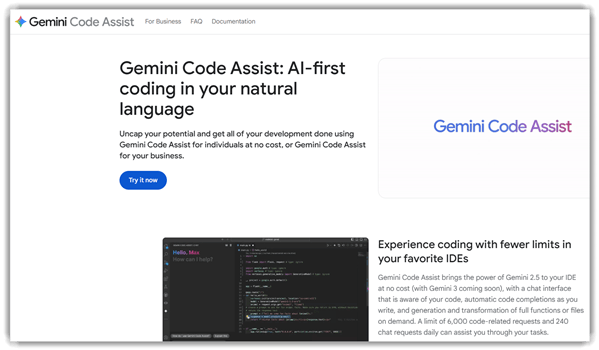
4) Gemini Code Assistant
Gemini Code Assistant is an AI-powered coding helper for development workflows. It supports code generation, debugging, and test case creation across languages. The tool integrates with editors and helps automate repetitive testing tasks. Its reliability comes from strong context understanding and consistent output quality.
I noticed it handled test generation smoothly during complex workflow validations. For example, during regression testing, it quickly suggests missing edge cases. This helps when validating UI changes across multiple browsers before releases. It also assists developers in maintaining consistent test coverage without manual effort.
Features:
- Prompt-Based Coding: You can describe tasks in plain language to generate functional code outputs. This lowers the barrier for beginners and speeds up translating ideas into working implementations. It also supports faster prototyping without deep technical planning effort.
- Refactor Suggestions: This feature reviews existing code and recommends cleaner or more efficient alternatives. I have noticed it helps maintain readability as projects grow larger. It also highlights outdated logic that could impact long term performance.
- Error Resolution Support: Gemini Code Assistant detects issues and suggests fixes directly during development. It reduces time spent debugging and helps users quickly understand what went wrong. This also prevents recurring mistakes by explaining root causes clearly.
- Cross-Language Handling: This functionality supports multiple programming languages within a single workspace. In my experience, this is useful when managing full-stack development without switching tools. It simplifies handling projects that require diverse technology stacks together.
- Auto Documentation Generation: Users can create code comments and summaries for complex logic sections. This improves collaboration and ensures that important context is not lost over time. It also helps maintain proper documentation standards across evolving codebases.
- Boilerplate Code Creation: This feature generates repetitive setup code for common development tasks. I often rely on this when starting new features, as it speeds up initial implementation. It ensures consistent structure across modules without manual repetition each time.
Pros
Cons
Pricing:
Gemini Code Assistant offers a free plan without credit card and it’s paid plans include:
| Plan | Pricing |
|---|---|
| Gemini Code Assist Standard | $19/user/month |
| Gemini Code Assist Enterprise | $45/user/month |
Link: https://codeassist.google/
5) Qodo
Qodo is an AI coding assistant built for automated testing workflows. It focuses on generating, reviewing, and improving unit tests directly from codebases. The tool helps developers maintain strong test coverage during fast development cycles. Its reliability comes from accurate code analysis and structured test suggestions. Qodo fits well in modern workflows where testing needs to keep pace with changes.
I found Qodo especially useful when handling repetitive test creation tasks. It generated clean test cases without disrupting existing project structures. For example, during a regression cycle, it quickly created tests for updated modules. This helped validate recent changes and catch edge cases early. It reduces manual effort while keeping test coverage consistent and reliable.
Features:
- Context Awareness: This feature reads surrounding code to suggest relevant completions. It improves accuracy compared to generic autocomplete systems. Users can maintain consistency across files without manually checking dependencies.
- Bug Detection: Qodo scans code for potential errors and logical issues. It highlights problems early during development rather than after testing. This helps users fix issues faster and avoid cascading bugs.
- Refactoring Tools: You can restructure existing code without changing its functionality. It simplifies improving readability and maintaining a clean project structure. I often rely on this when organizing large or messy codebases.
- Documentation Support: Qodo generates inline comments and documentation for functions automatically. It ensures code remains understandable for future updates or collaboration. This reduces effort when sharing projects with teammates.
- Workflow Suggestions: This feature recommends next steps based on current coding activity. It guides users through typical development workflows more efficiently. I have noticed this reduces decision fatigue during complex projects.
- Learning Feedback: Users receive explanations for generated code and suggested fixes. It helps beginners understand why certain approaches are used. This builds long-term coding skills instead of just producing quick outputs.
Pros
Cons
Pricing:
Pricing offers a 30-day free Developer plan and includes two paid plans:
| Plan | Pricing |
|---|---|
| Teams | $38/user/month |
| Enterprise | Contact sales |
Link: https://www.qodo.ai/
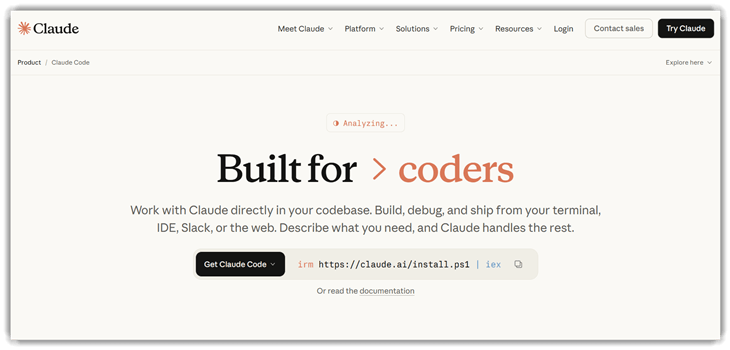
6) Claude Code
Claude Code is an AI-powered coding assistant designed for modern testing workflows. It helps generate, review, and debug tests across multiple frameworks efficiently. The tool supports unit testing, integration testing, and intelligent code completion features. Its reliability comes from strong context awareness and consistent understanding of codebases.
I found it handled complex test scenarios smoothly during iterative development cycles. For example, during regression testing, it quickly generated updated assertions automatically. This helps teams validate UI changes and backend logic without repetitive scripting. It fits well into automation pipelines needing faster feedback and reliable code assistance.
Features:
- Multi-File Editing: This feature lets you modify multiple files through a single instruction or prompt. It reduces repetitive edits and keeps changes aligned across related components in a project.
- Error Explanation: Claude Code identifies errors and explains them in plain language with context. It helps beginners understand why something breaks and how to fix it correctly.
- Refactoring Support: Users can request structural improvements like simplifying functions or reorganizing modules. In my experience, this saves time when cleaning legacy code or improving readability.
- Code Navigation: This functionality allows users to search, trace, and jump between related code sections quickly. It helps when working with unfamiliar projects or large codebases.
- Test Creation: Claude Code generates unit tests based on your existing functions or logic. I often rely on this to quickly cover edge cases without writing every test manually.
- Workflow Memory: This feature remembers previous instructions and coding context within a session. It helps maintain continuity, so users do not need to repeat requirements repeatedly.
Pros
Cons
Pricing:
Claude Code offers no free trial, it’s paid plans offers:
| Plan | Pricing |
|---|---|
| Pro | $17/month |
| Max 5x | $100/ month |
| Max 20x | $200/ month |
Link: https://claude.com/product/claude-code
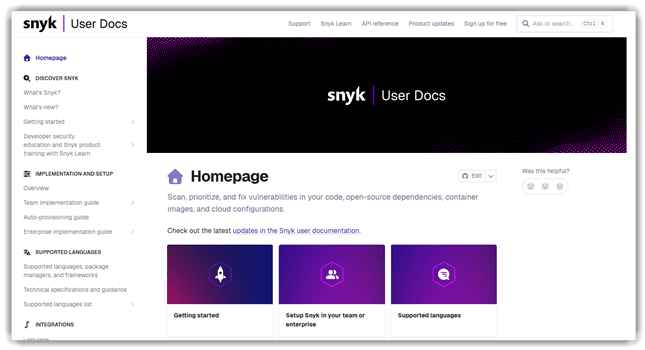
7) Snyk
Snyk is a developer-focused platform for security testing and code analysis. It detects vulnerabilities across dependencies, containers, and infrastructure as code projects. The tool integrates directly into development workflows for continuous security testing. Its accuracy and ecosystem support make it reliable during fast release cycles.
I found its automation stable when scanning projects with frequent code changes. For example, during regression testing, it flags vulnerable packages before deployment. This helps teams fix issues early without slowing down delivery timelines. It fits well with AI coding assistants that generate and update code regularly.
Features:
- Dependency Fixes: This feature suggests exact version upgrades or patches for vulnerable libraries. I have noticed it reduces guesswork during updates. It speeds up remediation without breaking existing functionality.
- IDE Integration: Snyk works directly inside popular code editors while you write code. You can catch issues instantly without switching tools. This keeps your development flow uninterrupted and focused.
- Container Analysis: Users can scan container images to detect outdated or insecure packages. It identifies risks within layered dependencies. This helps ensure safer deployments in containerized environments.
- Automated Monitoring: Snyk continuously monitors projects for newly discovered vulnerabilities after deployment. It alerts you when risks appear in existing dependencies. This keeps your applications secure over time.
- Pull Requests: Using this feature, Snyk automatically creates pull requests with security fixes. I often rely on this to save manual effort. It streamlines updates directly into your development workflow.
- License Checks: Snyk reviews open-source licenses used in your dependencies. It flags potential compliance issues early. This helps avoid legal complications before distributing your software.
Pros
Cons
Pricing:
It is a free tool.
Link: https://docs.snyk.io/
Feature Comparison: Best AI Coding Assistant Tools
| Feature | GitHub Copilot | Cursor | Tabnine | Gemini Code Assist |
| Free tier | ✔️ | ✔️ | ❌ | ✔️ |
| Broad IDE support | ✔️ | ❌ | ✔️ | ✔️ |
| Repo-aware context | ✔️ | ✔️ | ✔️ | ✔️ |
| Enterprise support | ✔️ | ✔️ | ✔️ | ✔️ |
| Formal compliance | ✔️ | ✔️ | ✔️ | ✔️ |
| Agentic workflows | ✔️ | ✔️ | ✔️ | ✔️ |
What are AI Coding Assistant Tools and How Do They Work?
AI coding assistant tools help developers write, review, and optimize code faster. These tools use machine learning models trained on vast code datasets. They understand syntax, context, and developer intent during coding sessions. Many tools integrate directly into IDEs like VS Code or JetBrains.
They provide real-time suggestions, autocomplete, and bug detection features. Beginners benefit from guided code generation and explanations. Advanced users use them for productivity and refactoring. Overall, these tools act like intelligent coding partners, reducing manual effort and improving development speed significantly.
How Do AI Coding Assistants Compare With Traditional Code Editors?
Traditional editors focus on manual coding with syntax highlighting and basic autocomplete. In contrast, AI coding assistants provide intelligent suggestions and automation features. They analyze context and predict entire code blocks efficiently. Developers spend less time writing repetitive code manually.
AI tools also assist in debugging and testing processes. Traditional editors rely heavily on developer expertise alone. AI-powered tools enhance productivity by reducing human error and effort. This makes them ideal for both beginners and experienced developers seeking efficiency improvements.
What Role Does AI Play in Automated Code Generation and Debugging?
AI plays a major role in automated code generation and debugging processes. It analyzes code patterns and predicts logical structures quickly. Developers can generate functions, classes, or scripts with simple prompts. AI tools also detect errors and suggest fixes in real time.
This reduces debugging time significantly during development cycles. Advanced tools even explain bugs and recommend best practices. Automation helps maintain code quality while saving time. This makes AI an essential part of modern software development.
What Common Issues Occur With AI Coding Assistant Tools and How to Fix Them?
Even advanced AI coding assistants can face occasional issues during usage. Understanding these problems helps developers use tools effectively.
- Issue: AI generates incorrect or irrelevant code suggestions in complex logic scenarios.
Solution: The generated code should be reviewed carefully and tested thoroughly before implementation. Developers should refine prompts for better contextual accuracy. - Issue: Tool integration fails with certain IDEs or outdated software versions.
Solution: The system should be updated regularly and compatibility requirements must be checked before installation. Reinstalling plugins often resolves integration issues. - Issue: Performance slows down when handling large codebases or heavy projects.
Solution: System resources should be optimized and unnecessary background processes must be reduced. Using lightweight configurations improves performance. - Issue: Security concerns arise due to generated code containing vulnerabilities.
Solution: Code should be scanned using security tools and manually reviewed before deployment. Secure coding practices must always be followed.
How Did We Choose The Best AI Coding Assistant Tool?
Guru99 carefully evaluates tools using real-world testing, expert reviews, and user feedback. The platform focuses on accuracy, usability, and performance. This ensures readers get reliable recommendations for AI coding assistant tools.
- Performance Testing: We analyze how fast and accurate the tool generates code.
- Ease of Use: Our team checks user interface simplicity and onboarding experience.
- Feature Evaluation: The researchers compare automation, debugging, and AI capabilities.
- Integration Support: The team ensures compatibility with popular IDEs and workflows.
- Security Review: Our testers verify how tools handle sensitive code securely.
- User Feedback Analysis: Our experts study real user reviews for practical insights.
This structured approach helps users select tools that match their coding needs. It ensures better productivity and long-term usability.
Verdict
After testing a wide mix of AI coding assistants, I kept coming back to three tools that felt faster, smarter, and far more useful in daily work.
- GitHub Copilot: Across real coding sessions, I found it the most dependable for in-editor suggestions, especially when I needed fast boilerplate, solid completions, and minimal setup friction.
- Cursor: What impressed me most was how naturally it handled larger codebase edits, with context-aware help that felt closer to pair programming than autocomplete.
- Tabnine: Unlike some flashier options, I liked how focused it stayed on privacy, control, and clean code predictions without constantly trying to do too much.
