
7 Best AI Plagiarism Checkers (2026)
 Editorial Team
I spent more than 180 hours researching and hands-on testing, and I evaluated 21 tools across academic, freelance, and enterprise use cases. I checked accuracy on paraphrases, citation handling, report clarity, pricing friction, and workflow fit. After rigorous testing, I shortlisted 7 options for 7 Best AI Plagiarism Checkers (2026), with firsthand evaluation of features, pros and cons, and a scoring rubric. Keep reading to find the best match for your needs.
Best AI Plagiarism Checkers (Tested & Reviewed)
| Tool Name | Best For | Top Features | Free/Trial | Link |
|---|---|---|---|---|
| Plagiarism Checker X | Offline desktop plagiarism checks | Offline scanning, Side-by-side, Batch | Free plan available | Learn More |
| Grammarly | Writing with built-in plagiarism detection | Plagiarism alerts, Citations, Extensions | Free plan available | Learn More |
| Copyleaks | Institutions needing AI + plagiarism detection | AI detection, API access, LMS | Trial available | Learn More |
| Originality.ai | Publishers and content teams | Website scanning, Team mgmt, AI detection | Credit-based pay-as-you-go | Learn More |
| QuillBot | Students checking the paraphrased text | Plagiarism check, Paraphraser, Citations | Free plan available | Learn More |
1) Plagiarism Checker X
Plagiarism Checker X checks text for duplicate content and source matches. It supports online similarity checks plus side-by-side comparison for edits. It is widely used for academic and web writing checks. The desktop workflow suits repeat testing across many documents.
I have found its report flow stays consistent across rechecks. Before publishing a revision, you can scan drafts fast. Then compare two versions to verify only intended changes. This helps during content QA cycles and late-stage reviews.

Features:
- Online Check: Plagiarism Checker X scans text against online sources, returns matched URLs, and similarity highlights. Helps verify citations and spot copied passages.
- Side-by-Side: The tool compares two documents in parallel, marking differences line by line for review. You can confirm rewrites without rereading entire sections.
- Bulk Comparison: It can run multiple documents through checks in batches. Results stay separated per file for clearer follow-up, reducing repetitive copy-paste work.
- Source Links: The tool provides clickable source references for each matched segment. Reviewers can open pages and confirm context quickly.
- PDF Support: You can load Word and PDF files directly. The tool extracts text for scanning without manual conversion, avoiding formatting errors.
- Report Branding: Business users can generate branded reports for sharing. It keeps the same structure across teams and clients.
- Search Limits: It enforces daily search limits by plan. This facility helps teams plan review queues and avoid mid-run interruptions.
- Readability Checker: Plagiarism Checker X includes a readability check on content, flagging hard-to-read passages and long sentences.
Pros
Cons
Pricing:
| Plan | Price |
|---|---|
| Basic Free | Free |
| Professional | One-time $39.95 |
| Business | One-time $147.95 |
2) Grammarly
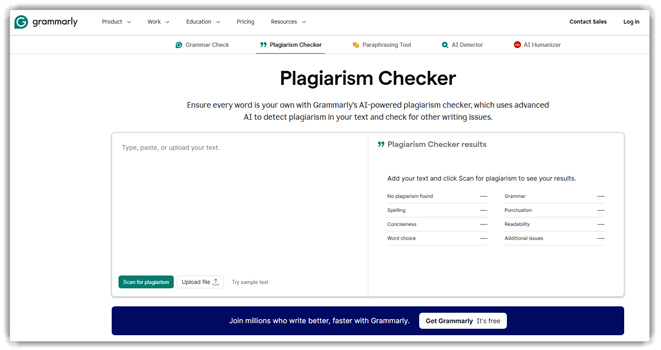
Grammarly is an AI writing assistant with plagiarism detection and AI-generated text detection. It supports content-checking for originality, citation consistency, and rewriting suggestions across documents and editors. Its real-time suggestions work consistently in everyday writing surfaces.
I have found the browser extension stays stable during quick revisions. Before a release, I run checks on updated docs. Grammarly flags copied passages, then suggests cleaner rewrites.
Features:
- Plagiarism Check: Grammarly can scan text against online sources and publications. Once done, it highlights matched passages so you can fix citations or rewrite risky sections faster.
- AI Text Detection: The tool smartly flags sections that look AI-generated. As a result, it helps reviewers verify disclosure requirements and decide what needs rewriting.
- Sentence Rewrites: Grammarly can rewrite full sentences with one click. This helps in reducing similarity after paraphrasing while keeping the meaning.
- Tone Controls: You can adjust tone settings for the same message. It helps align submissions with academic or professional guidelines.
- Citation Consistency: It checks citation formatting and consistency. As a result, I could prevent accidental plagiarism from missing references.
- Cross-App Suggestions: Grammarly provides real-time feedback across apps and browser tabs. This helps in catching issues while drafting.
- Style Guides: You can apply a shared style guide for terminology and rules. Teams can keep originality standards consistent.
- Snippets Library: It stores reusable text snippets for common statements. This helps to keep boilerplate compliant and consistent.
Read Full Grammarly Review
Pros
Cons
Pricing:
| Plan | Price |
|---|---|
| Free | $0 / month |
| Pro | $12 / month |
| Enterprise | Custom pricing |
3) Copyleaks
Copyleaks is an AI content detector and plagiarism checker. It flags likely AI-written passages and similarity matches across sources. You can test documents, student submissions, or marketing drafts for originality. Results are presented with clear indicators and linked evidence.
I have found Copyleaks scans finish quickly, even on longer drafts. Before a release, I run it on updated docs. That catches copied snippets introduced during last-minute edits. Then I export the report and share flagged sections.

Features:
- AI Detection: Copyleaks can score text for likely AI-generated patterns. This helps reviewers spot risky sections needing human verification.
- Plagiarism Matching: It checks text against indexed web sources and documents. Copyleaks can then return matched passages with references for faster citation fixes.
- Sentence Highlighting: I can highlight specific sentences to drive the detection result. Users can quickly locate and rewrite problem areas.
- Batch Checks: It lets you submit multiple files or URLs in one run. This allows teams to audit many assignments or pages together.
- Report Export: Copyleaks can generate shareable originality and AI-detection reports, helping to communicate findings to editors or instructors.
- API Access: Developers can trigger scans from internal tools. They can automate checks during content publishing or submissions.
- LMS Integrations: Connect with common learning platforms. Helps instructors scan submissions without manual downloads.
- Model Coverage: Detects text patterns associated with popular generative models. Helps teams handle mixed-authorship drafts.
Pros
Cons
Pricing:
| Plan | Price |
|---|---|
| Personal | $13.99/month |
| Pro | $74.99/month |
4) Originality.ai
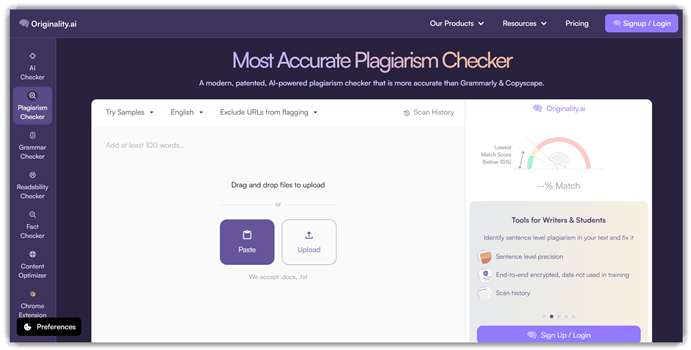
Originality.ai is an AI-focused plagiarism checker built for publishers. It includes AI detection and shareable scan reports. You can scan pasted text, upload files, or check URLs. Teams use it to standardize checks across writers and editors.
In my testing, scans returned quickly and stayed consistent. During pre-release reviews, I scan updated pages for copied passages. I also recheck rewritten sections after heavy paraphrasing. Shareable reports make approvals easier across reviewers.
Features:
- Text Scanning: Originality can check pasted text for plagiarism and AI writing. It helps reviewers validate drafts before publishing.
- Website Scans: It lets you scan a single URL or an entire site. The tool also flags duplicated blocks across pages to prevent accidental reuse.
- File Uploads: Originality also accepts PDF and Word documents for scanning. It reduces copy-paste errors and keeps formatting intact.
- Shareable Reports: The tool generates report links you can share externally. This helps editors collect approvals without account access.
- Team Roles: You can assign roles to manage who scans and reviews. It reduces accidental overwrites of shared work.
- Tagging Scans: The tool effectively tags scans with project or release identifiers. It helps organize audits across many articles.
- Chrome Extension: You can run a scan from Google Docs while writing. It lets you catch issues earlier in the draft cycle.
- Scan History: The reports stay accessible for a limited time after scanning. This helps revisit evidence during disputes.
Pros
Cons
Pricing:
| Plan | Price |
|---|---|
| Pay as you go | $30 one-time (3,000 credits) |
| Pro | $12.95/month (billed yearly) or $14.95/month |
| Enterprise | $136.58/month (billed yearly) or $179/month |
Link: https://originality.ai/
5) QuillBot
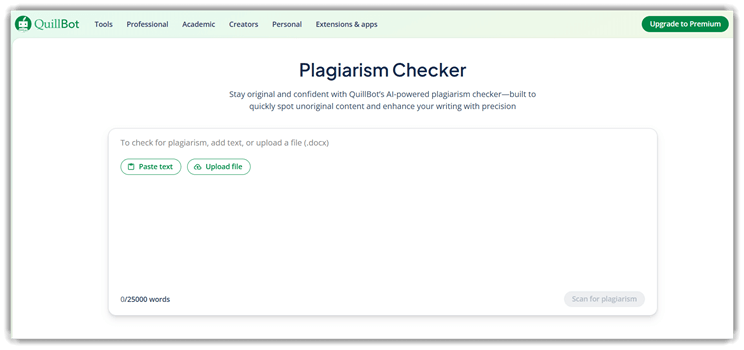
QuillBot is an AI writing suite with a built-in Plagiarism Checker. It helps you test text originality by scanning for potential matches. You can also use the Paraphraser, Citation Generator, and Grammar Checker tools. It is widely used by students and writers.
I have found the plagiarism workflow stable for repeated edits. During pre-release documentation reviews, I paste updated sections for checks. Then I re-run scans after paraphrasing risky sentences. This keeps release notes consistent and reduces accidental copy overlap.
Features:
- Plagiarism Scan: This tool checks your text for copied passages. It highlights overlapping areas clearly so you can identify and address them.
- AI Detector: It estimates whether content appears AI-generated. This supports integrity checks in workflows that mix human and AI writing.
- Rewrite Modes: The feature paraphrases text using different modes and tones. It helps reduce similarity while preserving the original meaning.
- Grammar Review: It suggests grammar and clarity improvements. These fixes enhance readability, especially after paraphrasing.
- Citation Builder: This tool generates citations from the sources you provide. It ensures proper attribution and reduces plagiarism risk.
- Summaries: It condenses long passages into shorter versions. This makes sources easier to reference and understand.
- Extensions: You can run QuillBot directly from browser extensions and apps. This reduces copy-paste between tools and speeds up review cycles.
- Project Workflow: The feature lets you iterate between checking, rewriting, and rechecking in one place. It simplifies the process of producing a clean final draft.
Pros
Cons
Pricing:
| Plan | Price |
|---|---|
| Free | $0 per month |
| Premium | $8.33 per month (billed annually) |
| Team Plan | Custom / Explore Team Plan |
6) WriterBuddy
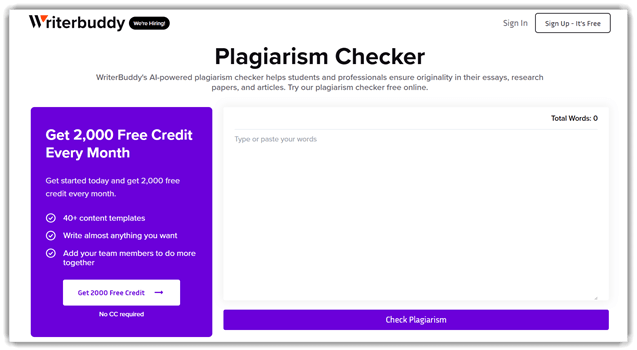
WriterBuddy is an AI writing assistant that includes plagiarism checking to help validate content originality before publishing. It scans for matched passages and flags questionable reuse, which is useful when reviewing AI-generated drafts. For teams, it works like a quick verification step in a content QA workflow.
I have used WriterBuddy to sanity-check drafts during tight review cycles. When doing a pre-release content regression, you can re-scan updated sections. That way, new edits do not accidentally introduce copied lines. It fits neatly between drafting and final proofreading.
Features:
- Plagiarism Scan: This tool checks your text against online sources to detect matching content. Highlighted overlaps help you correct citations before publishing.
- Similarity Highlights: It marks duplicated sentences and repeated phrasing within context. This reduces the need for manual line-by-line searching.
- AI Rewriting: The feature suggests alternative phrasing for flagged passages. It helps preserve meaning while changing the wording.
- Citation Prompts: It identifies sections that require attribution. These prompts nudge you to add references or quotes for editorial integrity.
- Originality Review: This tool summarizes where overlap is strongest. It guides your attention to high-risk paragraphs for faster triage.
- Multi-format Input: You can paste text or import common document formats. This reduces copy-paste errors and formatting issues.
- History Tracking: It keeps a record of previous checks for the same draft. You can compare versions after edits to avoid reintroducing issues.
- Team Workflow Notes: Reviewers can leave notes on flagged sections. This helps collaborators coordinate rewrites more effectively.
Pros
Cons
Pricing:
| Plan | Price |
|---|---|
| Basic | $9/m |
| Pro | $14/m |
| Unlimited | $29/m |
Link: https://writerbuddy.ai/
7) Quetext
Quetext is an AI-powered plagiarism checker for verifying content originality. It runs DeepSearch™ scans to catch close matches and paraphrases. The tool highlights matched passages and ties them to sources. It also includes an AI Content Detector for AI-likelihood checks.
I have found that the match highlights stay readable on long drafts. Before a release, I run Quetext on updated docs. It quickly surfaces copied snippets introduced during rewrites. Then I fix citations and rerun the scan.

Features:
- DeepSearch™ Scan: This feature scans your text against online sources to detect overlaps. It flags both exact matches and near matches to catch paraphrased copying.
- Match Highlights: It marks copied passages directly within your document view. Each highlight is linked to the original source for easy verification.
- Source Links: You can open the matching page alongside your text. This speeds up the process of confirming attribution needs.
- Originality Reports: The tool generates downloadable reports of findings and sources. These reports make re-checks easier after revisions.
- AI Detection: It analyzes writing to estimate the likelihood of AI generation. Line-by-line indicators highlight suspicious sections for closer review.
- Bulk Uploads: You can upload multiple files for checking in a single run. This reduces repetitive copy-paste steps and saves time.
- Citation Tools: The feature includes a website citation generator and assistant. It helps format citations consistently across your work.
- Source Exclusion: You can exclude known acceptable sources from the scan. This keeps reports focused on genuine originality risks.
Pros
Cons
Pricing:
| Plan | Price |
|---|---|
| Free | $0 / month |
| Essential | From $14.99 / month (Save 45%) |
| Professional | From $29.98 / month (Save 45%) |
Feature Comparison: Best AI Plagiarism Checkers
| Tool | Plagiarism Checker X | Grammarly | Copyleaks | Originality.ai |
| Plagiarism | ✔️ | ✔️ | ✔️ | ✔️ |
| AI Detection | ❌ | ✔️ | ✔️ | ✔️ |
| API / Integrations | ❌ | ✔️ | ✔️ | ✔️ |
| AI Humanizer | ✔️ | ✔️ | ✔️ | ✔️ |
What is an AI plagiarism checker, and how is it different from a traditional one?
An AI plagiarism checker finds copied or closely paraphrased content. It also flags AI-generated patterns that resemble rewritten sources. A traditional plagiarism checker mainly matches exact text strings. AI systems use semantic similarity to detect meaning-level overlap. That helps when content is heavily paraphrased or translated. Many tools now add authorship signals and writing-style analysis. Users should still treat results as guidance, not proof.
How do AI plagiarism checkers work, and what signals do they analyze?
Modern tools combine web crawling, indexed databases, and language models. They compare your text against public web pages, academic archives, and internal repositories. They also calculate similarity scores using embeddings and semantic matching. Many tools inspect citation patterns, unusual synonym swaps, and repeated sentence structures. Some check AI writing traces, like low burstiness or consistent phrasing.
Are AI plagiarism checkers accurate for paraphrased, translated, or AI-rewritten text?
Accuracy depends on the tool index and matching method. Semantic matching improves detection for paraphrased text significantly. Translation plagiarism is harder, but cross-lingual models help more in 2026. AI-rewritten content can still be traced by idea-level similarity. Users should review matched sources and highlighted sections carefully.
How do AI plagiarism checkers compare to AI content detectors?
A plagiarism checker focuses on borrowed material and source overlap. An AI content detector estimates whether text was generated by a model. They answer different questions and often disagree. A text can be human-written yet plagiarized, or AI-written yet fully original. The best approach uses both signals and human review.
What is the difference between the similarity score, plagiarism percentage, and matched sources?
A similarity score measures overlapping text patterns overall, including quotes, references, and common phrases. A plagiarism percentage implies problematic copying, but definitions vary by vendor. Matched sources are the actual pages or documents linked to overlaps. Users should prioritize source review over any single number.
Are AI plagiarism checkers safe for privacy?
Privacy varies by provider and plan tier. Some tools store documents for future comparisons; others delete files after processing. Enterprise plans often offer no-retention modes and private indexes. Users should check the terms for data training and content reuse. Look for SOC 2, ISO 27001, and regional compliance support.
Can AI plagiarism checkers integrate with Google Docs, Word, LMS, or CI workflows?
Many popular tools integrate with writing and publishing systems. Some offer browser extensions for Google Docs and Word add-ins. Education-focused products integrate with Canvas, Moodle, and Blackboard. Developer teams may prefer APIs that support checks in CI pipelines for .docx sites.
How did we select the Best AI Plagiarism Checkers (2026)?
Guru99 evaluates tools using hands-on testing and strict editorial rules. The team reviews detection quality, reporting clarity, integrations, and pricing transparency. Guru99 also checks privacy terms carefully and validates real user feedback.
- Methodology coverage: web, academic, and private database matching depth.
- Detection accuracy: paraphrase, translation, and mixed-source documents.
- Report quality: highlight clarity, citations, and export formats.
- False positive handling: exclusions for quotes and bibliographies.
- Speed and scalability: batch performance on large document sets.
- Workflow fit: Google Docs, Word, LMS, and API support.
- Security posture: retention controls and compliance claims.
- Pricing realism: limits, overages, and team licensing models.
- Support reliability: response times and help center usefulness.
- User sentiment: reviews across forums and communities.
What are the most common use cases for AI plagiarism checkers in 2026?
AI plagiarism checkers serve schools, publishers, and marketing teams. Universities use them for assignment integrity and citation coaching. Publishers use them for pre-publication screening and legal risk reduction. Agencies use them for client content assurance across many writers. SEO teams use them to avoid duplicate pages and content cannibalization.
What are the most common AI plagiarism checker problems, and how do you troubleshoot them?
AI plagiarism checks can fail due to formatting, access limits, and indexing gaps. Fixing issues usually requires clean inputs and correct settings.
- Issue: The report shows high similarity because references and quotes were included.
Solution: Enable quotation and bibliography exclusions, then rerun the scan for cleaner scoring. - Issue: Document exceeds size limits and cannot be scanned.
Solution: Split the file into sections, then upload as separate scans with combined reporting. - Issue: Matched sources appear broken or unreachable during review.
Solution: Repeat the scan later, or use cached links when available. - Issue: Paraphrased plagiarism is missed in heavily rewritten text blocks.
Solution: Enable semantic mode and select deeper index options for improved recall. - Issue: Google Docs integration fails after browser updates or permission changes.
Solution: Reauthorize access permissions, then reinstall extensions using the latest version.
What trends will shape AI plagiarism checking in 2026 and beyond?
Future tools will rely more on semantic provenance and authorship verification. More vendors will add private corpus indexing for companies and schools. Cross-language detection will improve with better multilingual embeddings. Expect more real-time scanning inside editors, not after writing. Policy-driven workflows will grow, with approval gates and audit trails.
Verdict
After running repeated scans across essays, web pages, and AI-heavy drafts, three plagiarism checkers consistently felt faster to verify, easier to interpret, and more dependable under real editing pressure.
- Plagiarism Checker X: I liked the side-by-side matching view. It made copied passages obvious, and the offline desktop workflow stayed quick for long documents.
- Grammarly: What impressed me most was the clean report and seamless writing flow. I caught an overlap while revising, without juggling separate uploads and exports.
- Copyleaks: Copyleaks gave me the most detailed source coverage in my tests. The citations and similarity breakdowns were consistent, especially on mixed AI-and human drafts.
