
Types of Servers in Computer Networks: 15 Different Types
 Editorial Team
⚡ Smart Summary
Different Types of Servers power modern networks by handling specific workloads, from delivering web pages and routing email to storing files and resolving domain names. This overview explains how each server category works, the protocols it uses, and where it fits in real environments.
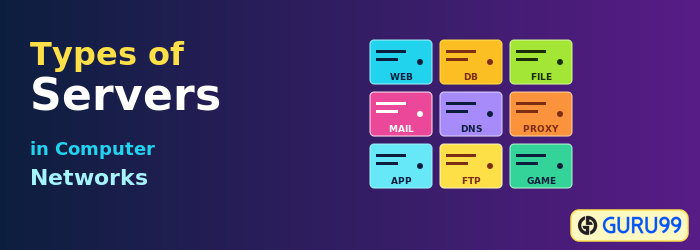
What is a Server?
A server is a piece of computer hardware or software that provides functionality for other programs and devices. It delivers various functionalities, often called services, such as sharing data or resources among multiple clients or performing computation for a client. A single server can serve multiple clients, and a single client can use multiple servers at the same time.
Servers form the backbone of modern computer networks. They sit between users and the resources they want, such as websites, files, databases, or applications. Whether the workload is hosting a high-traffic e-commerce site, routing corporate email, or storing terabytes of structured records, a dedicated server type handles the task.


Why are Servers Important?
Servers are important because they centralize resources, improve reliability, and make services available to many users at once. Without servers, every device would need to host its own applications, databases, and storage, which would be inefficient and difficult to secure.
- Recovery: It is easy to lose files. Servers operate even when you experience power and hardware failures. You can make replacements and repairs without disrupting service, unlike in a peer-to-peer network where downtime is unavoidable.
- Productivity: The need for a centralized data storage location becomes apparent as a company expands. A server can streamline IT operations by centrally administering software, saving time across teams.
- Remote Work: Servers give distributed teams a secure place to keep data and instantaneous access to required information. Administrators can also diagnose and fix server problems remotely through a virtual private network or Secure Shell session.
- Safety: Network security matters when teams handle sensitive data. A server adds an extra security layer and firewall, lowering the chance of breaches caused by weak endpoints.
How Do Servers Work?
Servers link clients to data and services in several ways. They store large amounts of information on behalf of businesses, where users access it over public or private networks. They listen on specific ports, process incoming requests, and return the right files or responses from various sources. Servers also collaborate with the operating system to understand client requirements and act on user input.
IT teams enhance a server’s capabilities by adding software that brings extra responsibilities, such as handling browser queries or running background jobs. Servers may also act as defenders by checking user credentials, enforcing access control, and logging suspicious activity before granting network access.
What are the Main Components of a Server?
Before reviewing the different types of servers, it helps to know the main components that make any server work.
- Motherboard: It joins all the server’s components together. Its size dictates the storage capacity and how many hard drives a server can connect.
- Central Processing Unit (CPU): The CPU is the server’s brain and regulates everything. The faster the processor, the better the server handles concurrent requests.
- Memory: A server’s memory limits how much data it can hold in active use. Its compatibility with the motherboard affects functioning.
- Hard Drives: A server’s hard drive keeps all its data, including programs and user files. Servers that store large quantities of data often use more than one drive.
- Network Connection: A server will not work without a stable network connection. Its ability to accept and process user requests depends on the network’s strength.
- Power Supply: Servers that serve many users need a more robust power source than a home computer. The minimum requirement for a server is around 300 watts.
What are the Different Types of Servers?
Now that the foundations are clear, here are the most common types of servers used across enterprise, web, and home networks.
Web Server
A web server’s primary function is hosting websites. It accepts requests through the Hypertext Transfer Protocol (HTTP), which drives website distribution. Web browsers start communication with servers by sending HTTP requests, and the server replies with the requested page, image, or script. Web servers also receive and store user agent data.
Generally, web servers do not run a graphical user interface. That keeps memory free and guarantees sufficient resources for the server applications and the operating system. The servers act as content delivery systems, and as long as they follow standard internet rules, they run on different operating systems such as Linux, Windows Server, and BSD.
Mail Server
A mail server processes and distributes email messages through a network. It is a service that accepts messages sent by email clients and forwards them to another server. In addition, it transmits emails to end-user devices such as personal computers in homes and offices.
Mail servers typically use the Simple Mail Transfer Protocol (SMTP) for sending, plus Internet Message Access Protocol (IMAP) or Post Office Protocol 3 (POP3) for retrieval. The most common configuration today combines mail servers with web servers, so users see messages through a graphical webmail interface. Mail servers are popular with businesses because they support bulk email distribution and filter spam.
DNS Server
A Domain Name System (DNS) server’s primary function is converting domain names into matching IP addresses. It ensures users do not have to remember numeric IP addresses and that businesses can register memorable brand names. Most users rely on the DNS servers provided by their internet service provider.
Several businesses also offer free public DNS resolvers. Individuals who care about online anonymity often turn to these secondary DNS providers. The grouping of DNS servers follows a hierarchy, from root servers down to authoritative servers for individual domains, with some being more reliable than others.
FTP Server
A File Transfer Protocol (FTP) server’s sole function is facilitating user-to-user file transfers across a network. After successful authentication through an FTP client, users get permission to upload and download files from the server. They can also browse the server’s contents and obtain any file they have rights to access.
Modern deployments often use secure variants such as FTPS or SFTP, which add encryption to protect credentials and data in transit. FTP servers remain common for software distribution, web publishing, and bulk data exchange between partners.
Database Server
Database servers are used to store and distribute different databases across a network. A database is a structured data set with preset characteristics that you can present in a table.
Database server clients include accounting applications, spreadsheets, business intelligence dashboards, and any other software that needs access to well-structured data in large quantities. With this type of server, you can regularly back up your information from a central location and run replication for disaster recovery.
However, database servers are prone to security breaches, so implementing strong authentication, encryption at rest, and patch management is essential.
Proxy Server
A proxy server relays client requests for resources to the servers that host them. When sending requests, it acts on the user’s behalf, masking the original IP address from the resource server.
Proxy servers have many applications, including content filtering, error correction, authentication, caching, recording, and monitoring. They sit at the boundary between trusted internal networks and the public internet.
Web Proxy Server
A web proxy server is a specialized proxy that handles HTTP and HTTPS traffic. Although different protocols may be used, all web proxies serve the same purpose: accept client requests, sort them, and act on them. A common use for a web proxy server is to bypass web filters at work or school.
Web proxies allow users to access restricted websites by routing traffic through a single IP address. They also collect a user’s browser data, log it for later analysis, and forward it to the internet. By aggregating user traffic, a company can shield individual users, monitor outbound activity, and evaluate incoming data.
File Server
File servers are more sophisticated storage hubs that can map networked files onto drives. They let users explore folders through their computer’s file browser. The main benefit is that users can submit and download shared files from a central place.
The administrator controls who accesses which files through permissions and access control lists. File servers are common in workplace networks and usually operate in Linux or Windows Active Directory environments.
DHCP Server
A DHCP server uses the Dynamic Host Configuration Protocol to set up a client’s network configuration automatically. It hands out IP addresses, subnet masks, default gateways, and DNS server addresses to devices on the LAN.
DHCP servers save IT administrators the trouble of assigning manual IP addresses and other network settings to each computer. They also reduce errors caused by duplicate addresses and simplify onboarding for new devices.
Print Server
A print server establishes a remote connection with nearby computers through which multiple users can print. It queues print jobs, applies access controls, and tracks usage for reporting.
Print servers allow companies to share one printer across many workgroups. Some printer models contain built-in servers, ready to be connected to a network when set up in a workplace.
Fax Server
Fax servers use a network to share single or multiple fax machines, which removes the need for each user to walk up to a physical device. Their primary users are organizations such as law firms, hospitals, and government agencies that send or receive faxes regularly.
Modern fax servers often integrate with email so that incoming faxes appear as message attachments and outbound faxes can be sent from a normal inbox.
Application Server
Application servers bridge the gap between database servers and the end user. They let clients use applications without installing them on local devices. Because they can efficiently host large amounts of application data for many users at once, they are the preferred choice for commercial deployments.
Common application server platforms include Java EE servers such as WildFly and WebSphere, plus .NET-based hosts running on Internet Information Services (IIS).
Catalog Server
Catalog servers keep track of a list of contents for information spread across an extensive network. A wide area network may include server-hosted files, web-based applications, users, and computers.
Any application that needs to locate data on a network is a potential client. Examples include an email client searching for a contact, an enterprise search tool indexing documents, or a user trying to find a file across several file shares.
Communications Server
Communications servers create the environment one endpoint needs to discover and connect with other endpoints. They handle signaling, presence, and session setup for voice, video, and chat traffic.
Depending on the network’s accessibility and security settings, these servers may offer location-tracking functions and a directory of communication endpoints. Unified communications platforms such as Microsoft Teams, Cisco Unified Communications Manager, and open-source SIP servers fall in this category.
Computing Server
Computing servers pool large amounts of processing power, including central processing units (CPUs), graphics processing units (GPUs), and random-access memory (RAM), over a network.
Any application that needs more processing speed and memory than a typical home computer can offer benefits from these servers. Common examples include scientific simulation, video rendering, and large language model training.
Dedicated Server
A dedicated server hosts a single program or service for one customer. Companies hire dedicated servers over the internet or through a private intranet. An external service provider handles the hosting and management. When you rent a dedicated server, no other client or company shares access to it.
Dedicated servers suit workloads that demand strong performance, predictable latency, and strict isolation, such as high-traffic web platforms, payment systems, and large databases.
Shared Server
A shared server stores your data and programs alongside other users or companies. Typically, you pay a set monthly fee in exchange for a defined amount of bandwidth and storage. You pay extra if you exceed your allocation.
Shared hosting is the lowest-cost option and works well for small websites, hobby projects, and early-stage applications that do not need dedicated resources.
VPS Server
A virtual private server (VPS) mimics the performance of a dedicated physical server. It is an isolated slice within a physical host, allocated to a single end user. Reallocating resources and adjusting to changing workloads becomes much easier with a virtual server.
VPS hosting sits between shared and dedicated hosting in cost and capability. It is a common starting point for growing SaaS products, e-commerce stores, and development environments.
Examples of Server Software and Vendors
Real-world deployments use a mix of open-source and commercial server software:
- Web servers: Apache HTTP Server, Nginx, Microsoft IIS, LiteSpeed.
- Mail servers: Microsoft Exchange, Postfix, Sendmail, Zimbra.
- Database servers: Oracle Database, Microsoft SQL Server, MySQL, PostgreSQL, MongoDB.
- DNS servers: BIND, Microsoft DNS, PowerDNS, Unbound.
- FTP servers: vsftpd, ProFTPD, FileZilla Server, Pure-FTPd.
- Application servers: Apache Tomcat, WildFly, IBM WebSphere, GlassFish.
How AI is Changing Server Management
Artificial intelligence and machine learning have started to reshape how servers are operated. AI tools monitor metrics across thousands of servers, predict failures before they happen, and automate routine work such as patching, capacity planning, and log analysis. AI-powered load balancers also distribute workloads more efficiently, which lowers latency and reduces operating cost. As AI workloads themselves grow, specialized GPU servers and inference servers have become a distinct category in modern data centers.
