
8 Best AI Voice Cloning Software (2026)
 Editorial Team

AI voice cloning software or apps, also known as AI cloning or deepfake, are mainly used for entertainment like films and TV, content creation, virtual assistants, avatars, personalized business content, education, and more. There are a lot of AI voice cloning providers present in the market but not all can offer the quality that you are looking for. Poor AI voice cloning products often generate unnatural sounds with a lack of expression and inaccurate pronunciation. They also provide limited language and accent choices and may risk your privacy.
Hence, we have spent almost 120 hours trying different voice cloning software to curate this list of the best AI voice cloning software and tools. We aim to offer our readers only a transparent overview after a thorough first-hand review. This article consists of their features, pros and cons, and pricing. You can now go through the list and make the right decision hassle-free. Read more…

LOVO is an AI voice cloning software mainly built for professionals. It is capable of creating high-quality custom content as it brings you only premium-sounding AI-generated voice clones. It has an easy drag-and-drop functionality, so you can simply choose a file and drop it into the app for processing.
Best AI Voice Cloning Tools (Free & Paid)
| Tool Name | Multiple languages | Platforms Supported | Free version | Link |
|---|---|---|---|---|
LOVO |
100+ languages | macOS, Windows, Android, and iOS | Yes | Learn More |
 Listnr |
142+ languages | iOS, Android | Yes | Learn More |
 Murf.AI |
120 + languages | Windows, Linux and macOS, Android, iOS and browser extension | Yes | Learn More |
 Riverside |
100+ languages | Windows, macOS, Linux (browser-based) | Yes | Learn More |
 ElevenLabs |
32 languages | Browser-based (Windows, macOS, Linux), API | Yes | Learn More |
1) LOVO
LOVO is an AI voice cloning software mainly built for professionals. It is capable of creating high-quality custom content as it brings you only premium-sounding AI-generated voice clones.
Its AI voice cloner, also known as Genny, can generate unique voices within a few seconds. You do not have to spend on any expensive equipment, all you need to do is record your own voice and allow it to produce cloned audio. LOVO has an easy drag-and-drop functionality, so you can simply choose a file and drop it into the app for processing.

Features:
- Quick and simple: Genny requires only one minute of data to create AI voice clones. You can either directly upload a person’s voice or record yours in the app.
- Unlimited voices: LOVO lets you create as many cloned voices as you want without limits. You can then create a library of all your cloned voices to access them easily.
- Text-to-speech: It offers text to text-to-speech feature that lets you explore 30+ emotions. You can emphasize, pause, and edit the speech by typing as per your requirement.
- Use cases: LOVO AI voice generator can be used for advertisements, education, explainers, YouTube, and social media. You can also use it for corporate training, audiobooks, podcasts, customer service IVR and product demos.
- Support: I used this AI voice cloning software’s chatbot for quick help. Additionally, I received human support via their website form.
Pros
Cons
Pricing:
LOVO offers a completely free version that also provides a 14-day free trial of the Pro plan. Here are the pricing of paid plans per user and month.
| Basic | Pro | Pro+ |
|---|---|---|
| $29 | $39 | $75 |
2) Listnr
Listnr helps create realistic voices with 900+ voices in 142+ languages. You can either download the voice clone audio files in MP3 or WAV formats. This AI voice cloning software can turn your entire blog into an AI voice audio and upload it on Spotify.
It lets you create voice clones in just three simple steps, and you can start by pasting any text, blog URL, or written text. Once you submit the text, the AI voice generator will convert it to audio and prepare it for distribution, once ready, you can use it as per your purpose.

Features:
- Text-to-speech editor: It is powered by some of the world’s largest speech synthesis engines. You get the best voices from Amazon, Microsoft Azure, and Google. It lets you modify the speeches by allowing you to add pauses, styles, and more.
- TTS API: You can start using TTS API in just seconds by getting your API key from its dashboard. This unified API for all cloud providers lets you access all its 900+ voices and 10+ different speaking styles.
- Customizable audio widgets: Listnr offers a customizable and responsive audio widget. It includes a podcast player, a minimal player, and a medium player.
- AI Voice Podcast: You can host unlimited podcasts with all its paid plans with this best AI voice generator. It also simplifies sending your podcast to Spotify, iTunes, Google Podcast, and eight other platforms with its easy podcast distribution feature.
- Support: Listnr offered me their support through email. I also used their knowledge base for my general queries.
Pros
Cons
Pricing:
Listnr has a lifetime free version and different paid plans. Here are some of its paid plans.
| Student | Individual | One-time fee |
|---|---|---|
| $9 monthly | $19 monthly | $29 |
3) Murf.AI
Murf.AI offers diverse voices that go up to 120+ text-to-speech voices. It can generate these AI voices in 20 different languages and accents, and male and female voices with different age groups. You can sync any image, video, and music with perfect pitch, emphasis, and punctuation.
It helps create videos such as e-learning, advertisement and product demos, audiobooks, podcasts, and more. This deepfake voice generator includes products like text-to-speech, voice cloning, Voice over Video, and much more.

Features:
- Real life-like voices: Be it a human voice, animal, nature, or other objects, Murf.AI can clone it effortlessly. It clones them with high-quality audio and perfection, so you get the same voice that you want to add to your projects without the actual sound of a person or an object.
- Pitch Perfect: You can create accurate cloned voices by customizing them. It lets you adjust pitch, speed, and tone that suit your requirements to give more life to the AI voice.
- Edit on the fly: Murf.AI lets you edit while you are working on your project. You can add changes to the script and let AI generate the voices without needing the real voice source.
- Secure and safe: It offers secure access to your team with the help of 2FA authentication. The AI models and voice data are stored in AWS, making them compliant with SOC, SOC 1 and 2, PCI, GDRP, HIPAA/HITECH, and more. Furthermore, it has TLS connections and allows safe data transfer over HTTPS with SHA-2-compliant cipher suites.
- Dedicated account manager: I was assisted by a dedicated account manager regarding the user cycle. They also help with voice quality assurance, troubleshooting, onboarding, and more.
Pros
Cons
Pricing:
Murf.AI offers a completely free version and paid plans. Here are the per-month plans that are billed annually.
| Basic | Pro | Enterprise |
|---|---|---|
| $19 | $26 | $75 |
4) Riverside
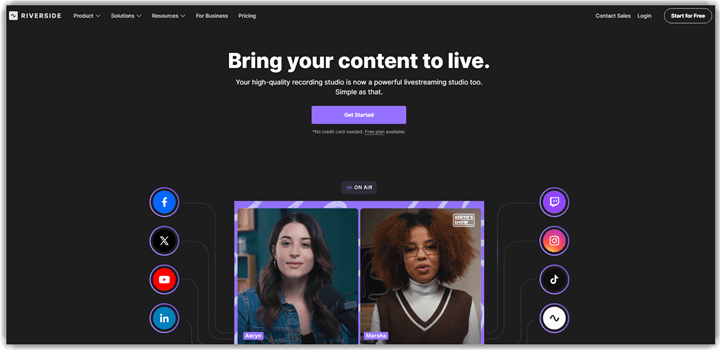
Riverside offers advanced AI voice capabilities that make it a strong choice for voice cloning and synthesis projects. The platform captures studio-quality audio at 48kHz WAV and uses AI to enhance recordings, remove background noise, and generate realistic voice content. It supports automatic transcription in over 100 languages and provides separate audio tracks for each participant. Many podcasters and content creators rely on its browser-based recording for professional voice output.
I find the automatic transcription and text-to-speech features particularly useful for repurposing audio content. Imagine recording a podcast with remote guests who have unreliable internet connections. Riverside records each participant’s audio locally at studio quality, then AI tools clean background noise and generate accurate transcripts. You can edit audio by simply editing the transcript text. This makes voice content creation faster without sacrificing recording quality.
Features:
- AI-Powered Noise Removal and Voice Enhancement: Riverside uses AI to automatically detect and remove background noise from recordings. This helps users achieve clean, professional audio without specialized equipment. I often rely on this when recording in less controlled environments.
- Studio-Quality 48kHz Audio Recording: The platform records audio at 48kHz WAV quality directly on each participant’s device. This ensures lossless capture regardless of internet connection quality. Many podcasters rely on this for broadcast-ready voice recordings.
- Automatic Transcription in 100+ Languages: Riverside transcribes recordings automatically and supports over 100 languages. This helps creators reach global audiences and repurpose content quickly. I have noticed the accuracy is impressive even with multiple speakers.
- Separate Audio Track Recording: Each participant’s audio is captured on an individual track during recording sessions. This gives editors full control over levels and effects during post-production. It prevents one speaker’s audio issues from affecting the entire recording.
- AI-Generated Captions and Subtitles: The platform generates captions and subtitles automatically from recorded audio. This helps creators publish accessible content across different platforms. Users can edit captions directly within the interface before exporting.
- Text-Based Audio Editing: Riverside allows users to edit audio by modifying the transcript text directly. You can delete words or rearrange sections without using a traditional audio editor. In my experience, this dramatically speeds up voice content editing workflows.
Pros
Cons
Pricing:
Riverside offers a completely free plan with basic recording and transcription features. Paid plans start from $24/month with expanded AI tools and recording capabilities.
5) ElevenLabs
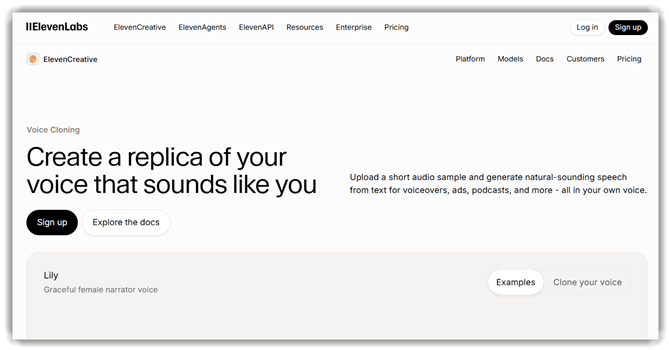
ElevenLabs is widely considered one of the most advanced AI voice cloning platforms available today. It offers ultra-realistic speech synthesis in 32 languages and can replicate emotion, intonation, and accent with remarkable detail. The tool can produce a near-identical voice clone from just a few minutes of audio. I find it particularly impressive how natural the generated voices sound during long-form narration.
ElevenLabs is built for creators, publishers, and developers who need studio-grade voice quality at scale. It supports instant voice cloning, professional voice cloning with higher fidelity, and a large public Voice Library you can browse and use. The platform also exposes a powerful API, making it suitable for audiobook production, dubbing, gaming, and accessibility applications.
Features:
- Instant Voice Cloning: ElevenLabs can clone a voice from just one minute of clean audio. The result preserves tone, breathing, and emotional cues for natural delivery. I tested it with my own voice and the resemblance was striking.
- Professional Voice Cloning: For higher fidelity needs, the Pro tier captures fine vocal nuances using longer training data. This is ideal for audiobook narration and branded voice production. It is one of the most accurate cloning experiences I have used.
- Multilingual Speech: It generates speech in 32 languages while preserving the speaker’s original accent. Creators can dub content globally without re-recording. This makes localization significantly faster.
- Voice Library: The platform offers a large library of community-shared voices ready to use. You can search by gender, accent, age, and use case. This saves time when you want a quick high-quality voice without cloning your own.
- Developer-friendly API: ElevenLabs provides a robust API for text-to-speech, voice cloning, and dubbing. Developers can integrate AI voices into apps, games, and IVR systems. The documentation is clear and the latency is low.
- Support: I received help via their email support and active Discord community. The knowledge base also covers most setup and integration questions.
Pros
Cons
Pricing:
ElevenLabs offers a free plan with limited monthly characters. Paid plans unlock professional cloning and higher quotas.
| Starter | Creator | Pro |
|---|---|---|
| $6 | $22 | $99 |
6) Veed
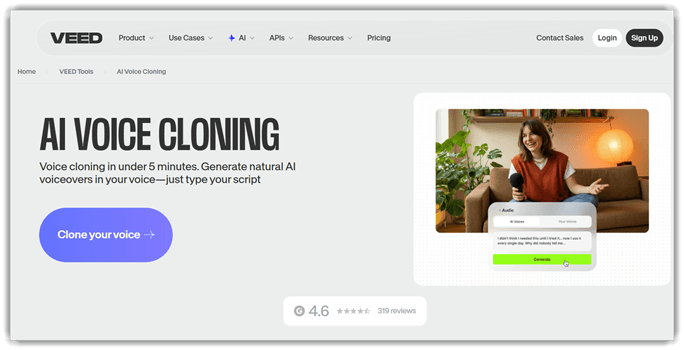
Veed is an all-in-one AI voice cloning and video editing platform that runs entirely in your browser. It lets creators generate realistic AI voices in 25+ languages and turn text into natural-sounding speech in seconds. The tool combines voice cloning with built-in video editing, subtitling, and audio cleanup features. I find it especially useful for content creators who want everything in one place without switching tools.
Veed makes voice cloning accessible without any technical expertise. You can upload a short voice sample, and its AI engine generates a custom voice you can reuse across projects. The platform also offers automatic transcription, royalty-free music, and one-click background noise removal. It is ideal for marketers, YouTubers, podcasters, and anyone producing voice content at scale.
Features:
- AI Voice Cloning: Veed lets you clone any voice from a short audio sample with high accuracy. The cloned voice retains the speaker’s tone, pace, and emotion for natural-sounding output. I have used this to maintain a consistent voice across multiple video projects.
- Multi-language Support: It supports voice generation in 25+ languages with native accents and clear pronunciation. You can quickly translate and dub content for global audiences. This is great for creators expanding their reach across regions.
- Text-to-Speech: You can convert any script into lifelike speech with hundreds of preset voices. The platform offers control over pitch, pace, and emphasis to fine-tune delivery. It saves hours compared to traditional voice-over recording.
- Built-in Video Editor: Veed combines AI voice tools with a full timeline-based video editor. You can edit audio, add subtitles, trim clips, and apply effects in one place. I love how it removes the need for multiple subscriptions.
- Background Noise Removal: The platform’s AI cleanup removes hiss, echo, and ambient noise in a single click. This makes raw recordings sound studio-grade without manual editing. It works well even on phone-recorded audio.
- Support: Veed offers live chat support, an extensive help center, and tutorial videos. I received quick responses through their in-app chat for technical queries.
Pros
Cons
Pricing:
Veed offers a free plan with limited exports and watermarked output. Paid plans expand AI tools, languages, and export limits.
| Creator | Pro | Studio |
|---|---|---|
| $12 | $24 | $39 |
Link: https://www.veed.io/tools/ai-voice-cloning
7) Voice AI
Voice AI offers voice cloning software with high-quality audio. It gives gamers an immersive experience and can be used for live streaming, chatting, and gaming.
This AI-voice cloning software uses a speech-to-speech engine. It supports Windows and mobile apps and 28 different languages. Voice AI brings you a huge collection of voices, and most importantly, its technology can help retain emotions.

Features:
- Ever-growing library: You get realistic voice impressions using Voice AI. It helps you transform your voice into a target voice such as your favorite celebrity or appear scarier, funnier, older, younger, etc. Voice AI’s library of voices continues to grow, offering you more variety and quality.
- Game and apps supported: It supports apps like Discord, Zoom, WhatsApp, Google Meet and more. You can use it with games such as League of Legends, Fortnite, WOW, Minecraft, and more.
- Custom Voice integration: Trained using over 15 million unique speakers, it helps deliver the perfect voice for your needs. This Voice AI SDK provides an in-game RPG and voice chat experience.
- Echo remover: With Voice AI, you can remove disturbances like echo from your projects. You can simply upload your choice of file and receive crystal clear results.
- Reverb remover: It removes any kind of background noises and focuses only on the main recorded speech. This voice replication AI can be used online, where you only have to upload your audio and follow a few steps for the result.
- Safety: Voice AI offers 100% safety, and they make sure to send their app to antivirus companies regularly. It is certified by leading companies such as Google, McAfee and Avast.
- Support: I was able to get quick support from this custom voice cloner using Discord. Users can also use knowledgebase and FAQs for quick support.
Pros
Cons
Pricing: Voice AI is free to download and charges $2.99 as a starting fee for its paid services.
Link: https://voice.ai/
8) Resemble.AI
Resemble.AI uses cutting-edge technology for voice cloning. It can capture human emotion in great detail and lets you gain control over synthetic speech.
All it requires is 3 minutes of human voice data or just a recording of 25 sentences. It is best for audiobooks, call centers, conversational AI bots, entertainment, and advertisement.

Features:
- Low Latency API: Resemble.AI offers direct sync and streaming API. Thus, you can scale voice AI content speedily without any speech synthesis slowing you down.
- Self-service: Its self-service solution allows you to quickly add human-quality voices to your priority projects. It is also an intuitive tool that lets you record short voice data with just 25 sentences to generate your own AI voice clone.
- Speech-to-speech: One of the best abilities of Resemble.AI is its real-time speech-to-speech AI voice conversion. This engine is a great option for gaming, IVR, film, and other purposes that require real-time voice cloning.
- Reach a Global audience: You can dub your native language into 100 different languages to reach a global audience. It lets you localize the speed simultaneously with the development cycle for a faster time to market.
- White Glove service: It offers a dedicated team for providing a white glove service to create an AI voice clone in just days. In this service, you receive the most advanced AI voice cloning model.
- Support: I used their website form to receive direct support. You can also use their knowledge base, and FAQs for finding answers for your queries.
Pros
Cons
Pricing:
Here are the two pricing plans of Resemble.AI
| Basic (Pay as you go) | Pro |
|---|---|
| $0.006 per second | Contact sales |
Link: https://www.resemble.ai/products/voice-creation
How does AI voice cloning work?
AI voice cloning works by collecting voice data and processing it. This technology applies neural networks, which is an advanced intelligence framework that uses the voice samples collected from various sources through a web recorder audio. Its process includes Generative Adversarial Networks (GANs) that are made of generator and discriminator components.
The generator uses the intricate insights gathered from the human voice while the discriminator judges what is human voice is and what an artificial intelligence is. These two components then create an uncanny resemblance to a particular subject’s voice. Finally, its tools not only replicate the voice but also the tone, style, and emotion to produce an authentic human-like speech.
How to choose a good AI voice changer app?
Here are the major factors that you need to consider while choosing a good AI voice changer:
- Voice quality: There is no point in selecting a tool that only claims to produce a human-like voice but does not deliver it. Hence, contact the provider for a demo or try their free trial or free version to see their natural language processing output before committing to their paid plan.
- Speech data input: The amount of audio data requirement varies from application to application. The larger the speech input requirement, the better will be your outcome.
- Time taken to produce: Some of the AI voice matcher software requires only a few minutes to generate AI voices, while some may take days or even weeks.
- Cost: Some of the tools may offer the same quality and features at a much lower price than what you are shortlisting hence, research properly before purchase. Most of these tools also offer lifetime free versions with limited features.
What are the benefits of AI voice cloning?
AI voice cloning offers several benefits that traditional audio sample fails to do. Here are some of the AI voice platform advantages:
- It needs less manual effort and can generate realistic human-like voices in just minutes.
- Unlike traditional audio recordings, it can capture languages with native-like accents.
- Most of the AI voice cloning apps offer avatars that can imitate an individual’s vocal expressions.
- You can use it for audiobooks, customer services, video games, movies, and much more with minimum effort.
FAQs
Verdict
All the above AI voice cloning applications mentioned in this article offer reliable speech quality. However, our verdict goes to the following top three tools, and here’s why:
- LOVO: Built for professionals, LOVO’s Genny engine produces premium-sounding cloned voices in just minutes from a short voice sample.
- Listnr: With 900+ voices in 142+ languages and seamless podcast distribution, Listnr is ideal for creators who want studio-grade output at scale.
- Murf.AI: You can use this AI voice cloning tool to easily edit on the fly and receive pitch-perfect results across 120+ voices.
LOVO is an AI voice cloning software mainly built for professionals. It is capable of creating high-quality custom content as it brings you only premium-sounding AI-generated voice clones. It has an easy drag-and-drop functionality, so you can simply choose a file and drop it into the app for processing.
