
7 BEST AI Accounting Software & Tools (2026)
 Editorial Team

I spent over 220 hours testing and comparing 25+ different well-known, highly rated tools in real scenarios. After thorough evaluation, I carefully shortlisted 7 best AI accounting software options that stood out to me. My recommendations come from firsthand evaluation, backed by deep analysis of features, strengths, and trade-offs. I focused on what actually works in daily use, not just marketing claims. If you want clarity without the guesswork, you’ll find this breakdown worth your time.
Best AI Accounting Software: Top picks!
| Tool Name | Best For | Top Features | Free/Trial Plans | Link |
|---|---|---|---|---|
| QuickBooks | Small businesses need an all-in-one accounting | Invoicing, expense tracking, reporting, and integrations | 30-day free trial | Learn More |
| Xero | Growing SMBs need scalable cloud accounting | Bank feeds, automation, reporting, integrations | 30-day free trial | Learn More |
| Melio | SMBs managing payments & vendor bills | Bill pay, ACH transfers, approvals, integrations | Free plan available | Learn More |
| Aiwyn | Accounting firms automating receivables workflows | AR automation, client portal, payments, analytics | Demo Available | Learn More |
| Netgain | Enterprises needing ERP-level AI automation | Predictive analytics, lease accounting, and reporting | Demo Available | Learn More |
1) QuickBooks
QuickBooks is a popular AI-powered accounting software for small businesses’ finances. It supports automated bookkeeping, expense tracking, invoicing, and financial reporting tasks. The platform uses smart categorization and insights to reduce manual accounting errors. It remains widely trusted due to consistent updates and reliable integrations.
I found its automation reliable when handling recurring entries when testing. For example, during monthly close, you can easily automate reconciliation workflows. This helps teams validate financial data quickly before generating reports.

Features:
- Expense Tracking: This feature records business expenses automatically by categorizing transactions from linked accounts. You can use it to quickly review spending patterns. This helps reduce manual entry and keeps financial records consistently organized.
- Invoice Creation: It allows users to generate and send invoices directly from the dashboard. You can customize payment terms easily. This helps ensure timely payments and reduces delays in billing cycles.
- Bank Syncing: This tool connects your bank accounts to import transactions in real time. I have noticed this reduces reconciliation effort significantly. It helps keep financial data accurate without constant manual updates.
- Tax Estimation: With the help of this feature, you can view estimated taxes based on income and expenses recorded. You can also check the liabilities before the filing periods. This helps avoid surprises and supports better financial planning throughout the year.
- Cash Flow View: QuickBooks provides a clear view of incoming and outgoing cash over time. I often rely on this when planning expenses. It helps identify shortages early and manage spending decisions more confidently.
- Receipt Capture: This feature lets you upload or scan receipts using a mobile device. The system extracts key details automatically. This reduces paperwork and ensures expense records are backed by proper documentation.
Pros
Cons
Pricing:
QuickBooks offers a 30-day free trial, with paid plans starting at $38/month and 50% discounted introductory pricing for up to 3 months.
| Plan | Pricing |
|---|---|
| Simple Start | $38/month |
| Essentials | $75/month |
| Plus | $115/month |
2) Xero
Xero is a cloud-based accounting platform designed for automated financial workflows. It supports AI-powered bookkeeping, invoicing, expense tracking, and bank reconciliation tasks. The tool improves accuracy using smart categorization and real-time data syncing. Its reliability comes from strong integrations and consistent updates across financial systems.
I found its automation stable when handling recurring invoices and reconciliations. For example, a team can validate monthly transactions before closing books. They can quickly detect mismatches using AI insights and automated alerts. This reduces manual effort while keeping financial testing workflows accurate and consistent.

Features:
- Bank Syncing: Xero connects to your bank accounts and pulls transactions automatically every day. This eliminates repetitive manual entry and ensures your records stay consistently up to date. I have noticed this becomes essential once transaction volume increases.
- Invoice Creation: You can generate customized invoices with your branding and send them directly to clients. This helps standardize billing workflows and reduces delays in getting paid. You can also track when clients open invoices.
- Expense Capture: Xero allows you to upload receipts and assign expenses to categories instantly. This helps maintain accurate records without relying on memory later. I have found this especially useful when managing frequent small purchases.
- Reconciliation Matching: The system suggests matches between bank transactions and existing records automatically. This significantly speeds up reconciliation and reduces manual checking effort. It also flags mismatches early before they become larger accounting issues.
- Cash Flow Monitoring: Xero provides a real-time view of available cash, unpaid invoices, and upcoming bills. This helps you anticipate shortages and plan spending more carefully. Many users rely on this for short-term financial decisions.
- Financial Reports: You can generate detailed reports like profit and loss, balance sheets, and tax summaries. This helps you understand business performance without needing external tools. Reports can also be customized based on specific time periods.
Pros
Cons
Pricing:
Xero offers paid accounting plans only, with a 1-month free trial and tiered monthly subscriptions starting at $29.
| Plan | Pricing |
|---|---|
| Starter | $29/month |
| Standard | $50/month |
| Premium | $75/month |
3) Melio
Melio is a cloud-based platform for managing business payments and workflows. It supports accounts payable automation, scheduling transfers, and vendor payment tracking. The tool integrates with accounting systems, improving accuracy and reducing manual errors. Its reliable processing and free plan make it accessible for growing teams.
I found the payment scheduling intuitive during repetitive invoice handling tasks. For example, teams can automate bill payments before monthly financial closing deadlines. It helps validate transactions, ensuring vendors receive accurate amounts on time. This reduces errors during regression checks of financial records and approvals.

Features:
- Invoice Capture: Melio lets users upload invoices via email, file upload, or manual entry. It extracts key details like amount and due date. This reduces repetitive data entry and speeds up bill creation. It also minimizes errors from manual transcription.
- Partial Payments: You can split a single bill into multiple payments across different dates. This helps manage tight cash flow periods more effectively. I often use this when balancing multiple vendor obligations. It gives more flexibility without delaying vendor commitments.
- Card Funding: Melio allows payments using a credit card, even when vendors accept only bank transfers. It converts the transaction behind the scenes. This extends float time and helps manage short-term liquidity. It is especially useful during uneven revenue cycles.
- Recurring Bills: Melio supports setting up recurring payments for fixed expenses like rent or subscriptions. It automatically schedules future transactions. This removes the need to manually re-enter repeat payments each month. It ensures critical payments are never overlooked.
- 1099 Reporting: This feature tracks vendor payments eligible for 1099 forms throughout the year. I like that it categorizes transactions automatically. In my experience, this makes tax season reporting much less stressful. It also reduces the need for last-minute data cleanup.
- Multi-user Access: Multiple users can collaborate on the same account without sharing login credentials. Each user sees only the relevant tasks. This improves coordination between accountants, owners, and finance teams. It also enhances security across financial operations.
Pros
Cons
Pricing:
Melio offers a free “Go” plan plus paid plans starting at $25/month, with optional annual discounts and no setup fees.
| Plan | Pricing |
|---|---|
| Go | $0 / free forever |
| Core | $25/month |
| Boost | $55/month |
4) Aiwyn
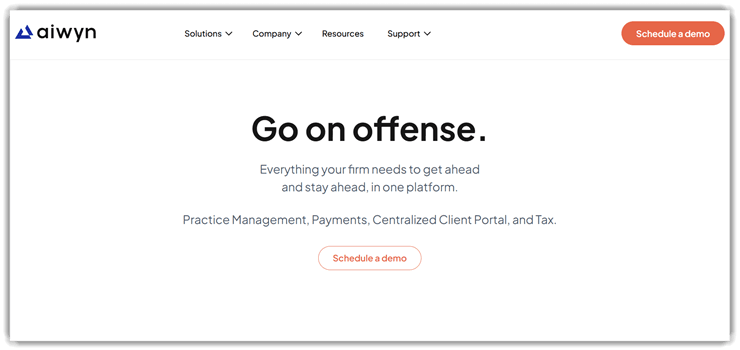
Aiwyn is an AI-driven accounting platform focused on modern finance workflows. It supports automated invoicing, collections, and revenue operations for accounting teams. The tool improves accuracy using AI automation and predictive cash flow insights. Its workflow orchestration and integrations make financial processes reliable and consistent.
I noticed how smoothly Aiwyn handled complex billing cycles during testing. For example, teams can automate invoice reminders before the monthly revenue closing. It reduces manual follow-ups and highlights overdue payments instantly. This helps maintain steady cash flow while simplifying routine accounting tasks.
Features:
- Billing Controls: Aiwyn lets users define billing structures across clients, services, and timelines. This helps standardize how invoices are created across teams. I have noticed this reduces inconsistencies in complex client billing setups.
- Collection Prioritization: The platform ranks overdue invoices based on value, age, and client behavior. This helps users focus on high-impact collections first. You can reduce outstanding balances without chasing every account equally.
- Smart Reminders: Aiwyn schedules and sends payment reminders based on client activity and due dates. This ensures follow-ups happen at the right time automatically. In my experience, this improves response rates without sounding repetitive.
- Dispute Handling: Users can track and manage invoice disputes within the platform. This keeps conversations and updates tied to specific invoices. It helps resolve issues faster without losing context across emails.
- Cash Flow Forecasting: It predicts expected cash inflows based on open invoices and payment trends. This helps users plan expenses and manage liquidity better. You get a clearer picture of short-term financial health.
- Client Segmentation: The system groups clients based on payment habits, size, or engagement level. This allows tailored billing and follow-up strategies. I often rely on this to adjust communication for slow-paying clients.
Pros
Cons
Pricing:
Contact the sales team for a quote.
Link: https://www.aiwyn.ai/
5) Netgain
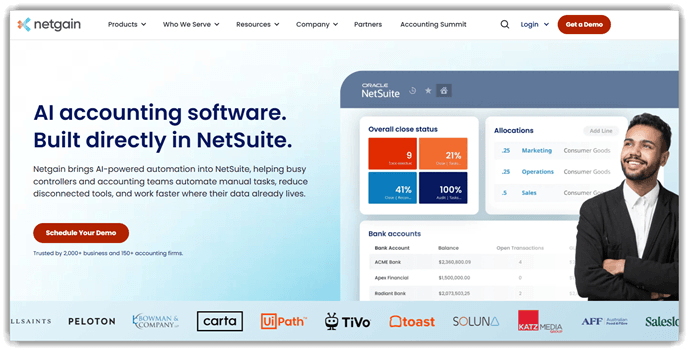
Netgain is an AI-powered accounting platform that automates complex workflows like leases, assets, reconciliations, and the month-end close, especially for NetSuite teams. It combines rules-based automation with embedded AI for tasks such as lease abstraction, fixed asset creation, and flux analysis explanations. Thus helping firms reduce manual data entry and tighten financial controls.
Its focus on compliance, audit-ready records, and deep ERP integration makes it a reliable choice for growing accounting teams. In my experience, its NetSuite-native approach keeps testing simple because data, workflows, and AI features all sit in one place. For teams exploring AI accounting tools, this gives a clear, testable path from configuration to trustworthy financial outputs.
Features:
- Unified Consolidation: Netgain combines financial data from multiple entities into one system. This helps users produce consolidated statements faster while reducing manual reconciliation across subsidiaries.
- Scheduled Reporting: It automatically generates recurring financial reports using saved templates. Thus allowing users to avoid rebuilding reports and stay consistent during every closing cycle.
- Live Syncing: This capability pulls real-time data directly from connected accounting systems. Therefore, it reduces manual entry errors and ensures financial records remain accurate and current.
- Metric Tracking: Users can track selected financial metrics through customizable dashboards. It makes it easier to monitor performance trends without repeatedly digging through detailed reports.
- Entity Management: Netgain manages multiple companies within a single workspace. Thus simplifying intercompany transactions and makes it easier to handle complex business structures as operations grow.
- Forecast Planning: I found out that it uses historical financial data to create projections. This helps users test assumptions and make better budgeting decisions before committing resources.
Pros
Cons
Pricing:
Contact sales for the quote.
Link: https://www.netgain.tech/
6) TaxDome
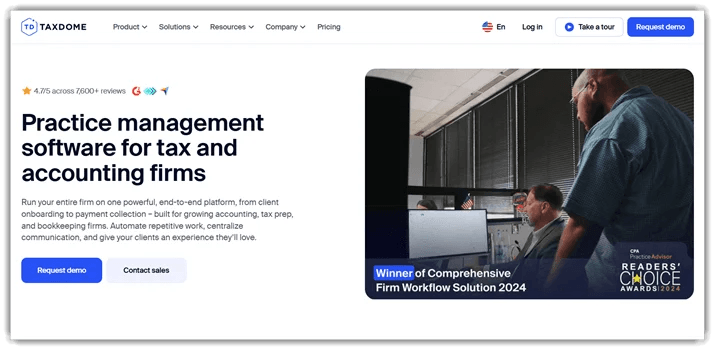
TaxDome is an accounting practice management platform for tax firms. It handles workflow automation, document management, and secure client communication. This tool also includes AI-powered reporting, billing, and client portals. Its broad adoption and centralized workflows make it dependable for growing teams.
I found its automations stayed predictable during repetitive workflow checks. In a pre-release review, teams can verify organizers, signatures, and invoices. They can also confirm portal updates across client tasks. That makes regression testing easier when accounting processes change quickly.
Features:
- Pipeline Views: TaxDome lets you visualize each client’s job across customizable stages like intake, preparation, and review. This helps you quickly identify stalled work and rebalance workloads across your team. It also gives a clearer overview during high-volume periods.
- Conditional Workflows: You can set rules that trigger different actions based on client responses or task status. I have noticed this reduces manual follow-ups and adapts processes automatically for different service types. It also ensures consistent handling of complex client scenarios.
- Bulk Actions: It allows you to send emails, requests, or updates to multiple clients at once. This helps save time during busy seasons when repeating the same communication becomes overwhelming. It also reduces the risk of missing important client updates.
- Organizer Forms: I could access structured questionnaires that collect client information before starting work. This helps reduce back-and-forth clarification and ensures you begin tasks with complete, consistent data. It also standardizes how information is gathered across all clients.
- Client Tagging: You can assign tags to clients based on service type, status, or priority. I often rely on this when filtering specific client groups for targeted communication or task management. It also makes segmenting clients much faster during campaigns.
- Recurring Jobs: This feature automatically creates repeat tasks for services like monthly bookkeeping or annual filings. This helps maintain consistency and ensures recurring work is never forgotten. It also reduces the need for manual scheduling each cycle.
Pros
Cons
Pricing:
TaxDome offers no free plan but provides a demo; pricing starts with annual per-user subscriptions with multi-year discounts available.
| Plan | Pricing |
|---|---|
| Essentials | $700/year per user |
| Pro | $900/year per user |
| Business | $1100/year per user |
Link: https://taxdome.com/
7) Numeric
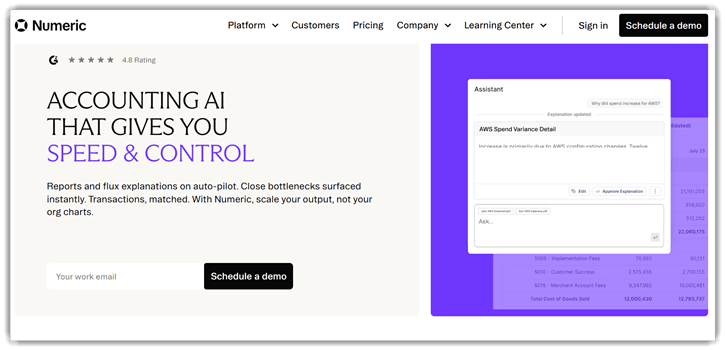
Numeric is an AI-powered accounting platform focused on automated financial workflows. It supports testing data accuracy, reconciliations, and continuous close processes. The tool uses automation, anomaly detection, and real-time reporting features. Its reliability comes from consistent checks and structured financial controls.
I found integrations stable when validating accounting data during test cycles. For example, teams can verify ledger entries before the monthly financial close. It helps automate repetitive validation tasks across large datasets quickly. This improves confidence when releasing updated reports or financial statements.
Features:
- Automated Reconciliations: Numeric automatically matches transactions across accounts and ledgers using predefined rules. This reduces manual checking and speeds up the month-end close without missing discrepancies. It also keeps everything organized in one place.
- Close Tracking: I used it to assign and monitor close tasks across your team. Thus, I was able to see progress in real time, which helps avoid bottlenecks during reporting cycles. It gives a general sense of how work is moving forward.
- Variance Analysis: Numeric highlights unexpected changes in account balances between periods. I have noticed that this quickly surfaces errors or unusual activity that might otherwise go unnoticed. It also makes reviewing numbers feel more structured.
- Journal Validation: The system reviews journal entries for inconsistencies before finalizing them. This helps users catch mistakes early and reduces the risk of incorrect financial reporting. It adds an extra layer of checking during the process.
- Data Syncing: This tool pulls data directly from your accounting systems and spreadsheets. Thus, ensuring that my reports always reflect the latest numbers without manual updates. It helps keep information aligned across tools.
- Audit Trail: Every change to entries and reports is logged automatically. In my experience, this makes audit preparation much easier since you can trace exactly what changed and when. It also provides a clear record for reference later.
Pros
Cons
Pricing:
Numeric offers a starter paid plan from $30/user/month, with higher-tier plans requiring custom pricing and demo-based access.
| Plan | Pricing |
|---|---|
| Essentials | Starts at $30/month per user |
| Growth | Custom pricing |
| Enterprise | Custom pricing |
Link: https://www.numeric.io/
Feature Comparison: Best AI Bookkeeping Software
Here’s a table of the above-mentioned tools that will help you compare their key features easily:
| Features | QuickBooks | Xero | Melio | Aiwyn |
|---|---|---|---|---|
| Core AI Automation | ✔️ | ✔️ | ✔️ | ✔️ |
| Easy To Use | ✔️ | ✔️ | ✔️ | ❌ |
| Transparent Pricing | ✔️ | ✔️ | ✔️ | ✔️ |
| Strong Integrations | ✔️ | ✔️ | ✔️ | ❌ |
| Enterprise Scalability | ✔️ | ✔️ | ✔️ | ✔️ |
| Compliance & Security | ✔️ | ✔️ | ✔️ | ✔️ |
What is AI accounting software, and How Does it Work?
AI accounting software uses machine learning and automation to handle financial tasks efficiently. It collects transaction data, categorizes expenses, and generates reports automatically. These systems learn from past data patterns and improve accuracy over time. They reduce the need for manual bookkeeping and minimize common human errors. Most tools connect directly with bank accounts and payment systems for seamless data flow.
The software continuously analyzes financial activity and provides real-time insights. It helps users understand cash flow, profits, and expenses clearly. Automating repetitive processes saves time and improves consistency. This makes accounting more accessible for beginners and small businesses. It also allows teams to focus on strategic decisions rather than routine tasks.
Are AI Accounting Tools Safe and Secure for Financial Data?
Security is a major concern when using AI accounting platforms. Most tools use encryption to protect sensitive financial information. They follow strict compliance standards like GDPR and SOC certifications. Multi-factor authentication adds an extra layer of protection. Regular updates ensure protection against evolving cyber threats.
Cloud-based systems also provide secure backups for data recovery. Businesses should still verify vendor security practices carefully. Choosing reputable accounting software providers reduces risks significantly. Overall, AI accounting tools are generally safe when implemented correctly.
What Are the Benefits of Using an AI Accounting Software?
Using AI-accounting software has major benefits for managing both your personal and professional finances:
- Automation of repetitive tasks: The AI accounting software automates invoicing, reconciliation, and expense tracking, reducing manual effort and saving valuable time.
- Improved accuracy: It minimizes human errors in calculations and entries, ensuring more reliable and precise financial records.
- Faster financial reporting: These tools can generate reports quickly, enabling businesses to access insights and act without unnecessary delays.
- Real-time financial visibility: Users receive up-to-date financial data, helping businesses monitor performance and respond to changes instantly.
- Better decision-making: You get actionable insights through data analysis, allowing smarter and more informed business decisions.
- Reduced operational costs: It cuts expenses by decreasing reliance on large accounting teams and manual processes.
- Continuous learning and optimization: You can enjoy better efficiency and intelligent insights, since these tools adapt over time using data patterns.
How Do AI Accounting Tools Integrate with Business Workflows?
Modern AI accounting systems integrate easily with business workflows. They connect with CRM, payroll, and inventory management tools. This creates a unified system for financial operations. APIs allow seamless data sharing across platforms. Automation reduces manual intervention in daily processes. Integration improves efficiency and data accuracy significantly. Businesses benefit from streamlined operations and better coordination. These tools also support cloud-based collaboration. This enables teams to access financial data from anywhere.
How Did We Choose the Best AI Accounting Software?
Selecting the right AI accounting software requires careful evaluation. Our team spent several days considering the following key points before making a decision:
- Ease of use: We chose software with intuitive dashboards and simple navigation.
- Automation level: The team made sure to select tools that handle invoicing, reconciliation, and reporting tasks.
- Integration support: We checked the tool’s compatibility with existing systems.
- Pricing structure: Our experts shortlisted tools after carefully comparing their subscription costs and long-term value.
- Customer support: We made sure to select tools that have strong support that ensures smooth onboarding and troubleshooting.
Verdict
After testing several AI accounting platforms hands-on, I found a few that consistently delivered smoother workflows, reliable automation, and practical value in real business scenarios.
- QuickBooks: I was impressed with how QuickBooks handled automation and reporting exceptionally well. It simplifies complex accounting tasks and proves to be reliable for both small businesses and growing teams.
- Xero: What stood out to me was Xero’s clean interface and seamless integrations. It makes collaboration with accountants effortless and keeps financial data organized in real time.
- Melio: I appreciated how Melio streamlined payment workflows. It handles vendor payments efficiently and offers flexible options that reduce manual effort significantly.
