
Cucumber Framework: What is Cucumber?
 Thomas Hamilton
⚡ Smart Summary
Cucumber is a testing tool that supports Behavior Driven Development, allowing anyone to read tests regardless of technical knowledge. This resource explains how BDD works through Given-When-Then steps, the advantages of Cucumber, and how it compares with Selenium and HP ALM.
What is Cucumber?
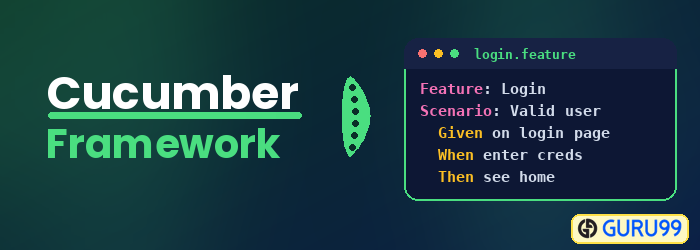
Cucumber is a testing tool that supports Behavior Driven Development (BDD). It offers a way to write tests that anybody can understand, regardless of their technical knowledge. In BDD, users (business analysts, product owners) first write scenarios or acceptance tests that describe the behavior of the system from the customer’s perspective, for review and sign-off by the product owners before developers write their code. The Cucumber framework uses the Ruby programming language.

How BDD works in Cucumber Automation?
Consider you are assigned to create a Funds Transfer module in a Net Banking application.
There are multiple ways to test it in the Cucumber Testing framework:
- Fund Transfer should take place if there is enough balance in the source account.
- Fund Transfer should take place if the destination a/c details are correct.
- Fund Transfer should take place if the transaction password / RSA code / security authentication for the transaction entered by the user is correct.
- Fund Transfer should take place even if it is a Bank Holiday.
- Fund Transfer should take place on a future date as set by the account holder.
The Test Scenario becomes more elaborate and complex as we consider additional features like transfer amount X for an interval of Y days/months, stop the scheduled transfer when the total amount reaches Z, and so on.
The general tendency of developers is to develop features and write test code later. As is evident in the above case, Test Case development for this scenario is complex, and the developer will put off Testing until release, at which point they will do quick but ineffective testing.
To overcome this issue, Cucumber BDD (Behavior Driven Development) was conceived. It makes the entire testing process easy for a developer.
In Cucumber BDD, whatever you write must go into Given-When-Then steps. Let us consider the same example above in BDD:
Given that a fund transfer module in net banking application has been developed
And I am accessing it with proper authentication
When I shall transfer with enough balance in my source account
Or I shall transfer on a Bank Holiday
Or I shall transfer on a future date
And destination a/c details are correct
And transaction password/RSA code/security authentication for the transaction is correct
And press or click send button
Then amount must be transferred
And the event will be logged in log file
Is it not easy to write, read, and understand? It covers all possible test cases for the fund transfer module and can be easily modified to accommodate more. It is also more like writing documentation for the fund transfer module.
Advantages of Cucumber Software
- It is helpful to involve business stakeholders who cannot easily read code.
- The Cucumber Testing tool focuses on end-user experience.
- The style of writing tests allows for easier reuse of code in the tests.
- Quick and easy setup and execution.
- The Cucumber test tool is an efficient tool for testing.
Cucumber vs Selenium vs ALM
In this section, we will study the difference between Cucumber, Selenium, and ALM.
| Cucumber | HP ALM (QTP) | Selenium |
|---|---|---|
| Cucumber software is free. | QTP is expensive. | It is free. |
| Cucumber software is a behavior-driven development tool. | It is a Functional Automation Tool. | It is a Functional and Performance (Selenium Grid) test tool. |
| The plugin in the Cucumber testing tool works faster. | Plugins are slower compared to Cucumber and Selenium. | Plugins are slower than Cucumber. |
| Cucumber Framework supports other languages as well beyond Ruby, like Java, Scala, Groovy, etc. | QTP supports only VB Script. | Selenium supports Java, .Net, and many other languages. |
| Writing automation steps is a joint effort of testers and developers. | In QTP, only the tester writes automation steps. | Like Cucumber, writing automation steps is a joint effort of testers and developers. |
| The Cucumber testing tool supports only the web environment. | Supports web, desktop, and any client-server application. | Supports only the web environment. |
Also Check:- UFT vs Selenium: Difference Between Selenium and HP UFT
