
What is Write Optimized DSO in SAP?
 Jessica Blake
⚡ Smart Summary
A Write-Optimized DSO in SAP BW stores data in a single active table with no activation step or change log, making it ideal for the fast initial staging of large volumes of lowest-granularity source data.

What is a Write-Optimized DSO?
A write-optimized DSO is used when a storage object is required for the lowest-granularity records and overwrite functionality is not needed. It consists of the active data table only, so no activation is needed, which speeds up the data process. The data is available immediately for further processing, and it is used as a temporary storage area for a large set of data.
The write-optimized DSO is primarily designed to be the initial staging of source system data, from where the data can be transferred to a standard DSO or the InfoCube.
- The PSA receives data unchanged from the source system.
- Data is posted at document level; after loading into standard DSOs, data is deleted.
- Data is posted to the corporate-memory write-optimized DSO from the pass-through write-optimized DSO.
- Data is distributed from the write-optimized pass-through DSO to standard DSOs as per business requirement.
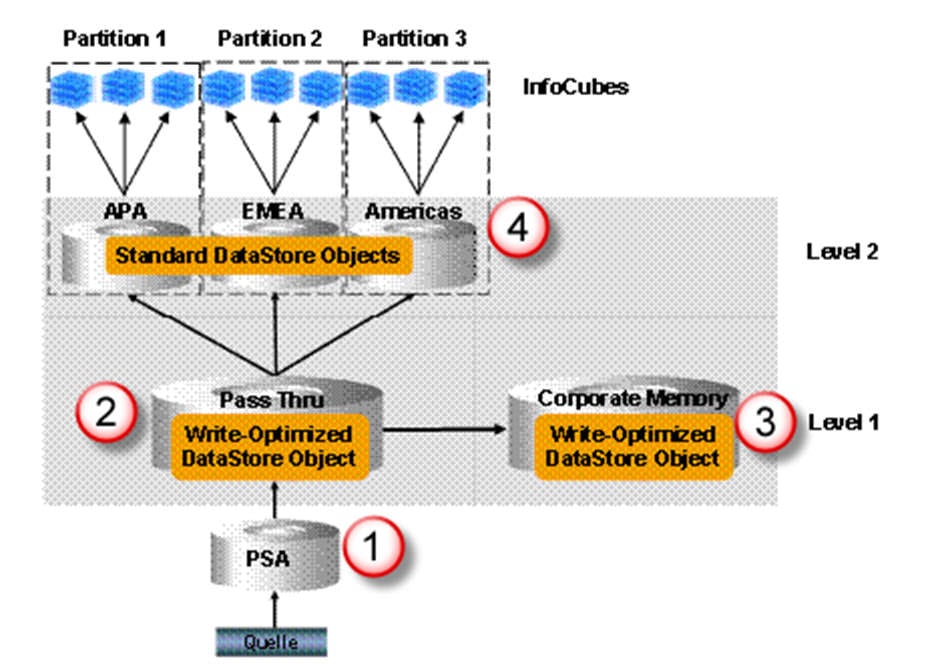
Write-Optimized DSO Properties
- It is used for the initial staging of source system data.
- Data stored is of lowest granularity.
- Data loads can be faster since there is no separate activation step.
- Every record has a technical key, so aggregation of records is not possible. New records are inserted every time.
Creation of a Write-Optimized DSO
Step 1)
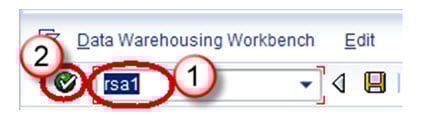
- Go to transaction code RSA1.
- Click the OK button.
Step 2)
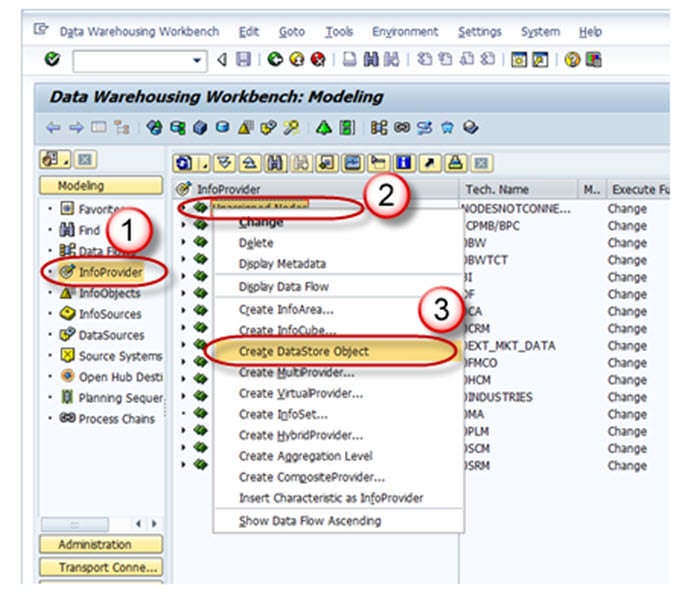
- Navigate to the Modeling tab -> InfoProvider.
- Right click on InfoArea.
- Click on “Create DataStore Object” from the context menu.
Step 3)
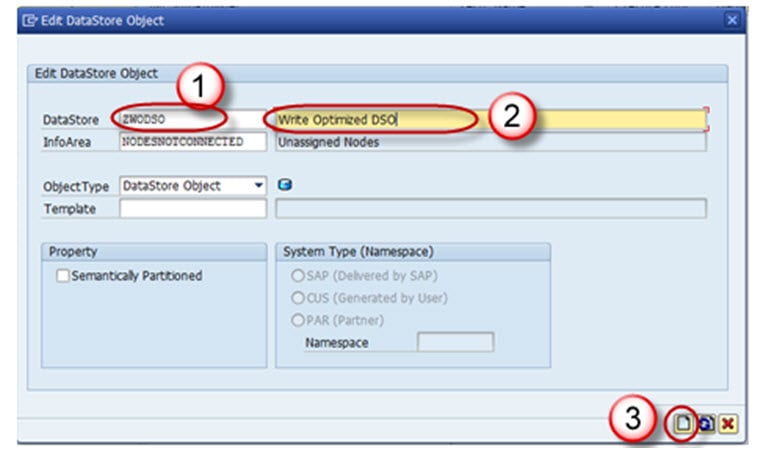
- Enter the Technical Name.
- Enter the Description.
- Click on the “Create” button.
Step 4) Click on the Edit button of “Type of DataStore Object”.
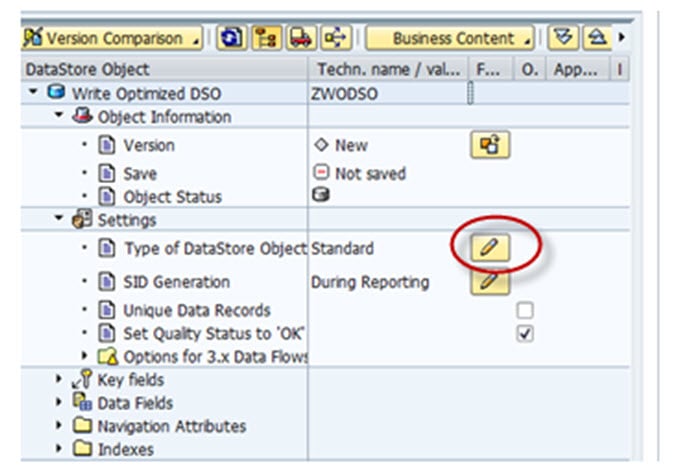
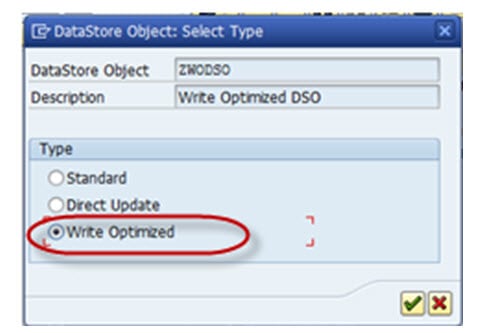
Step 5) Choose the type “Write-Optimized”.
Technical keys include Request ID, Data package, and Record number. No additional objects can be included under this. Semantic keys are similar to key fields; however, here uniqueness is not considered for overwrite functionality. They are instead used in conjunction with the setting “Do not check uniqueness of data”. The purpose of the semantic key is to identify errors in incoming records or duplicate records. Duplicate records are written into the error stack in the subsequent order and can be handled or re-loaded by defining a semantic group in the DTP. Semantic groups need not be defined if there is no possibility of duplicate or error records.

If you do not check the box “Allow Duplicate Data Record”, the data coming from the source is checked for duplication; if the same record (semantic keys) already exists in the DSO, the current load is terminated. If you select the check box, duplicate records are loaded as new records and the semantic keys have no relevance.

Step 6) Activate the DSO.

