
Python enumerate() Function: Loop, Tuple & String
 Editorial Team
⚡ Smart Summary
Python enumerate() adds an automatic counter to any iterable, returning index-value pairs as you loop. Here you will learn its syntax, the optional start index, and how it works on lists, tuples, strings, and dictionaries.
What is Python Enumerate?
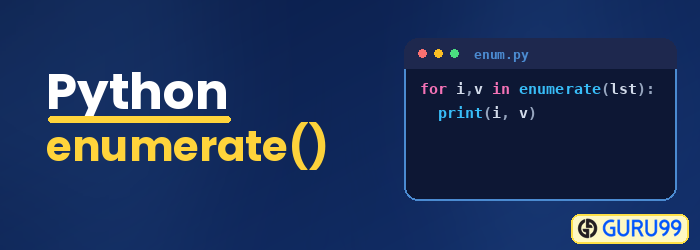
Python Enumerate() is a buit-in function available with the Python library. It takes the given input as a collection or tuples and returns it as an enumerate object. The Python Enumerate() command adds a counter to each item of the iterable object and returns an enumerate object as an output string.
Syntax of Python enumerate()
enumerate(iterable, startIndex)
Parameters
Three parameters are:
- Iterable: an object that can be looped.
- StartIndex: (optional) The count will start with the value given in the startIndex for the first item in the loop and increment it for the nextitem till it reaches the end of the loop.
However, If startIndex is not specified, the count will start from 0.
ReturnValue
It will return an iterableobject, with countvalue to each of the items to the iteratorobject given as input.
Enumerate() in Python Example
Enumerate method comes with an automatic counter/index to each of the items present in the Enumerate list in Python. The firstindex value will start from 0. You can also specify the startindex by using the optional parameter startIndex in enumerate.
Example
In the code below, mylist is the list given to Enumerate function in Python. The list() function is used to display the Enumerate Python output.
Note: There is no startIndex used hence the index for the firstitem will start from 0.
The output from enumerate will be in the following manner:
(0, item_1), (1, item_2), (2, item_3), … (n, item_n)
File: python_enumerate.py
mylist = ['A', 'B' ,'C', 'D']
e_list = enumerate(mylist)
print(list(e_list))
Output:
[(0, 'A'), (1, 'B'), (2, 'C'), (3, 'D')]
UsingEnumerate() on a list with startIndex
In the below example, the startindex given as 2.The index of the firstitem will start from the given startindex.
Example:
In the example below, mylist is the list given to enumerate. The list() function is used to display the enumerate output.
mylist = ['A', 'B' ,'C', 'D']
e_list = enumerate(mylist,2)
print(list(e_list))
Output:
[(2, 'A'), (3, 'B'), (4, 'C'), (5, 'D')]
Looping Over an Enumerate object
The example shows enumerating over an object with and without startIndex.
- The first for-loop does not have startIndex, so the index starts from 0.
- The second for-loop has startIndex as 10, so the index is starting from 10.
Example:
mylist = ['A', 'B' ,'C', 'D']

for i in enumerate(mylist):
  print(i)
  print("\n")

print("Using startIndex as 10")

for i in enumerate(mylist, 10):
  print(i)
  print("\n")
Output:
(0, 'A')
(1, 'B')
(2, 'C')
(3, 'D')

Using startIndex as 10
(10, 'A')
(11, 'B')
(12, 'C')
(13, 'D')
Enumerating a Tuple
In the below example, you can use a tuple inside an enumerate. You can also use a startIndex, and the key to each item will start from the startIndexgiven.
By default, the startIndex is 0. There, hence you see key as 0 for items A and 1 for B and so on.
Example:
my_tuple = ("A", "B", "C", "D", "E")
for i in enumerate(my_tuple):
  print(i)
Output:
(0, 'A')
(1, 'B')
(2, 'C')
(3, 'D')
(4, 'E')
Enumerating a String
In Python, the string is an array, and hence you can loop over it. If you pass a string to enumerate(), the output will show you the index and value for each character of the string.
Example:
my_str = "Guru99 "
for i in enumerate(my_str):
  print(i)
Output:
(0, 'G')
(1, 'u')
(2, 'r')
(3, 'u')
(4, '9')
(5, '9')
Enumerate a dictionary
In Python, a dictionary is listed in curly brackets, inside these curly brackets, the values are declared.
Each element is a key/value pair and separated by commas. You can use a dictionary inside a enumerate() and see the output.
my_dict = {"a": "PHP", "b":"JAVA", "c":"PYTHON", "d":"NODEJS"}
for i in enumerate(my_dict):
  print(i)
Output:
(0, 'a')
(1, 'b')
(2, 'c')
(3, 'd')
Advantages of using Enumerate
Here, are pros/benefits of using Enumerate in Python:
- Enumerate allows you to loop through a list, tuple, dictionary, string, and gives the values along with the index.
- To get index value using for-loop, you can make use of list.index(n). However, list.index(n) is very expensive as it will traverse the for-loop twice. Enumerate is very helpful in such a case as it gives the index and items at one go.
