
Operational Acceptance Testing (OAT) Example
 Editorial Team
⚡ Smart Summary
Operational Acceptance Testing evaluates whether a release is ready to run in its Standard Operating Environment, checking backups, recovery, alerting, security and documentation before the system is handed to production support teams.
What is Operational Acceptance Testing?
Operational Acceptance Testing (OAT) is a software testing technique which evaluates the operational readiness of a software application prior to its release into production. The goal of operational acceptance testing is to ensure system and component compliance, and smooth system operation, in its Standard Operating Environment (SOE).
Operational acceptance testing is also called Operational Readiness Testing (ORT) or, more briefly, operational testing. All three names describe the same check: the software may already do what the business asked for, yet nobody has yet proved it can be installed, backed up, restarted, monitored and recovered by the people who will own it after go-live.
That distinction places OAT firmly among the non-functional testing types. It asks how the system behaves under real operating conditions rather than whether a feature returns the correct answer.
Types of Operational Testing
Operational testing is an umbrella activity. Each item below is a separate check with its own entry conditions and its own evidence, and a full OAT cycle usually touches most of them.
- Installation Testing — confirms the build can be installed, upgraded and rolled back in the target environment using the supplied documentation.
- Load & Performance Test Operation — checks that the system holds its expected throughput and response times under production-like volume. See performance testing and load testing for the underlying techniques.
- Backup and Restore Testing — proves a backup can actually be taken on schedule and restored to a working state, not merely written to disk.
- Security Testing — verifies access controls, credentials, certificates and hardening in the operating environment. Refer to security testing for the detailed method.
- Code Analysis — a static review of the delivered code and configuration for maintainability and known weakness patterns before it becomes someone’s production burden.
- Fail over Testing — forces a node, service or site to fail and observes whether the standby takes over inside the agreed time.
- Recovery Testing — measures how completely and how quickly the system returns to service after a crash. Recovery testing covers the technique in depth.
- End-to-End Test Environment Operational Testing — exercises the whole chain of servers, networks, jobs and interfaces as a single operating unit.
- Operational Documentation Review — checks that runbooks, service diagrams, restart orders and escalation paths match the system that was actually built.
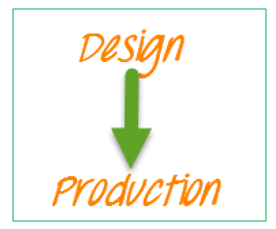
The diagram below groups those checks around the release, showing operational testing as the last gate before the application enters its live environment.
Why Operational Testing
Operational testing exists because a release that satisfies every functional requirement can still be impossible to run.
- During OAT, software configurations and operational support components come together for the first time.
- It tests the implementation of functional or structural changes to a software or service in a functional or non-functional environment.
- This testing determines whether an application can be deployed on a network according to IT Infrastructure Library (ITIL) standards.
- It tells whether a software will operate the way it is designed to without disrupting the business process.
- OAT focuses mainly on these aspects of the software product:
- Resiliency
- Recovering ability
- Manageability and supportability
- Integrity
Who Performs Operational Testing and When
Ownership of OAT differs from every earlier test level, and that difference explains most of its findings. The people running it are the people who will be paged at three in the morning.
- System administrators and infrastructure engineers — execute installation, fail over and restart cases against the target environment.
- Operations and support teams — validate alerts, thresholds, escalation routes and the resolution documents referenced by each alert.
- Database and backup administrators — take and restore backups, including a restore to a second site.
- Security and compliance staff — confirm hardening, access control and audit logging in the live-like environment.
- Test managers — collect the evidence into the go-live decision pack.
In the software testing life cycle, operational testing sits at the very end. System testing proves the assembled product works, user acceptance testing proves the business accepts it, and OAT then proves the organisation can run it. Because it needs a production-like environment, OAT is normally scheduled once the release candidate is frozen — any code change after that point sends the cycle back to the start.
Example test cases for Operational Testing or OAT
Following is a handy checklist to do OAT. Each line is written so that its result is a plain pass or fail, which is what a go-live board needs.
- Backups taken at one site can be recovered to the same site.
- Backups taken at one site can be recovered to the other site.
- Implementation of any new features into the live production environment does not adversely affect the integrity of the current production services.
- The implementation process can be replicated by using valid documentation.
- Each component can be shut down and started successfully within the agreed time scale.
- For alerts, all critical alerts must go to the TEC and reference the correct resolution document.
- Alerts are in place and are issued if agreed thresholds are exceeded.
- Any recovery documentation produced or altered, including service diagrams, is valid. This should be handed over to the relevant support areas.
- Any component affected by a failure shows the recommended order of restart, the time to complete, and the dependencies involved.
A practical addition to the list is the negative case: deliberately break one dependency, then confirm that the alert fires, the runbook is found, and the documented restart order restores service. A checklist that only ever records successes has not tested the operation at all.
Operational Testing vs User Acceptance Testing
OAT and user acceptance testing are both acceptance activities and both run late, which is why they are so often confused. They answer different questions and are signed off by different people.
| Aspect | Operational Acceptance Testing (OAT) | User Acceptance Testing (UAT) |
| Question answered | Can the organisation run and support this system? | Does the system meet the agreed business requirements? |
| Performed by | Operations, infrastructure and support staff | End users, business stakeholders and clients |
| Requirement type | Mainly non-functional — recovery, backup, alerting, security | Mainly functional — business workflows and rules |
| Environment | Production-like, with real monitoring and backup tooling | A stable test environment with representative data |
| Typical evidence | Restore logs, fail over timings, alert screenshots, signed runbooks | Executed business scenarios and user sign-off |
| Failure looks like | The system works but cannot be restored, monitored or restarted | The system runs but does not do what the business asked |
The two are complementary rather than alternatives. A release that passes UAT and fails OAT is a release that will function correctly right up to the first outage.
Advantages and Challenges of Operational Testing
Teams that adopt OAT usually cite the same benefits, and meet the same obstacles.
Advantages
- Outage risk drops, because recovery and fail over paths are exercised before customers depend on them.
- Support teams inherit documentation that has been proved against the real system rather than written from the design.
- Deployment surprises surface in a controlled window instead of during the go-live night.
- Compliance and audit evidence is generated as a by-product of the checklist.
Challenges
- A production-like environment is expensive, and a scaled-down copy hides exactly the failures OAT is meant to find.
- The cycle competes for the same calendar space as the release, so it is the first activity cut when a date slips.
- Destructive cases such as fail over and restore need approvals and quiet windows that are hard to obtain.
- Results depend on operations staff who are simultaneously running the current live service.
The usual mitigation is to start small: automate the backup-restore and restart cases first, since they repeat every release and give the clearest pass or fail signal. From there, the checklist can grow with each cycle, and any change to the runbooks becomes a candidate for regression testing in the next release.
