
How to Post Goods Issue in SAP MM VL02N, VL09
 Editorial Team
⚡ Smart Summary
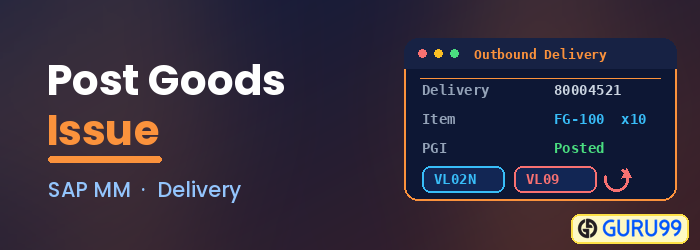
Goods Issue posting in SAP records the movement of materials out of inventory for outbound deliveries, production orders, reservations, and other scenarios, reducing stock, updating accounting, and supporting accurate inventory management through transactions such as VL02N, VL09, and MIGO.
What is Goods Issue in SAP?
Another important process in inventory management is goods issue posting. Reservations are considered a specific process on their own, but essentially reservation use a goods issue logic. When we created a material document for reservations, we have issued goods from warehouse to the cost center, production order etc.
Now, we can talk about other goods issuing processes. The most important of all is for outbound delivery. The process works as follows –
- We have an inbound delivery for our material 10599999 incoming from sales department.
- After the goods are loaded in the truck we should do a goods issue posting for the delivery.
- We are sent the delivery number 80072673 created for out material 10599999 and we need to process the delivery in inventory management by posting the goods issue.
It is done in sales transaction VL02N mostly used by the MM users in logistics. Departments that use this transaction can vary depending on the organizational structure in the company.
Steps to Post Goods Issue in SAP
With the delivery created, follow the steps below to post the goods issue in the VL02N transaction.
Step 1)
- Open VL02N transaction.
- Enter the delivery number you need to process. Hit ENTER.

Step 2)
- Enter the Plant and Storage Location.
- Enter picked quantity. If full quantity has been picked and loaded, enter 20 PCS but if for some reason loaded quantity is 12 PCS (e.g. truck already full) you will enter 12 in Deliv. Qty field and in the Picked Qty fields.
- Post Goods Issue.

You are done.



How to Reverse or Cancel a Goods Issue in SAP
If for some reason you need to reverse/cancel goods issue for outbound delivery, you can use the transaction VL09.
Step 1)
- Execute transaction VL09.
- Enter the appropriate delivery number.
- Press the execute button. As you can see, you can use this function for inbound deliveries too.

Step 2)
- Select the line with the delivery you want to process.
Click the Reverse button.
Confirm if asked. If you get the message that the goods issue is reversed successfully, you are done.
If not, there’s a problem in the processing which has to be identified by superuser or consultant.

Other Goods Issue Processes in SAP
Other types of processes where posting a goods issue is needed
You can see the MIGO transaction for reference to more options for posting a goods issue.
Choose A07 – goods issue, and in the next drop-down menu you will find several options. To give you a little “homework”, you can explore the options by yourself, here’s just a short look on them.
- R02 – Material Document (post goods issue for a material document)
- R08 – Order (post goods issue for a production order)
- R10 – Other (without the reference document)
- R01 – Purchase Order (PGI for a purchase order)
- R09 – Reservation (PGI for reservation – I have demonstrated this process by using MB1C transaction)

