
Calculation Schema in SAP MM & SD
 Editorial Team
⚡ Smart Summary
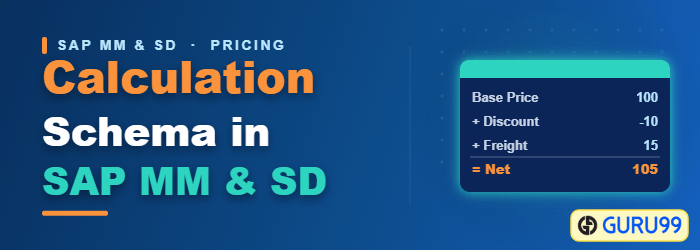
Calculation Schema in SAP defines the order in which condition types are applied to reach a net price. Customizing controls usage A Pricing and application M Purchasing, with each step carrying its own calculation and account settings.
What is a Calculation Schema in SAP?
A calculation schema, also called a pricing procedure, is the recipe SAP follows to turn a list of individual conditions into one net price on a purchasing document. Without it, a discount and a freight charge would exist as unrelated numbers with no rule for how they combine.
The schema answers three questions for every purchase order item:
- In what order? A discount calculated before freight produces a different total than one calculated after. The step numbers fix that sequence.
- Based on what? A percentage condition needs a base value. The From and To reference steps tell it which earlier lines to sum.
- Posting where? Each calculated amount has to reach a general ledger account, which the account key on the line supplies.
The schema sits at the top of the pricing configuration chain. A condition table and access sequence decide where a price is found, a condition type describes what kind of value it is, and the calculation schema decides how all of them are combined.
Process to Define Calculation Schema
As you saw in the previous topic, a condition type is assigned a calculation schema. It is defined in customizing.
Step 1) In IMG, Choose Define Calculation Schema option.

Step 2)
- You can see that the initial screen contains a dialog structure with Schemas as the top level. Additionally, you can drop down to Control data.
- Right portion of the screen shows Usage and Application data. We can see that usage is to A – Pricing, and application is set to M – Purchasing.
- Contains a list of schemas and its short description

Step 3)
- Click on the schema you want to change
- Double click the Control data node.

Step 4) The following table of condition types (reference steps) is used in this calculation schema. There are a number of options for condition types that can be set for this calculation schema (different settings could be set for the same condition type in the other calculation schema). List of possible options with a short description:
- Step (indicates the sequence of the procedure)
- Counter (counts the number of conditions in a step)
- Condition type (one of the already defined condition types – previous topic)
- From (reference step to be used as a base for calculating percentage conditions)
- To (up to which step the conditions should be used as a base for calculating percentage conditions)
- Manual (allowed to be entered manually)
- Required (required condition)
- Statistics (only statistical condition)
- Print (printing control for condition)
- Subtotal (how to calculate the subtotal)
- Requirement (custom routine for the requirement)
- CalType (calculating routine – if custom routine is needed)
- BasType (custom routine for base condition value)
- AccKey (G/L account key)
- AccrualAccKey (G/L account key for accruals or provisions)

After the right settings are applied to all of the conditions in a procedure you can save the transaction data.
⚠️ Warning: Never edit a standard SAP schema such as RM0000 directly. Copy it to a name in the customer range and change the copy. Standard schemas can be overwritten by a support pack, taking your configuration with them.
Statistical Conditions, Subtotals and Account Keys
Three of the fifteen columns above cause most of the confusion in practice, because they change what the number does rather than what it is.
Statistics. A statistical condition is calculated and displayed but never added to the net value and never posted to accounting. It exists for information. Typical uses are a cash discount shown for reference, an estimated freight figure, or a market price used to benchmark what was actually paid. Ticking Statistics on a real cost is a common configuration error, because the amount then quietly disappears from the order value.
Subtotal. This field stores the running total at that step into a specific field so later steps or reports can read it. Value 9, for example, writes to the field used as the effective price basis. Without a subtotal, an intermediate figure is calculated and then lost, so any later percentage condition has nothing to reference.
Account key. The key maps the calculated amount to a general ledger account through automatic account determination. Freight posts to a freight clearing account rather than to stock, and a discount reduces the stock value directly. Where a charge is expected but not yet invoiced, the accrual account key creates the provision instead.
A condition without an account key still affects the net order value but has nowhere to post, which is exactly what is wanted for a discount that simply reduces the price and exactly what is not wanted for a delivery cost.
How SAP Determines the Calculation Schema
A schema is not chosen by the buyer. SAP derives it automatically when the purchase order is created, using a combination of three master data values.
- Schema group of the vendor. Held on the purchasing data of the vendor master, this groups suppliers that share pricing behaviour, such as domestic versus import.
- Schema group of the purchasing organisation. Assigned in customizing to each purchasing organisation, this separates procurement units that price differently.
- Schema determination table. The two groups together point at exactly one calculation schema. Change either group and a different schema applies.
The practical consequence is that a pricing problem is often not a pricing problem. When a condition type refuses to appear on an order, the first check is whether the vendor carries the schema group that leads to the schema containing it. That configuration is covered in defining schema groups.
Standard SAP delivers RM0000 as the reference purchasing schema, containing gross price PB00 and PBXX, discounts, surcharges, freight, and the subtotals that produce the effective price. Copying RM0000 and adjusting the copy is the normal starting point for any project. The wider configuration sequence is covered across the SAP MM tutorial series.
